
1. Introduction
This manual provides instructions for the OEM Replacement Remote Control, model RC-ALIR / 100007147, designed for Onn Roku TVs. This remote utilizes infrared (IR) technology for controlling your television. Please read this manual thoroughly to ensure proper setup and operation.
2. Setup: Battery Installation
To begin using your remote control, you must first install the batteries. This remote requires two AAA batteries (not included).
- Locate the battery compartment cover on the back of the remote control.
- Slide the cover downwards or press the latch (if present) and lift to remove it.
- Insert two AAA batteries, ensuring that the positive (+) and negative (-) terminals align correctly with the markings inside the compartment. The positive end of the battery should align with the (+) symbol, and the negative end with the (-) symbol.
- Replace the battery compartment cover by sliding it back into place until it clicks securely.
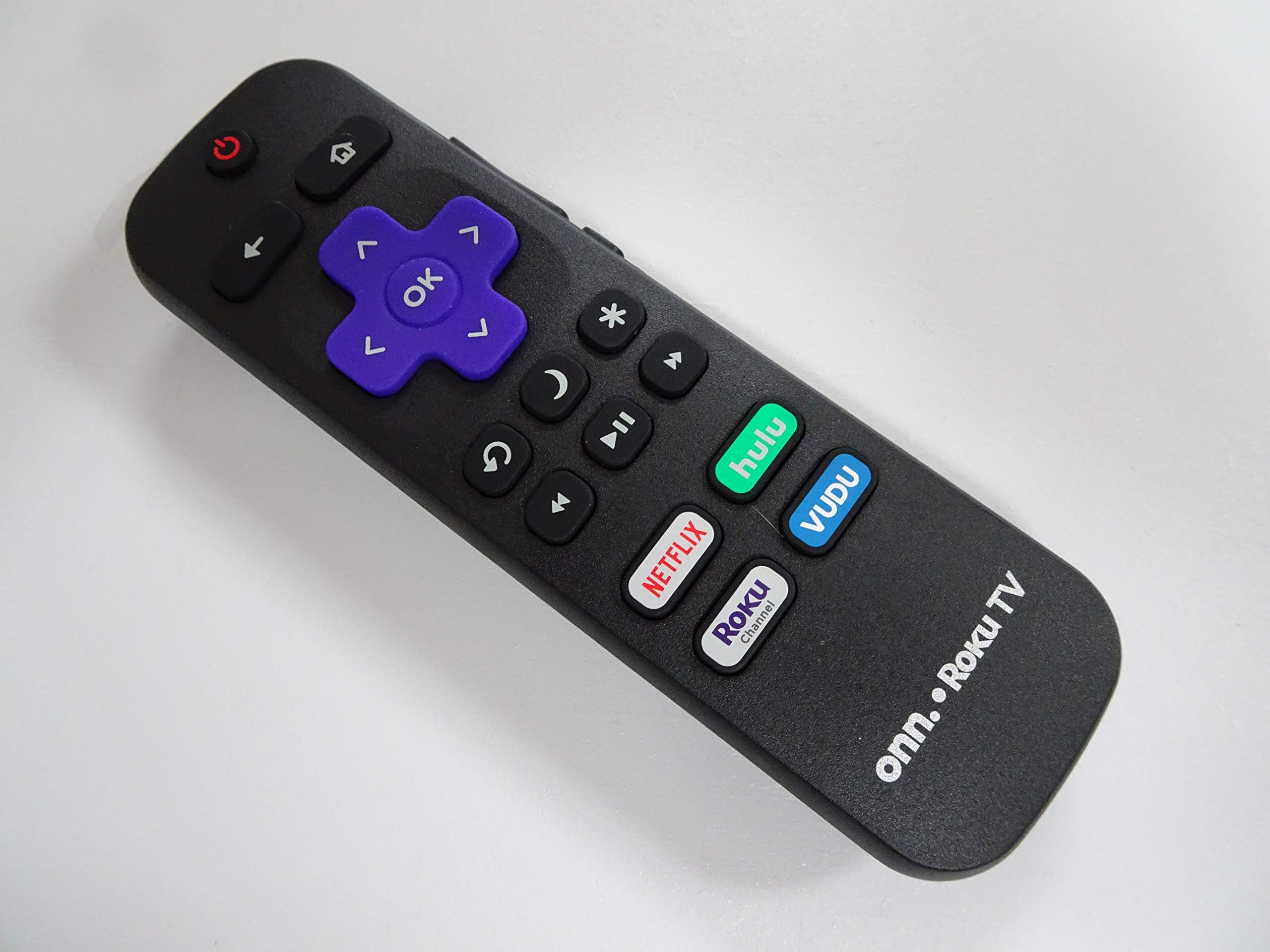
Figure 1: Battery compartment with markings for AAA battery insertion. Note the positive (+) and negative (-) indicators for correct battery placement.
Important: Always use fresh batteries. Do not mix old and new batteries, or different types of batteries. Remove batteries if the remote will not be used for an extended period to prevent leakage.
3. Operating Instructions
This remote control is designed to function immediately with compatible Onn Roku TVs without additional programming. Point the remote directly at your TV's IR receiver.
- Power Button: Press to turn your Onn Roku TV on or off.
- Directional Pad (D-Pad): Use the Up, Down, Left, and Right arrows to navigate menus and select items.
- OK/Select Button: Press the center button of the D-Pad to confirm a selection.
- Home Button: Returns you to the Roku TV home screen.
- Back Button: Returns to the previous screen or menu.
- Volume Up/Down: Adjusts the TV's volume level.
- Mute Button: Mutes or unmutes the TV audio.
- Instant Replay: Jumps back a few seconds in video playback.
- Options (*): Accesses context-sensitive options within apps or menus.
- Play/Pause: Controls media playback.
- Fast Forward/Rewind: Skips forward or backward in media playback.
- Channel Buttons (if present): For direct channel selection on live TV inputs.
- Streaming Service Shortcut Buttons: Dedicated buttons for popular streaming services (e.g., Netflix, Hulu, Disney+, etc.) for quick access.
4. Maintenance
Proper care will extend the life of your remote control.
- Keep the remote dry. Avoid exposure to liquids, as this can damage internal components.
- Clean the remote with a soft, dry cloth. Do not use abrasive cleaners or solvents.
- Avoid dropping the remote or subjecting it to strong impacts.
- Store the remote in a cool, dry place away from direct sunlight and extreme temperatures.
5. Troubleshooting
If you experience issues with your remote control, try the following solutions:
- Remote not responding:
- Ensure the remote is pointed directly at the TV's IR receiver.
- Check the batteries. Replace them with fresh AAA batteries, ensuring correct polarity (+/-).
- Remove any obstructions between the remote and the TV.
- Test the remote by using a smartphone camera: Point the remote's IR emitter (front end) at your phone's camera and press a button. If you see a light flashing on your phone screen, the IR emitter is working.
- Buttons not working:
- Clean the remote's surface and buttons with a soft, dry cloth to remove any dirt or debris that might be obstructing button presses.
- Replace batteries, even if they seem to have some power left.
6. Specifications
| Feature | Detail |
|---|---|
| Model Number | RC-ALIR / 100007147 |
| Compatibility | Onn Roku TVs |
| Connectivity Technology | Infrared (IR) |
| Controller Type | Button Control |
| Power Source | 2 x AAA Batteries (not included) |
| Item Weight | 3.2 ounces (approx. 90.7 grams) |
| Package Dimensions | 5.3 x 1.6 x 0.8 inches (approx. 13.5 x 4.1 x 2.0 cm) |
| Special Feature | Ergonomic design |
| Manufacturer | Xtrasaver |
7. Warranty and Support
This product is offered as an Amazon Renewed item. Amazon Renewed products are professionally inspected and tested to work and look like new. If you are not satisfied with your purchase, renewed products are eligible for replacement or refund under the Amazon Renewed Guarantee.
For further assistance or inquiries, please refer to your Amazon order details for seller contact information or visit the Amazon Renewed support page.