1. Introduction
This manual provides detailed instructions for the installation, operation, and maintenance of your BOSS Audio Systems Elite BV850ACP Car Multimedia Player. Please read this manual thoroughly before using the product to ensure proper functionality and to prevent damage.
2. Safety Information
- Always operate the vehicle in a safe manner. Do not allow the operation of this product to distract you while driving.
- Professional installation is strongly recommended for this product to ensure proper and safe functionality.
- Ensure all wiring connections are secure and properly insulated to prevent short circuits and electrical hazards.
- Do not expose the unit to moisture or extreme temperatures.
- Refer to your vehicle's owner's manual for specific instructions regarding car audio system installation and safety.
3. Package Contents
Verify that all items are present in the package:
- BOSS Audio Systems Elite BV850ACP Car Multimedia Player
- Mounting hardware
- Power harness
- User's manual (this document)
- Wireless remote control
- Rear camera with necessary cables

Image: Contents of the BV850ACP package, showing the main unit, wiring, mounting brackets, remote control, and the included rear camera.
4. Setup and Installation
Due to the complexity of car audio systems and vehicle electrical wiring, professional installation is highly recommended. Incorrect installation can lead to damage to the unit, vehicle, or personal injury.
4.1 Mounting the Unit
The BV850ACP is a double-DIN unit designed to fit standard double-DIN openings. Use the provided mounting hardware to secure the unit in your vehicle's dashboard. Ensure adequate space for wiring connections at the rear of the unit.

Image: Physical dimensions of the BV850ACP unit, indicating its double-DIN size for installation planning.
4.2 Wiring Connections
Connect the power harness, speaker wires, and other input/output cables according to the wiring diagram provided in the separate wiring guide (if applicable) or consult a professional installer. Key connections include:
- Power: Connect to constant 12V, accessory 12V, and ground.
- Speakers: Connect to vehicle's speaker wiring.
- Rear Camera: Connect the video input and power for the included rear camera.
- USB: Connect USB devices for media playback or charging.
- Steering Wheel Control: An interface module (sold separately, e.g., Metra ASWC-1) is required for steering wheel control functionality.
- Pre-Amp Outputs: Front, Rear, and Subwoofer pre-amp outputs are available for connecting external amplifiers.
5. Operating Instructions
5.1 Basic Controls and Touchscreen
The BV850ACP features a 6.75-inch LCD capacitive touchscreen for primary control. Navigate through menus and applications by touching the screen. Physical buttons on the unit provide quick access to essential functions like volume and home.
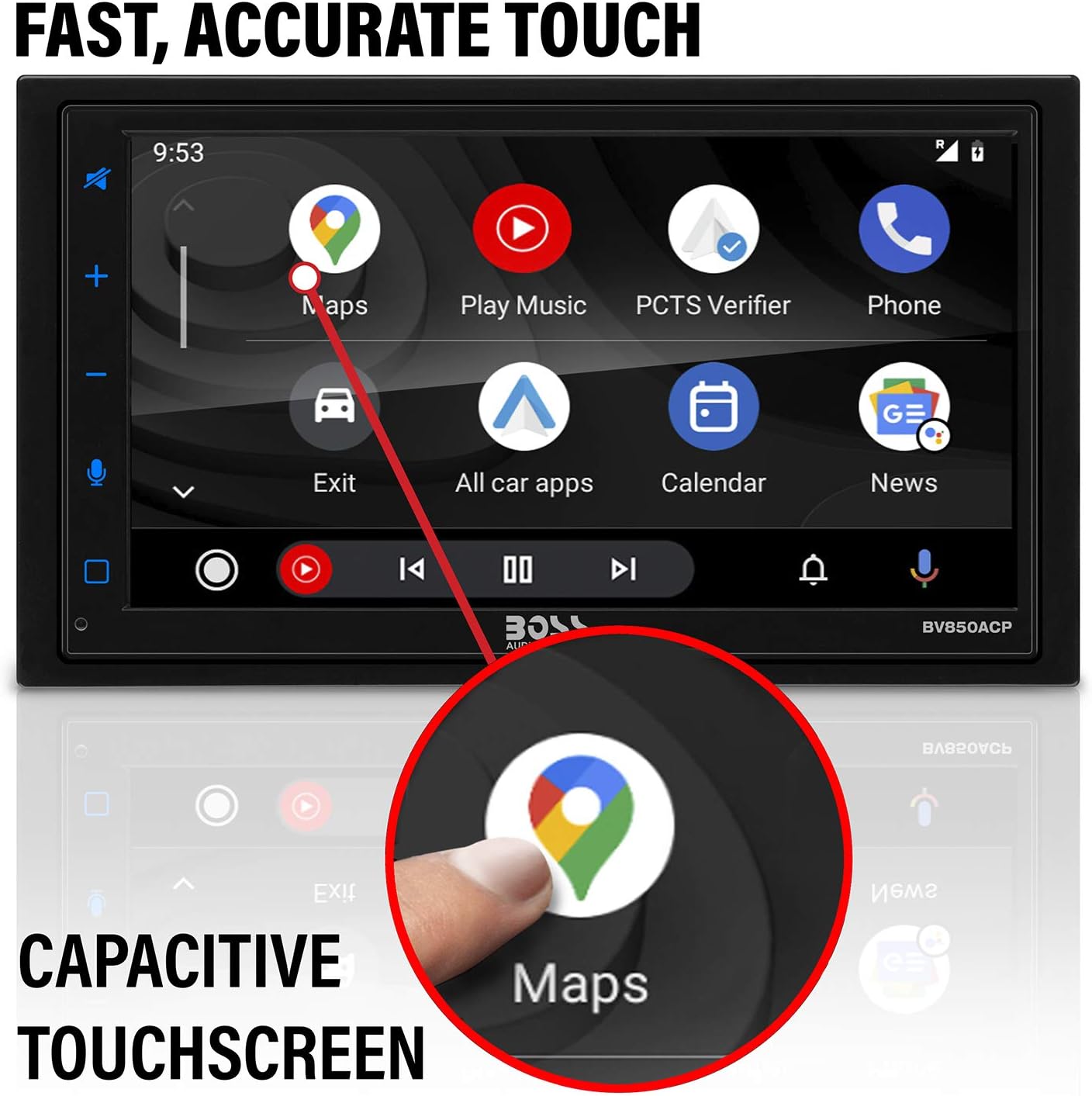
Image: A finger tapping the 'Maps' icon on the BV850ACP's responsive capacitive touchscreen.
5.2 Apple CarPlay
Connect your iPhone via USB to activate Apple CarPlay. This feature allows you to access key iPhone functions directly on the unit's display, including Phone, Music, Maps, Text messages, Radio, Podcasts, and Audiobooks. Siri voice controls can be used for hands-free operation.

Image: The Apple CarPlay interface on the BV850ACP, displaying various app icons for navigation and communication.
5.3 Android Auto
Connect your Android phone via USB to activate Android Auto. Use Google Assistant by saying "Ok Google" to get real-time alerts on Google Maps and Waze, make calls, check messages, and use music apps while driving.
5.4 Bluetooth Connectivity
Pair your Bluetooth-enabled device with the BV850ACP for wireless audio streaming and hands-free calling. Access the Bluetooth menu on the unit to search for and connect to your device. Once paired, you can control music playback and manage calls directly from the unit.

Image: A smartphone connected via Bluetooth to the BV850ACP, demonstrating wireless audio streaming capabilities.
5.5 USB Playback and Charging
The unit features USB ports for media playback (MP3) and charging compatible devices. Insert a USB drive with audio files into the designated USB port for playback. The USB port also provides charging capabilities for your smartphone or other USB-powered devices.
5.6 AM/FM Radio
Access the AM/FM tuner to listen to radio broadcasts. Use the touchscreen controls to scan for stations, save presets, and switch between AM and FM bands.
5.7 Rear Camera Operation
When properly installed, the included rear camera automatically displays a live video feed on the unit's screen when the vehicle is shifted into reverse. This provides a wide-angle view to assist with parking and maneuvering.

Image: A simulated view from the backup camera, showing parking assist lines on the BV850ACP display.
6. Maintenance
To maintain the performance and appearance of your BV850ACP:
- Clean the touchscreen with a soft, dry cloth. Avoid abrasive cleaners or solvents.
- Keep the unit free from dust and debris.
- Ensure all connections remain secure.
7. Troubleshooting
If you encounter issues with your BV850ACP, refer to the following common solutions:
- No Power: Check power connections (constant 12V, accessory 12V, ground) and vehicle fuses.
- No Sound: Verify speaker connections, amplifier connections (if applicable), and volume settings.
- Touchscreen Unresponsive: Try resetting the unit (refer to the full user manual for specific reset instructions). Ensure the screen is clean.
- Bluetooth Connection Issues: Ensure Bluetooth is enabled on both the unit and your device. Delete previous pairings and attempt to re-pair.
- CarPlay/Android Auto Not Activating: Ensure your phone is connected via a quality USB cable. Check phone settings for CarPlay/Android Auto permissions.
- Rear Camera Not Displaying: Check the camera's power and video input connections. Ensure the vehicle is in reverse.
For further assistance, contact BOSS Audio Systems customer support.
8. Specifications
| Feature | Specification |
|---|---|
| Product Dimensions | 5 x 7 x 3.9 inches |
| Item Weight | 2.43 ounces |
| Item Model Number | BV850ACP |
| Wireless Communication | Bluetooth |
| Connectivity Technologies | Bluetooth, USB |
| Special Features | Android Auto, Apple CarPlay, Built-In Bluetooth, LCD Capacitive Touchscreen, No CD/DVD, Rear Camera Included |
| Human Interface Input | Touchscreen |
| Audio Output Mode | Stereo |
| Compatible Devices | Smartphone, Speaker |
9. Warranty and Support
BOSS Audio Systems provides a 3-year platinum online dealer warranty for this product, provided the purchase is made through an authorized retailer. For warranty claims or technical support, please refer to the contact information provided on the official BOSS Audio Systems website or your purchase documentation.


