Product Overview
The FITUEYES Under Desk Printer Stand is designed to optimize your workspace by providing a dedicated, mobile storage solution for your printer and office supplies. This versatile unit can be placed conveniently under your desk, freeing up valuable desktop space. It features multiple storage compartments and smooth-rolling casters for easy mobility.
Key features include:
- Multi-Purpose Printer Stand: Accommodates fax machines, printers, or scanners on top, with multiple compartments for paper and other supplies. Can be used as a desktop organizer when wheels are removed.
- Space Saving: Designed to fit under desks, saving desktop space and keeping your workspace organized.
- Mobile Printer Cart: Equipped with four swivel wheels, two of which are lockable, for easy movement and secure placement.
- Quality Material: Constructed from premium 12mm MDF board for sturdiness and durability.
- Easy to Assemble: All necessary accessories and an assembly manual are included for straightforward setup.

Figure 1: The FITUEYES Under Desk Printer Stand in white, showcasing its compact design and storage capabilities.

Figure 2: The printer stand in use, holding a printer on its top surface and various office supplies such as a hole punch, stapler, and binders in its three compartments.
Setup and Assembly
Assembly of the FITUEYES printer stand is designed to be straightforward. Please follow the included assembly manual for detailed, step-by-step instructions. All necessary accessories and hardware are provided in the package.
Important: Ensure all components are present before beginning assembly. If any parts are missing or damaged, please contact customer support.
The stand can be assembled with or without the casters (wheels) depending on your preference for mobility or stationary use.
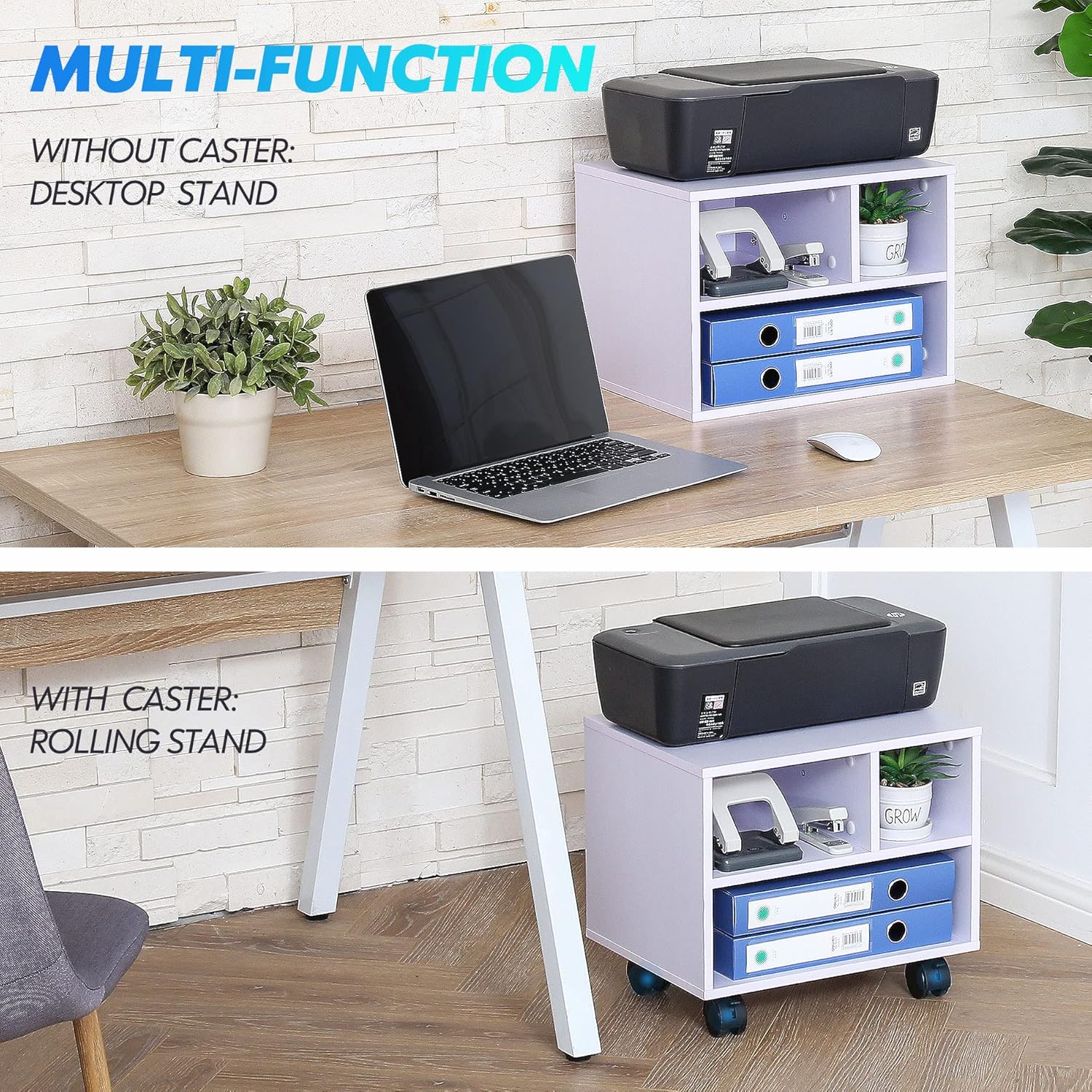
Figure 3: Illustration demonstrating the dual functionality of the stand, usable as a static desktop organizer or a mobile rolling cart by attaching or detaching the casters.
Operating Instructions
The FITUEYES printer stand is designed for ease of use and versatility in various office or home environments.
Using the Mobile Functionality:
The stand is equipped with four swivel wheels, two of which include locking mechanisms. To move the stand, ensure both locking casters are in the "OFF BRAKE" position. To secure the stand in place, push the levers on the two locking casters to the "ON BRAKE" position.

Figure 4: Detail of the locking casters, illustrating how to engage and disengage the brakes for mobility or stability.
Optimizing Space:
This printer cart is specifically designed to fit under most standard desks, allowing you to reclaim desktop space. The open storage compartments provide easy access to paper, ink, and other frequently used office supplies.

Figure 5: The printer stand neatly tucked under a desk, illustrating how it helps save space in a home or office setup.

Figure 6: A printer placed on the stand, which is located under a desk, demonstrating that the printer remains fully functional and accessible even when stored beneath the desk.
Maintenance
To ensure the longevity and appearance of your FITUEYES printer stand, follow these simple maintenance guidelines:
- Cleaning: Wipe surfaces with a soft, damp cloth. Avoid harsh chemicals or abrasive cleaners, which can damage the finish.
- Dusting: Regularly dust the stand to prevent buildup, especially in the storage compartments.
- Caster Care: Periodically check the casters for any debris (like hair or lint) that might impede smooth rolling. Clean as necessary.
- Weight Distribution: Distribute weight evenly across the top surface and shelves to maintain stability and prevent warping.
Troubleshooting
If you encounter any issues with your FITUEYES printer stand, please refer to the following common troubleshooting tips:
- Stand is Wobbly:
- Ensure all screws and fasteners are securely tightened.
- Verify that the stand is placed on a flat, even surface.
- Casters Not Rolling Smoothly:
- Check for and remove any debris (hair, dust, etc.) caught in the wheels.
- Ensure the locking brakes are fully disengaged.
- Difficulty Assembling:
- Double-check the assembly manual to ensure all steps are followed correctly.
- Ensure you are using the correct hardware for each step.
- If issues persist, contact customer support for assistance.
Specifications
| Attribute | Detail |
|---|---|
| Brand | FITUEYES |
| Model Number | PS304005WW |
| Overall Dimensions (W x D x H) | 15.7 in. W x 11.8 in. D x 13.8 in. H (40cm x 30cm x 35cm) |
| Item Weight | 12.73 pounds (5.77 kg) |
| Material Type | Engineered Wood, Paper |
| Color | White |
| Load Capacity (Top Shelf) | 33 lbs (15 kg) |
| Load Capacity (Middle Shelf) | 11 lbs (5 kg) |
| Load Capacity (Bottom Shelf) | 22 lbs (10 kg) |
| Number of Items | 1 |
| Date First Available | April 22, 2020 |

Figure 7: Detailed dimensions of the printer stand, including measurements for each compartment.
Warranty and Support
For information regarding product warranty, returns, or additional support, please refer to the purchase documentation or contact FITUEYES customer service directly.
You can also visit the official FITUEYES store for more information and product updates: FITUEYES Store on Amazon.
For assembly assistance, please refer to the Installation Manual (PDF).


