
1. Introduction
The DuoSmart B20 WiFi Strobe Siren is an autonomous security alarm system designed to provide robust protection for your premises. It features a powerful 130 dB siren and a bright strobe light to deter intruders. This device connects directly to your WiFi network, allowing for remote monitoring and control via the DuoSmart, Smartlife, or Tuya mobile applications. It is compatible with up to 60 RF 433.92 MHz devices, including PIR motion sensors and magnetic door/window sensors, enhancing your security setup.
2. Package Contents
Carefully unpack the box and ensure all the following items are present:
- 1 x DuoSmart B20 WiFi Strobe Siren
- 1 x Remote Control
- 1 x Power Adapter (9V 600mA)
- Mounting Screws and Anchors
- 1 x User Manual

Image: Contents of the DuoSmart B20 WiFi Strobe Siren package.
3. Setup
3.1 Physical Installation
The DuoSmart B20 siren is designed for wall mounting. Choose a suitable location, preferably outdoors or in a prominent area, where the siren's sound and strobe light can be effective. Use the included screws and anchors to securely mount the device.
3.2 Power Connection
Connect the included 9V 600mA power adapter to the siren's voltage input port. Plug the adapter into a standard electrical outlet. The siren operates primarily via this power adapter. It may contain an internal backup battery for temporary operation during power outages, but it is not designed for continuous wireless operation.

Image: Rear components and power connection of the DuoSmart B20 siren.
3.3 App Connection (DuoSmart/Smartlife/Tuya)
- Download the DuoSmart, Smartlife, or Tuya app from your mobile device's app store (available for iOS and Android).
- Register or log in to your account.
- Ensure your mobile device is connected to a 2.4GHz WiFi network. The siren does not support 5GHz networks.
- In the app, tap 'Add Device' or the '+' icon.
- Follow the on-screen instructions to put the siren into pairing mode (usually involves pressing a button on the device or power cycling it). The siren's indicator light will typically flash rapidly.
- Select the siren from the list of discoverable devices in the app and complete the pairing process.

Image: DuoSmart B20 siren controlled via mobile app and remote.
4. Operating Instructions
4.1 Arming and Disarming
You can arm, disarm, or trigger an SOS alarm remotely using the mobile app or the included remote control.
- Arm (Total): Activates all connected sensors. The siren will trigger if any sensor detects activity.
- Arm (Partial/Stay): Activates perimeter sensors while allowing movement within the interior without triggering the alarm. Interior sensors will not activate the siren in this mode.
- Disarm: Deactivates the alarm system.
- SOS: Triggers the siren immediately for emergency situations.
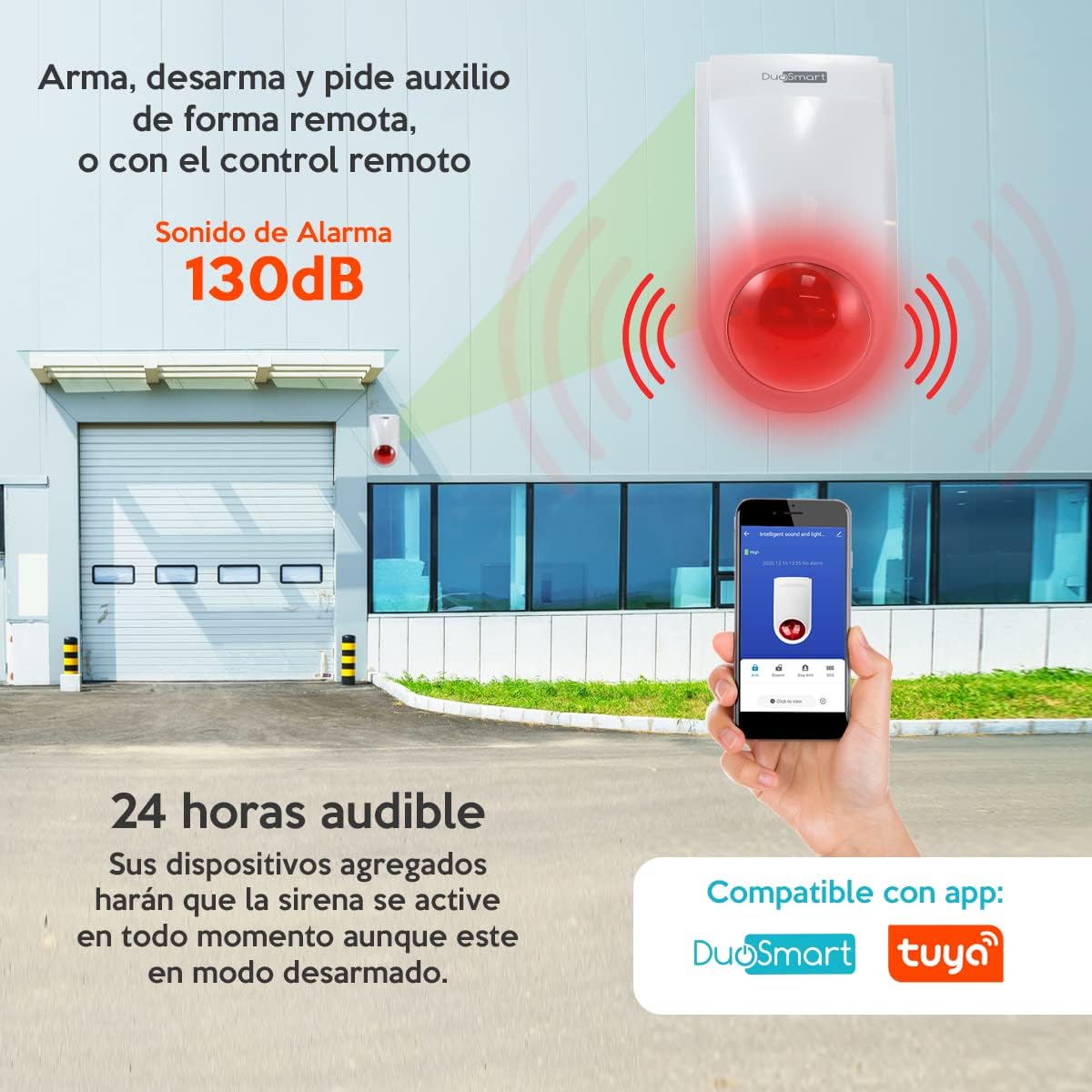
Image: Remote control and app functions for arming, disarming, and SOS.
4.2 Adding RF 433.92 MHz Devices
The siren supports up to 60 additional RF 433.92 MHz devices, such as PIR motion sensors and magnetic contact sensors. Refer to the DuoSmart app for specific instructions on how to pair these devices. Once paired, these devices will trigger the siren based on their configuration and the siren's arming mode.
- 24-Hour Audible: Certain devices can be configured to activate the siren at all times, even when the siren is in disarmed mode. This is typically used for smoke detectors or gas leak sensors.

Image: Examples of compatible RF 433.92 MHz devices.
4.3 Scene Execution
Leverage the DuoSmart/Smartlife/Tuya app to create smart scenes. For example, you can configure the siren to trigger other smart devices (e.g., turning on lights) when an alarm is activated, enhancing your overall security solution.
5. Maintenance
5.1 Cleaning
Wipe the siren's exterior with a soft, dry cloth. Do not use abrasive cleaners or solvents, as these can damage the device. Ensure no moisture enters the device.
5.2 Tamper Switch
The siren is equipped with a tamper switch (visible on the rear, refer to Section 3.2 image). If the siren is forcibly removed from its mounting location while armed, this switch will trigger an alarm, providing an additional layer of security.
5.3 Power Supply
Ensure the power adapter remains securely connected to a functional power outlet. Regularly check the power cable for any signs of damage. If the siren contains an internal backup battery, ensure it is charged by keeping the device connected to power. Consult the app for battery status if available.
6. Troubleshooting
- Siren not connecting to WiFi:
Ensure your WiFi network is 2.4GHz. Check your WiFi password. Move the siren closer to your router. Restart your router and the siren. - Siren not responding to app/remote:
Verify the siren is powered on. Check if the siren is connected to WiFi (indicator light status). Ensure the remote control battery is not depleted. Re-pair the remote control if necessary. - RF sensors not triggering siren:
Ensure the sensors are properly paired with the siren. Check the sensor batteries. Verify the siren is in an armed mode (Total or Partial, depending on sensor type). Check the sensor's operating mode (e.g., 24-hour audible). - Siren sounds unexpectedly:
Check the app for recent activity logs to identify which sensor or event triggered the alarm. Inspect sensors for false triggers (e.g., motion sensor detecting pets, magnetic sensor misaligned). - Low siren volume:
Ensure the siren's speaker is not obstructed. Check app settings for volume control if available.
7. Specifications
| Model Number | B20 |
| Brand | DuoSmart |
| Sound Level | 130 Decibels |
| Control Method | Application (DuoSmart, Smartlife, Tuya) |
| Mounting Type | Wall Mount |
| RF Frequency | 433.92 MHz |
| Max RF Devices | Up to 60 (PIR, Magnetic Sensors, etc.) |
| Power Source | 9V 600mA Power Adapter (included), internal backup battery |
| Dimensions (L x W x H) | 12.7 x 10.16 x 22.86 cm |
| Weight | 0.51 g |
| UPC | 737787921630 |
8. Warranty and Support
For warranty information and technical support, please refer to the official DuoSmart website or contact their customer service directly. The DuoSmart app also serves as a primary resource for device management and troubleshooting assistance.
Manufacturer: DUOSMART