
1. Introduction
This manual provides detailed instructions for the SuperX Bluetooth 5.0 Wireless Earbuds, Model ZT000035. Learn how to set up, operate, maintain, and troubleshoot your earbuds to ensure optimal performance and longevity. These earbuds feature Bluetooth 5.0 for clear sound and connection, IPX5 sweatproof rating, and a comfortable in-ear design.
2. What's in the Box
Upon unboxing your SuperX Wireless Earbuds, you will find the following items:
- SuperX Wireless Earbuds (Left and Right)
- Charging Case with One-button Reset
- USB-C Charging Cable
- User Manual
- Extra Eartips (Small, Medium, Large)

Image: The SuperX Wireless Earbuds, charging case, and user manual laid out on a surface.
3. Product Overview
3.1. Earbuds Design
The SuperX earbuds feature a sleek, compact design with stems, similar to popular models. They are designed to be lightweight and comfortable for extended wear. The earbuds come with three different ear tip sizes (S, M, L) to ensure a snug and secure fit, which also contributes to passive noise separation.

Image: A close-up view of the SuperX Wireless Earbuds, highlighting their design and the SuperX branding.
3.2. Charging Case Design
The charging case is constructed from sturdy hard plastic and features four LED lights on the front to indicate the charging status. A USB-C charging port is located on the bottom of the case.

Image: The SuperX Wireless Earbuds and their charging case resting on a wicker chair next to a book.
4. Setup
4.1. Initial Activation
For first-time use, place the earbuds into the charging case for at least one minute to activate them.
4.2. Pairing with Your Device
The SuperX earbuds utilize Bluetooth 5.0 for a stable and simple connection. To pair:
- Remove both earbuds from the charging case. They will automatically enter pairing mode.
- On your device (smartphone, tablet, laptop), go to the Bluetooth settings.
- Look for "SUPERX" in the list of available devices and select it to connect.
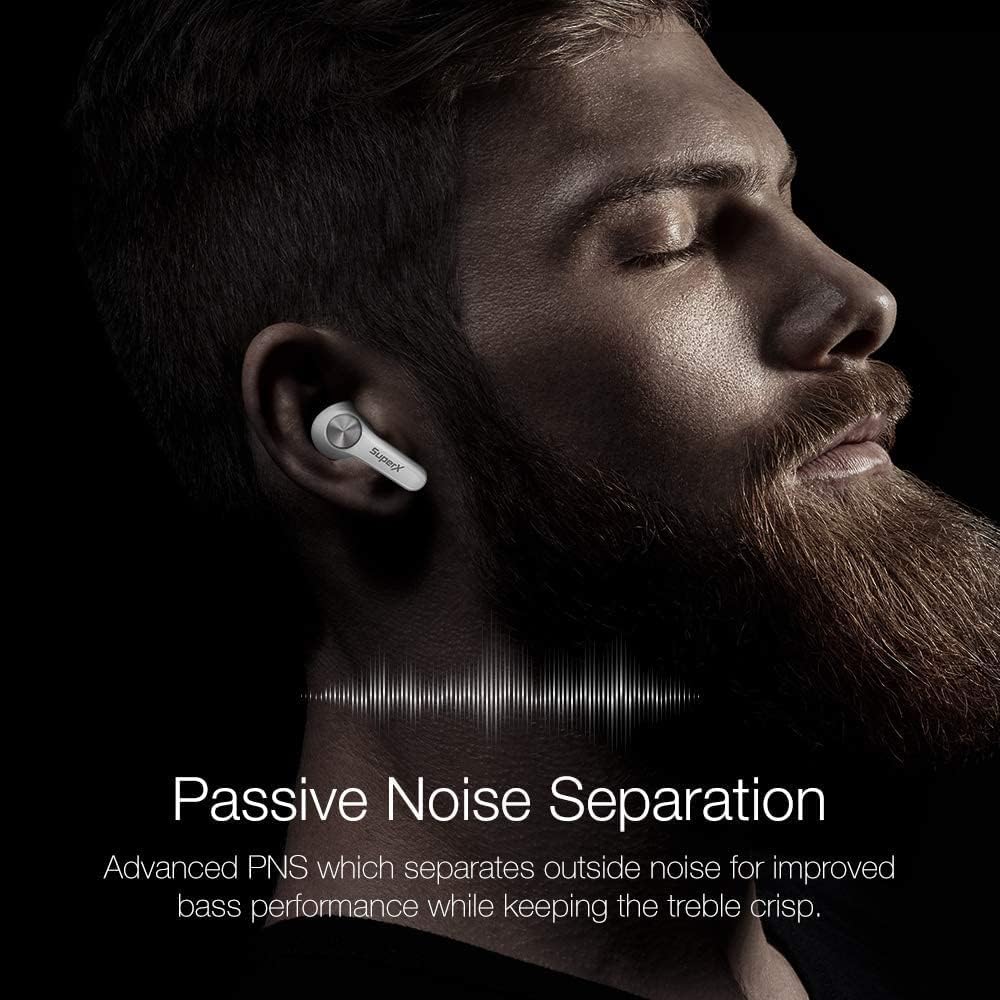
Image: The SuperX Wireless Earbuds in their open charging case, next to a smartphone displaying Bluetooth pairing options, with "SUPERX" highlighted.
Video: An official product video demonstrating the features and setup of the SuperX Bluetooth 5.0 Wireless Earbuds.
5. Operating Instructions
5.1. Touch Controls
The SuperX earbuds feature responsive touch controls for managing your audio and calls. To ensure commands are registered correctly, space out your taps. While track control, call management, and voice assistant activation are supported, volume control is not available directly from the earbuds.
- Play/Pause: Single tap on either earbud.
- Next Track: Double tap on the right earbud.
- Previous Track: Double tap on the left earbud.
- Answer/End Call: Single tap on either earbud.
- Reject Call: Press and hold on either earbud.
- Activate Voice Assistant: Triple tap on either earbud.
5.2. Call Quality
Equipped with a built-in omnidirectional microphone, these earbuds provide clear call quality for both office and personal conversations. Users on the other end typically report clear audio without complaints.

Image: A SuperX Wireless Earbud worn in a person's ear, illustrating its use for calls and conversations.
6. Battery Life & Charging
The SuperX Wireless Earbuds offer impressive battery performance:
- Earbuds: Up to 4 hours of continuous playtime on a single charge.
- Charging Case: Provides an additional 14 hours of battery life, extending total usage to approximately 18 hours.
6.1. Charging the Case
The charging case is equipped with a USB-C port for convenient charging. Simply connect the provided USB-C cable to the port on the bottom of the case and to a power source. The four LED lights on the front of the case will illuminate to indicate the charging status.
Note: The charging case does not support wireless charging.
Image: The SuperX Wireless Earbuds charging case, showing the four LED indicators that display battery status.
7. Comfort & Fit
The earbuds are designed for a comfortable and secure fit. Experiment with the three different earcap sizes (Small, Medium, Large) included in the box to find the best fit for your ears. A proper fit is crucial for both comfort and effective passive noise separation.

Image: A SuperX Wireless Earbud comfortably seated in a person's ear, demonstrating its ergonomic design.
8. Water Resistance
The SuperX Wireless Earbuds are IPX5 certified, meaning they are resistant to splashes of water and sweat. This makes them suitable for workouts and outdoor activities. While they can withstand sweat and light splashes, they are not designed for submersion in water.
9. Sound Quality
These earbuds deliver a world-class reverberating sound system, tested and tuned by acoustic experts for a balanced audio experience across various music genres. They offer clear highs and mids, ensuring background instruments and vocals are distinctly audible. The bass is deep and punchy, making them ideal for EDM, rap, and hip-hop music. The output is loud enough for personal listening preferences without significant distortion at maximum volume.
Image: A promotional image of the SuperX Wireless Earbuds highlighting their "World-Renowned Sound" feature.
10. Latency (Gaming)
While suitable for general media consumption, these earbuds do not feature a dedicated low-latency gaming mode. Some minor audio lag may be noticeable during hardcore mobile gaming. For casual gaming, the performance is generally acceptable.
11. Maintenance
To maintain the performance and longevity of your SuperX Wireless Earbuds:
- Regularly clean the ear tips and charging contacts with a soft, dry cloth.
- Ensure the earbuds and charging case are dry before charging.
- Store the earbuds in their charging case when not in use to protect them and keep them charged.
- Avoid exposing the earbuds to extreme temperatures or direct sunlight for prolonged periods.
12. Troubleshooting
If you encounter issues with your SuperX Wireless Earbuds, try the following:
- Pairing Issues: Ensure both earbuds are out of the case and your device's Bluetooth is on. Forget "SUPERX" from your device's Bluetooth list and try pairing again.
- Unresponsive Touch Controls: Ensure you are spacing out your taps. If issues persist, place the earbuds back in the case, close the lid, and then reopen to reset.
- Charging Problems: Check the USB-C cable and charging port for any damage. Ensure the charging case has sufficient power (indicated by the LED lights).
- Sound Quality Issues: Ensure ear tips are correctly sized and seated for a proper seal.
13. Specifications
| Feature | Detail |
|---|---|
| Brand | SuperX |
| Model Number | ZT000035 |
| Connectivity Technology | Bluetooth 5.0, Wireless |
| Bluetooth Range | 10 Meters |
| Ear Placement | In Ear |
| Water Resistance Level | IPX5 (Sweatproof) |
| Earbud Battery Life | Up to 4 hours |
| Total Battery Life (with case) | Up to 18 hours |
| Charging Port | USB-C |
| Control Method | Touch |
| Built-In Media | Charging Case with One button reset, Earbud Left, Earbud Right, USB-C charging cable |
| Material | Plastic |
| Color | Platinum Silver |
14. Warranty & Support
The SuperX Wireless Earbuds come with a 1-Year Standard Warranty. For any support inquiries or warranty claims, please refer to the contact information provided with your product packaging or visit the official SuperX website.