
Product Overview
The Lenink AC Power Supply Adapter is designed to replace three AAA batteries in various electronic devices. This adapter provides a continuous power supply, eliminating the need for frequent battery replacements and saving both time and money. It is suitable for low-to-medium current applications requiring less than 1 Ampere.
The adapter features built-in safety mechanisms including overcharge protection, short circuit protection, and overcurrent protection to ensure safe operation.
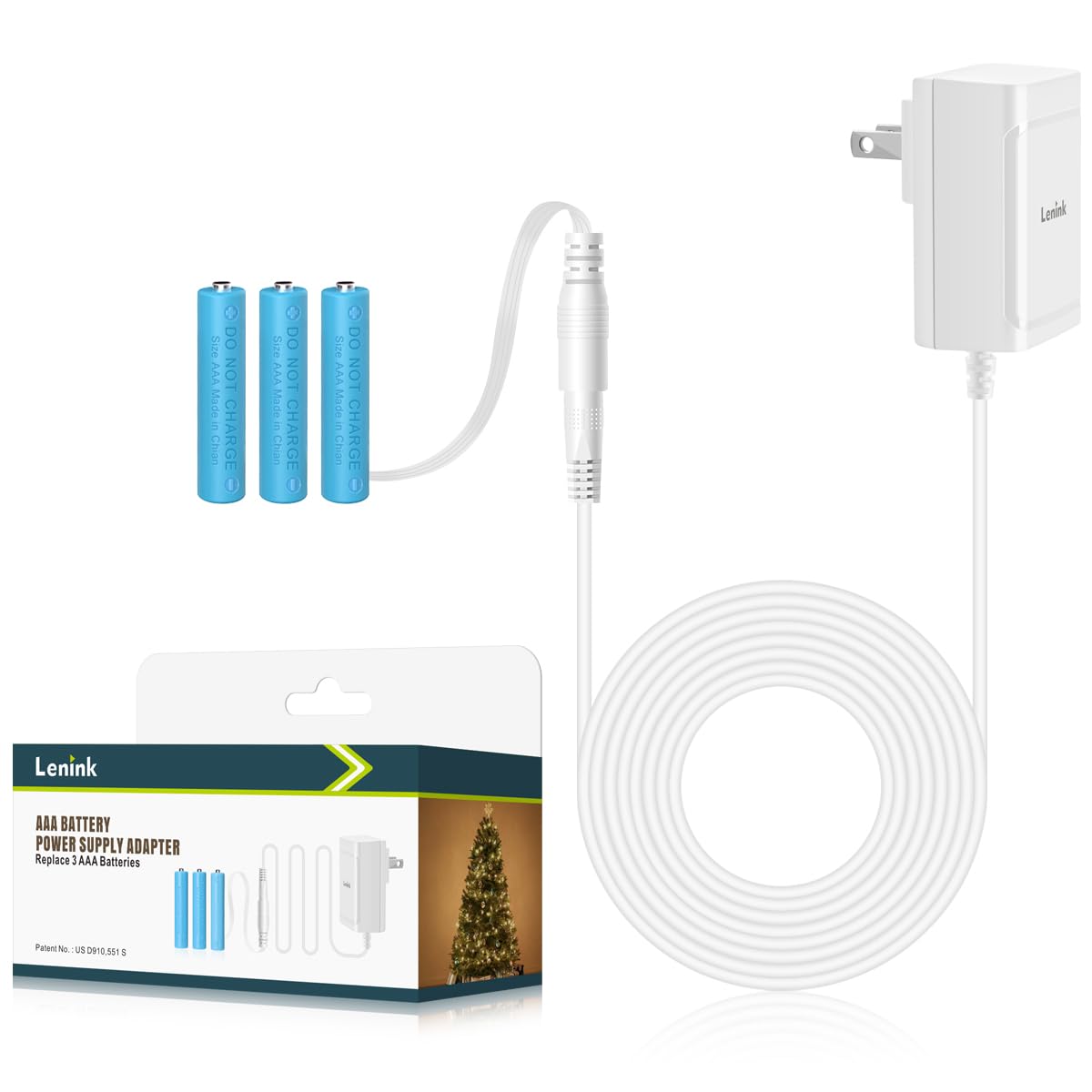
Image: The Lenink 4.5V 1A Power Supply Adapter, highlighting its safety features: Short Circuit Protection, Overcharge Protection, and Overcurrent Protection. The adapter is white with a standard US plug.
Safety Information
- Do not attempt to charge the dummy batteries with a battery charger. This will cause a short circuit and can damage the adapter or the charger.
- The dummy batteries cannot power electronic equipment by themselves; they must be used in conjunction with the AC to DC wall power adapter.
- Before use, verify that your electronic device requires 4.5V and draws less than 1 Ampere of current. Using the adapter with incompatible devices may cause damage.
- Ensure the adapter is used in a dry environment and avoid exposure to moisture or extreme temperatures.
- Keep out of reach of children.
Package Contents
Verify that all items are present in the package:
- 1 x AC Power Adapter (4.5V 1A)
- 1 x AAA Dummy Battery with Thin Flat Cable
- 2 x AAA Dummy Batteries
- 1 x Product Manual (this document)

Image: Illustration of the package contents, including the AC adapter, one dummy battery with a thin flat cable, two additional dummy batteries, and the product manual.
Setup and Installation
Follow these steps to install the Lenink AC Power Supply Adapter:
- Insert Dummy Batteries: Open the battery compartment of your electronic device. Place the AAA dummy batteries correctly, observing the positive (+) and negative (-) polarity markings inside the compartment. Ensure the dummy battery with the thin flat cable is positioned so the cable can exit the compartment without being pinched.

Image: A hand inserting the blue AAA dummy batteries into a white device's battery compartment, showing correct positive and negative pole alignment.
- Route the Cable and Close Compartment: Carefully route the thin flat cable out of the battery compartment. This unique design allows the cable to run around the battery compartment cover, enabling the cover to close properly and preventing the device from tilting or standing unstable. Close the battery compartment cover.

Image: Diagram illustrating the adapter, the dummy battery with a 25cm (9.8in) cable, and the main adapter cable (1.8m/5.9ft). An inset shows how the flat cable exits the battery compartment.
- Connect to AC Adapter: Connect the DC barrel connector from the dummy battery cable to the input jack on the AC power adapter.

Image: A hand connecting the white DC barrel connector from the dummy battery cable to the white AC power adapter.
- Plug into Power Outlet: Plug the AC power adapter into a standard wall power outlet.

Image: The white AC power adapter plugged into a wall outlet, with the cable extending downwards.
Operating Instructions
Once the adapter is correctly installed and plugged into a power outlet, your electronic device should power on and operate as it would with traditional AAA batteries. The adapter provides a continuous 4.5V power supply, suitable for devices that originally used three AAA batteries and draw less than 1 Ampere.

Image: An LED candle powered by the Lenink adapter, which is plugged into a wall outlet. The cable is discreetly routed.
Maintenance
- Keep the adapter and dummy batteries clean and dry.
- Avoid bending or crimping the cables excessively.
- Store in a cool, dry place when not in use.
- Do not disassemble the adapter or dummy batteries.
Troubleshooting
| Problem | Possible Cause | Solution |
|---|---|---|
| Device does not power on. |
|
|
| Device powers on but functions intermittently. |
|
|
Specifications
| Brand | Lenink |
| Model Number | K0052A0 |
| Input Voltage | 100-240V AC (50/60Hz) |
| Output Voltage | 4.5V DC |
| Output Current | 1A (1000mA) Max |
| Wattage | 10 Watts |
| Replaces | 3 x AAA Batteries |
| Special Features | Short Circuit Protection, Overcharge Protection, Overcurrent Protection |
| Connector Type | Barrel Connector |
| Power Plug Type | CEE 7/16 Europlug (Note: Actual plug type may vary by region) |
| Main Cable Length | Approx. 1.8m (5.9ft) |
| Dummy Battery Cable Length | Approx. 25cm (9.8in) |
| Material | Plastic |
| Color | White |
Warranty and Support
No specific warranty or support information is provided in the product details. For assistance, please refer to the retailer or manufacturer's website where the product was purchased.