
MIFXIN 505A
MIFXIN Mini Portable Sewing Machine 505A User Manual
Model: 505A
1. Introduction
Thank you for purchasing the MIFXIN Mini Portable Sewing Machine. This compact and versatile sewing machine is designed for both beginners and experienced sewing enthusiasts, offering 12 built-in stitch patterns and a range of convenient features for various DIY sewing projects, from fashion to home decor and crafts. Please read this manual thoroughly before operating the machine to ensure safe and efficient use.
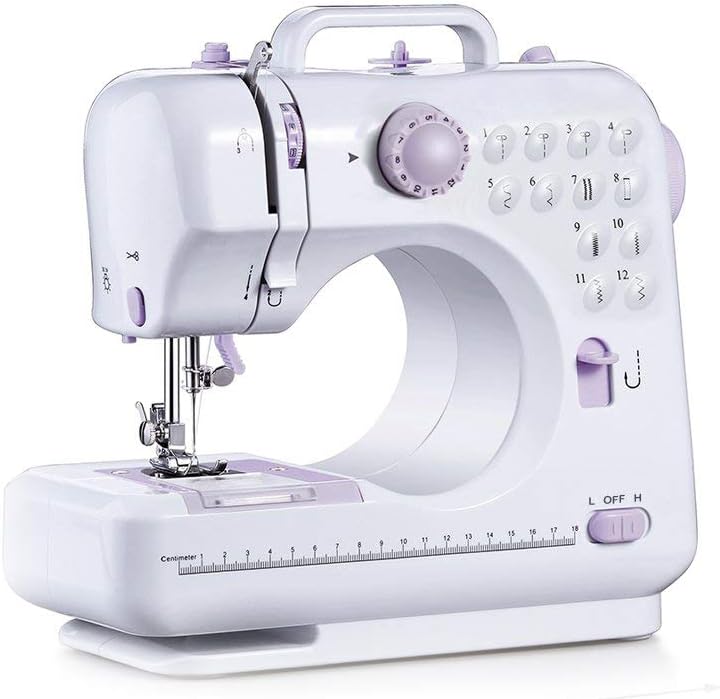
Image: The MIFXIN Mini Portable Sewing Machine, a compact white machine with purple accents, ready for use.
2. Safety Information
Always observe the following safety precautions to prevent electric shock, fire, or injury:
- Always unplug the machine from the power outlet when not in use, when changing needles, or when cleaning.
- Keep fingers away from the needle, handwheel, and other moving parts while the machine is operating.
- Never operate the machine with damaged cords or plugs.
- Do not allow children to operate the machine without adult supervision.
- Use only the recommended power adapter (DC 6V 1200mA) or 4 AA batteries (not included).
- Ensure the machine is placed on a stable, flat surface during operation.
- Do not store or operate the machine in damp or wet conditions.
3. Product Overview
Familiarize yourself with the various parts of your sewing machine:

Image: Diagram showing the labeled components of the sewing machine, including the take-up lever, upper thread tension dial, pattern selection dial, thread cutter, light, needle clamp screw, bottom bobbin, handwheel, reverse button, power off & speed switch, bobbin winder pin, bobbin winder stop, bobbin winder tension disk, presser foot lifter, presser foot, drawer, AC/DC input, and foot pedal port.
Key features include:
- 12 Built-in Stitch Patterns
- Two-thread Lockstitch
- High/Low Speed Selector
- Automatic Thread Rewind
- Forward and Reverse Sewing
- Built-in Sewing Light and Thread Cutter
- Drawer for Accessories
- Foot Pedal or Hand Switch Operation

Image: A diagram highlighting key features of the sewing machine, including 12 stitches, foot pedal, anti-slip bottom pad, mini hidden drawer, LED night light, reverse sewing, adjustable needle spacing, replaceable presser foot, and thread spool.
4. Setup
4.1 Unboxing and Power Connection
Carefully remove the sewing machine and all accessories from the packaging. Place the machine on a stable, flat surface.
You can power the machine using either the included AC adapter or 4 AA batteries (not included).
- AC Adapter: Insert the DC plug of the adapter into the AC/DC input port on the back of the machine, then plug the adapter into a wall outlet.
- Batteries: Open the battery compartment on the bottom of the machine and insert 4 AA batteries, ensuring correct polarity.
4.2 Threading the Machine
Proper threading is crucial for smooth operation and consistent stitches. Follow these steps carefully:
- Upper Thread:
- Place a spool of thread on the spool pin.
- Guide the thread through the first thread guide (usually a small metal loop).
- Pass the thread through the upper thread tension dial, ensuring it is seated correctly.
- Thread the take-up lever from right to left.
- Guide the thread down through the needle bar thread guide.
- Finally, thread the needle from front to back. Pull about 6 inches of thread through the needle eye.
- Bobbin (Lower Thread):
- Open the bobbin cover plate located on the sewing bed.
- Insert a wound bobbin into the bobbin case, ensuring the thread unwinds counter-clockwise.
- Guide the bobbin thread through the tension spring slot.
- Turn the handwheel towards you to lower the needle. The upper thread will catch the bobbin thread, bringing it up through the needle plate.
- Pull both the upper and lower threads under the presser foot and towards the back of the machine, leaving about 4-6 inches of tail.
Video: A demonstration of setting up and threading the MIFXIN Mini Portable Sewing Machine, including placing the bobbin and guiding the upper thread.
5. Operating Instructions
5.1 Selecting Stitches
The machine features 12 built-in stitch patterns. To select a stitch, turn the Pattern Selection Dial to the desired number (1-12). Refer to the stitch chart printed on the machine for visual reference of each stitch type.
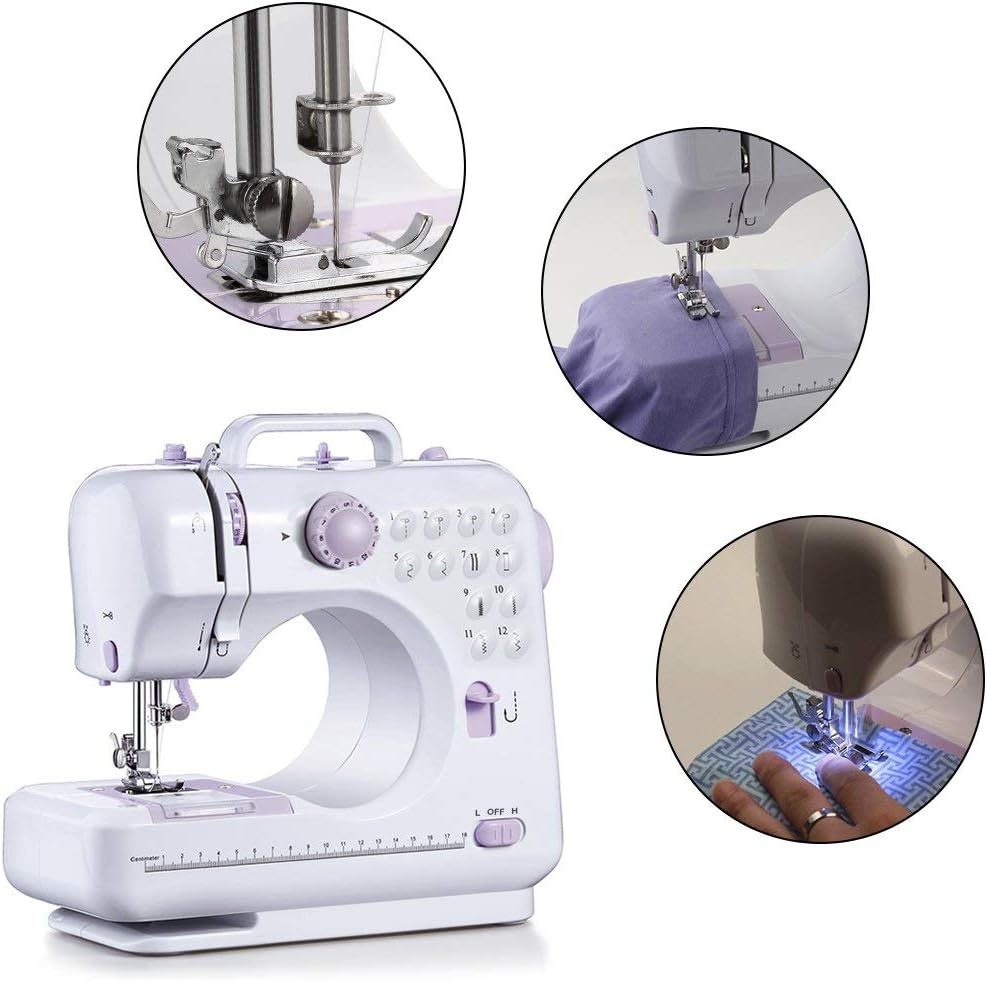
Image: Close-up views of the sewing machine in action, demonstrating the needle and presser foot, and various sewing applications.
5.2 Adjusting Speed
The machine has two speed settings: Low (L) and High (H). Use the Power Off & Speed Switch to select your desired speed. For beginners or intricate work, the Low speed is recommended.
5.3 Starting and Stopping Sewing
You can operate the machine using either the hand switch or the foot pedal.
- Hand Switch: Slide the Power Off & Speed Switch to 'L' (Low) or 'H' (High) to start sewing. Slide it to 'OFF' to stop.
- Foot Pedal: Ensure the Power Off & Speed Switch is in the 'OFF' position. Plug the foot pedal into the foot pedal port. Press the foot pedal to start sewing and release to stop.
To sew in reverse, press and hold the Reverse Button while the machine is operating. Release the button to resume forward sewing.

Image: A person using the MIFXIN Mini Portable Sewing Machine to sew fabric, demonstrating its ease of use for various projects.
5.4 Fabric Compatibility
The machine is suitable for a variety of fabrics. Refer to the table below for guidance on fabric types and thickness:

Image: A table detailing fabric compatibility for the sewing machine. It indicates whether sewing is easy (✓), difficult (✗), or not smooth (△) for various fabric types (Cotton/Linen, Silk/Wool, Polyester, Elastic) and thicknesses (Regular, Thick, Thin, Hard, Soft).
Key for Fabric Compatibility Table:
- ✓: means easy to sew
- ✗: means difficult to sew
- △: means not smooth to sew
- Thin (fabric): Two layers of fabric thickness < 0.35mm
- Thick (fabric): Two layers of fabric thickness ≥ 0.8mm
- Regular (fabric): Two layers of fabric thickness ≥ 0.35mm and ≤ 0.8mm
For optimal results, always test on a scrap piece of your fabric before beginning your project.
6. Maintenance
6.1 Cleaning
Regular cleaning helps maintain the machine's performance:
- Always unplug the machine before cleaning.
- Use a soft brush or lint-free cloth to remove lint and dust from the needle plate area and bobbin case.
- Do not use liquid cleaners or harsh chemicals.
6.2 Needle Replacement
Replace the needle if it becomes bent, dull, or broken. Use only needles designed for household sewing machines.
- Turn off and unplug the machine.
- Loosen the needle clamp screw.
- Remove the old needle.
- Insert the new needle with the flat side facing the back of the machine, pushing it up as far as it will go.
- Tighten the needle clamp screw securely.
7. Troubleshooting
| Problem | Possible Cause | Solution |
|---|---|---|
| Machine not starting | No power, foot pedal not connected, speed switch off. | Check power adapter/batteries, ensure foot pedal is plugged in, slide speed switch to L or H. |
| Skipped stitches | Incorrect threading, bent needle, wrong needle for fabric. | Re-thread the machine, replace needle, use appropriate needle. |
| Thread breaking | Too much tension, poor quality thread, needle bent/dull. | Adjust tension dial, use good quality thread, replace needle. |
| Fabric not feeding | Presser foot not lowered, feed dogs obstructed. | Lower the presser foot, clean lint from feed dog area. |
| Noisy operation | Lack of lubrication, loose parts. | Consult a professional for lubrication, check for loose screws. |
8. Specifications
- Model: 505A
- Dimensions: 10.83 x 4.72 x 10.24 inches (27.5 x 12 x 26 cm)
- Weight: 4.36 pounds (1.98 kg)
- Stitch Patterns: 12 built-in
- Speed Settings: High / Low
- Power Supply: DC 6V 1200mA adapter or 4 x AA batteries (not included)
- Color: White
- Manufacturer: MIFXIN
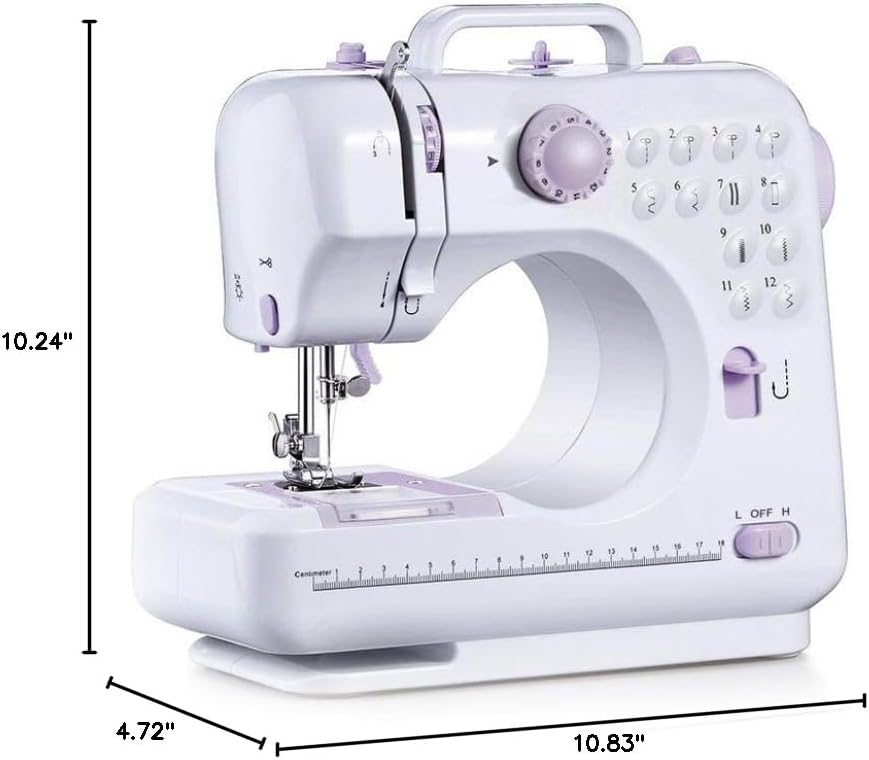
Image: A diagram illustrating the dimensions of the MIFXIN Mini Portable Sewing Machine, showing its height (10.24 inches), depth (4.72 inches), and width (10.83 inches).
9. Warranty & Support
For warranty information and customer support, please refer to the documentation included with your purchase or contact MIFXIN customer service directly. Keep your purchase receipt as proof of purchase.
For further assistance, you may visit the MIFXIN Store on Amazon.
Ask a question about this manual
Ask about setup, troubleshooting, compatibility, parts, safety, or missing instructions. Manuals+ will review the question and use this page’s manual context to help answer it.