
1. Introduction
This manual provides essential information for the installation, operation, and maintenance of the ZHIXJIA huayu PY-1225H12S DC12V Cooling Fan. This fan is designed for efficient air cooling in various electronic devices, particularly servers, requiring a 12V DC power supply and a 2-pin connector.

Figure 1: Front view of the ZHIXJIA huayu PY-1225H12S DC12V Cooling Fan, showing its black frame and seven fan blades.
2. Safety Information
Please read and understand all safety instructions before installing or operating this product. Failure to do so may result in electric shock, fire, or damage to the product or connected equipment.
- Ensure the power source matches the fan's voltage requirements (DC 12V).
- Disconnect power before installation or maintenance.
- Avoid touching moving fan blades.
- Do not operate the fan in wet or excessively dusty environments.
- Keep out of reach of children.
3. Package Contents
Verify that all items are present upon opening the package:
- 1 x ZHIXJIA huayu PY-1225H12S DC12V Cooling Fan
- (Note: Mounting hardware or additional accessories may not be included and should be sourced separately if required.)
4. Specifications
| Feature | Detail |
|---|---|
| Brand | ZHIXJIA |
| Model Number | PY-1225H12S (Also known as AFB0824SH Cooling fan) |
| Voltage | DC 12 Volts |
| Current | 0.35A (as per product title) |
| Wattage | 1.2 watts |
| Dimensions | 4.72 x 4.72 x 4.72 inches (12CM x 12CM x 2.5CM approx.) |
| Power Connector Type | 2-Pin |
| Cooling Method | Air |
| Compatible Devices | Server (General purpose for various electronics) |
| Material | Copper (Internal components, not the frame) |
| Item Weight | 3.2 ounces |
5. Setup and Installation
Follow these steps for proper installation of the cooling fan:
- Prepare the Installation Area: Ensure the device where the fan will be installed is powered off and disconnected from its power source. Open the casing to access the fan mounting location.
- Mount the Fan: Position the fan in the desired location, ensuring proper airflow direction. Secure the fan using appropriate screws (not included) through the mounting holes on the fan frame.
- Connect the Power Cable: Locate the 2-pin power connector on the fan. Connect this connector to a compatible 2-pin DC 12V power header on your device's motherboard or power supply. Ensure the polarity is correct if the connector is not keyed.
- Verify Connections: Double-check all connections to ensure they are secure.
- Close Casing and Power On: Carefully close the device casing. Reconnect the device to its power source and power it on. Observe the fan to ensure it spins correctly.
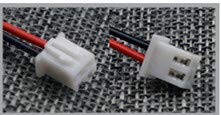
Figure 2: Example of a 2-pin power connector, showing the red (positive) and black (negative) wires.
Important: Incorrect voltage or polarity can damage the fan or the connected device.
6. Operation
The ZHIXJIA huayu PY-1225H12S Cooling Fan operates continuously when powered, providing airflow to dissipate heat from internal components. Its primary function is to maintain optimal operating temperatures for electronic devices, preventing overheating and ensuring stable performance.
- The fan is designed for continuous operation.
- Ensure adequate ventilation around the device for effective cooling.
7. Maintenance
Regular maintenance helps ensure the longevity and efficiency of your cooling fan.
- Dust Removal: Periodically inspect the fan blades and housing for dust accumulation. Use compressed air or a soft brush to gently remove dust. Ensure the device is powered off and unplugged before cleaning.
- Blade Inspection: Check for any obstructions or damage to the fan blades. Do not attempt to bend or repair damaged blades; replace the fan if blades are compromised.
- Noise Monitoring: Listen for unusual noises during operation, which may indicate a failing bearing or obstruction.
8. Troubleshooting
If you encounter issues with your cooling fan, refer to the following common problems and solutions:
| Problem | Possible Cause | Solution |
|---|---|---|
| Fan does not spin | No power, incorrect connection, faulty fan. |
|
| Fan is unusually noisy | Dust accumulation, obstruction, worn bearing. |
|
| Insufficient cooling | Restricted airflow, fan running too slow, fan too small for application. |
|
9. Warranty and Support
Information regarding warranty coverage for the ZHIXJIA huayu PY-1225H12S DC12V Cooling Fan is not provided in this manual. For warranty details or technical support, please refer to the product packaging or contact the retailer or manufacturer directly.