Introduction
This manual provides comprehensive instructions for the setup, operation, maintenance, and troubleshooting of your KAKDA-STORE Huayu RM-L1238 Universal TV Remote Control. This remote is designed for compatibility with various Sharp HD Plasma TV models, offering an ergonomic design for comfortable use.
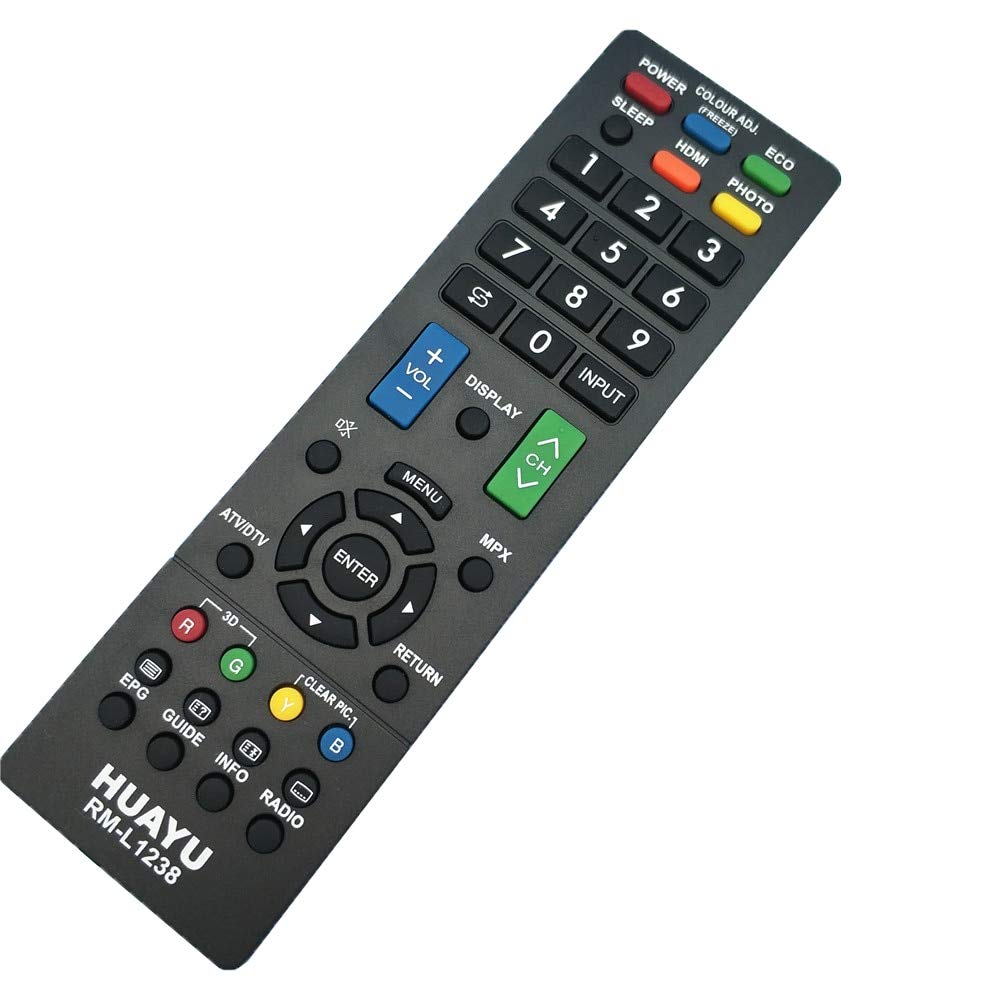
This image displays the front of the Huayu RM-L1238 remote control, highlighting its ergonomic design and the layout of all functional buttons, including power, channel, volume, numeric keypad, and navigation controls.
Setup
1. Battery Installation
- Locate the battery compartment cover on the back of the remote control.
- Slide the cover downwards or press the latch to open it.
- Insert two AAA batteries (not included), ensuring the positive (+) and negative (-) terminals align correctly with the markings inside the compartment.
- Replace the battery compartment cover by sliding it back into place until it clicks securely.

This image illustrates the rear of the remote control with the battery cover removed, revealing the two AAA battery slots. Observe the positive (+) and negative (-) terminals for correct battery insertion.
Operating Instructions
Point the remote control directly at your television's infrared receiver. Ensure there are no obstructions between the remote and the TV.
Basic Functions
- POWER: Turns the TV on or off.
- VOL +/-: Adjusts the volume level.
- CH +/-: Changes the TV channel.
- Numeric Keypad (0-9): Directly enters channel numbers.
- INPUT: Selects video input sources (e.g., HDMI, AV).
- MENU: Accesses the TV's main menu.
- Navigation Buttons (Up, Down, Left, Right, ENTER): Navigates through menus and confirms selections.
- RETURN: Goes back to the previous menu or screen.
Advanced Functions
- SLEEP: Sets a timer for the TV to turn off automatically.
- HDMI: Directly switches to an HDMI input.
- ECO: Activates or deactivates power-saving modes.
- PHOTO: Accesses photo viewing functions.
- COLOUR ADJ. (FREEZE): Adjusts color settings or freezes the screen.
- MPX: Multi-picture display or audio multiplex function.
- ATV/DTV: Switches between Analog TV and Digital TV modes.
- DISPLAY: Shows on-screen information about the current program or input.
- EPG (Electronic Program Guide): Displays the TV program guide.
- GUIDE: Another button for accessing the program guide.
- INFO: Provides detailed information about the current program.
- RADIO: Switches to radio mode if supported by the TV.
- Color Buttons (R, G, Y, B): Red, Green, Yellow, Blue buttons for specific functions in menus or interactive services.
- 3D: Activates or deactivates 3D mode.
- CLEAR PIC: Enhances picture clarity.
Maintenance
Cleaning
To clean your remote control, gently wipe the surface with a soft, dry cloth. For stubborn dirt, slightly dampen the cloth with water or a mild, non-abrasive cleaner. Avoid using harsh chemicals or excessive moisture, as these can damage the remote's electronics.
Battery Replacement
When the remote control's performance degrades (e.g., reduced range, unresponsive buttons), it is time to replace the batteries. Follow the battery installation steps outlined in the 'Setup' section. Always replace both batteries simultaneously with new ones of the same type (AAA).
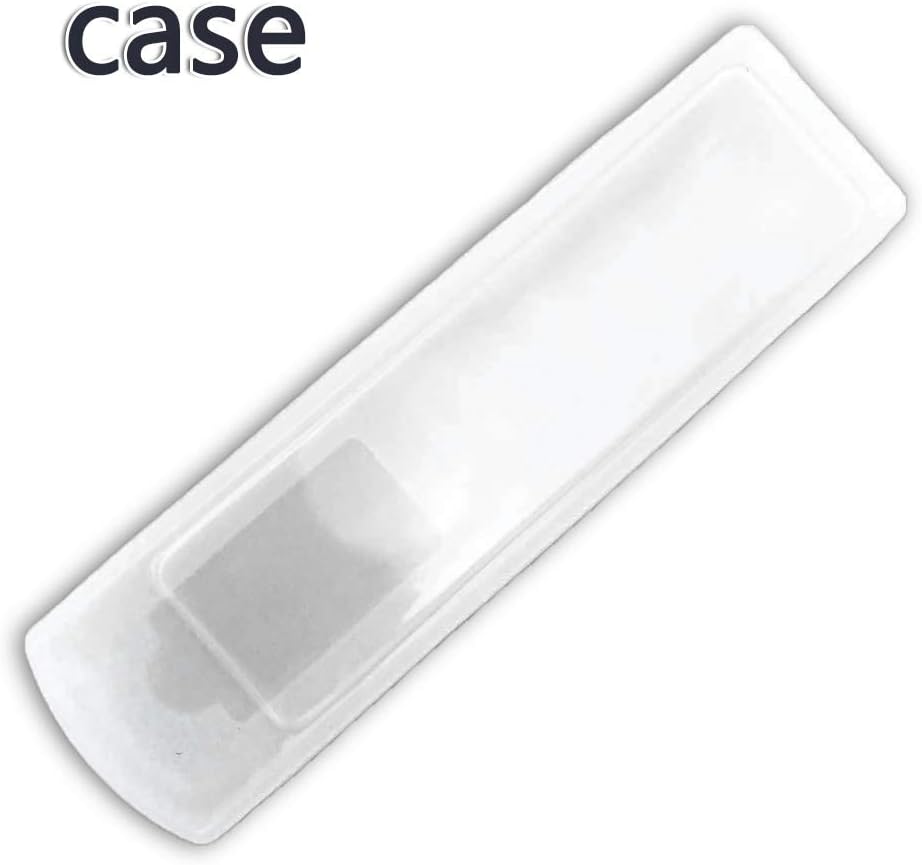
This image shows a clear protective case, which can be used to shield the remote control from dust and minor impacts, extending its lifespan.
Troubleshooting
| Issue | Solution |
|---|---|
| Remote not responding | Ensure fresh batteries are correctly installed. Check for a clear line of sight between the remote and the TV's IR sensor. |
| Limited operating range | Replace batteries with new ones. Remove any obstructions between the remote and the TV. Ensure the TV's IR sensor is not blocked. |
| Certain buttons do not work | This remote is pre-programmed for Sharp TVs. Verify your TV model is compatible. Some advanced functions may not be supported by all TV models. |
Specifications
- Model: RM-L1238
- Brand: KAKDA-STORE (Huayu)
- Use: Television
- Wireless Communication: IR (Infrared)
- Channel: 1
- Special Feature: Ergonomic design
- Compatible Devices: Television (specifically Sharp HD Plasma TVs)
- Connectivity Technology: Infrared
- Controller Type: Button Control
- Power Source: 2 x AAA Batteries (not included)
Warranty Information
This product is covered by a standard manufacturer's warranty. Please refer to the packaging or contact your retailer for specific warranty terms and conditions. Keep your purchase receipt as proof of purchase for any warranty claims.
Support
For technical assistance, troubleshooting beyond this manual, or inquiries regarding product functionality, please contact the retailer from whom you purchased this remote control. You may also visit the KAKDA-STORE official website for additional support resources, if available.