
1. Product Overview
The Fossil FB-01 Men's Dive-Inspired Sport Watch is designed for durability and style, featuring quality craftsmanship and premium materials. This watch is suitable for everyday wear and various activities, including swimming.
Key Features:
- Stainless steel case
- Stainless steel bracelet
- Blue dial
- Quartz movement
- Scratch resistant mineral crystal
- Water resistance up to 100 meters (330 feet), suitable for swimming
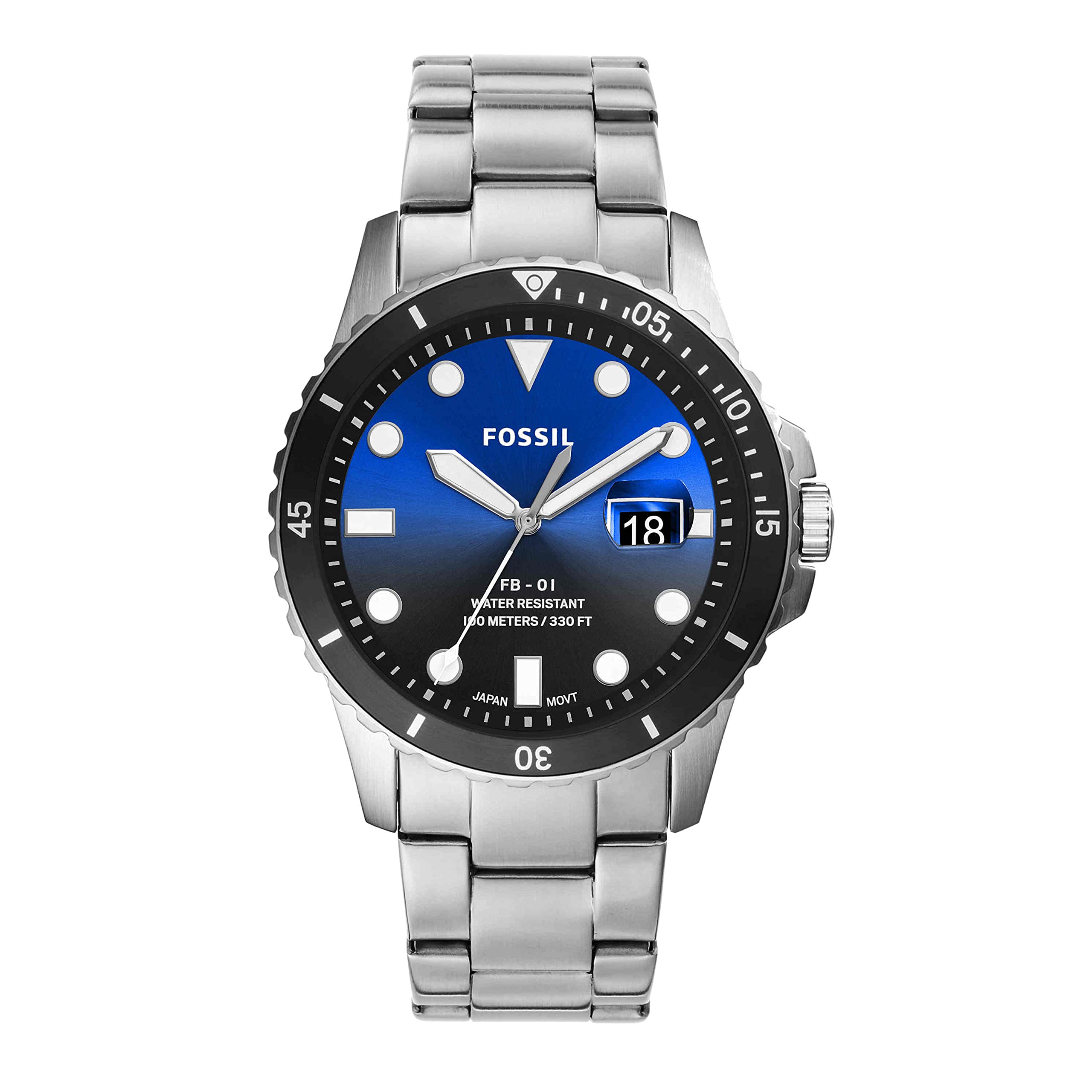
Figure 1: Front view of the Fossil FB-01 watch, showcasing its design and dial.
2. Setup
Setting Time and Date:
- Pull the crown: Gently pull the crown (located on the side of the watch case) out to position 2 for setting the date, or position 3 for setting the time.
- Adjust the date: In position 2, rotate the crown clockwise or counter-clockwise to set the correct date.
- Adjust the time: In position 3, rotate the crown to move the hour and minute hands to the desired time. Ensure AM/PM is correctly set if your watch has a 24-hour indicator or if you are setting the date.
- Push the crown back: Once the time and date are set, push the crown back into position 1 to engage the movement and start the watch.
Adjusting the Bracelet:
The stainless steel bracelet can be adjusted for a comfortable fit. This typically involves removing or adding links. It is recommended to have this adjustment performed by a professional jeweler to prevent damage to the bracelet or clasp mechanism.

Figure 2: Side view of the watch, illustrating the crown for time and date adjustments.
3. Operating Your Watch
Reading the Time:
The watch features a standard analog display with hour, minute, and second hands. The blue dial with contrasting markers ensures clear readability.
Using the Chronograph (Stopwatch) Function:
Your FB-01 watch includes chronograph sub-dials for measuring elapsed time. The specific operation may vary slightly, but generally involves:
- Start: Press the top pusher button (A) to start the chronograph.
- Stop/Pause: Press button A again to stop or pause the timing.
- Reset: Press the bottom pusher button (B) to reset the chronograph hands to zero.
Date Display:
The watch features a date window on the dial, typically located at the 3 o'clock position, displaying the current day of the month.

Figure 3: Detailed view of the watch dial, highlighting the chronograph sub-dials and date display.
4. Maintenance
Cleaning Your Watch:
To maintain the appearance of your watch, regularly wipe the case and bracelet with a soft, damp cloth. For stainless steel components, a mild soap solution can be used, followed by thorough rinsing and drying. Avoid harsh chemicals, abrasive cleaners, or solvents, as these can damage the watch's finish and seals.
Water Resistance:
The Fossil FB-01 watch is water resistant to 100 meters (330 feet), making it suitable for swimming and snorkeling. However, it is not recommended for diving. Always ensure the crown is fully pushed in before exposing the watch to water. Avoid operating the crown or pushers while the watch is wet or submerged. Exposure to hot water, steam, or extreme temperature changes (e.g., hot tubs, saunas) can compromise water resistance over time.
Battery Replacement:
The watch is powered by a Lithium Ion battery. When the watch stops running, the battery may need replacement. It is highly recommended to have the battery replaced by an authorized Fossil service center or a qualified watchmaker to ensure proper sealing and maintain water resistance.

Figure 4: Rear view of the watch, showing the stainless steel case back and bracelet.
5. Troubleshooting
Watch Not Running:
- Check if the crown is fully pushed in. If it is pulled out, the watch will not run.
- The battery may need replacement. Refer to the 'Battery Replacement' section under Maintenance.
Incorrect Time or Date:
- Follow the 'Setting Time and Date' instructions in the Setup section to reset.
- If the issue persists after resetting, the movement may require inspection by a professional.
Water Inside the Watch:
- Immediately take the watch to an authorized service center. Do not attempt to open the watch yourself, as this can cause further damage and void the warranty.
For any issues not covered here or for complex repairs, please contact Fossil customer support or an authorized service center.
6. Specifications
| Feature | Detail |
|---|---|
| Model Number | FS5668 |
| Brand Name | Fossil |
| Display Type | Analog |
| Watch Movement Type | Quartz |
| Case Material Type | Stainless Steel |
| Band Material Type | Stainless Steel |
| Case Diameter | 42 Millimeters |
| Case Thickness | 12 Millimeters |
| Band Width | 22 Millimeters |
| Water Resistance Depth | 100 Meters (330 Feet) |
| Crystal Type | Mineral Glass |
| Power Source Type | Battery Powered (1 Lithium Ion battery included) |
| Item Weight | 100 Grams |
| UPC | 796483480933 |

Figure 5: Dimensions of the Fossil FB-01 watch face.
7. Warranty and Support
Warranty Information:
This Fossil watch comes with a Limited Warranty. For detailed terms and conditions of your warranty, including coverage and duration, please refer to the official warranty document included with your purchase or visit the official Fossil website.
Customer Support:
For further assistance, technical support, or service inquiries, please contact Fossil customer service. You can find contact information and frequently asked questions on the official Fossil website.
Manufacturer: Fossil
Place of Business: RICHARDSON, TX, 75080 US
