
Jocca JOCCAPHARMA 3V
Jocca JOCCAPHARMA 3V Infrared Thermometer User Manual
Model: JOCCAPHARMA 3V
Brand: Jocca
1. Introduction
Thank you for choosing the Jocca JOCCAPHARMA 3V Non-Contact Infrared Thermometer. This device is designed for accurate and quick temperature measurement without physical contact, making it ideal for use with infants, children, and adults. Please read this manual carefully before using the thermometer to ensure proper operation and to maintain the device's longevity.
The thermometer features a large, easy-to-read Jumbo screen, memory for up to 10 measurements, a rapid 2-second reading time, and an automatic shut-off function for energy saving. It is powered by replaceable AAA batteries.
2. Safety Information
Please observe the following safety precautions to ensure safe and effective use of the thermometer:
- Do not immerse the thermometer in water or other liquids.
- Keep the device away from direct sunlight, dust, and extreme temperatures.
- Do not drop the thermometer or subject it to strong shocks.
- Do not attempt to disassemble or repair the device yourself. Contact qualified service personnel for assistance.
- Keep out of reach of children. Small parts may pose a choking hazard.
- Ensure the measurement area (forehead) is clean and free of hair or sweat for accurate readings.
- This thermometer is intended for household use and should not replace professional medical advice. Consult a doctor if you have concerns about your temperature or health.
3. Product Components and Diagram
Familiarize yourself with the different parts of your Jocca JOCCAPHARMA 3V thermometer:
- Infrared Sensor: Located at the tip, used to detect temperature.
- LCD Display: Shows temperature readings, mode indicators, and battery status.
- START Button: Initiates a temperature measurement.
- Mode/Power Button: Used to switch between body and surface modes, and to power the device on/off.
- Battery Compartment: Located at the back, holds 2 AAA batteries.

Figure 3.1: Front view of the thermometer, showing the LCD display, START button, and mode/power buttons.

Figure 3.2: Top view of the thermometer, focusing on the infrared sensor at the tip.

Figure 3.3: Angled view of the thermometer, displaying the screen with a temperature reading and the main control buttons.
4. Setup
4.1 Battery Installation
The Jocca JOCCAPHARMA 3V thermometer requires 2 AAA batteries (included). Follow these steps to install or replace batteries:
- Locate the battery compartment cover on the back of the thermometer.
- Slide the cover downwards to open the compartment.
- Insert 2 AAA batteries, ensuring the correct polarity (+ and -) as indicated inside the compartment.
- Slide the battery compartment cover back into place until it clicks securely.
The thermometer will emit a short beep and the display will briefly show all segments before entering standby mode, indicating successful battery installation.
5. Operating Instructions
5.1 Taking a Temperature Measurement
- Power On: Press the Mode/Power button to turn on the thermometer. The display will show the last measurement for a few seconds, then enter standby mode.
- Positioning: Hold the thermometer approximately 3-5 cm (1.2-2 inches) from the center of the forehead. Ensure there are no obstructions like hair or sweat.
- Measure: Press the START button. The thermometer will emit a short beep, and the measurement will be displayed on the screen within 2 seconds.
- Interpretation: Read the temperature displayed. The thermometer will automatically store this reading in its memory.
- Auto-Off: The device will automatically turn off after approximately 30 seconds of inactivity to conserve battery life.
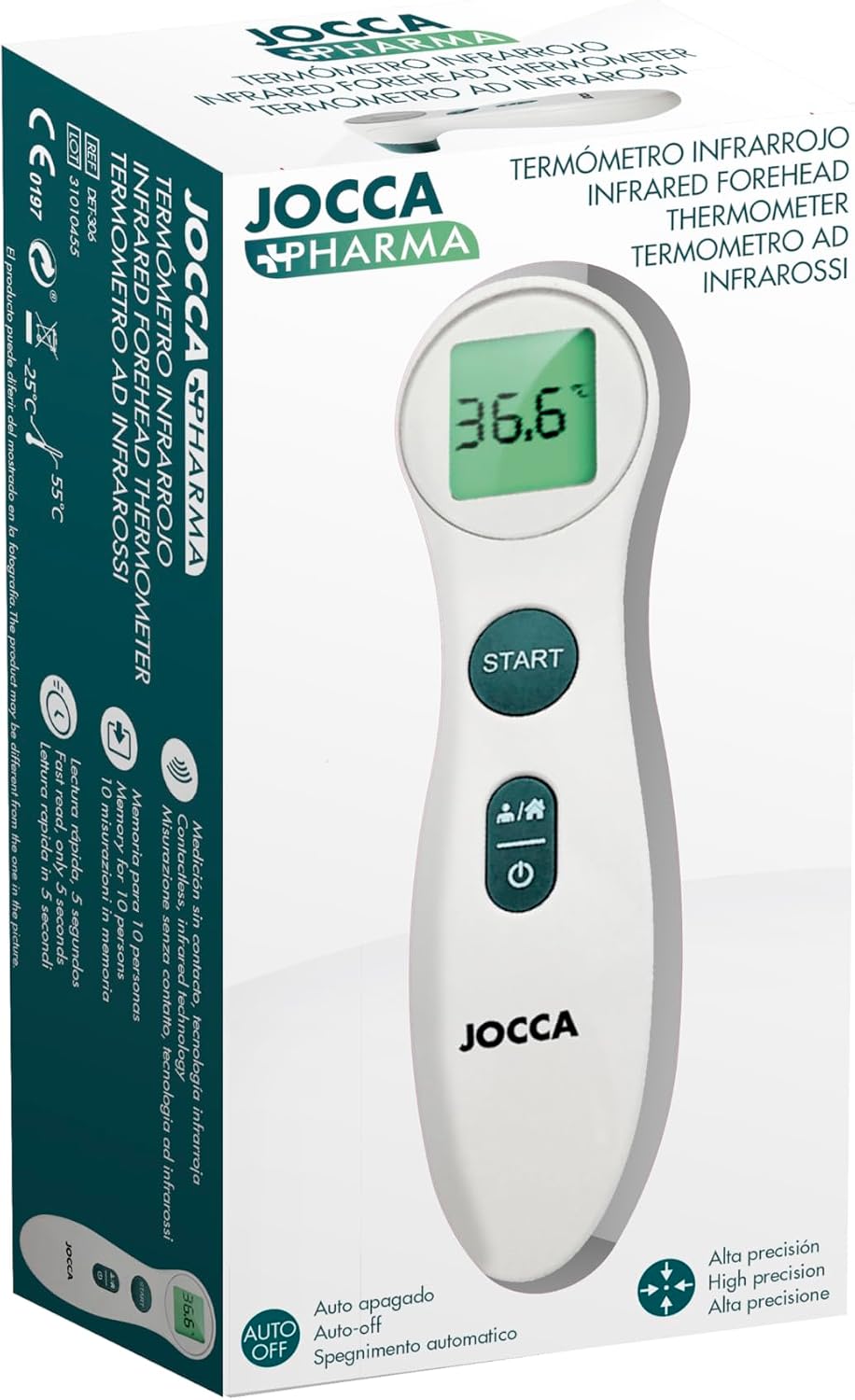
Figure 5.1: Proper positioning of the thermometer for forehead temperature measurement.
5.2 Switching Measurement Modes (Body/Surface)
The thermometer can measure both body temperature and surface temperature. To switch between modes:
- With the thermometer powered on, press the Mode/Power button repeatedly to cycle through the available modes.
- The display will show an icon indicating the current mode (e.g., a person icon for body temperature, a house icon for surface temperature).
5.3 Recalling Memory Readings
The thermometer stores up to 10 previous temperature readings. To access them:
- With the thermometer powered on, press and hold the START button for a few seconds.
- The display will show the last measurement, then cycle through previous readings from most recent to oldest.
- Release the button to stop cycling and view a specific reading.
6. Maintenance
6.1 Cleaning the Thermometer
- Use a soft, dry cloth to clean the body of the thermometer.
- For the infrared sensor, gently wipe with a cotton swab lightly moistened with alcohol. Allow it to dry completely before use.
- Do not use abrasive cleaners or immerse the device in water.
6.2 Storage
- Store the thermometer in a cool, dry place, away from direct sunlight and extreme temperatures.
- If the thermometer will not be used for an extended period, remove the batteries to prevent leakage and damage.
7. Troubleshooting
| Problem | Possible Cause | Solution |
|---|---|---|
| No display/Device won't turn on | Batteries are dead or incorrectly inserted. | Replace batteries with new AAA batteries, ensuring correct polarity. |
| Inaccurate readings | Sensor is dirty; measurement distance is incorrect; environmental factors. | Clean the sensor. Ensure correct distance (3-5 cm). Avoid drafts or direct sunlight during measurement. Allow thermometer to acclimate to room temperature for 30 minutes if moved from a different environment. |
| "Lo" or "Hi" displayed | Temperature is outside the measurable range. | Ensure the thermometer is used within its operating temperature range (10°C - 40°C for body mode). |
| Device beeps continuously | Possible system error. | Remove batteries, wait 1 minute, then reinsert. If the problem persists, contact customer support. |
8. Specifications
| Feature | Specification |
|---|---|
| Model | JOCCAPHARMA 3V (60056) |
| Measurement Method | Non-contact Infrared |
| Measurement Distance | 3-5 cm |
| Measurement Time | 2 seconds |
| Memory Capacity | 10 readings |
| Display Type | Digital LCD (Jumbo Screen) |
| Power Source | 2 x AAA Batteries |
| Automatic Shut-off | Yes |
| Dimensions | 153 x 41 x 44 mm (approx.) |
| Weight | 800 grams (packaging weight) |
| Color | White |
| Material | Plastic |
9. Warranty and Support
The Jocca JOCCAPHARMA 3V Infrared Thermometer comes with a standard manufacturer's warranty. Please refer to the warranty card included in your product packaging for specific terms and conditions. For technical support, troubleshooting assistance, or warranty claims, please contact Jocca customer service through their official website or the contact information provided with your purchase.
Always retain your proof of purchase for warranty purposes.
Ask a question about this manual
Ask about setup, troubleshooting, compatibility, parts, safety, or missing instructions. Manuals+ will review the question and use this page’s manual context to help answer it.