
1. Product Overview
The F9 TWS Bluetooth 5.0 Wireless Sport Earbuds offer a superior audio experience with advanced features designed for convenience and performance. These earbuds are equipped with a clear LED display for battery status, Bluetooth 5.0 for stable and fast connections, and are waterproof for use during sports and in various weather conditions. The integrated charging case also functions as an emergency power bank for your mobile phone and a convenient phone stand.
Key Features:
- Intuitive LED display for precise battery level indication.
- Bluetooth 5.0 for enhanced connection stability and speed.
- Waterproof design (IPX7), resistant to rain and sweat.
- Soft-touch controls for easy operation.
- 2000 mAh charging case doubles as an emergency power bank.
- CVC8.0 / DSP dual noise reduction for clear audio.
- Lightweight design, weighing only 4g per earbud.

Figure 1.1: The F9 TWS Earbuds inside their charging case, displaying the battery percentage on the LED screen. The earbuds themselves also show small indicator lights.

Figure 1.2: A detailed view of the LED display, showing individual battery indicators for each earbud and the charging case's capacity.
2. Package Contents
Please check the package carefully to ensure all items are present and in good condition.
- 2 x Earbuds (Left and Right)
- 1 x Charging Station (Charging Case)
- 1 x User Manual
- 1 x Charging Cable (Type-C)
3. Setup and First Use
3.1 Charging the Earbuds and Case
Before first use, fully charge the earbuds and the charging case. The charging case has a built-in 2000 mAh battery.
- Place both earbuds into the charging case. Ensure they are correctly seated in their respective slots.
- Connect the provided Type-C charging cable to the charging port on the case and the other end to a 5V DC power source (e.g., USB wall adapter, computer USB port).
- The LED display on the charging case will show the charging progress. A "100" display indicates a full charge.
- The earbuds will also show an indicator light while charging, which will turn off or change color when fully charged.

Figure 3.1: The F9 TWS Earbuds in their charging case, highlighting Bluetooth 5.0 connectivity and IPX7 waterproof rating.
3.2 Pairing with Your Device
The F9 earbuds use Bluetooth 5.0 for a stable and fast connection.
- Open the charging case. The earbuds will automatically power on and enter pairing mode.
- On your mobile device (smartphone, tablet, etc.), go to the Bluetooth settings.
- Search for available devices. You should see "F9" in the list.
- Select "F9" to connect. Once connected, you will hear a confirmation tone, and the earbuds' indicator lights may change.
- After the initial pairing, the earbuds will automatically connect to the last paired device when taken out of the case, provided Bluetooth is enabled on your device.

Figure 3.2: The F9 earbuds are compatible with a wide range of Bluetooth-enabled devices, including smartphones and tablets, for multi-platform music support.
4. Operating the Earbuds
The F9 earbuds feature intuitive touch controls for various functions.
4.1 Touch Controls
| Action | Function |
|---|---|
| Single Tap (Left/Right Earbud) | Play/Pause Music, Answer/End Call |
| Double Tap (Left Earbud) | Previous Track |
| Double Tap (Right Earbud) | Next Track |
| Triple Tap (Left/Right Earbud) | Activate Voice Assistant |
| Long Press (Left/Right Earbud) | Reject Call |
4.2 Using the Charging Case as a Power Bank
The 2000 mAh battery in the charging case can provide emergency power for your mobile phone.
- Connect your mobile phone's charging cable to the USB output port on the charging case.
- The charging case will begin to charge your phone. Monitor your phone's battery indicator.
- Note that this feature is for emergency use and may not fully charge all phone models.
4.3 Using the Charging Case as a Phone Stand
The F9 charging case is designed to also function as a convenient mobile phone stand, supporting both horizontal and vertical screen orientations for various phone sizes.
- Open the charging case lid fully.
- Carefully place your smartphone into the groove on the inside of the charging case lid.
- Adjust the phone's position for optimal viewing in either landscape or portrait mode.
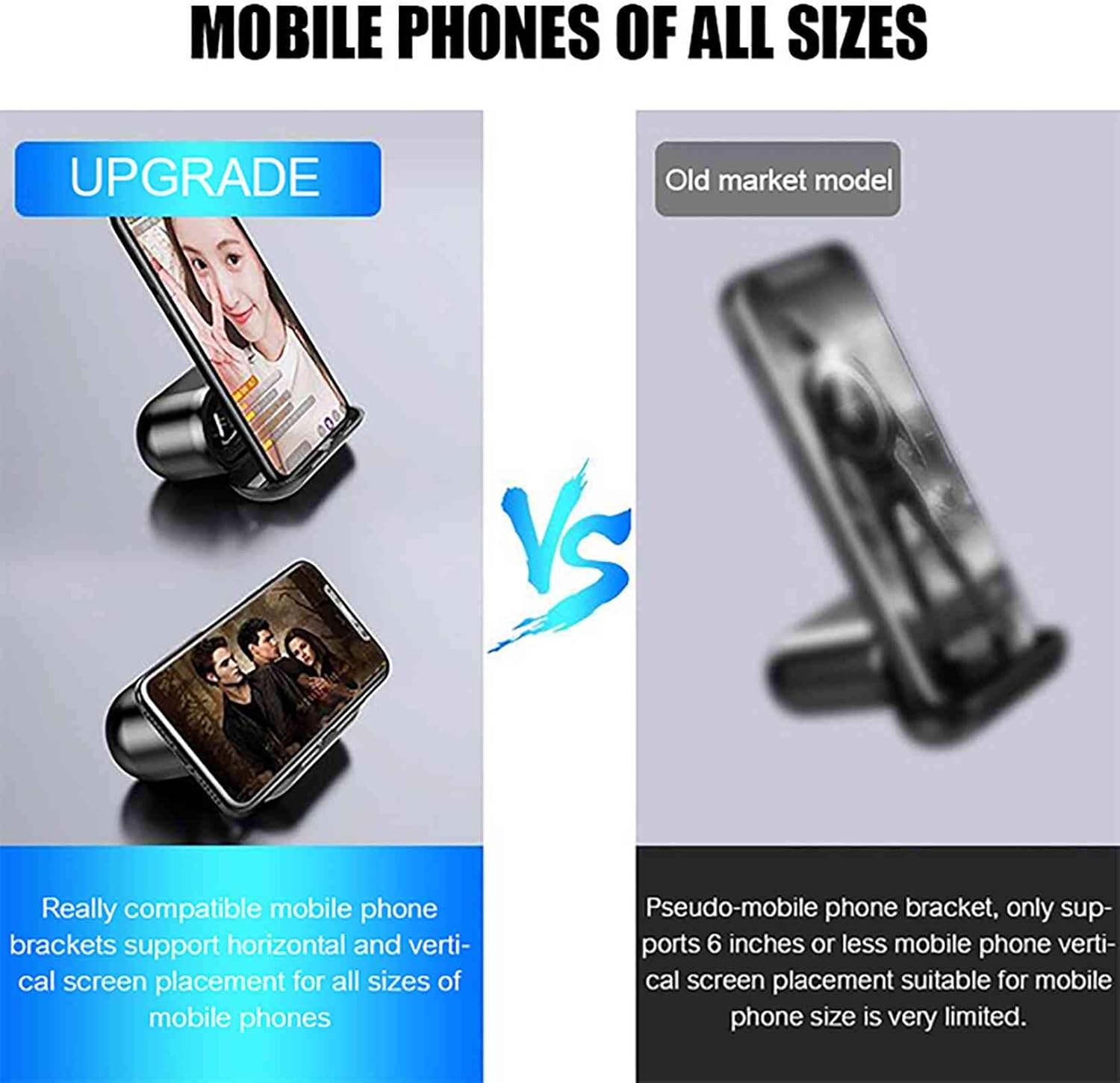
Figure 4.1: The F9 charging case doubles as a versatile phone stand, accommodating various smartphone sizes for hands-free viewing.
5. Maintenance and Care
Proper maintenance ensures the longevity and optimal performance of your F9 earbuds.
- Cleaning: Regularly clean the earbuds and charging case with a soft, dry, lint-free cloth. Do not use abrasive cleaners or solvents.
- Water Resistance: While the earbuds are waterproof (IPX7), avoid prolonged submersion in water. Dry them thoroughly if they get wet. The charging case is not waterproof.
- Storage: Store the earbuds in their charging case when not in use to protect them and keep them charged. Store in a cool, dry place away from extreme temperatures.
- Battery Care: To preserve battery life, avoid fully discharging the case and earbuds frequently. Charge them regularly, even if not in constant use.
6. Troubleshooting
If you encounter issues with your F9 earbuds, refer to the following common solutions.
Common Issues and Solutions:
- Earbuds not pairing or only one earbud working:
- Ensure both earbuds are fully charged.
- Place both earbuds back into the charging case, close the lid, wait a few seconds, then open the lid and try pairing again.
- On your device, forget or unpair "F9" from your Bluetooth settings, then restart your device and try pairing from scratch.
- Earbuds not charging:
- Check if the charging cable is securely connected to both the case and the power source.
- Ensure the power source is active (e.g., wall outlet is working).
- Clean the charging contacts on both the earbuds and inside the case with a dry cotton swab.
- Poor sound quality or disconnections:
- Ensure the earbuds are within the effective Bluetooth range (typically 10 meters) of your device.
- Check for interference from other wireless devices.
- Ensure the earbuds are fully charged.
- Clean any debris from the earbud speakers.
- Charging case not charging phone:
- Ensure the charging case itself is sufficiently charged.
- Try a different USB cable for your phone.
- Ensure your phone's charging port is clean and functional.
7. Technical Specifications
Detailed specifications for the F9 TWS Bluetooth Earbuds.
| Feature | Specification |
|---|---|
| Model | F9 |
| Color | Black |
| Material | ABS (Acrylonitrile Butadiene Styrene) |
| Bluetooth Version | V5.0 |
| Power Input | DC 5V |
| Charging Interface | Type-C |
| Charging Case Battery Capacity | 2000 mAh / 3.7V |
| Call/Playback Time | Approx. 150 hours (with charging case) |
| Standby Time | Approx. 120 hours (with charging case) |
| Impedance | 32 Ω |
| Sensitivity | 120 ± 5 dB |
| Supported Profiles | HSP / HFP / A2DP / AVRCP |
| Noise Reduction | CVC8.0 / DSP |
| Water Resistance Level | IPX7 (Earbuds only) |
| Frequency Range | 20 Hz - 20,000 Hz |
| Earbud Weight | 4g (per earbud) |
8. Warranty and Support
ELLENNE is committed to providing quality products and customer satisfaction. For any issues or support, please contact the seller or refer to the purchase platform's return and support policies.
The seller, Ellenne Store, offers a return policy of 30 days for refund/replacement. For further assistance, please visit the seller's help page on Amazon: Ellenne Store Help Page.

Figure 8.1: The ELLENNE brand logo, representing quality and reliability.