1. Introduction
The Hoover B011 is an original 21.6V rechargeable lithium battery designed to provide power for your Hoover H-Free 500 series stick vacuum cleaner. This battery serves as a replacement or an additional power source to extend the operating time of your appliance. It is engineered to deliver consistent and reliable performance for effective cleaning.

Figure 1.1: Top view of the Hoover B011 battery, highlighting the release mechanism.
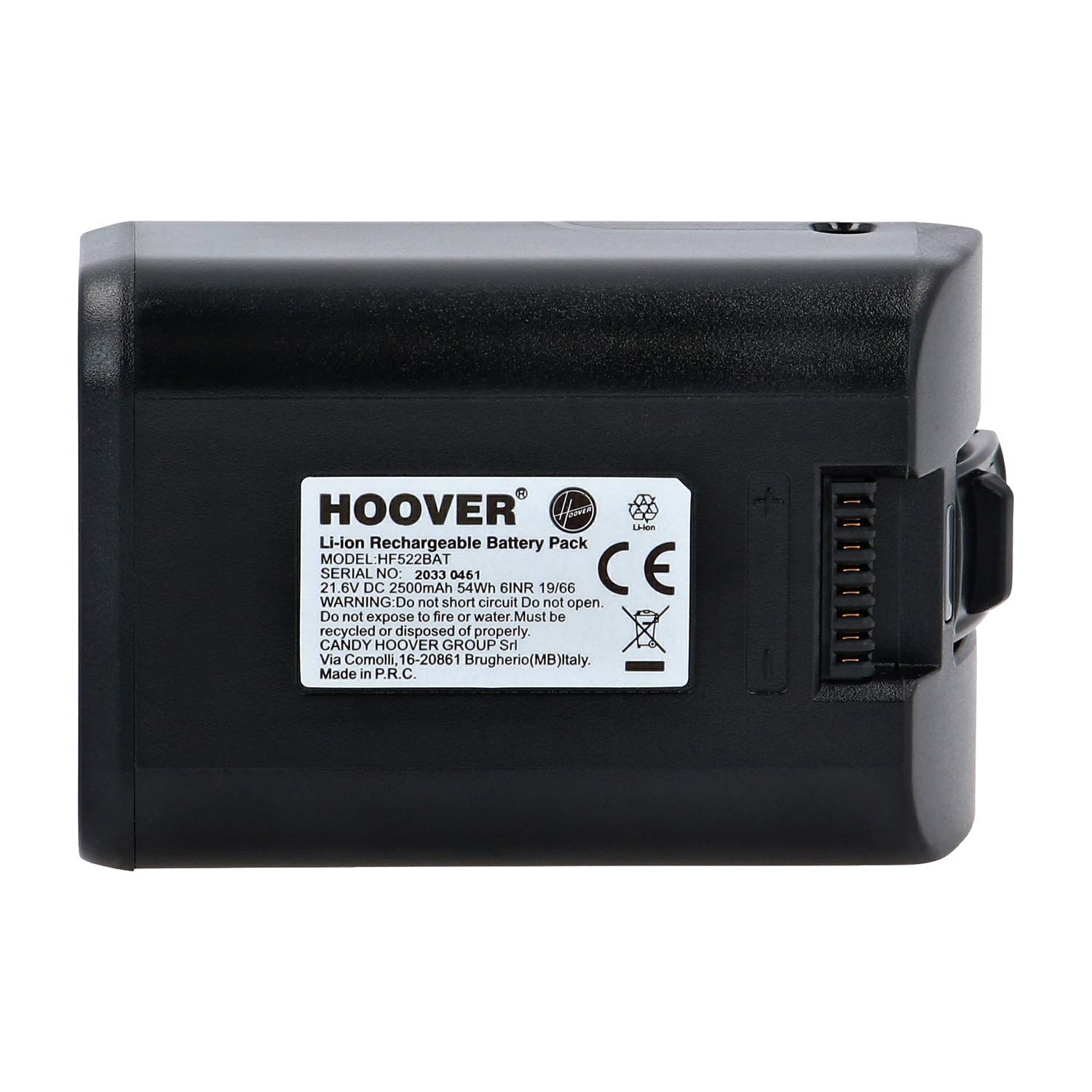
Figure 1.2: Bottom view of the Hoover B011 battery, showing the official product label and specifications.
2. Setup and Installation
2.1 Inserting the Battery
- Ensure your Hoover H-Free 500 vacuum cleaner is turned off and disconnected from any power source.
- Locate the battery compartment on your vacuum cleaner, typically near the handle.
- Align the Hoover B011 battery with the compartment, ensuring the connectors are correctly oriented.
- Gently push the battery into the compartment until it clicks securely into place. Do not force the battery.

Figure 2.1: Correct method for inserting the battery into the vacuum cleaner.
2.2 Removing the Battery
- Turn off the vacuum cleaner.
- Locate the battery release button or latch, usually marked with a 'PUSH AND PULL' indicator.
- Press the release button and gently pull the battery out of its compartment.

Figure 2.2: Pressing the release button to remove the battery.
2.3 Charging the Battery
- Connect the vacuum cleaner's charger to a power outlet.
- Plug the charging cable into the charging port on the battery (while installed in the vacuum) or directly into the battery if charging separately.
- The charging indicator light on the vacuum or battery will illuminate, indicating that charging is in progress.
- Allow the battery to charge fully before first use and whenever the battery level is low. Charging times may vary.

Figure 2.3: Battery connected to the charger.
3. Operating Instructions
The Hoover B011 battery powers your Hoover H-Free 500 stick vacuum cleaner. Once installed and fully charged, the vacuum cleaner operates as usual. Refer to your vacuum cleaner's main instruction manual for specific operating procedures.
- Initial Charge: Fully charge the battery before its first use to optimize battery life and performance.
- Regular Charging: Recharge the battery when the vacuum's performance decreases or the battery indicator shows low power.
- Battery Life: The operating time will vary depending on the power mode used (e.g., standard, turbo) and the type of surface being cleaned.
4. Maintenance
Proper maintenance ensures the longevity and optimal performance of your Hoover B011 battery.
- Storage: If storing the battery for an extended period, charge it to approximately 50% and store it in a cool, dry place. Avoid extreme temperatures.
- Cleaning: Keep the battery contacts clean and free from dust or debris. Use a dry cloth to wipe them if necessary.
- Avoid Deep Discharge: Do not allow the battery to completely discharge frequently, as this can reduce its overall lifespan.
- Temperature: Do not expose the battery to fire or water. Avoid direct sunlight or high temperatures.
5. Troubleshooting
If you encounter issues with your Hoover B011 battery, consider the following:
| Problem | Possible Cause | Solution |
|---|---|---|
| Battery not charging | Charger not connected properly; faulty charger or outlet; battery contacts are dirty. | Ensure charger is securely plugged in. Test the outlet with another device. Clean battery contacts. If issues persist, contact support. |
| Short operating time | Battery not fully charged; battery degradation over time; high power mode usage. | Ensure battery is fully charged. Use standard power mode for longer runtime. If battery life has significantly decreased, it may need replacement. |
| Battery overheating | Overuse; internal fault. | Stop using the vacuum and allow the battery to cool down. If overheating persists or is severe, discontinue use and contact Hoover support. |
6. Specifications
- Model: B011 (also referred to as HF522BAT)
- Battery Type: Lithium-ion Rechargeable
- Voltage: 21.6V
- Compatibility: Hoover H-Free 500 series stick vacuum cleaners (e.g., type HF522)
- Manufacturer: Hoover (Candy Hoover Group Srl)
7. Warranty and Support
For warranty information, please refer to the documentation provided with your original Hoover H-Free 500 vacuum cleaner or visit the official Hoover website. If you require technical assistance or have questions regarding your Hoover B011 battery, please contact Hoover customer support directly.
You can typically find contact information for support on the Hoover official website or within your vacuum cleaner's main user manual.


