
Introduction
This manual provides essential information for the proper use, installation, and maintenance of your Technical Precision replacement battery for the WILDGAME Innovations Micro RED 4 Trail Camera. Please read this manual thoroughly before use to ensure optimal performance and longevity of your battery.
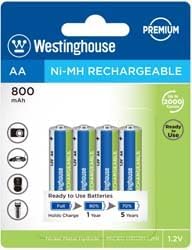
Figure 1: Technical Precision Replacement Battery. This image displays the compact design of the replacement battery, suitable for trail cameras.
Product Features
- Compatibility: Specifically designed as a replacement for WILDGAME Innovations Micro RED 4 Trail Camera Outdoor Sports Battery.
- Battery Type: Lithium Ion composition for reliable power.
- Voltage: Operates at 1 Volt.
- Unit Count: Supplied as a single unit per sale.
Setup
- Unpacking: Carefully remove the replacement battery from its packaging. Inspect for any visible damage.
- Camera Preparation: Ensure your WILDGAME Innovations Micro RED 4 Trail Camera is powered off before proceeding. Open the battery compartment.
- Battery Insertion: Insert the Technical Precision replacement battery into the camera's battery compartment, ensuring correct polarity as indicated within the compartment.
- Secure Compartment: Close the battery compartment securely to prevent moisture or debris from entering.
Operating Instructions
Once the battery is correctly installed, your WILDGAME Innovations Micro RED 4 Trail Camera should be ready for operation. Refer to your camera's original user manual for specific instructions on camera power-on, settings, and usage.
- Initial Power-On: Power on your trail camera. The battery should provide immediate power.
- Battery Level Monitoring: Regularly check the battery level indicator on your trail camera to avoid unexpected power loss during operation.
- Charging: This replacement battery is designed to be charged within the camera if the camera supports rechargeable batteries, or with an external charger compatible with Lithium Ion batteries of this specification. Always use chargers recommended by the camera manufacturer or compatible with 1V Lithium Ion batteries.
Maintenance
- Storage: When not in use for extended periods, store the battery in a cool, dry place away from direct sunlight and extreme temperatures.
- Cleaning: Keep battery terminals clean and free of dirt or corrosion. Use a dry, soft cloth to wipe them if necessary.
- Disposal: Dispose of depleted batteries according to local regulations. Do not dispose of batteries in general waste or by incineration.
- Avoid Damage: Do not puncture, disassemble, or expose the battery to water or fire.
Troubleshooting
| Problem | Possible Cause | Solution |
|---|---|---|
| Camera does not power on after battery insertion. | Incorrect battery insertion; Battery depleted; Camera malfunction. |
|
| Battery life is shorter than expected. | Extreme temperatures; High camera usage; Battery aging. |
|
Specifications
| Brand | Technical Precision |
| Model Compatibility | WILDGAME Innovations Micro RED 4 Trail Camera Outdoor Sports Battery |
| Battery Cell Composition | Lithium Ion |
| Voltage | 1 Volts |
| Unit Count | 1.0 Count |
| Recommended Use | Camera |
| ASIN | B086C91LD5 |
| Date First Available | March 15, 2019 |
Warranty and Support
For warranty information or technical support regarding your Technical Precision replacement battery, please contact the manufacturer directly. You may also refer to the seller's return policy for details on returns and replacements.
- Manufacturer: Technical Precision
- Seller Information: Technical Precision (Seller on Amazon)
- Protection Plans: Optional protection plans may be available for purchase separately. For details, refer to the product listing on Amazon.