1. Introduction
This manual provides essential information for the safe and efficient installation, operation, and maintenance of your Nadair 655 AW Light Commercial Central Vacuum System. Please read all instructions carefully before using the appliance and retain this manual for future reference.
The Nadair 655 AW is a powerful central vacuum system designed for light commercial use, covering areas up to 9,550 square feet. It features hybrid filtration, allowing operation with or without disposable bags, and includes a 30ft Wessel Werk Carpet Accessory Kit.

Image: Nadair brand logo.
2. Safety Information
Always follow basic safety precautions when using electrical appliances to reduce the risk of fire, electric shock, or injury.
- Read all instructions before use.
- Do not operate the vacuum with a damaged cord or plug.
- Do not use to pick up flammable or combustible liquids, such as gasoline, or use in areas where they may be present.
- Do not pick up anything that is burning or smoking, such as cigarettes, matches, or hot ashes.
- Unplug from the electrical outlet when not in use and before servicing.
- Do not allow to be used as a toy. Close attention is necessary when used by or near children.
- Use only as described in this manual. Use only manufacturer's recommended attachments.
- Do not pull or carry by cord, use cord as a handle, close a door on cord, or pull cord around sharp edges or corners. Keep cord away from heated surfaces.
- Do not handle plug or appliance with wet hands.
- Turn off all controls before unplugging.
3. Package Contents
Verify that all components are present in the package:
- Nadair 655 AW Central Vacuum Unit
- 30 ft High-Voltage Hose with On-Off switch at the handle
- Electrical Carpet Beater (Powerhead) with LED light
- 12-inch Floor Brush (Horsehair Deluxe)
- 2 Telescopic Wands (adjustable electrical wand included)
- Dusting Brush
- Upholstery Brush
- Crevice Tool
- Chrome Hose Hanger
- Accessory Holder Bag
- 1 Permanent Machine Washable Filter (pre-installed or included separately)
- Disposable Bags (if hybrid filtration is used with bags)
Image: Nadair central vacuum unit with the complete accessory kit.
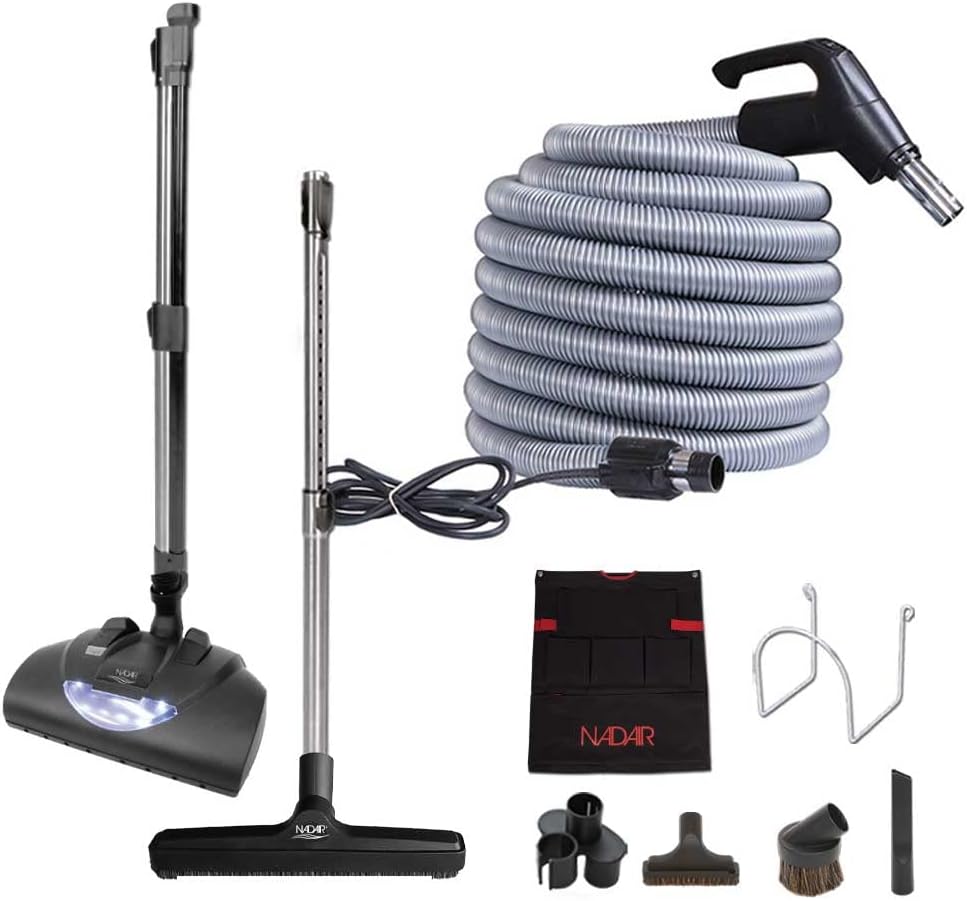
Image: Detailed view of the Wessel Werk carpet accessory kit components.
4. Installation & Setup
4.1 Central Unit Mounting
Mount the central vacuum unit in a suitable location, such as a garage, utility room, or basement. Ensure the location is dry, well-ventilated, and provides easy access for maintenance. The unit should be securely fastened to a wall stud or appropriate support structure.
4.2 Connecting to Inlets
The Nadair 655 AW system is compatible with most existing central vacuum inlets. Ensure your inlet meets the following criteria:
- The inlet must have 2 pins inside for electrical connection.
- The inside diameter of the inlet must be 1 1/2 inches.
Connect the central vacuum piping from your existing inlet system to the central unit's intake port. Ensure all connections are sealed properly to prevent suction loss.
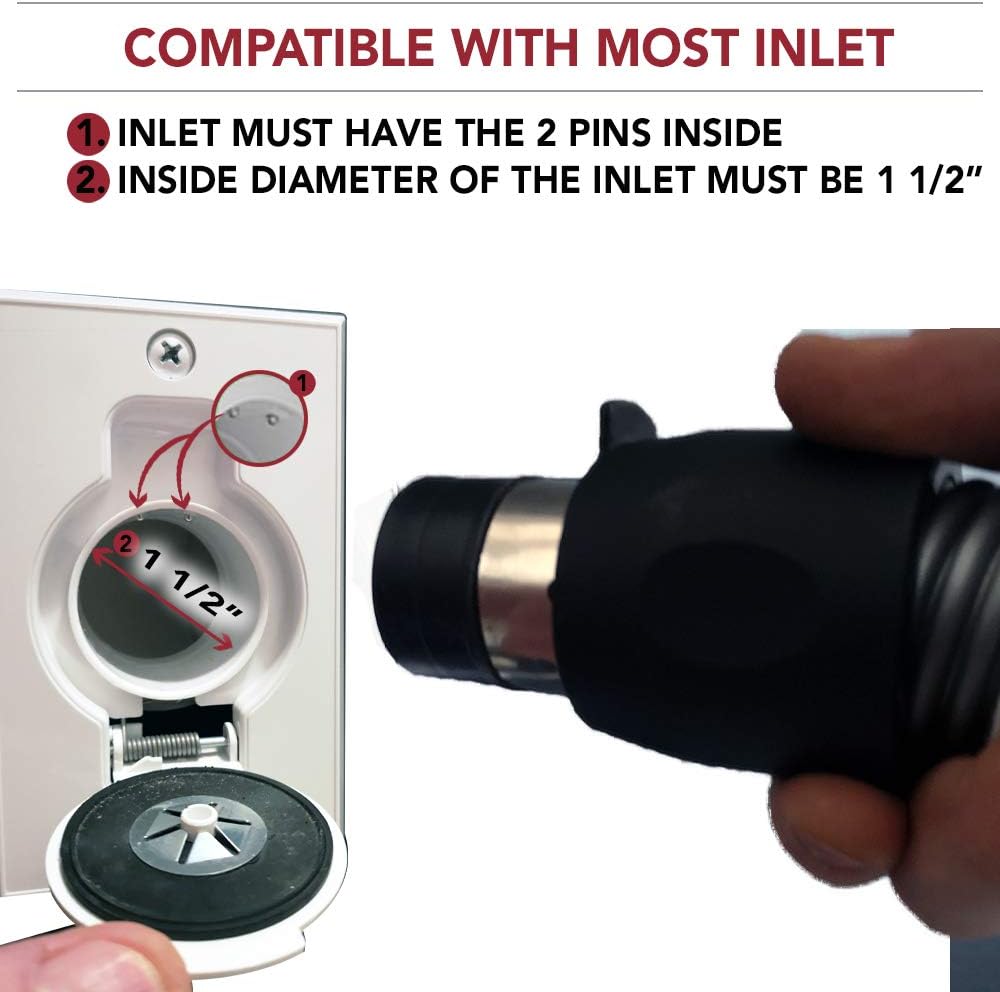
Image: Diagram illustrating the requirements for compatible central vacuum inlets, showing the 2 pins and 1 1/2 inch diameter.
4.3 Filter Installation (Hybrid Filtration)
The system offers hybrid filtration. You can choose to use it with or without disposable bags. A permanent machine washable filter is included and should always be in place.
- With Disposable Bags: Insert a disposable bag into the canister, ensuring it is properly seated around the intake opening. This method provides cleaner disposal and extends the life of the permanent filter.
- Without Disposable Bags: Ensure the permanent washable filter is correctly installed. Debris will collect directly in the canister.
Refer to the maintenance section for details on filter cleaning and bag replacement.
4.4 Hose and Accessory Connection
Connect the 30ft high-voltage hose to any compatible central vacuum inlet. The hose features a pigtail with a 12-inch power cord for connection to a standard electrical outlet, providing power to the accessories. The swivel at the handle helps prevent kinking during use.
Attach the desired cleaning tool (powerhead, floor brush, etc.) to the telescopic wand, and then connect the wand to the hose handle. For the electrical carpet beater, ensure the adjustable electrical wand is connected to the 2-pin connector on the powerhead.
5. Operating Instructions
5.1 Powering On/Off
Once the hose is connected to an inlet and the pigtail is plugged into an electrical outlet, the central vacuum system can be activated using the On-Off switch located on the hose handle. The system features Soft-Start/Stop Technology, which adds 20% to the life expectancy of the motor by gradually increasing and decreasing power.
Image: Graphic representing the Soft-Start/Stop Technology for extended motor life.
5.2 Using the Electrical Carpet Beater (Powerhead)
The electrical carpet beater features 5 adjustable height settings, making it ideal for various carpet types, including shag carpets. It also includes an LED light to illuminate the cleaning path.
- Adjust the height setting using the control on the powerhead to match your carpet pile.
- Ensure the electrical wand is securely connected to the powerhead for power transmission.
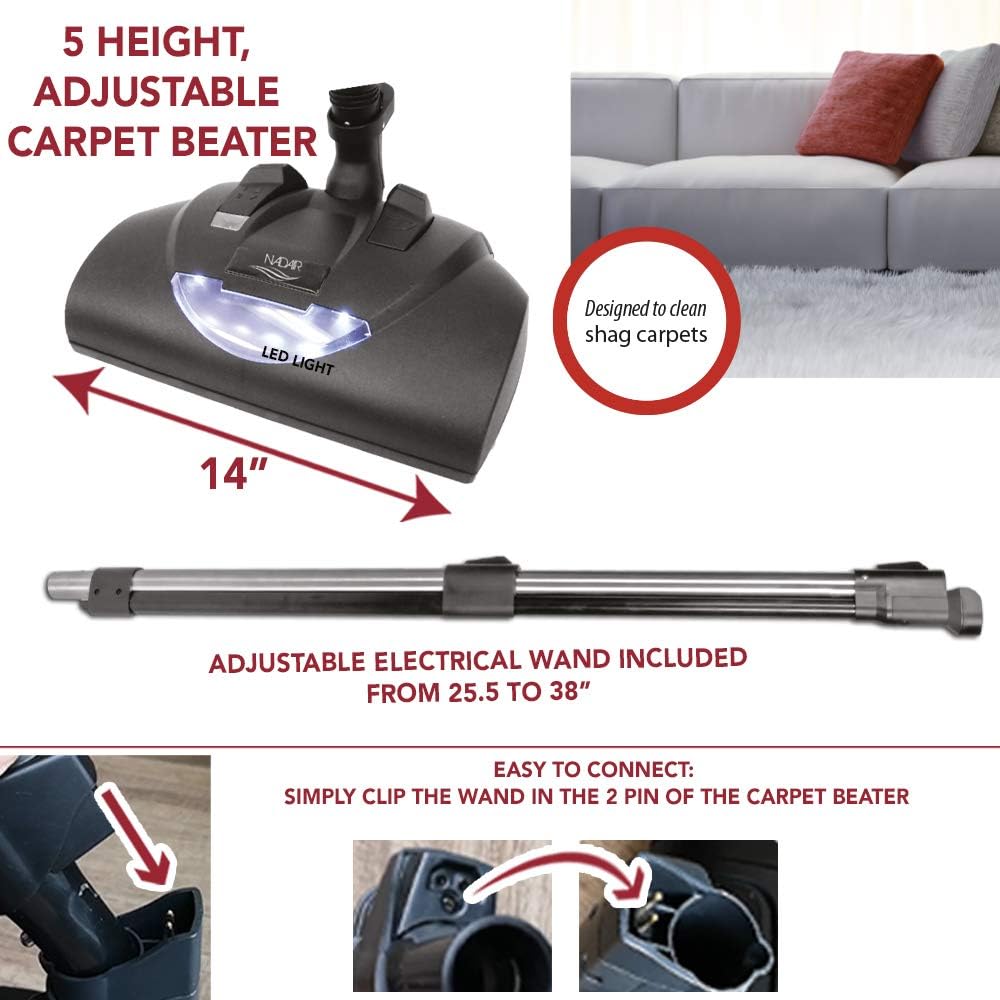
Image: Detailed view of the electrical carpet beater, highlighting its 5 adjustable heights and LED light.
5.3 Using the 12-inch Floor Brush
The 12-inch Horsehair Deluxe Floor Brush is designed for effective cleaning of hard surfaces such as tiles, hardwood, stone, concrete, vinyl, and linoleum. Its pivoting neck and double swivel technology allow it to reach tight and difficult-to-vacuum spots without scratching floors.
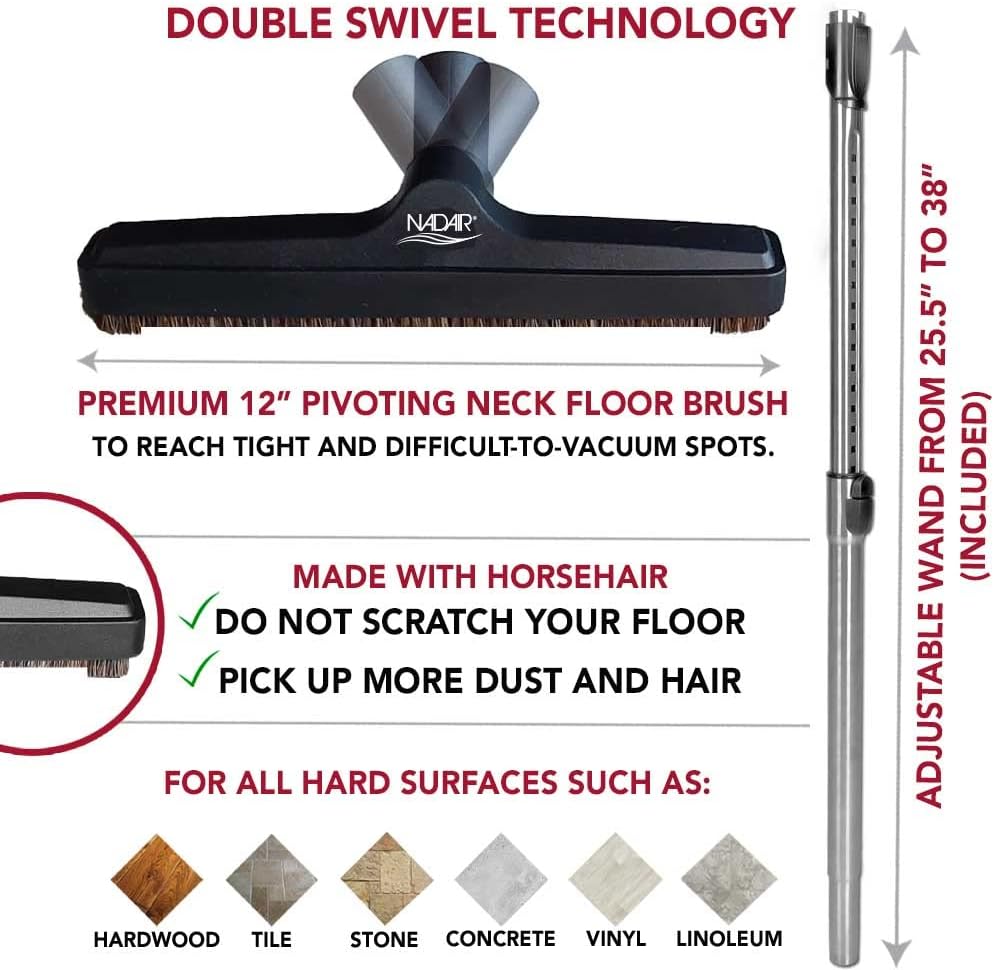
Image: Detailed view of the 12-inch pivoting neck floor brush, made with horsehair for hard surfaces.
5.4 LED Status Indicator
The central vacuum unit is equipped with an LED status indicator that provides information on the unit's operational status and when service may be required. Consult the troubleshooting section for interpreting specific LED signals.
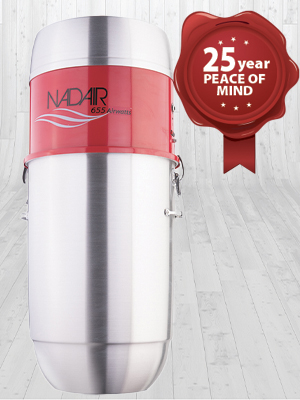
Image: Central vacuum unit with the LED indicator visible, advising of unit status.
6. Maintenance
6.1 Emptying the Canister
The 5.8-gallon (22-liter) spun aluminum bottom-load canister should be emptied regularly, depending on usage. To empty, unclip the canister from the main unit and dispose of collected debris. Reattach securely after emptying.

Image: Detail of the canister clip for easy removal and emptying.
6.2 Filter Cleaning and Replacement
The permanent machine washable filter should be cleaned periodically to maintain optimal suction and system performance. Remove the filter, shake off loose debris, and wash it with water. Allow it to dry completely before reinstallation.
If using disposable bags, replace them when full. Using disposable bags is recommended as it simplifies maintenance and helps keep the permanent filter cleaner.

Image: Diagram showing the hybrid filtration system, including the permanent washable filter and optional disposable bag.
6.3 General Cleaning
Wipe the exterior of the central vacuum unit and accessories with a damp cloth. Do not use harsh chemicals or abrasive cleaners. Ensure all components are dry before storage or next use.
7. Troubleshooting
This section addresses common issues you might encounter. For problems not listed here, please contact customer support.
| Problem | Possible Cause | Solution |
|---|---|---|
| Unit does not turn on. | No power to the unit; hose not properly connected; circuit breaker tripped. | Check power supply; ensure hose pigtail is plugged in and switch on handle is ON; reset circuit breaker. |
| Loss of suction. | Full canister/bag; clogged hose/piping; dirty filter; air leak in system. | Empty canister/replace bag; check hose and piping for blockages; clean filter; inspect connections for leaks. |
| Powerhead not rotating. | Obstruction in brush roll; electrical connection issue; belt broken. | Clear brush roll; ensure electrical wand is properly connected; inspect/replace belt (if applicable). |
| LED indicator shows error. | System fault; motor issue; maintenance required. | Refer to specific LED code documentation (if available) or contact customer support. |
8. Specifications
Technical specifications for the Nadair 655 AW Central Vacuum System:
| Feature | Detail |
|---|---|
| Brand | Nadair |
| Model Name | Nadair 655 AW Light Commercial Central Vacuum System |
| Model Number | PAK655-0630 |
| Airwatts | 655 AW |
| Motor | 5.7", 2-Stage AMETEK USA motor with Soft-Start/Stop Technology |
| Suction Power | 115.5 in.H2O |
| Wattage | 700 watts |
| Voltage | 700 Volts |
| Filtration Type | Hybrid (with or without disposable bags), 1 permanent washable filter |
| Canister Capacity | 32 Liters / 8.5 Gallons (5.8 Gallons / 22 Liters listed in feature bullets, using 22L for consistency with other spec) |
| Canister Material | Spun Aluminum (bottom load) |
| Coverage Area | Up to 9,550 square feet |
| Inlet Compatibility | Up to 8 inlets, compatible with most existing inlets (2 pins, 1 1/2" ID) |
| Power Source | Corded Electric |
| Control Method | Touch (On-Off switch on hose handle) |
| Color | Silver |
| Included Components | Central vacuum unit, 30ft high-voltage hose, electrical carpet beater, 12" floor brush, 2 telescopic wands, dusting brush, upholstery brush, crevice tool, chrome hose hanger, accessory holder bag. |
Image: Detail of the AMETEK USA motor, a key component of the central vacuum system.

Image: Graphic highlighting the silent system with integrated muffler and noise-blocking foam.
9. Warranty Information
For detailed warranty information regarding your Nadair 655 AW Central Vacuum System, please refer to the warranty card included with your product or visit the official Nadair website. Warranty terms typically cover manufacturing defects and specific components for a defined period from the date of purchase.
10. Customer Support
If you have any questions, require technical assistance, or need to order replacement parts, please contact Nadair customer support. Contact information can typically be found on the manufacturer's website or on the product packaging.
For online resources, visit the Nadair Store on Amazon.