Introduction
This manual provides instructions for the RETROSUN AXD7622 replacement remote control. This remote is designed to function as a direct replacement for various Pioneer AV receiver models, requiring no programming or pairing. It offers a straightforward solution for controlling your audio/video receiver.

Image: Front and back view of the RETROSUN AXD7622 replacement remote control. The front displays numerous buttons for various functions, while the back shows the battery compartment.
Compatibility
The RETROSUN AXD7622 remote control is compatible with a wide range of Pioneer AV receiver models. It is designed to replace original remote controls such as AXD7583, AXD7624, AXD7660, and AXD7690.
Compatible Pioneer AV Receiver Models include:
- HTP-071
- VSX-321-KP, VSX-42, VSX-421-K
- SX-319V, SX-319V-K
- VSX-321, VSX-321K-P, VSX-420-K, VSX-421
- VSX-519-V, VSX-519V-K, VSX-520, VSX-520-K, VSX-521, VSX-521-K, VSX-522, VSX-522-K, VSX-523, VSX-523-K, VSX-524, VSX-524-K
- VSX-819H, VSX-819H-K, VSX-821, VSX-821-K, VSX-820, VSX-822, VSX-824
- VSX-23TXH, VSX-921-K

Image: The remote control positioned in a living room environment, demonstrating its use with a television and audio system, highlighting its compatibility with Pioneer Audio Video Receivers.
Setup
Battery Installation
- Locate the battery compartment on the back of the remote control.
- Slide the battery compartment cover downwards or outwards to open it.
- Insert two (2) AAA batteries, ensuring the positive (+) and negative (-) terminals align correctly with the markings inside the compartment.
- Close the battery compartment cover by sliding it back into place until it clicks securely.
The remote control is ready for use immediately after battery installation. No programming or pairing is required.

Image: A visual representation of the remote control's dimensions and the battery compartment on its rear side, illustrating where batteries are to be inserted.
Operating Instructions
This remote control operates using infrared technology and requires no setup. Simply point the remote towards your Pioneer AV receiver and press the desired function button.
Key Functions Overview
| Button | Function |
|---|---|
| RECEIVER | Powers the AV receiver on or off. |
| INPUT SELECT (BD, DVD, TV, CD, etc.) | Selects the audio/video input source for the receiver. |
| VOL (+/-) | Adjusts the master volume level. |
| MUTE | Mutes or unmutes the audio output. |
| ARROW KEYS (Up, Down, Left, Right) & ENTER | Navigates menus and confirms selections. |
| SETUP / TOP MENU | Accesses the receiver's setup menu or top menu of a disc. |
| TUNER EDIT / MASTER VOLUME | Functions related to tuner settings or master volume control. |
| AUTO/DIRECT, STEREO, STANDARD, ADV SURR | Selects various audio listening modes. |
| PLAYBACK CONTROLS (Play, Pause, Stop, Skip) | Controls media playback for connected devices. |
For specific functions not listed, refer to your Pioneer AV receiver's original manual for button mapping, as some buttons may have model-specific functionalities.
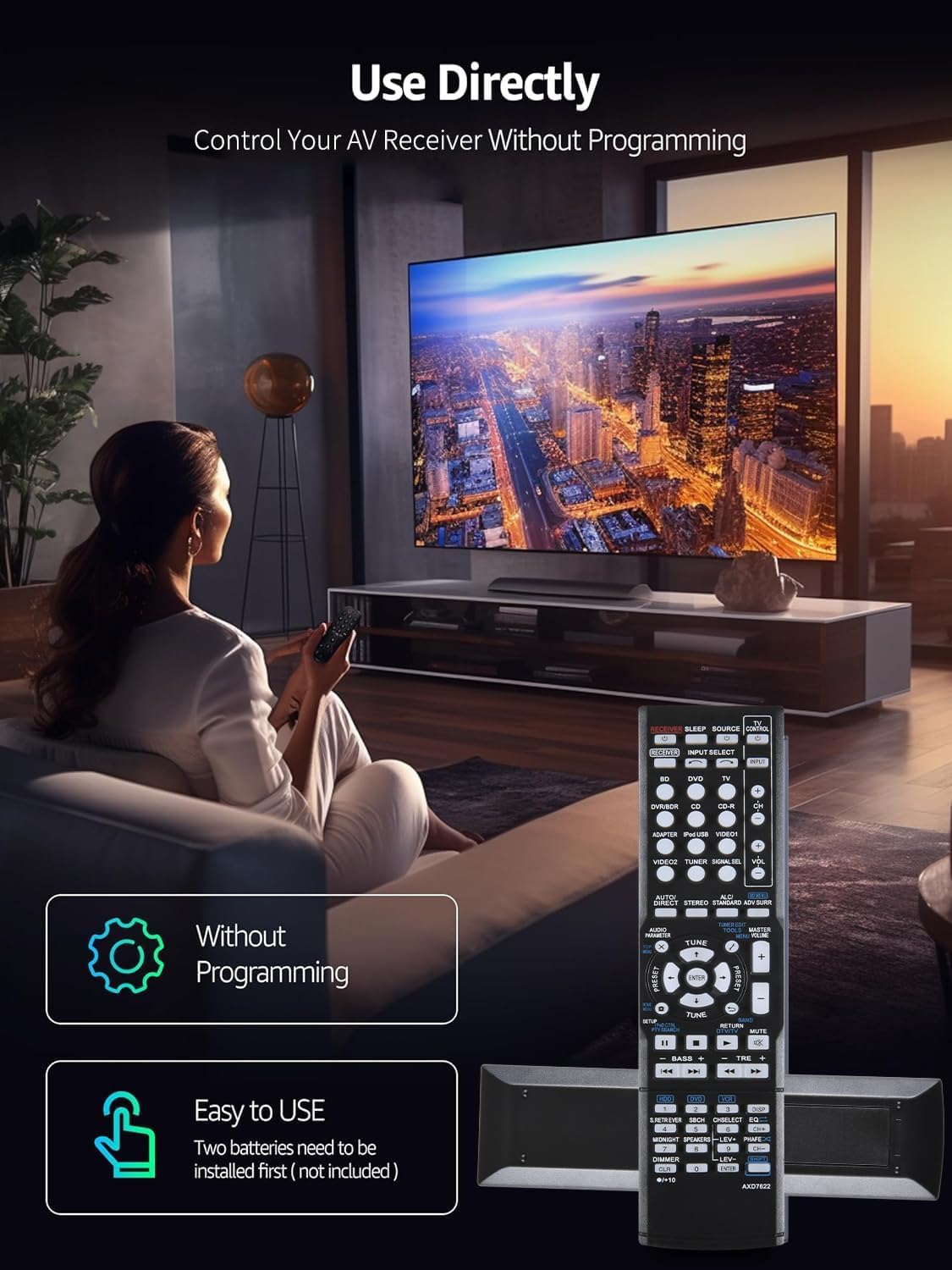
Image: A user operating the remote control while seated, demonstrating the ease of direct use without programming.
Maintenance
Cleaning the Remote
- Wipe the remote control with a soft, dry cloth.
- For stubborn dirt, slightly dampen the cloth with water or a mild cleaning solution, then wipe dry immediately.
- Do not use abrasive cleaners, alcohol, or solvents, as these can damage the remote's surface or buttons.
Battery Replacement
- Replace batteries when the remote's response becomes sluggish or it stops functioning.
- Always replace both AAA batteries at the same time with new ones.
- Do not mix old and new batteries, or different types of batteries.
- Remove batteries if the remote will not be used for an extended period to prevent leakage.
Troubleshooting
| Problem | Possible Cause | Solution |
|---|---|---|
| Remote is not responding. | Dead or incorrectly inserted batteries. | Replace batteries with new AAA batteries, ensuring correct polarity. |
| Remote has limited range or intermittent response. | Weak batteries; Obstruction between remote and receiver; Remote sensor on receiver is blocked. | Replace batteries. Ensure a clear line of sight between the remote and the receiver. Check if the receiver's IR sensor is obstructed. |
| Specific buttons do not work. | Button malfunction; Function not supported by your specific receiver model. | Ensure the button is clean and not stuck. Verify if the function is available on your receiver model by consulting its original manual. |
| Remote does not control the TV. | This remote is designed for Pioneer AV receivers and does not have universal TV control capabilities. | Use your TV's original remote control for TV functions. |

Image: An illustration depicting the remote control's advanced infrared technology, highlighting its capability for long-distance (up to 26 feet) and wide-angle (120 degrees) operation, which is crucial for effective troubleshooting of range issues.
Specifications
- Model: AXD7622
- Brand: RETROSUN
- Connectivity Technology: Infrared
- Power Source: 2 x AAA Batteries (not included)
- Compatible Devices: Pioneer AV Receivers (specific models listed in Compatibility section)
- Dimensions: Approximately 8.31 x 2.01 x 0.87 inches (21.1 x 5.1 x 2.2 cm)
- Item Weight: Approximately 2.39 ounces (67.7 grams)
- Special Feature: Ergonomic design
Warranty and Support
Customer Support
Should you encounter any questions or issues during the use of your RETROSUN AXD7622 remote control, please contact our customer support team via email. We are committed to providing timely and efficient service, typically responding within 24 hours.
For contact information, please refer to the seller's details on the product purchase page or your order confirmation.
Product Quality Assurance
Every RETROSUN product undergoes multiple quality inspections to ensure it meets high standards and functions as an effective replacement. We strive for customer satisfaction.