
1. Introduction
This manual provides essential information for the setup, operation, maintenance, and troubleshooting of your WINZZ EGM100 30-inch electric guitar. Designed for young, right-handed musicians aged 4-10, this instrument features a double cutaway style, 21 frets, and a 19.69-inch scale length. Please read these instructions carefully to ensure proper use and longevity of your instrument.

Image 1.1: The WINZZ EGM100 30-inch electric guitar in Blueburst.
2. What's Included
Your WINZZ EGM100 electric guitar beginner kit includes the following components:
- WINZZ EGM100 30-inch Electric Guitar
- Gig Bag (600D Oxford with double shoulder straps)
- Guitar Cable
- Extra Set of Strings
- Guitar Strap
- 4 Picks
- Mini Amplifier (9V battery not included)
- Allen Wrench
- Accessory Storage Bag

Image 2.1: The WINZZ EGM100 electric guitar with its accompanying mini amplifier and other accessories.
3. Setup Instructions
- Unpacking: Carefully remove all components from the packaging. Inspect the guitar and accessories for any signs of damage.
- Install Amplifier Battery: The mini amplifier requires a 9V battery (not included). Open the battery compartment on the amplifier and insert a fresh 9V battery, observing correct polarity.
- Connect Guitar to Amplifier:
- Insert one end of the provided guitar cable into the output jack on the guitar.
- Insert the other end of the guitar cable into the input jack on the mini amplifier.
- Attach Guitar Strap: Securely attach the guitar strap to the strap buttons located on the body of the guitar.
- Tuning the Guitar:
- Use a digital tuner (not included) or a tuning app on a smartphone to tune the guitar.
- The standard tuning for a 6-string guitar is E-A-D-G-B-e (from thickest to thinnest string).
- Turn the tuning pegs on the headstock to adjust the pitch of each string until it matches the correct note.
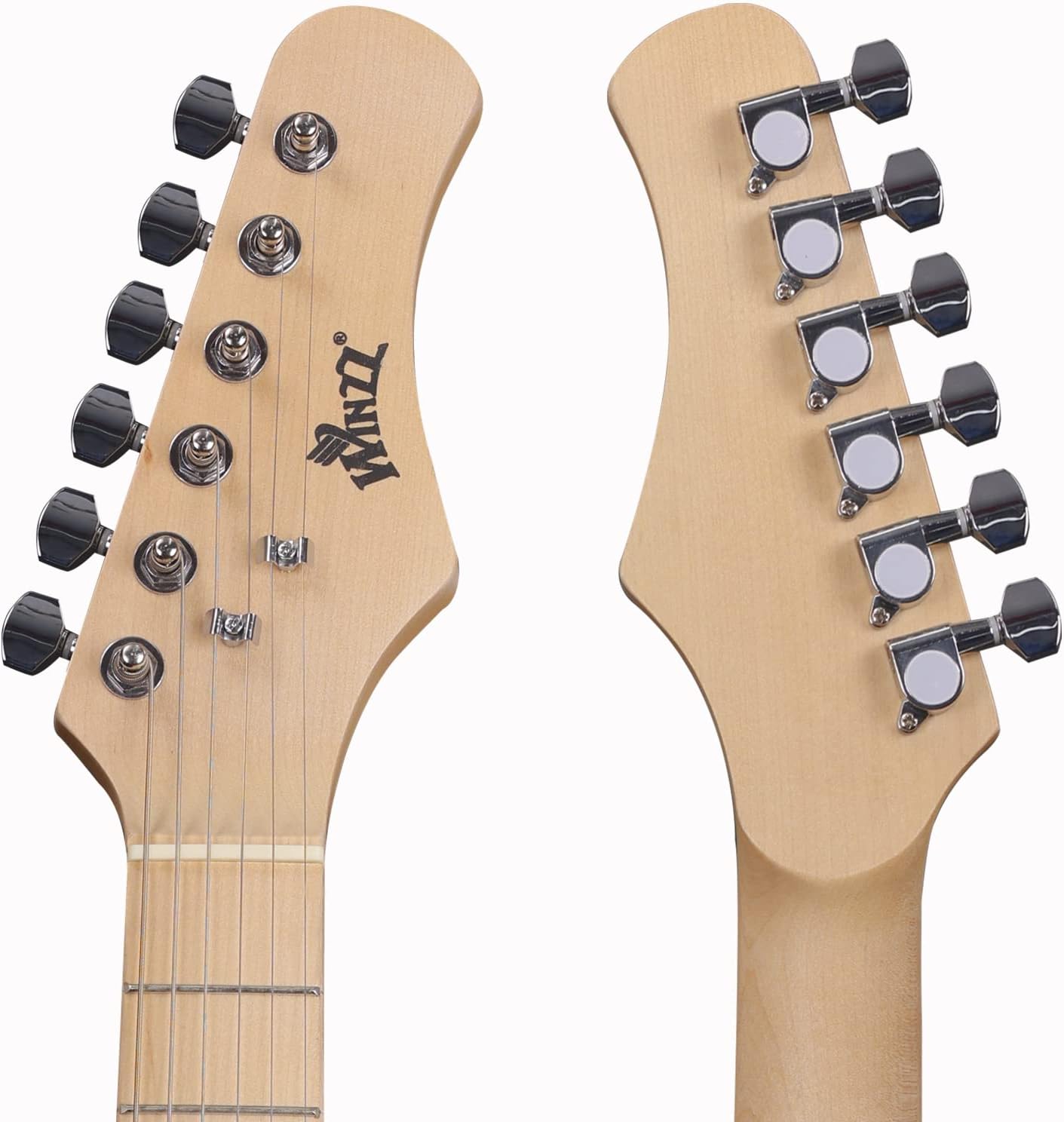
Image 3.1: The headstock of the WINZZ EGM100 electric guitar, showing the tuning pegs.
4. Operating Instructions
- Power On: Turn on the mini amplifier using its power switch. A red indicator light should illuminate.
- Adjust Volume: Use the volume control knob on the guitar to adjust the output level. Start with a low volume and gradually increase it.
- Playing the Guitar:
- Strum or pluck the strings with a pick or your fingers.
- Press down on the strings against the frets with your left hand (for right-handed players) to change notes.
- Experiment with different strumming patterns and chord shapes.
- Amplifier Controls: The mini amplifier typically has volume and tone controls. Adjust these to shape your sound.
- Power Off: When finished playing, turn off the amplifier and unplug the guitar cable from both the guitar and the amplifier.

Image 4.1: The single coil pickup and volume control knob on the WINZZ EGM100 electric guitar.
5. Maintenance
- Cleaning: Wipe down the guitar body, neck, and strings with a soft, dry cloth after each use to remove sweat and dirt. For a deeper clean, use guitar-specific cleaning products.
- String Replacement: Strings will wear out over time, affecting tone and playability. Replace strings regularly, especially if they appear corroded or sound dull. Refer to the "Extra Set of Strings" included in your kit.
- Storage: Store the guitar in its gig bag when not in use to protect it from dust, scratches, and environmental changes. Avoid extreme temperatures and humidity.
- Amplifier Care: Keep the amplifier in a dry place. If not using for an extended period, remove the 9V battery to prevent leakage.
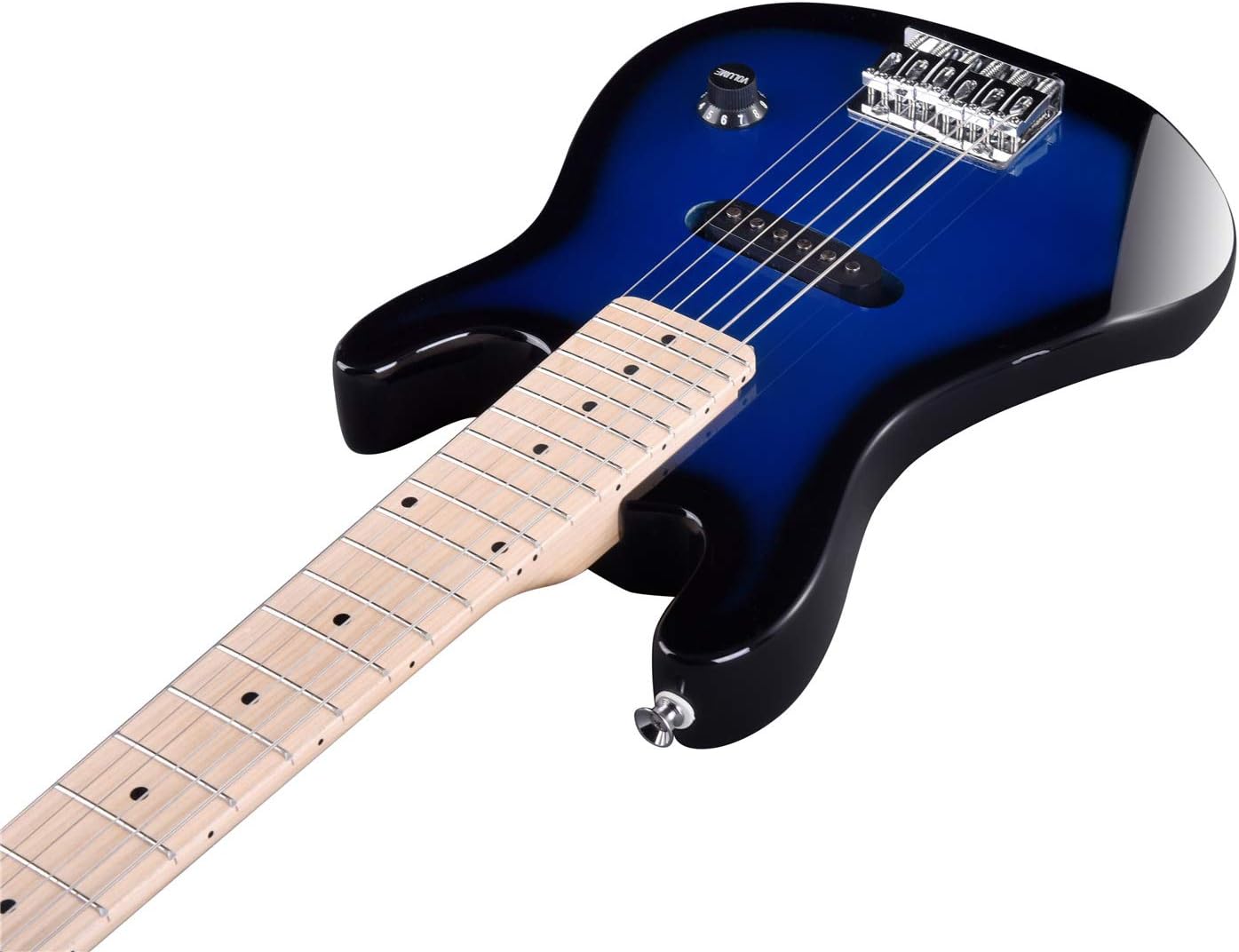
Image 5.1: Rear view of the WINZZ EGM100 electric guitar, showing the solid wood body and neck.
6. Troubleshooting
| Problem | Possible Cause | Solution |
|---|---|---|
| No sound from amplifier |
|
|
| Guitar does not stay in tune |
|
|
| Static or distorted sound |
|
|
7. Specifications
| Feature | Detail |
|---|---|
| Brand | WINZZ |
| Model Number | EGM100 |
| Color | Blueburst |
| Instrument Type | Electric Guitar |
| Size | 30 Inches |
| Scale Length | 19.69 inches |
| Number of Frets | 21 |
| Hand Orientation | Right |
| Body Material | Wood (Solid Body) |
| Top Material Type | Maple Wood |
| Neck Material Type | Maple |
| Fretboard Material Type | Maple |
| Pickup Configuration | Single Coil (S) |
| Bridge System | Non-tremolo (Chrome Alloy) |
| String Material Type | Alloy Steel |
| Item Dimensions (L x W x H) | 31" x 12" x 3.5" |
| Item Weight | 2.99 Kilograms |
8. Warranty and Support
The WINZZ EGM100 electric guitar comes with a 1-year manufacturer's warranty. For warranty claims, technical support, or further assistance, please contact WINZZ customer service.
You can find more information and contact details by visiting the official WINZZ store on Amazon: WINZZ Store.