
ZOSI ZG2615D-WS
ZOSI ZG2615E 5MP PoE IP Camera Instruction Manual
Model: ZG2615D-WS | Brand: ZOSI
1. Overview
The ZOSI ZG2615E is a 5MP Super HD PoE IP bullet camera designed for both indoor and outdoor surveillance. It features a 3.6mm lens with a wide 95° viewing angle and is equipped with 36 IR LEDs for up to 120ft night vision. This camera is specifically designed to work with ZOSI PoE NVR systems (compatible models: ZR16SK, ZR16HK, ZR08SN, ZR08HN, ZR08EN, ZR08DN, ZR08PN). Its Power over Ethernet (PoE) capability simplifies installation by allowing both power and video transmission over a single Ethernet cable. The camera also supports motion detection with timely alerts via app push notifications and email.
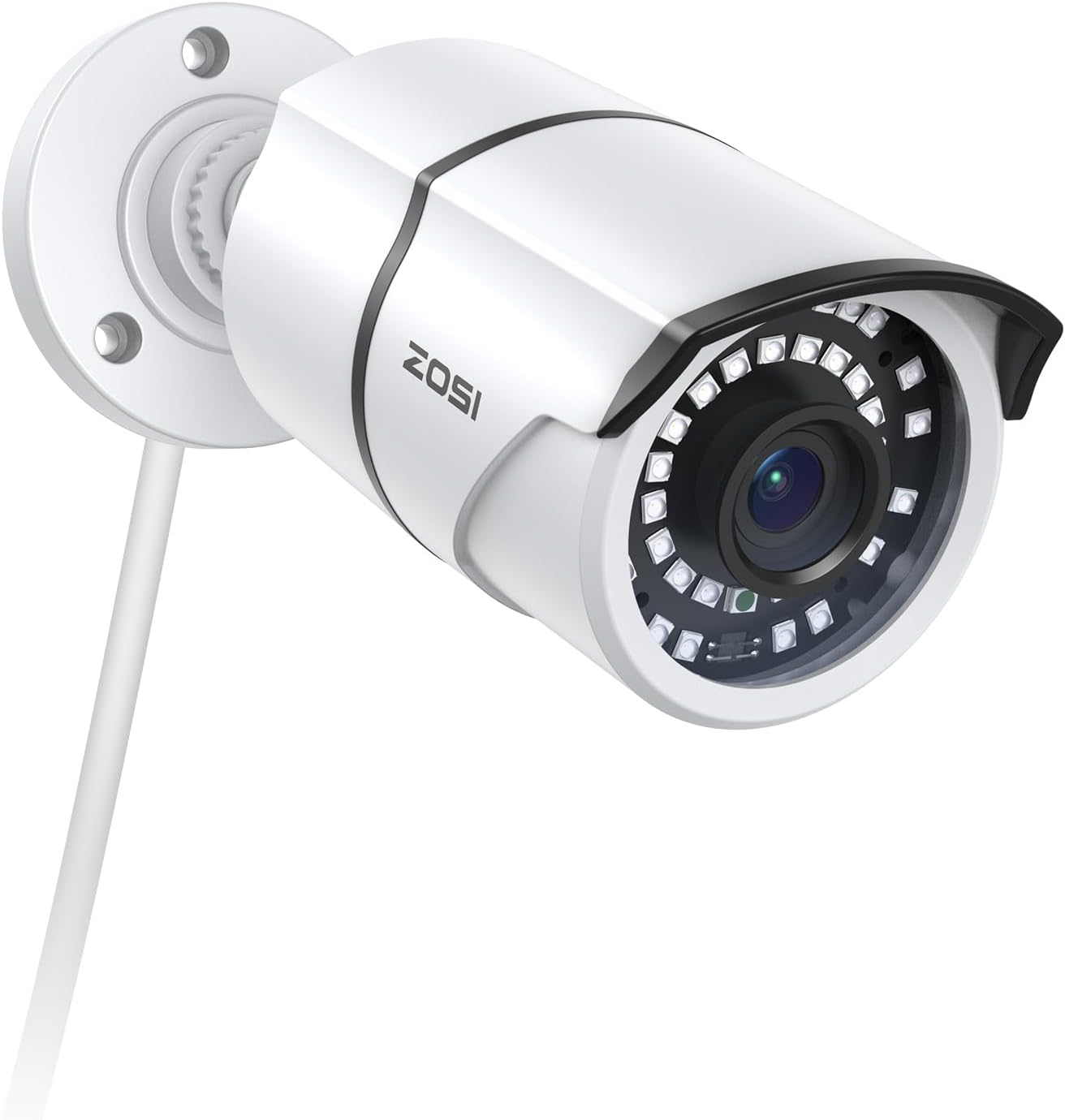
Figure 1: ZOSI ZG2615E 5MP PoE IP Bullet Camera
2. What's in the Box
- 1pcs camera
Please note that this PoE camera does not come with a separate power cable, as it is designed to be powered via the Ethernet cable when connected to a compatible PoE NVR or PoE switch.
3. Product Features
- 5MP Super HD PoE Security IP Camera: Features a 3.6mm lens with a wide 95° viewing angle. Exclusively compatible with ZOSI PoE security systems (NVR models: ZR16SK, ZR16HK, ZR08SN, ZR08HN, ZR08EN, ZR08DN, ZR08PN).
- Powered Optional: Can be powered by a power supply (not included) or via a single Ethernet cable using a PoE switch, simplifying installation and cable management.
- Indoor and Outdoor Use: Constructed with aluminum metal, it is vandal-proof and waterproof, designed to withstand harsh outdoor conditions. Features a 3-axis camera stand and cable-through bracket for secure mounting.
- 120ft Night Vision: Equipped with 36 built-in IR LEDs and a 3.6mm lens with IR cut, providing clear images up to 120 feet even in complete darkness.
- Motion Detection & Timely Alerts: The camera supports motion detection and sends instant alerts via app push notifications and email, keeping you informed of any activity.

Figure 2: 5MP Super HD Enhanced Night Vision capabilities, showing 36 IR LEDs and 120ft night vision range.

Figure 3: Motion Detection & Timely Alerts, illustrating app push and email notifications.

Figure 4: Indoor and Outdoor Versatility, showing the camera's adaptability to various environments and conditions.

Figure 5: Detailed features of the 5MP Super HD PoE Camera, including IP66 weatherproofing, 36 LEDs, glass cover, 5MP 4.0mm lens with 110° wider angle, Net Port, and Power Supply option.
4. Setup and Installation
4.1 Connecting to ZOSI PoE System
The ZG2615E camera is designed for simple plug-and-play installation with compatible ZOSI PoE NVRs. Follow these steps to connect your camera:
- Step 1: Connect the PoE IP Camera to the PoE NVR. Use an Ethernet cable to connect the camera's network port directly to a PoE port on your ZOSI NVR. Power on the NVR.
- Step 2: Adjust NVR Network Settings. Go to your NVR's Main Menu -> Setup -> Network. Check if "Obtain an IP Address Automatically" is enabled. If it is, please uncheck it.
- Step 3: Delete Existing IPC Channels. Return to the main menu, click "IPC Channel Config", select any existing cameras, and then delete them.
- Step 4: Search and Add Camera. Click the search icon. The NVR will search for cameras within the same network segment. Once found, add the searched camera to different channels as needed.

Figure 6: Connection steps for ZOSI PoE IP Camera to NVR, illustrating the network cable connection and NVR interface steps.

Figure 7: ZOSI PoE NVR Compatibility, listing compatible NVR models: ZR08EN, ZR08PN, ZR08DN, ZR16DK.
4.2 Mounting the Camera
The camera's 3-axis stand allows for flexible mounting on walls or ceilings. Ensure the mounting surface is stable and can support the camera's weight. Use appropriate screws and anchors for secure installation.

Figure 8: Wall and Ceiling Mounting Options for the ZOSI ZG2615E camera.
5. Operating Instructions
5.1 Live View and Playback
Access live video feeds and recorded footage through your ZOSI NVR system or the ZOSI Smart mobile application (available for Android and iOS). The app allows for remote viewing and playback of high-quality video.
5.2 Night Vision
The camera automatically switches to night vision mode in low-light conditions, utilizing its IR LEDs to provide clear black and white images up to 120 feet.
5.3 Motion Detection and Alerts
Configure motion detection settings via the NVR interface or the ZOSI Smart app. When motion is detected, the system can send instant push notifications to your mobile device and email alerts, ensuring you are promptly aware of any activity.
6. Maintenance
To ensure optimal performance and longevity of your ZOSI ZG2615E camera, regular maintenance is recommended:
- Cleaning: Periodically clean the camera lens and housing with a soft, damp cloth. Avoid using harsh chemicals or abrasive materials that could scratch the lens or damage the finish. The glass cover is designed to resist rain, dust, and fog, but regular cleaning helps maintain image clarity.
- Cable Inspection: Inspect the Ethernet cable and connections for any signs of wear, damage, or corrosion, especially for outdoor installations. Ensure all connections are secure to maintain stable power and video transmission.
- Firmware Updates: Check the ZOSI official website or your NVR's system settings for available firmware updates. Keeping your camera and NVR firmware up-to-date ensures you have the latest features and security enhancements.
- Environmental Considerations: While the camera is waterproof and vandal-proof, extreme environmental conditions (e.g., prolonged exposure to direct sunlight in very hot climates, or severe ice buildup) can affect performance. Ensure proper installation to minimize such exposure where possible.
7. Troubleshooting
If you encounter issues with your ZOSI ZG2615E camera, please refer to the following common troubleshooting tips:
- No Video/Offline Camera:
- Ensure the Ethernet cable is securely connected to both the camera and the PoE NVR/switch.
- Verify that the NVR's PoE ports are functioning correctly.
- Check the NVR's network settings to ensure "Obtain an IP Address Automatically" is unchecked and the camera is properly added to a channel.
- Confirm that the camera is receiving power (some PoE cameras have an indicator LED on the Ethernet connector).
- Poor Image Quality:
- Clean the camera lens to remove any dust, dirt, or smudges.
- Ensure there are no obstructions in the camera's field of view.
- Check for strong light sources directly facing the camera, which can cause glare.
- Night Vision Issues:
- Ensure the area is within the 120ft night vision range.
- Check for any reflective surfaces close to the camera that might cause IR glare.
- Motion Detection Not Working:
- Verify motion detection settings are correctly configured on the NVR or ZOSI Smart app.
- Adjust sensitivity levels as needed.
- Ensure the camera's firmware is up-to-date.
- Compatibility Issues:
- Remember, this PoE camera is designed to work only with ZOSI PoE NVRs. It may not be compatible with NVRs from other brands.
For further assistance, please contact ZOSI customer support. Refer to the "Warranty and Support" section for contact information.
8. Specifications
| Feature | Detail |
|---|---|
| Brand | ZOSI |
| Model Number | ZG2615D-WS |
| Connectivity Technology | Wired (PoE) |
| Video Capture Resolution | 5 MP |
| Special Feature | Motion Sensor, Night Vision |
| Color | 5MP POE-1Cam (White) |
| Power Source | Corded Electric (via PoE) |
| Item Dimensions L x W x H | 8.19 x 3.39 x 3.35 inches |
| Operating System Compatibility | Android, iOS (via ZOSI Smart App) |
| Recommended Uses | Indoor, Outdoor |
| Compatible Devices | ZOSI PoE NVRs (ZR16SK, ZR16HK, ZR08SN, ZR08HN, ZR08EN, ZR08DN, ZR08PN), Desktop, Smartphones |
| Signal Format | Analog (Note: This might be a misclassification in the source data, as it's an IP camera. It likely refers to the underlying video signal processing or compatibility with certain NVR types. For an IP camera, digital signal is expected.) |
| Other Camera Features | Front |
| Low Light Technology | Night Color (Note: Feature bullets state IR LEDs for night vision, which is typically black and white. "Night Color" might refer to advanced models or specific settings not detailed for this model.) |
| Night Vision Range | 120 Feet |
| Viewing Angle | 95° (from feature bullets), 110 Degrees (from specifications) - using 95° as it's more specific to the lens. |
| Item Weight | 12.7 ounces |
| Date First Available | March 18, 2020 |
9. Warranty and Support
ZOSI is committed to providing comprehensive after-sales support and services to all its customers worldwide. For any product problems or technical assistance, please contact ZOSI customer support.
ZOSI offers various protection plans for extended coverage. Please refer to your purchase documentation or the ZOSI website for details on available warranty and protection plan options.

Figure 9: Scan this QR code for direct support from ZOSI.
You can also visit the official ZOSI store for more information and support: ZOSI Official Store