
Yosoo Health Gear B0861DQS2D
Yosoo Health Gear Car HUD Head Up Display User Manual
Model: B0861DQS2D
1. Introduction
This user manual provides comprehensive instructions for the installation, operation, and maintenance of your Yosoo Health Gear Car HUD Head Up Display. Please read this manual thoroughly before using the device to ensure proper functionality and safety.
2. Product Overview
The Yosoo Health Gear Car HUD Head Up Display is an advanced automotive accessory designed to project essential driving information directly onto your windshield. This allows drivers to view critical data such as speed, engine RPM, water temperature, and voltage without diverting their eyes from the road, enhancing safety and convenience. It features a 5.5-inch HD display and connects via the vehicle's OBD2 port.

Figure 2.1: The Yosoo Health Gear Car HUD Head Up Display unit.
3. Package Contents
Upon opening the package, please verify that all the following items are included:
- 1 x HUD (Head Up Display) Unit
- 1 x OBD Cable
- 1 x Reflecting Film
- 1 x Anti-slip Pad
- 1 x English User Manual (this document)
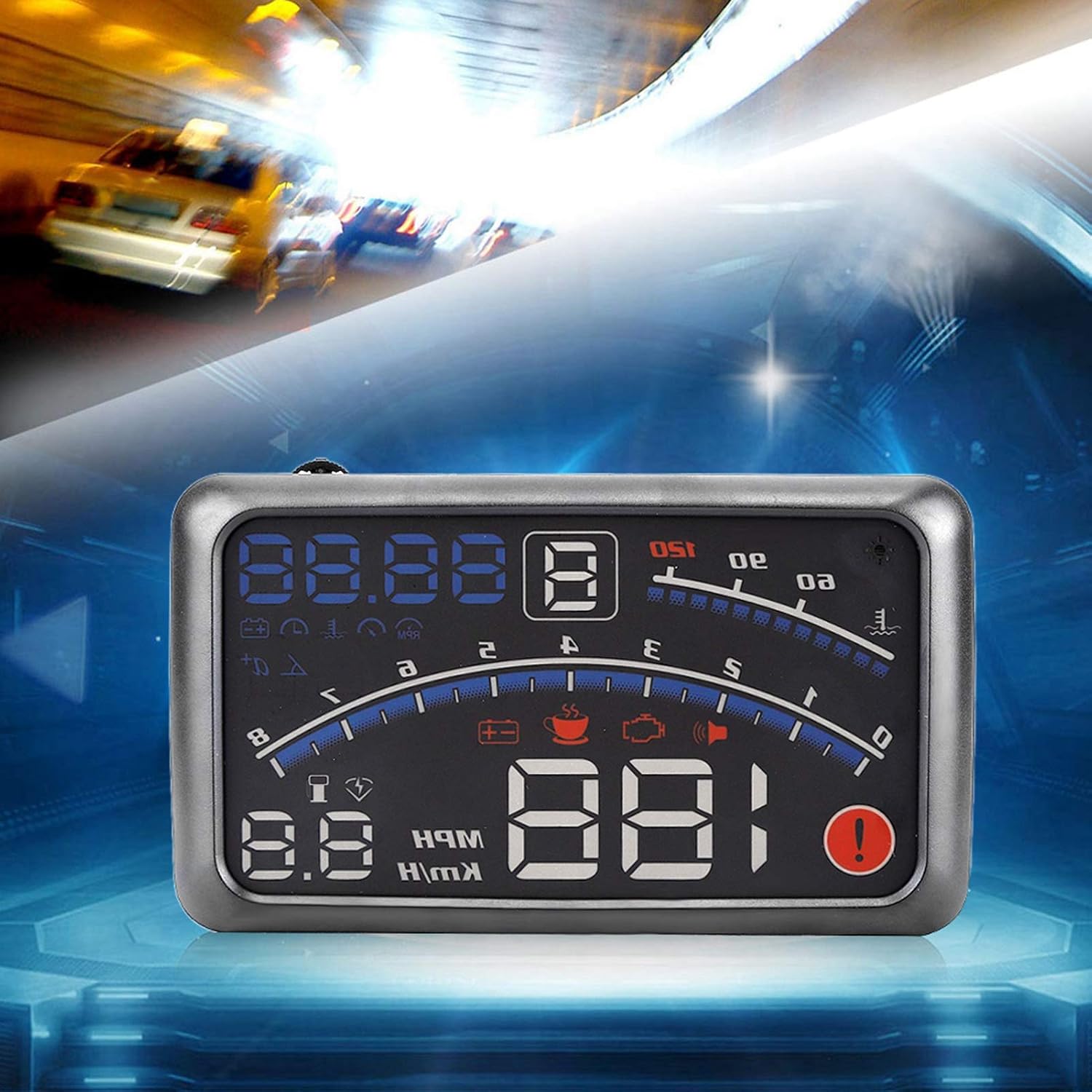
Figure 3.1: All components included in the product package.
4. Key Features
- Key Information Display and Mode: The HUD can reflect multiple data points including speed, engine RPM, water temperature, voltage, and fuel consumption. It also displays engine fault codes. Display modes include default, high-speed, and automatic.
- 5.5-inch HD Display: Features a clear 5.5-inch HD display screen for easy readability of projected information. Includes automatic and manual brightness adjustment to prevent glare.
- Auto Power On/Off: The unit automatically powers on or off with the vehicle's ignition, protecting the car battery. A manual switch mode is also available for greater control.
- Alarm Functions: Includes over-speed alarms (single-speed and four-stage) and an engine RPM alarm to assist with fuel-efficient shifting and aid novice drivers.
- Unit Switching: Allows free switching between Kilometers (KM/h) and Miles (MPH).
- Compatibility: Designed for cars with OBD2 and EUOBD ports (Car automatic diagnosis system).
5. Setup and Installation
Follow these steps to properly set up and install your HUD unit:
- Locate the OBD2 Port: Identify your vehicle's OBD2 diagnostic port. This is typically located under the dashboard on the driver's side, near the steering wheel.
- Connect the OBD Cable: Plug one end of the provided OBD cable into the HUD unit and the other end into your vehicle's OBD2 port. Ensure a secure connection.

Figure 5.1: Connecting the OBD cable.
- Place the Anti-slip Pad: Place the anti-slip pad on your dashboard in a position where the HUD unit can sit securely and project clearly onto the windshield without obstructing your view.
- Position the HUD Unit: Place the HUD unit on the anti-slip pad. Adjust its angle to ensure the projected display is visible and clear from your driving position.
- Apply Reflecting Film (Optional but Recommended): For optimal clarity and to prevent double images, especially on vehicles with multi-layered windshields, apply the reflecting film.
- Clean the windshield area where the projection will appear.
- Spray a small amount of water on the cleaned area.
- Carefully peel off the protective layer from the reflecting film and apply it to the wet area.
- Use a squeegee or a credit card to smooth out any air bubbles and excess water.
- Allow the film to dry completely.
- Start the Vehicle: Turn on your vehicle's ignition. The HUD unit should automatically power on and begin displaying information.
Note: OBDII HUDs are generally compatible with vehicles manufactured in 2008 or later. Compatibility may vary.
6. Operating Instructions
The HUD unit is designed for intuitive operation. Here's how to use its main functions:
6.1 Display Information
Once powered on, the HUD will display various vehicle parameters. Common displays include:
- Speed: Current vehicle speed (MPH or KM/h).
- Engine RPM: Revolutions per minute of the engine.
- Water Temperature: Engine coolant temperature.
- Voltage: Vehicle battery voltage.
- Fuel Consumption: Real-time fuel usage.
- Engine Fault Code: If detected, a warning icon will appear.

Figure 6.1: Example of information displayed on the HUD.
6.2 Alarm Settings
The HUD features customizable alarm functions:
- Over Speed Alarm: Set a speed threshold. The HUD will alert you if you exceed this speed. This can be configured for single-stage or four-stage alerts.
- Engine RPM Alarm: Set an RPM threshold. Useful for optimal gear shifting and preventing engine over-revving.
Refer to the specific button controls on your HUD unit for navigating the settings menu to adjust these alarm thresholds. Typically, a scroll wheel or dedicated buttons are used for navigation and selection.
6.3 Unit Switching (MPH/KM/h)
To switch between Miles Per Hour (MPH) and Kilometers Per Hour (KM/h):
- Locate the unit selection button or menu option on your HUD.
- Press or select to toggle between MPH and KM/h. The display will update accordingly.
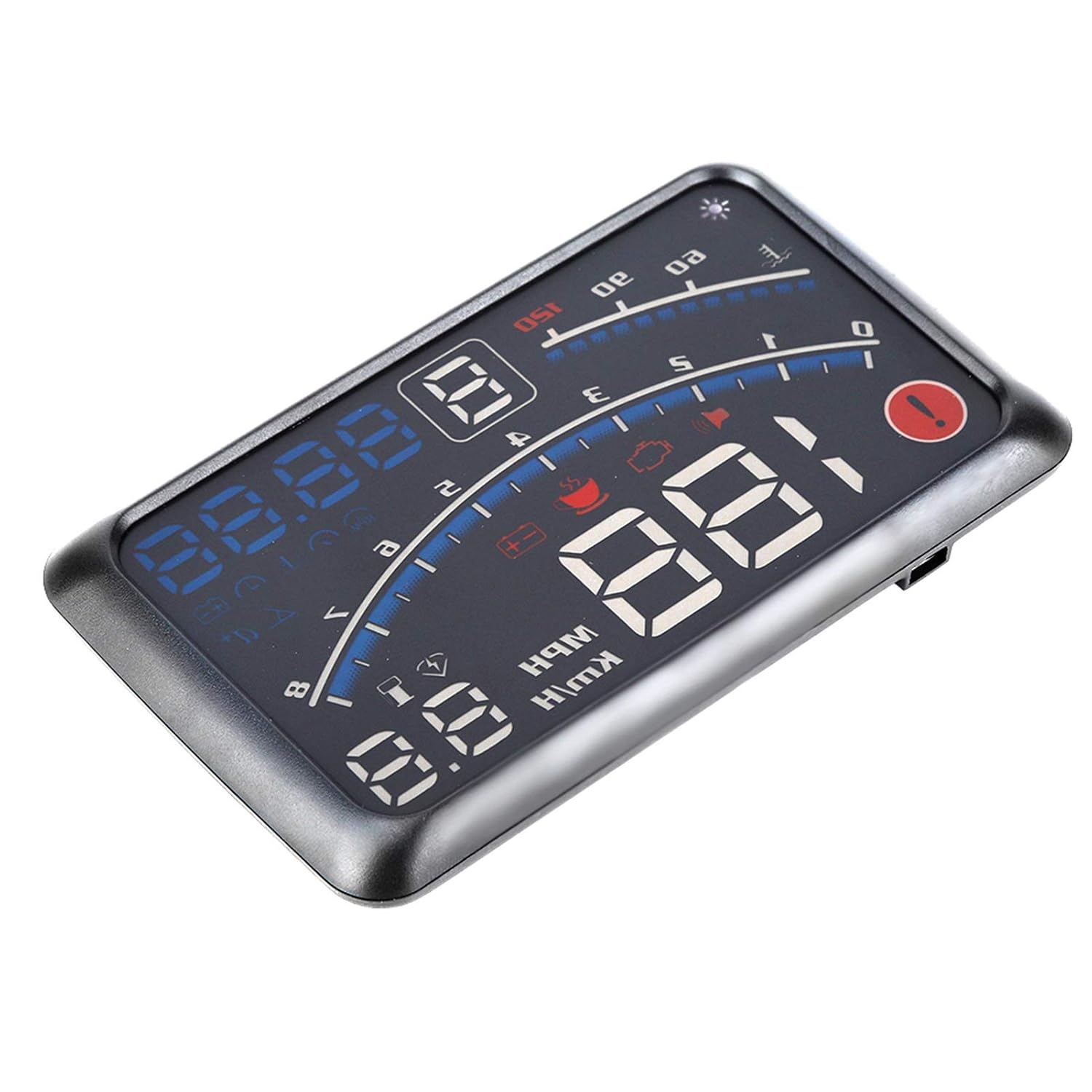
Figure 6.2: Projected display on the windshield during operation.
7. Maintenance
To ensure the longevity and optimal performance of your HUD unit, follow these maintenance guidelines:
- Cleaning: Use a soft, dry cloth to wipe the display screen and the unit's exterior. Avoid abrasive cleaners or solvents that could damage the surface.
- Reflecting Film: If the reflecting film becomes dirty or damaged, gently clean it with a damp cloth. If severely damaged, it can be replaced.
- Storage: If storing the unit for an extended period, disconnect it from the OBD2 port and store it in a cool, dry place away from direct sunlight and extreme temperatures.
- Cable Care: Ensure the OBD cable is not pinched or excessively bent, which could damage the internal wires.
8. Troubleshooting
If you encounter issues with your HUD unit, refer to the following common problems and solutions:
| Problem | Possible Cause | Solution |
|---|---|---|
| HUD does not power on. |
|
|
| Display is unclear or shows double images. |
|
|
| Settings (e.g., MPH/KM/h) do not save. |
|
|
| Inaccurate speed reading. |
|
|
9. Specifications
| Feature | Detail |
|---|---|
| Product Dimensions | 6.61 x 5.12 x 1.77 inches |
| Item Weight | 9.9 Ounces |
| Screen Size | 5.5 Inches |
| Material | Glass, Plastic, Metal |
| Power Source | 12V (via OBD2 port) |
| Compatibility | Vehicles with OBD2 and EUOBD port (typically 2008+) |
10. Customer Support
For any questions, concerns, or assistance with your Yosoo Health Gear Car HUD Head Up Display, please do not hesitate to contact our customer support team. We are committed to providing satisfactory solutions and ensuring your experience with our product is positive.
Please refer to the contact information provided with your purchase or visit the official Yosoo Health Gear store page for support options.
Note: The new type and old type of this product may be sent randomly. Please ensure you are aware of this before ordering.
Ask a question about this manual
Ask about setup, troubleshooting, compatibility, parts, safety, or missing instructions. Manuals+ will review the question and use this page’s manual context to help answer it.