
1. Introduction and Overview
The Artfone CS182 is a mobile phone specifically designed for simplicity and ease of use, making it an ideal choice for seniors, children, or individuals who prefer a straightforward communication device. Its core functionalities are focused on making and receiving calls and sending SMS messages. The phone features large, tactile buttons, a clear display, and essential safety features like an SOS button, ensuring reliable and accessible communication.
This manual provides detailed instructions on how to set up, operate, and maintain your Artfone CS182 mobile phone.
2. Setup Guide
Before using your Artfone CS182, please follow these steps to properly set up the device.
2.1 Battery, SIM Card, and Memory Card Installation
- Remove the Back Cover: Gently pry open the back cover of the phone using the notch provided.
- Insert SIM Card(s): The Artfone CS182 supports dual SIM cards. Locate the SIM card slots (SIM1 and SIM2). Insert your standard or micro SIM card(s) into the designated slots, ensuring the gold contacts face downwards and the cut corner aligns correctly.
- Insert Memory Card (Optional): If you wish to expand the phone's storage for photos or MP3s, insert a Micro SD card (up to 32GB) into the TF card slot.
- Insert Battery: Place the provided 1400mAh Li-ion battery (BP-4L) into the battery compartment, aligning the gold contacts on the battery with those in the phone.
- Replace Back Cover: Carefully snap the back cover back into place until it is secure.
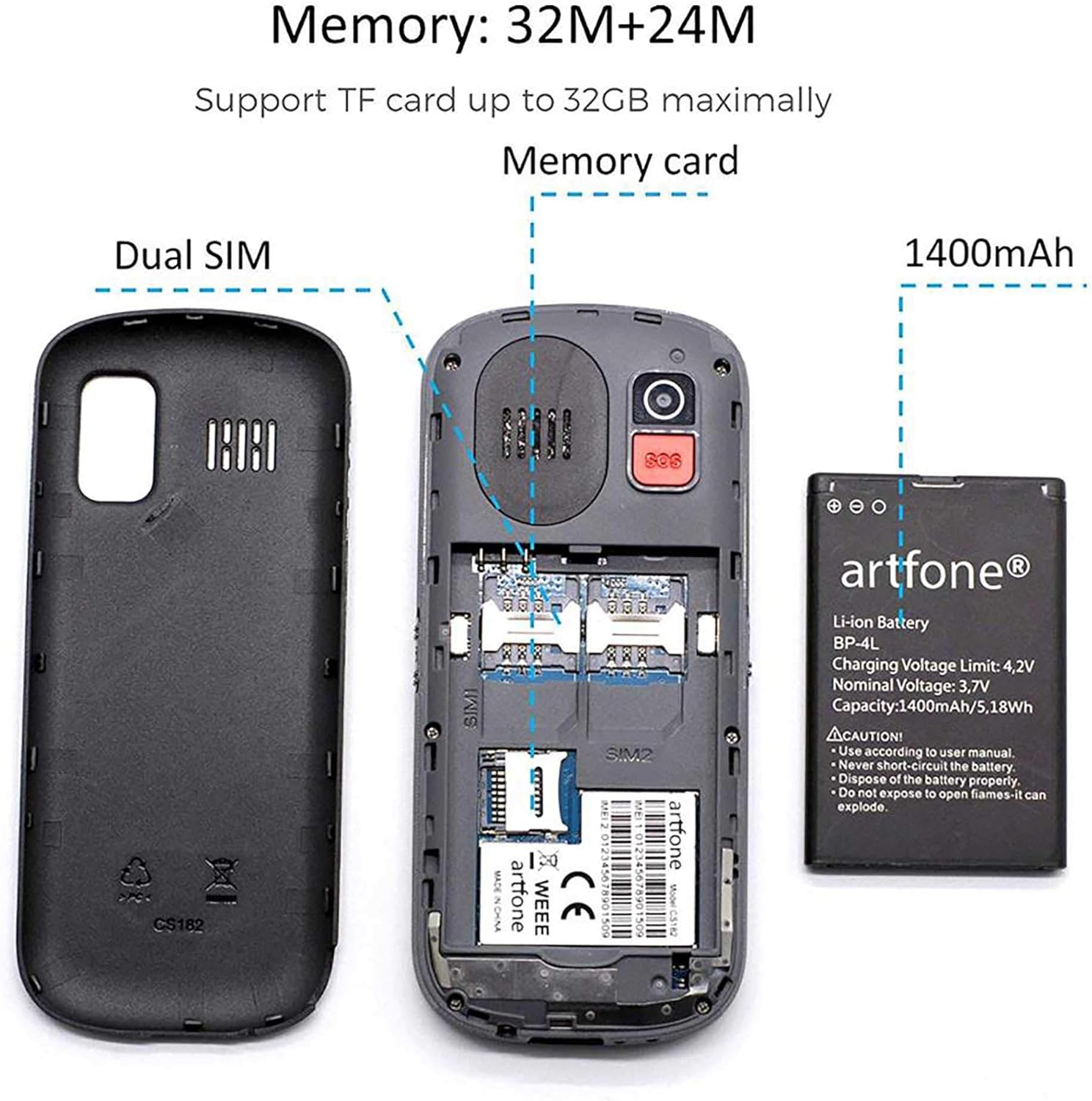
Figure 2.1: Internal components of the Artfone CS182, illustrating the battery, dual SIM card slots, and the memory card slot for expandable storage.
2.2 Initial Charging
For optimal battery performance, fully charge the phone before first use. Use the provided charging cradle or USB cable.
- Using the Charging Cradle: Place the phone upright into the charging cradle. Ensure the charging contacts on the phone align with those on the cradle. The charging indicator on the phone's screen will show the charging status.
- Using the USB Cable: Connect the USB cable to the phone's charging port and the other end to a compatible USB power adapter or computer.
If the phone does not turn on immediately after inserting the battery, it may require charging. Connect it to the charger and allow it to charge for a few minutes before attempting to power it on.

Figure 2.2: The Artfone CS182 placed in its dedicated charging cradle, showing the battery charging indicator on the screen.
3. Operating Instructions
This section details the basic operations and features of your Artfone CS182 phone.
3.1 Power On/Off and Keypad Lock
- Power On: Press and hold the Power/End Call button (red button) until the screen lights up.
- Power Off: Press and hold the Power/End Call button until the "Power Off" option appears, then confirm.
- Keypad Lock/Unlock: To prevent accidental presses, press the Menu/OK button, then immediately press the * button. Repeat the sequence to unlock.
3.2 Making and Receiving Calls
- Dialing a Number: Enter the phone number using the large keypad. Press the Call button (green button) to initiate the call.
- Answering a Call: When the phone rings, press the Call button (green button) to answer.
- Ending a Call: Press the Power/End Call button (red button) to end an ongoing call.
- Hands-Free Speaker: During a call, you can activate the hands-free speaker for louder audio. Refer to the on-screen options during a call.
3.3 Sending and Receiving SMS Messages
- Composing a Message: Navigate to the "Messages" menu. Select "Write message" or "New message." Enter your text using the keypad (multiple presses for letters on a key).
- Sending a Message: After composing, select "Options" or "Send," then choose the recipient from your phonebook or enter the number manually.
- Reading Messages: New messages will typically display a notification. Access the "Messages" menu to view your inbox.
3.4 SOS Emergency Function
The SOS function is a critical safety feature. In an emergency, pressing the SOS button will automatically call pre-set emergency contacts.
- Setting Up SOS Contacts: Go to "Settings" > "SOS Settings." You can add up to 5 emergency contact numbers. Ensure these numbers are valid and belong to individuals who can respond in an emergency.
- Activating SOS: In an emergency, press and hold the SOS button (located on the back of the phone) for a few seconds. The phone will automatically dial the pre-set numbers in sequence until one is answered.
- SOS Message: The phone can also send an emergency SMS message to the SOS contacts while dialing. This feature can be enabled or disabled in the SOS settings.
- Canceling SOS: If the SOS button is pressed accidentally, you can cancel the calls within 3 seconds.
3.5 Additional Features
- Phonebook: Store up to 100 contacts. Access via the "Phonebook" menu.
- FM Radio: Tune into FM radio stations. Requires headphones to be plugged in (acting as antenna).
- Flashlight: Activate the LED flashlight for illumination.
- Camera: Take basic photos. Access via the "Multimedia" menu.
- MP3 Player: Play audio files stored on the memory card. Access via the "Multimedia" menu.
- Calculator: Perform basic arithmetic calculations.
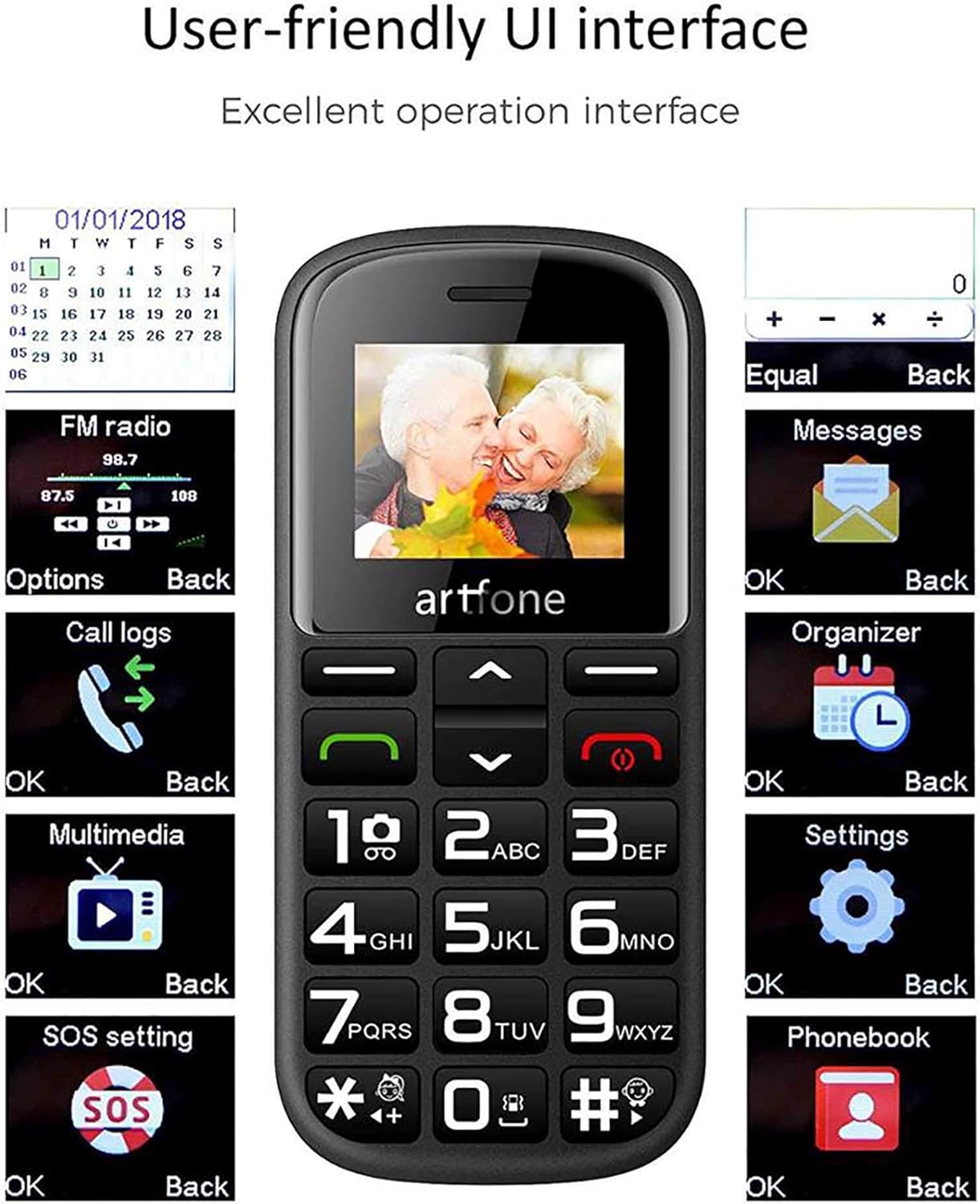
Figure 3.1: The user-friendly interface of the Artfone CS182, showing various menu options for easy navigation.
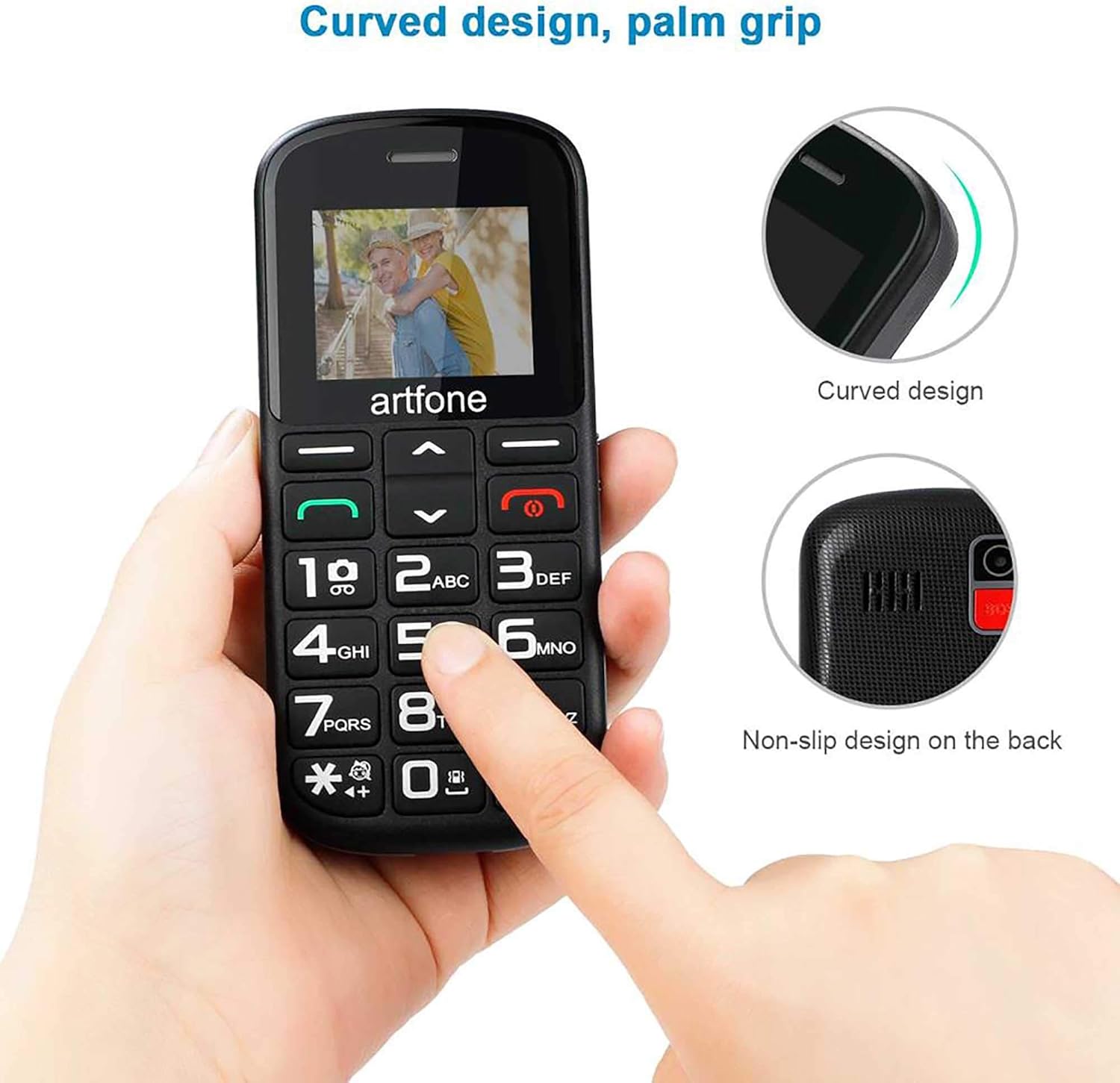
Figure 3.2: The ergonomic curved design and non-slip texture on the back of the Artfone CS182, designed for comfortable and secure grip.
4. Maintenance
Proper care and maintenance will extend the life of your Artfone CS182.
- Cleaning: Use a soft, dry cloth to clean the phone's surface. Avoid using liquid cleaners or abrasive materials.
- Screen Protection: The phone features a strong LCD lens designed to protect the screen from impacts. However, avoid dropping the phone from significant heights.
- Battery Care: The 1400mAh battery offers long standby time (up to 6-7 days). To maintain battery health, avoid extreme temperatures and do not leave the phone fully discharged for extended periods.
- Storage: When not in use for a long time, store the phone in a cool, dry place.
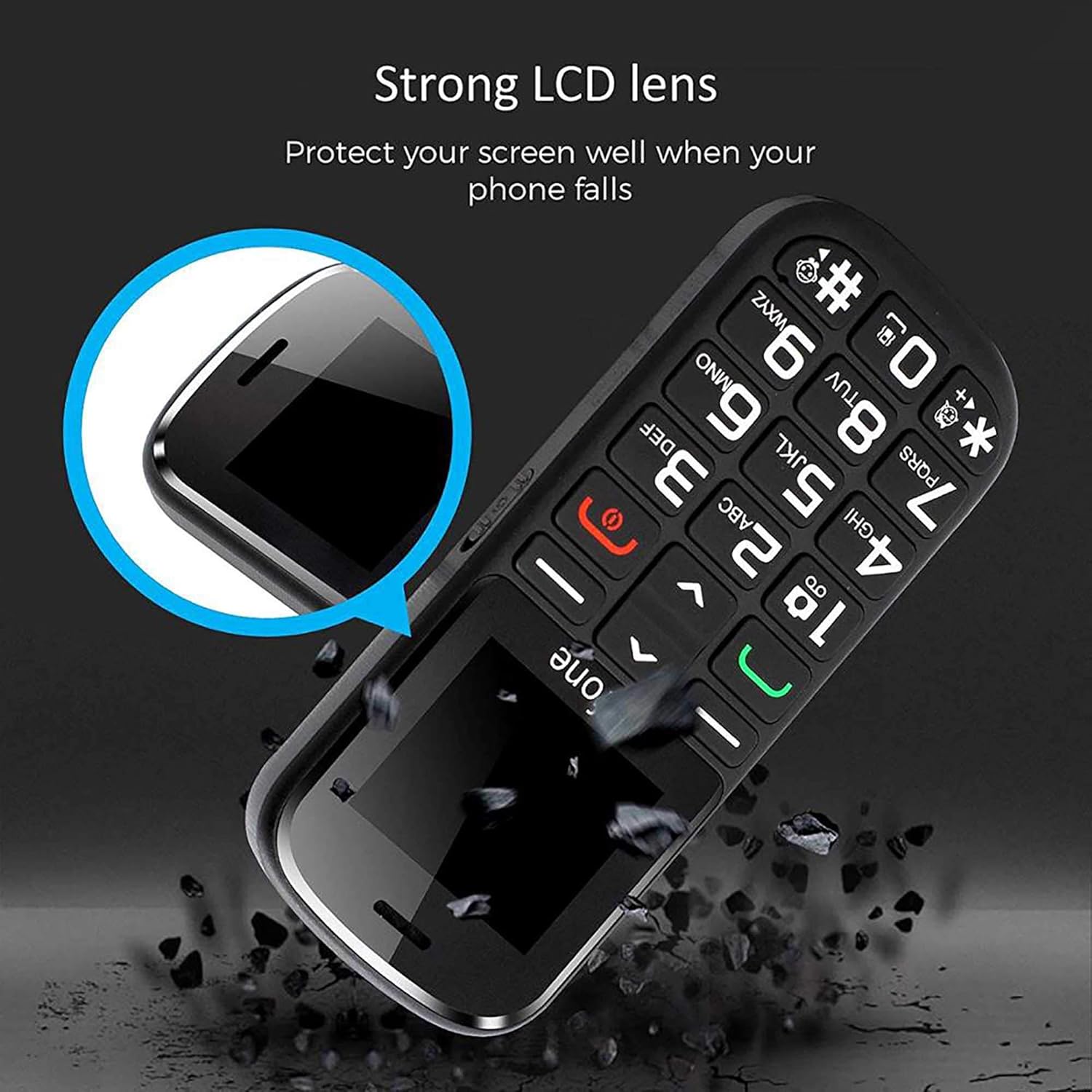
Figure 4.1: The Artfone CS182 features a strong LCD lens, providing enhanced protection for the screen against accidental drops.
5. Troubleshooting
If you encounter issues with your Artfone CS182, refer to the following common problems and solutions.
| Problem | Possible Cause / Solution |
|---|---|
| Phone does not turn on. | The battery may be completely discharged. Connect the phone to the charger and allow it to charge for a few minutes before attempting to power it on. |
| SIM card not recognized. | Ensure the SIM card(s) are inserted correctly into their respective slots, with the gold contacts facing down. Check if the SIM card is active. |
| Sound issues during calls. | If the person on the other end experiences sound issues, it might be due to network conditions or their device. Ensure your phone's volume is adjusted correctly. |
| Cannot browse the internet. | The Artfone CS182 is a feature phone designed for calls and SMS, not internet browsing like a smartphone. This is normal operation. |
6. Specifications
Key technical specifications for the Artfone CS182 mobile phone.
| Feature | Detail |
|---|---|
| Brand | ELLENNE (Artfone) |
| Model Number | CS182 |
| Color | Black |
| Display Size | 1.77 inches |
| Dimensions (H x W x D) | 120mm x 55mm x 13mm |
| Battery Capacity | 1400mAh Li-ion (BP-4L) |
| Internal Memory | 32MB + 24MB |
| Expandable Memory | Micro SD up to 32GB |
| SIM Support | Dual SIM |
| Cellular Technology | 2G GSM |
| Special Features | SOS Button, Large Keys, FM Radio, Flashlight, Camera, MP3 Player, Calculator, Charging Cradle |
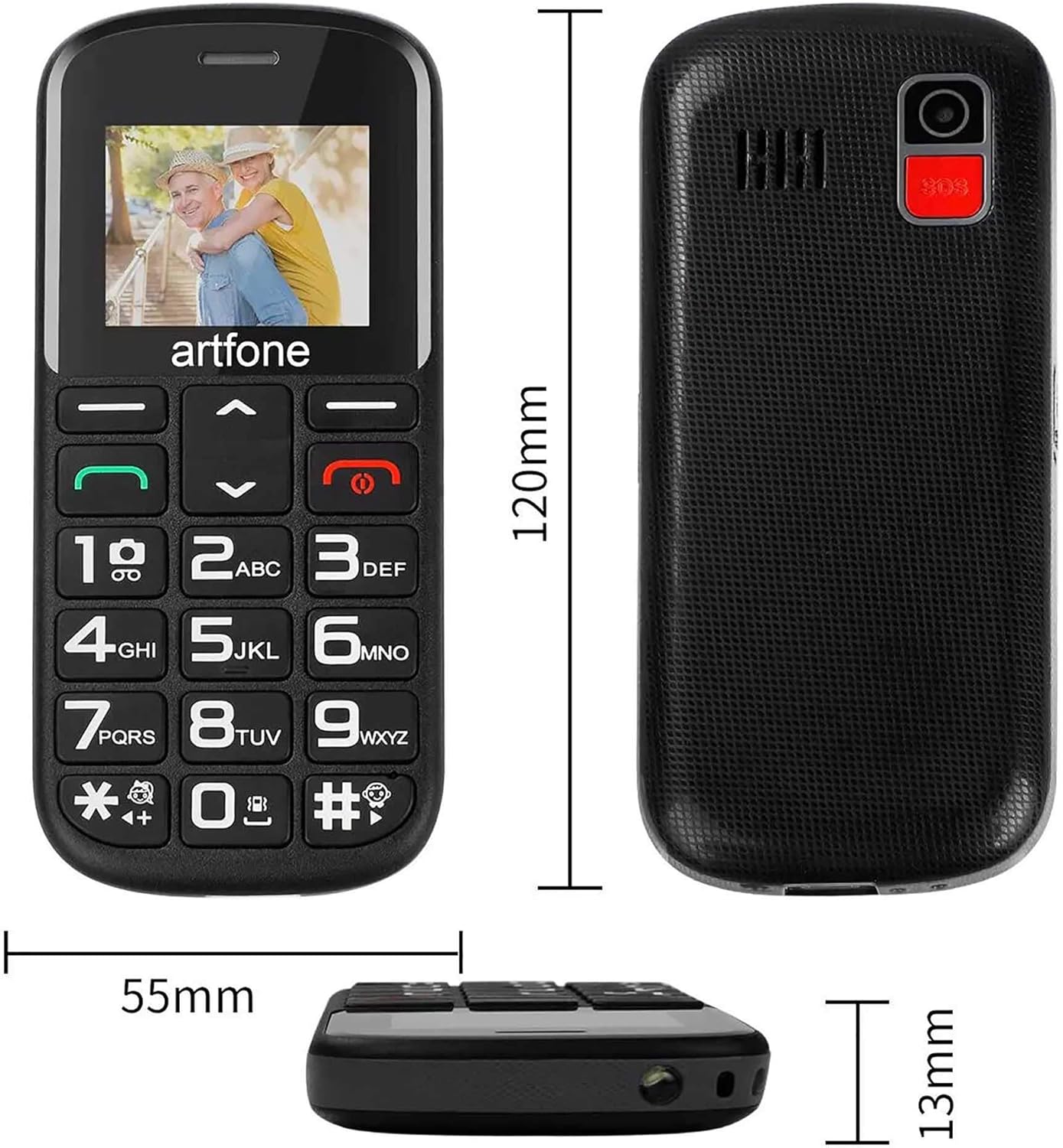
Figure 6.1: Dimensions of the Artfone CS182 mobile phone.
7. Warranty and Support
ELLENNE, the brand behind Artfone products, is committed to providing quality service and support. While specific warranty periods may vary by region, we strive to ensure customer satisfaction.
If you encounter any issues or have questions regarding your Artfone CS182 mobile phone, please contact your retailer or the ELLENNE customer support. We are dedicated to finding the best solution for our customers.
For further assistance, please refer to the contact information provided with your purchase or visit the official ELLENNE website.