
1. Setup
This section guides you through the initial setup of your Samsung HW-T550 Soundbar.
1.1 Unboxing and Components
Carefully remove all components from the packaging. The box should contain:
- Soundbar Unit
- Wireless Subwoofer
- Remote Control
- User Manual (this document)

Figure 1.1: Samsung HW-T550 Soundbar, Wireless Subwoofer, and Remote Control. This image displays the main soundbar unit, the accompanying wireless subwoofer, and the remote control, which are the primary components included in the product package.
1.2 Placement
For optimal audio performance, consider the following placement guidelines:
- Soundbar: Place the soundbar directly in front of your television, centered, to ensure sound is projected towards the listening area.
- Wireless Subwoofer: The subwoofer connects wirelessly to the soundbar. For the best bass response, it is generally recommended to place the subwoofer in front of the listening position, rather than behind a couch. Experiment with placement to find the ideal spot for your room's acoustics.

Figure 1.2: Soundbar and Subwoofer positioned next to a television on a media console. This image illustrates a typical setup where the soundbar is placed directly below the TV and the wireless subwoofer is positioned to the side, demonstrating a common home audio arrangement.
1.3 Connections
Your soundbar offers multiple connectivity options:
- HDMI ARC: For the best audio quality and simplified control, connect your TV's HDMI ARC port to the soundbar's HDMI ARC port using an HDMI cable. This allows your TV remote to control the soundbar's basic functions.
- Bluetooth: For wireless audio streaming from compatible devices, use the Bluetooth connection.
- Optical Audio: An optical cable can be used for digital audio connection if HDMI ARC is not available.
The wireless subwoofer will automatically pair with the soundbar upon power-on, requiring no additional setup steps for its connection.
2. Operating Instructions
Learn how to get the most out of your Samsung HW-T550 Soundbar's features.
2.1 Power On/Off and Volume Control
Use the included remote control to power the soundbar on or off. The remote also features dedicated buttons for volume adjustment. The subwoofer volume can be adjusted independently for personalized bass levels.
2.2 Sound Modes and Optimization
- 3D Surround Sound (DTS Virtual:X): Experience immersive audio that recreates sound to make you feel like you're in the scene.
- Smart Sound: The soundbar can detect what you are watching (e.g., movies, sports, music) and automatically optimize the sound settings for the best entertainment experience.
- Optimized Gaming Sound: Connect your gaming console to the soundbar to enhance your gaming experience. This mode optimizes sound and provides clear directional audio for a competitive advantage.

Figure 2.1: A gaming setup featuring the soundbar positioned below a large screen TV, with a person holding a game controller. The image highlights the immersive audio experience provided by the soundbar during gaming, with visual effects suggesting dynamic sound.
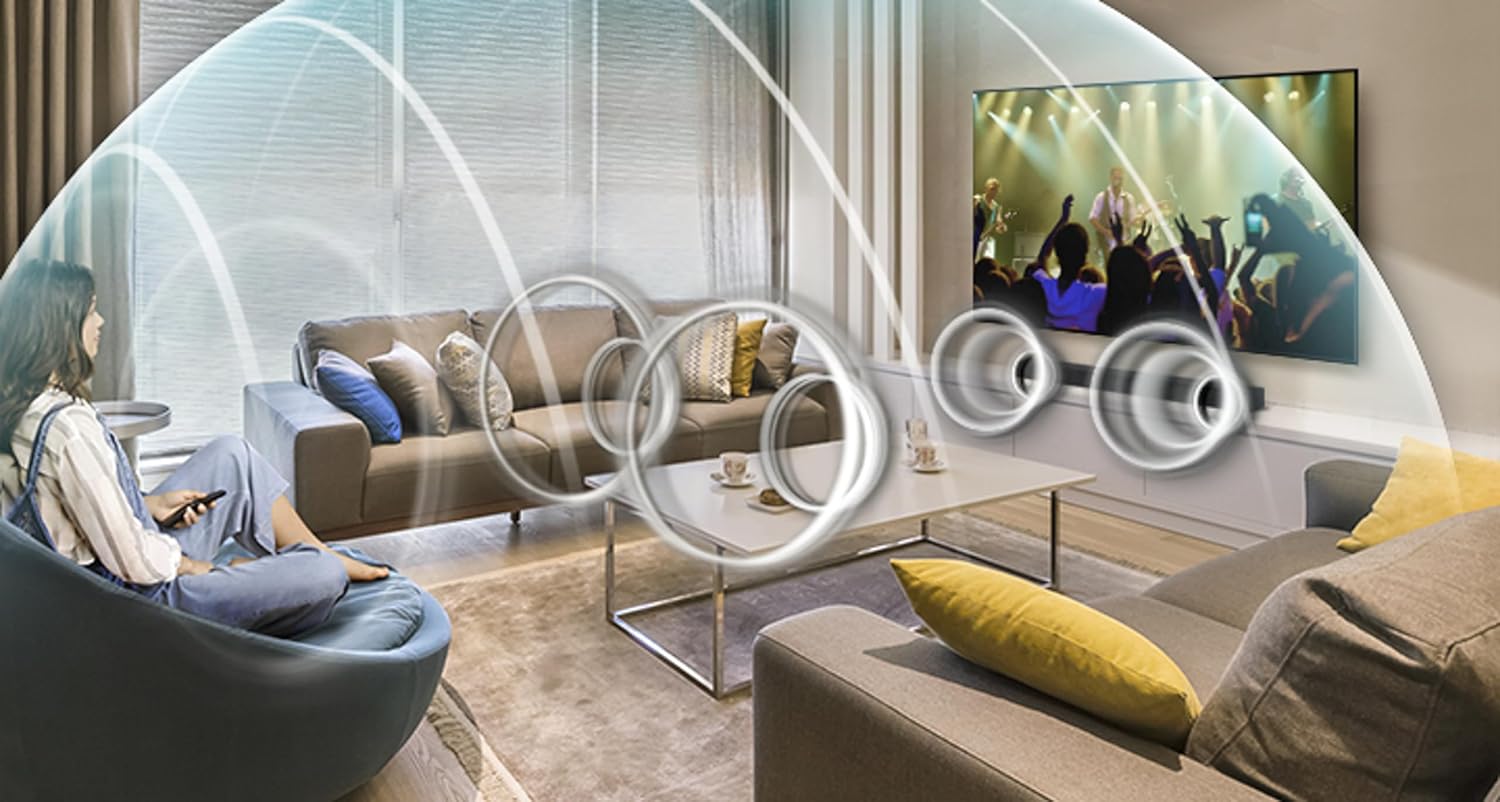
Figure 2.2: A living room scene with a soundbar and TV, showing visual representations of sound waves emanating from the soundbar and enveloping the listeners. This illustrates the 3D surround sound capability of the system, creating an immersive audio environment.
2.3 Bluetooth Multi-Connection
The soundbar supports Bluetooth Multi-Connection, allowing you to seamlessly switch between two different connected smart devices without needing to disconnect and reconnect each time.
3. Maintenance
To ensure the longevity and optimal performance of your soundbar, follow these simple maintenance tips:
- Cleaning: Use a soft, dry cloth to wipe down the soundbar and subwoofer. Avoid using liquid cleaners or abrasive materials, as they may damage the finish.
- Ventilation: Ensure that the soundbar and subwoofer have adequate ventilation. Do not block any vents or place the units in enclosed spaces that could lead to overheating.
- Power Off When Not in Use: For extended periods of inactivity, it is advisable to power off the soundbar and unplug it from the power outlet.
4. Troubleshooting
If you encounter issues with your soundbar, refer to the following common troubleshooting steps:
- No Sound or Intermittent Sound:
- Check all cable connections (HDMI, Optical). Ensure they are securely plugged in.
- Verify the correct input source is selected on the soundbar.
- Ensure the soundbar's volume is not muted or set too low.
- Subwoofer Not Connecting/No Bass:
- Ensure the subwoofer is powered on and within range of the soundbar.
- The subwoofer should automatically pair. If not, refer to the full user manual for manual pairing instructions.
- HDMI ARC Connection Issues:
If the soundbar loses its HDMI ARC connection to the TV and cannot automatically re-detect it, try the following:
- Unplug all cables from both the soundbar and the subwoofer.
- Unplug any charging adapters/cables from electrical outlets.
- Wait for approximately 8-10 minutes.
- Reconnect all cables and power adapters. The soundbar should now recognize the TV ARC (HDMI ARC) connection.
- Unwanted Extra Sounds:
Some users have reported extra sounds generated by the system. If this occurs, ensure all connections are secure and try adjusting sound modes or settings on both the soundbar and your TV.
5. Specifications
| Feature | Detail |
|---|---|
| Model Name | SAMHWT550OB |
| Speaker Type | Soundbar |
| Special Features | 3D Surround Sound; Multi-connection; Powerful Bass; Smart Sound; One Remote Control |
| Recommended Uses | Gaming |
| Compatible Devices | Television |
| Unit Count | 1.0 Count |
| Controller Type | Corded Electric |
| Surround Sound Channel Configuration | 2.1 |
| Color | Black |
| Included Components | Remote, User Manual |
| Product Dimensions | 33.9"D x 3.3"W x 2.2"H |
| Is Waterproof | FALSE |
| Number of Items | 1 |
| Control Method | App |
| Wireless Communication Technology | Bluetooth |
| Speaker Size | 2.2 Inches |
| Power Source | Corded Electric |
| Woofer Diameter | 7.9 Inches |
| Water Resistance Level | Not Water Resistant |
| Number of Batteries | 2 AAA batteries required. (included) |
| Audio Driver Type | Dynamic Driver |
| Bluetooth Range | 1E+1 Meters |
| Audio Driver Size | 85 Millimeters |
| Subwoofer Connectivity Technology | Wireless |
| Connectivity Protocol | Bluetooth |
| Includes MP3 player? | No |
| Processor Count | 1 |
| UPC | 887276390604 |
| Style | Soundbar |
| Item Weight | 20 pounds |
| Item model number | T550 |
| Is Discontinued By Manufacturer | Yes |
| Speaker Maximum Output Power | 340 Watts |
| Audio Output Mode | Surround |
| Mounting Type | Tabletop Mount |
6. Warranty and Support
Your Samsung HW-T550 Soundbar comes with a Limited Warranty. For detailed information regarding warranty coverage, terms, and conditions, please refer to the warranty card included in your product packaging or visit the official Samsung support website.
For technical support, troubleshooting assistance beyond this manual, or service inquiries, please contact Samsung Customer Service. You can find contact information on the official Samsung website or through the support section of your product registration.
Online Resources:
- Visit the official Samsung Store on Amazon for product information and accessories.