
Hoover UH74220PC
Hoover MAXLife Pro Pet Swivel Upright Vacuum Cleaner
Model: UH74220PC - User Manual
1. Setup and Assembly
Follow these steps to assemble your Hoover MAXLife Pro Pet Swivel Upright Vacuum Cleaner before first use.
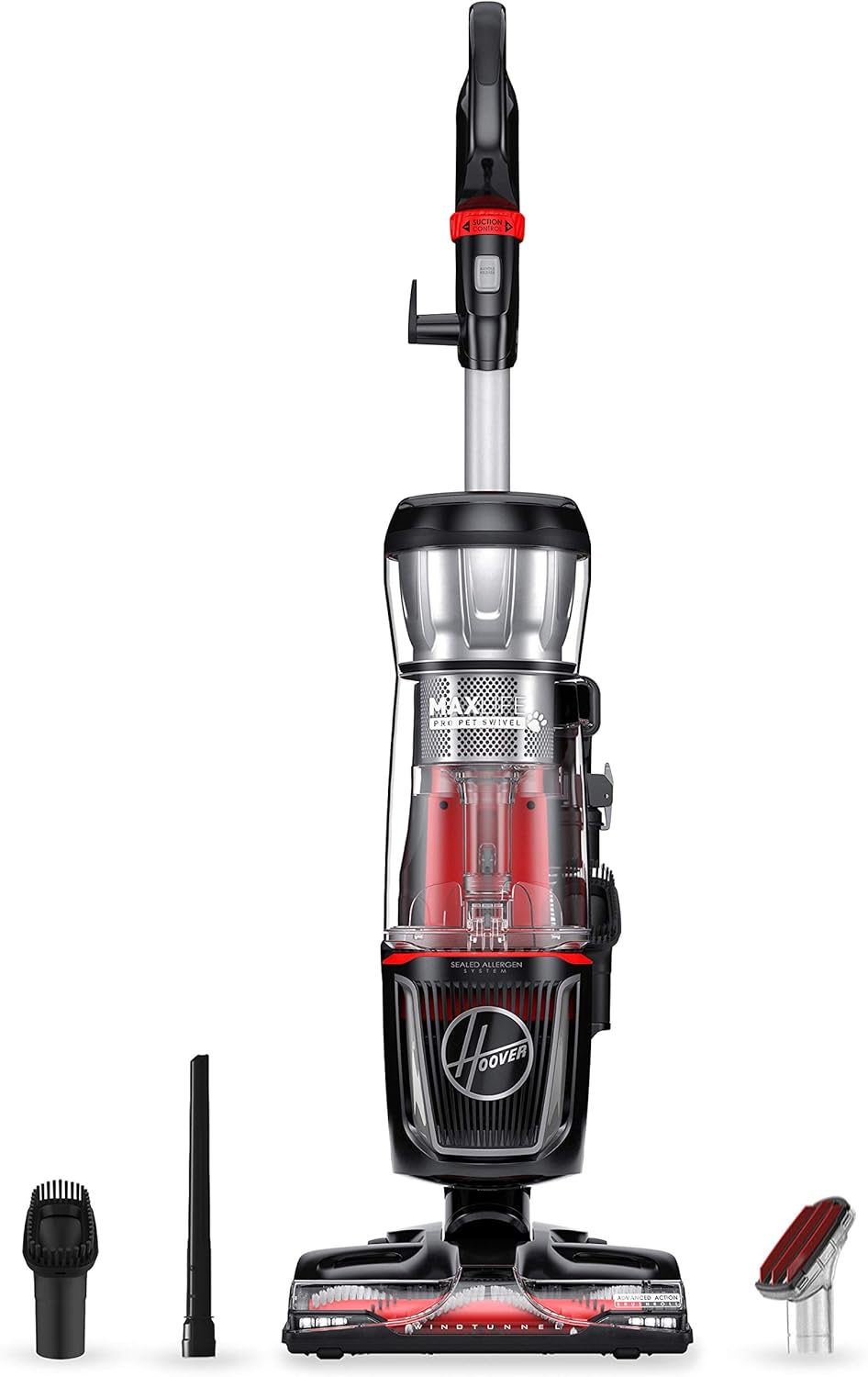
- Unpack Components: Carefully remove all parts from the packaging. Ensure all accessories (crevice tool, dusting brush, pet upholstery tool) are present.
- Attach Handle: Insert the handle assembly into the main vacuum body until it clicks securely into place.
- Connect Hose: Securely attach the flexible hose to the designated port on the vacuum cleaner. Ensure a tight connection for optimal suction.
- Store Tools: Place the included cleaning tools onto their onboard storage clips for easy access during operation.
Initial Use
- Power Connection: Unwind the power cord and plug it into a standard electrical outlet.
- Cord Management: Use the cord clips on the handle to manage the power cord during operation, preventing tangles and ensuring safety.
2. Operating Instructions
Powering On/Off
To turn the vacuum on or off, locate the power button on the main unit or handle. Press once to activate the vacuum. The brush roll can be engaged or disengaged for different floor types using the multi-floor on/off brush roll control.
Cleaning Modes and Surfaces
The Advanced Action brush roll is designed for effective cleaning on both carpets and hard floors. Adjust the brush roll setting as needed for optimal performance on your specific floor type.

Using Attachments
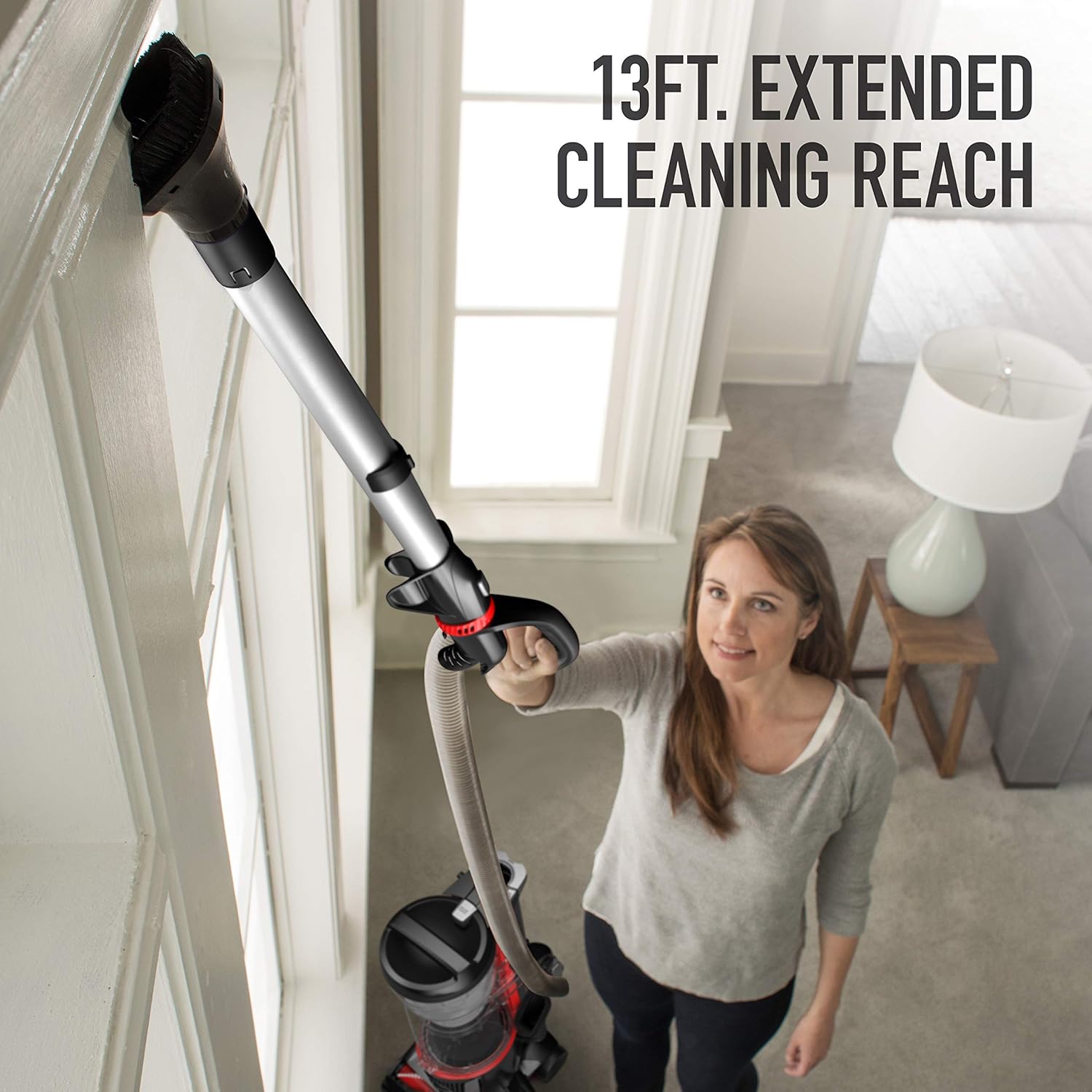
Your vacuum includes several tools for specialized cleaning tasks. To use an attachment, detach the quick-release cleaning wand and connect the desired tool.
- Crevice Tool: Ideal for cleaning tight spaces, corners, and along baseboards.
- Dusting Brush: Suitable for delicate surfaces, furniture, and blinds.
- Pet Upholstery Tool: Designed to effectively remove pet hair and debris from upholstery and stairs.


The vacuum offers 13 feet of extended reach with the cleaning wand, allowing you to clean high or distant areas.
Swivel Steering
The swivel steering feature provides enhanced maneuverability, allowing you to navigate around furniture and obstacles with ease.
3. Maintenance
Regular maintenance ensures optimal performance and extends the life of your vacuum cleaner.
Emptying the Dirt Cup
The vacuum features an XL dirt cup for extended cleaning sessions. To empty, press the bottom-release button over a trash receptacle. Ensure the dirt cup is securely reattached before next use.
Filter Maintenance
The MAXLife filtration system includes a sealed allergen HEPA filter. For best performance, regularly check and clean the rinsable MAXLife filter. Refer to the diagram below for filter location.


Brush Roll Cleaning
Periodically inspect the Advanced Action brush roll for tangled hair or debris. Turn off and unplug the vacuum before cleaning the brush roll. Use scissors to carefully cut away any wrapped hair and remove obstructions.
4. Troubleshooting
Refer to the table below for common issues and their potential solutions.
| Problem | Possible Cause | Solution |
|---|---|---|
| Vacuum does not turn on | No power supply | Check if the power cord is securely plugged into a working outlet. Check circuit breaker. |
| Loss of suction | Full dirt cup, clogged filter, or hose obstruction | Empty the dirt cup. Clean or replace filters. Check hose and attachments for blockages. |
| Brush roll not spinning | Brush roll off, obstruction, or belt issue | Ensure brush roll is engaged. Turn off and unplug, then clear any debris from the brush roll. Inspect belt for damage. |
| Unusual noise | Obstruction in brush roll or hose, or damaged component | Turn off and unplug the vacuum. Inspect for and remove any foreign objects. If noise persists, contact customer support. |
5. Specifications
Key technical specifications for the Hoover MAXLife Pro Pet Swivel Upright Vacuum Cleaner.
| Feature | Detail |
|---|---|
| Brand | Hoover |
| Model Name | MAXLife Pro Pet |
| Model Number | UH74220PC |
| Product Dimensions | 12.5"L x 11.5"W x 45"H |
| Item Weight | 17 pounds |
| Capacity | 1.5 Liters |
| Wattage | 1320 watts |
| Hose Length | 9 Feet |
| Filter Type | HEPA Filter |
| Special Features | Bagless, HEPA Filtration, WindTunnel Technology, MAXLife System, Swivel Steering |
| Included Components | Crevice Tool, Dusting Brush, Pet Upholstery Tool |
| Connectivity Technology | Wired |
| Indoor/Outdoor Usage | Indoor |
6. Warranty and Support
This product is covered by a manufacturer's warranty. For detailed warranty information, please refer to the documentation included with your purchase or visit the official Hoover website.
For technical assistance, replacement parts, or further inquiries, please contact Hoover Customer Support. Contact details can typically be found on the Hoover website or in your product packaging.
Ask a question about this manual
Ask about setup, troubleshooting, compatibility, parts, safety, or missing instructions. Manuals+ will review the question and use this page’s manual context to help answer it.