1. Introduction
Thank you for choosing the Ganeed 4-Ring Modern LED Dimmable Ceiling Light. This product is designed to provide versatile and energy-efficient illumination for your living spaces, including living rooms, bedrooms, kitchens, and dining areas. Featuring adjustable brightness and color temperature, this light offers a customizable ambiance to suit your needs. Please read this manual carefully before installation and use to ensure proper operation and safety.

Figure 1: The Ganeed 4-Ring Modern LED Dimmable Ceiling Light, showcasing its elegant design and remote control functionality.
2. Safety Instructions
To ensure safe installation and operation, please adhere to the following safety guidelines:
- Professional Installation Recommended: Installation should ideally be performed by a qualified electrician to ensure compliance with local electrical codes and safety standards.
- Power Disconnection: Always turn off the main power supply at the circuit breaker before beginning any installation, maintenance, or cleaning.
- Voltage Compatibility: Ensure the voltage of your power supply matches the light's specified voltage (110-220V).
- Secure Mounting: The ceiling light must be securely mounted to a structurally sound ceiling.
- Avoid Water Exposure: This product is designed for indoor use only. Do not expose it to water or high humidity.
- Handle with Care: The acrylic and metal components can be delicate. Handle with care during installation to prevent damage.
- No User Serviceable Parts: Do not attempt to disassemble or repair the LED light source or internal components. Contact customer support for assistance.
3. Package Contents
Please check that all components are present and undamaged upon opening the package:
- Ganeed 4-Ring LED Ceiling Light Fixture
- Remote Control
- Mounting Hardware (screws, wall anchors, wire nuts)
- User Manual (this document)
4. Specifications
| Feature | Specification |
|---|---|
| Brand | Ganeed |
| Model Number | CGZL-6003-4-6500K |
| Dimensions (L x W x H) | 56 cm x 42 cm x 10 cm (24.4" x 16.5" x 3.14") |
| Weight | 2.01 Kilograms |
| Material | Acrylic, Metal (Iron, Aluminum) |
| Style | Modern |
| Color | 4-Ring, Dimmable |
| Light Source Type | LED |
| Wattage | 56 Watts |
| Luminous Flux | 4000 Lumens |
| Voltage | 110-220 Volts |
| Color Temperature Range | 3000K (Warm White) - 6500K (Cool White) |
| Color Rendering Index (CRI) | 80+ |
| Lifespan | > 50,000 hours |
| Special Features | Dimmable, Remote Control, Flicker-free |
| Installation Type | Ceiling Mount |
| Energy Efficiency Class | E (View EPREL) |

Figure 2: Product dimensions and key specifications.

Figure 3: Energy Efficiency Label.
5. Setup and Installation
Tools Required (Not Included): Screwdriver, Wire Strippers, Electrical Tape, Drill (if needed for anchors).
Important: Ensure power is OFF at the circuit breaker before starting installation.
- Prepare the Mounting Surface: Ensure the ceiling junction box is securely installed and capable of supporting the light fixture's weight.
- Attach Mounting Bracket: Secure the mounting bracket (included in hardware) to the ceiling junction box using the provided screws.
- Wire Connections: Carefully connect the light fixture's wires to your household electrical wires.
- Connect the live wire (usually black or red) from the fixture to the live wire from the ceiling.
- Connect the neutral wire (usually white) from the fixture to the neutral wire from the ceiling.
- Connect the ground wire (usually green or bare copper) from the fixture to the ground wire from the ceiling.
- Secure connections with wire nuts.
- Mount the Fixture: Carefully lift the light fixture and align it with the mounting bracket. Secure the fixture to the bracket using the provided screws.
- Restore Power: Once the fixture is securely installed and all connections are made, restore power at the circuit breaker.
- Test the Light: Turn on the light using your wall switch and the remote control to ensure proper functionality.

Figure 4: Example of the mounting bracket.

Figure 5: Detail of the light's base, showing connection points.
6. Operating Instructions
The Ganeed ceiling light can be operated using a standard wall switch or the included remote control.
6.1 Wall Switch Operation
The light is designed to work with a standard ON/OFF wall switch. It is not compatible with external dimmable switches. Using a dimmable wall switch may cause damage or malfunction.

Figure 6: Compatibility with standard on/off switches only.
6.2 Remote Control Operation
The remote control provides full functionality for adjusting brightness and color temperature.
- Power ON/OFF: Press the ON or OFF button to turn the light on or off.
- Brightness Adjustment: Use the + and - buttons to increase or decrease the light brightness (10% to 100%).
- Color Temperature Adjustment: Use the Cool White, Natural White, and Warm White buttons to cycle through color temperatures (6500K, 4000K, 3000K).
- Memory Function: The light will remember the last brightness and color temperature setting when turned off and on via the remote.

Figure 7: Remote control for brightness and color temperature adjustment.
7. Maintenance
Regular maintenance will help prolong the life and maintain the appearance of your Ganeed ceiling light.
- Cleaning: Ensure the power is off before cleaning. Use a soft, dry cloth to wipe the surface of the light fixture. For stubborn marks, a slightly damp cloth with mild, non-abrasive cleaner can be used, followed by drying with a clean cloth.
- Avoid Harsh Chemicals: Do not use abrasive cleaners, solvents, or harsh chemicals as they may damage the finish or acrylic components.
- Dust Removal: Periodically dust the fixture to prevent accumulation, which can affect light output.
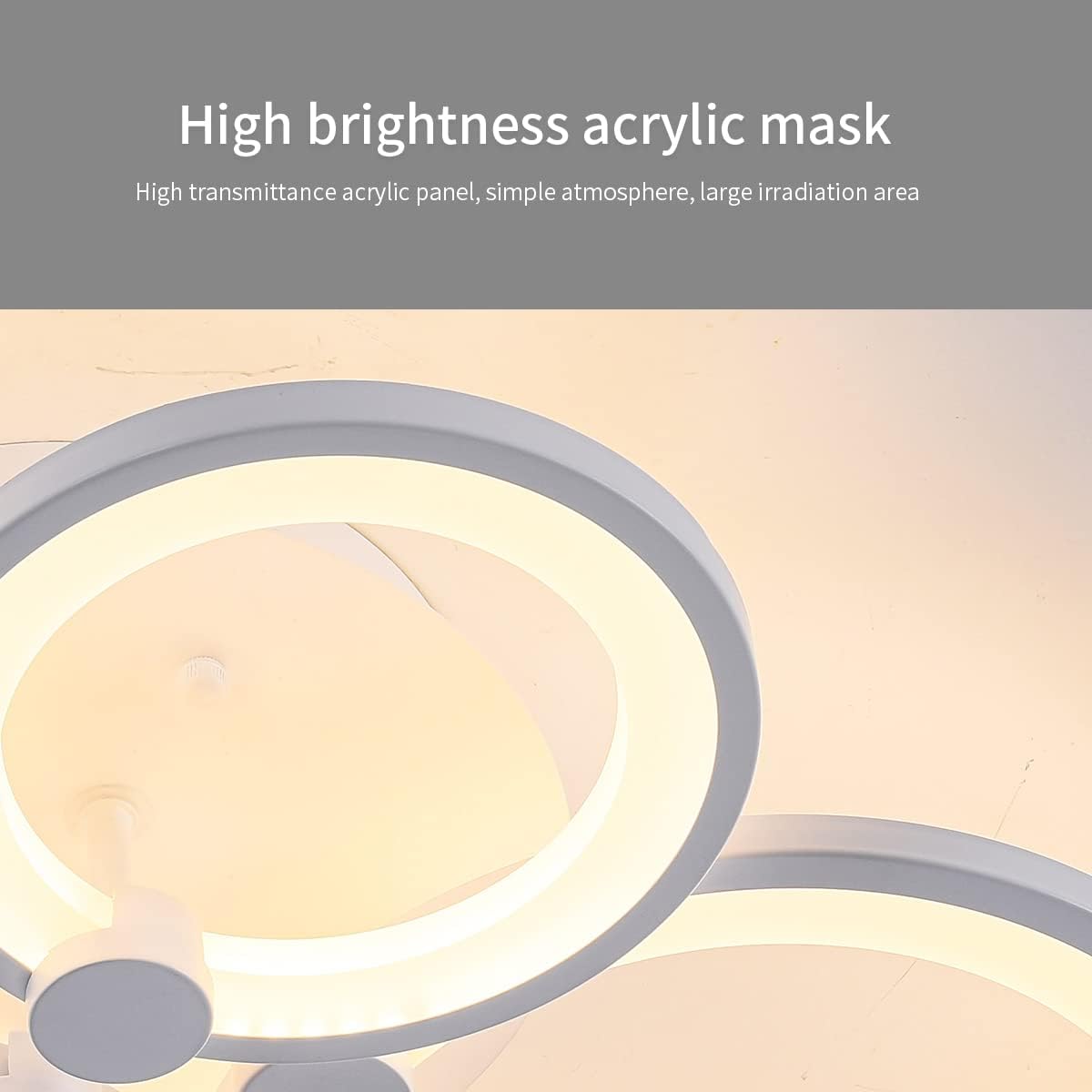
Figure 8: High brightness acrylic mask, easy to clean.
8. Troubleshooting
If you encounter any issues with your Ganeed ceiling light, please refer to the following common problems and solutions:
| Problem | Possible Cause | Solution |
|---|---|---|
| Light does not turn on. | No power supply; Loose wiring; Faulty wall switch. | Check circuit breaker. Ensure all wire connections are secure. Test wall switch. |
| Remote control not working. | Batteries are dead or incorrectly inserted; Remote not paired (if applicable); Obstruction between remote and light. | Replace remote batteries. Ensure clear line of sight. Refer to remote pairing instructions (if provided with remote). |
| Light flickers or dims unexpectedly. | Incompatible wall dimmer switch; Loose wiring. | Ensure you are using a standard ON/OFF wall switch, not a dimmer. Check wire connections. |
| Light is not bright enough. | Brightness set too low; Room size exceeds recommended area. | Increase brightness using the remote control. Ensure the light is suitable for your room size (10-15 m² recommended). |
If the problem persists after trying these solutions, please contact Ganeed customer service.
9. Warranty and Support
Ganeed stands behind the quality of its products.
- Warranty: This product comes with a 2-Year Unlimited Warranty from the date of purchase, covering manufacturing defects and malfunctions under normal use.
- Customer Service: For any questions, technical support, or warranty claims, please contact Ganeed Customer Service. We offer 24/7 Customer Service to assist you.
- Replacement Parts: For additional replacement parts, please contact the store or Ganeed customer service.

Figure 9: Ganeed Company Logo.