
Introduction
Thank you for purchasing the Volkano Mini Mamba Series Portable Bluetooth Speaker. This manual provides important information regarding the setup, operation, and maintenance of your device. Please read it thoroughly before use and retain it for future reference.

Image: The Volkano Mini Mamba Series Portable Bluetooth Speaker, black in color, shown from an angled perspective.
Package Contents
- Volkano Mini Mamba Series Bluetooth Speaker
- Aux Cable
- Micro USB Charging Cable
- Instruction Manual (this document)
- Carry Lanyard

Image: A visual representation of the Volkano Mini Mamba Series speaker and its included accessories: Aux cable, Micro-USB charging cable, carry handle, and instruction manual.
Product Features and Controls
The Volkano Mini Mamba Series speaker offers multiple playback options and features for versatile audio enjoyment.
- Bluetooth 5.0 Connectivity: For wireless audio streaming up to 32 feet (10 meters).
- FM Radio: Built-in radio tuner for listening to local stations.
- Micro SD Card Reader: Supports playback of digital MP3 audio files directly from a Micro SD card.
- USB Input: Allows playback of digital MP3 audio files from a USB flash drive.
- Aux Input: 3.5mm auxiliary input for wired connection to audio devices.
- True Wireless Stereo (TWS): Pair two Mini Mamba speakers for enhanced stereo sound.
- Portable Design: Compact size with a carry strap for easy transport.
- Integrated Controls: Buttons for power, volume, track navigation, mode selection, and play/pause.
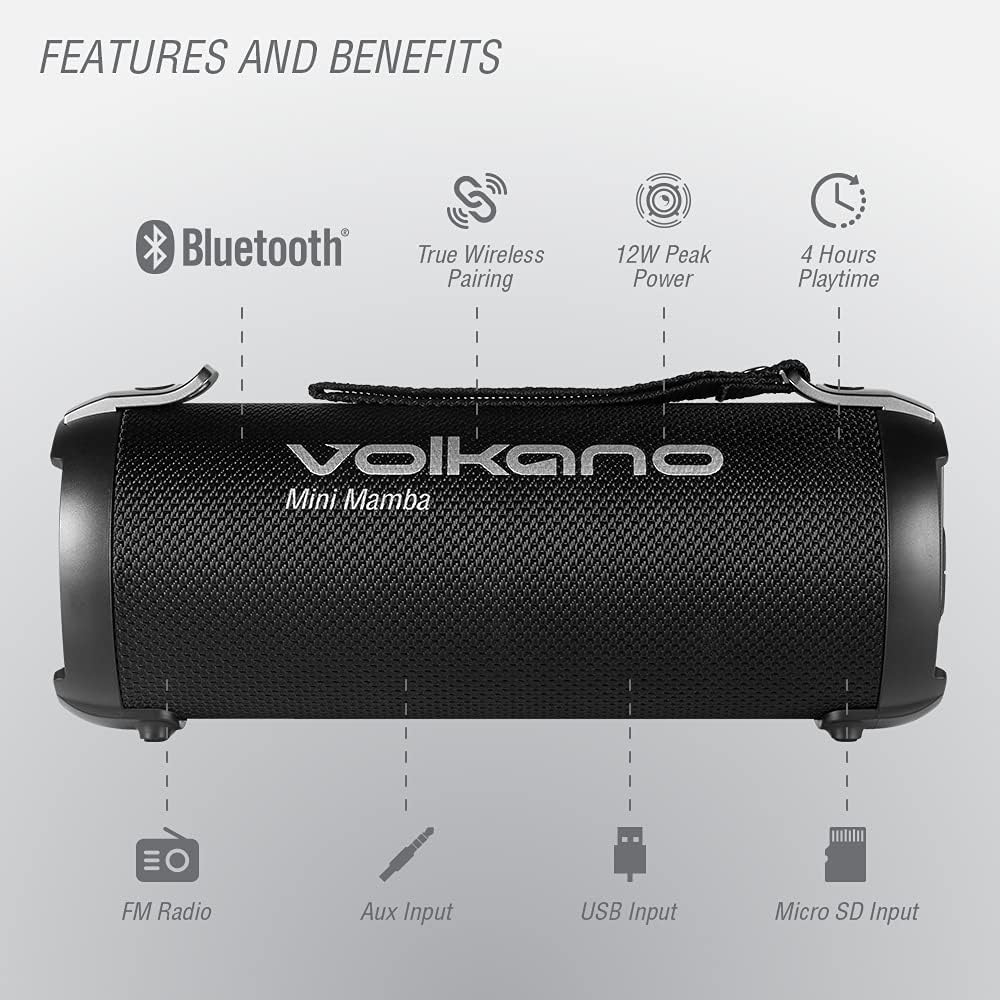
Image: An illustration highlighting the key features and input ports of the Volkano Mini Mamba speaker, including Bluetooth, TWS, 12W peak power, 4 hours playtime, FM Radio, Aux Input, USB Input, and Micro SD Input.

Image: A close-up view of the control panel on the side of the Volkano Mini Mamba speaker, showing buttons for power, mode, play/pause, volume, and track navigation, along with the Micro SD, USB, and Aux ports.
Setup
Initial Charging
Before first use, fully charge your Volkano Mini Mamba speaker. Connect the supplied Micro USB charging cable to the speaker's charging port and the other end to a USB power source (e.g., wall adapter, computer USB port). The charging indicator will illuminate during charging and turn off when fully charged. A full charge takes approximately 4 hours.
Attaching the Carry Lanyard
Thread the carry lanyard through the designated loop on the speaker. This allows for convenient portability.

Image: The Volkano Mini Mamba speaker held by its carry strap, emphasizing its ultra-portable design.
Operating Instructions
Power On/Off
- To power on, press and hold the Power button until the indicator light illuminates.
- To power off, press and hold the Power button again until the indicator light turns off.
Bluetooth Mode
- Ensure the speaker is powered on and in Bluetooth mode (indicated by a flashing blue light). If not, press the 'M' (Mode) button to switch to Bluetooth mode.
- Enable Bluetooth on your device (smartphone, tablet, computer).
- Search for "Volkano Mini Mamba" in your device's Bluetooth settings.
- Select "Volkano Mini Mamba" to pair. A confirmation tone will sound upon successful pairing.
- You can now stream audio wirelessly from your device to the speaker.
The speaker has a Bluetooth range of up to 32 feet (10 meters).

Image: A person using a smartphone next to the Volkano Mini Mamba speaker, illustrating the Bluetooth 5.0 connectivity with a 32ft range and instant connection.
FM Radio Mode
- Press the 'M' (Mode) button to switch to FM Radio mode.
- Press the Play/Pause button once to automatically scan and save available FM stations.
- Use the Previous/Next track buttons to navigate between saved stations.
Micro SD Card Playback
- Insert a Micro SD card (with MP3 audio files) into the Micro SD card slot.
- The speaker will automatically switch to Micro SD mode and begin playing music. If not, press the 'M' (Mode) button to select Micro SD mode.
- Use the control buttons for play/pause and track navigation.
USB Flash Drive Playback
- Insert a USB flash drive (with MP3 audio files) into the USB port.
- The speaker will automatically switch to USB mode and begin playing music. If not, press the 'M' (Mode) button to select USB mode.
- Use the control buttons for play/pause and track navigation.
AUX Input Mode
- Connect one end of the supplied 3.5mm Aux cable to the speaker's AUX input port.
- Connect the other end of the Aux cable to the audio output jack of your external device.
- Press the 'M' (Mode) button to switch to AUX mode.
- Control playback and volume from your external device.
True Wireless Stereo (TWS) Pairing
To achieve a true stereo sound experience, you can pair two Volkano Mini Mamba speakers together.
- Ensure both Mini Mamba speakers are powered on and in Bluetooth mode, but not connected to any other device.
- On one of the speakers (this will be the primary speaker), press and hold the 'M' (Mode) button for a few seconds until you hear a pairing tone.
- The two speakers will automatically connect to each other. A confirmation tone will sound once paired.
- Now, connect your device to the primary speaker via Bluetooth as described in the "Bluetooth Mode" section.
- Audio will now play in stereo across both speakers.
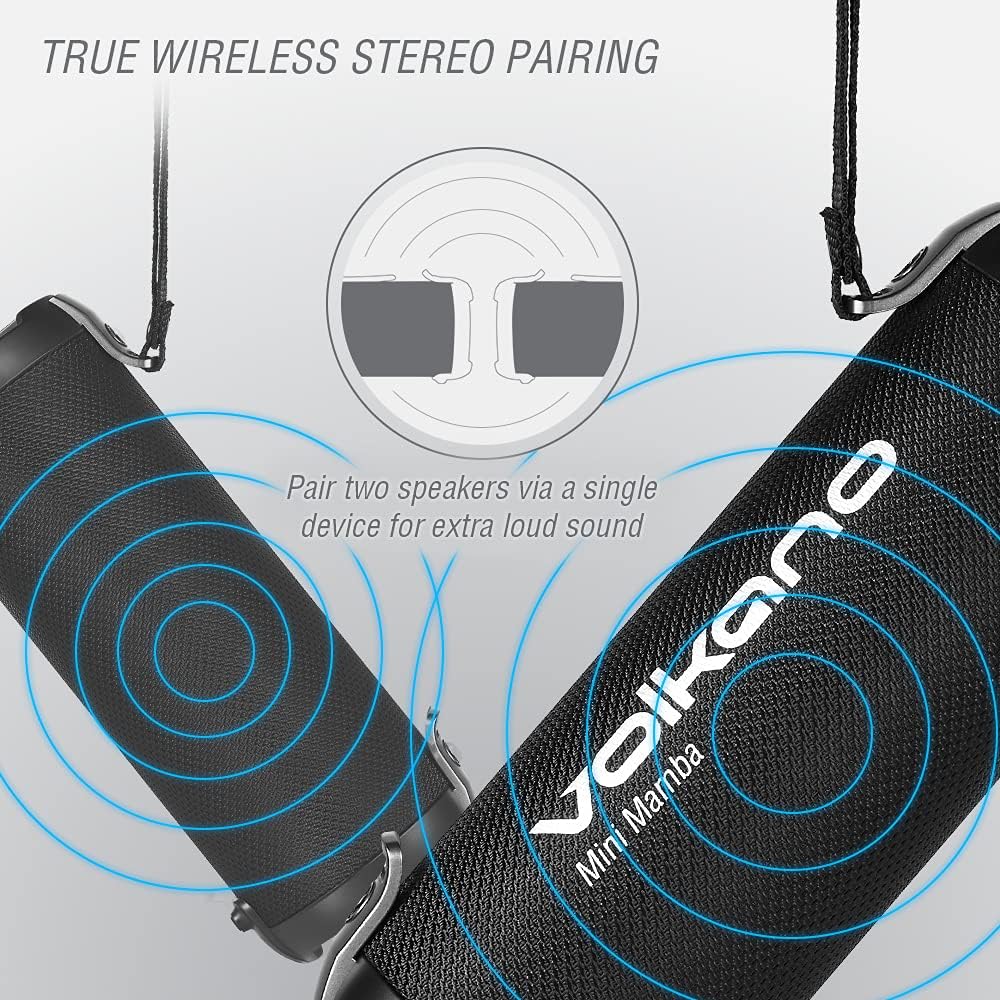
Image: An illustration showing two Volkano Mini Mamba speakers wirelessly connected, demonstrating the True Wireless Stereo (TWS) pairing feature for enhanced sound.
Charging the Speaker
The Volkano Mini Mamba speaker is equipped with a 1500 mAh built-in battery, providing up to 4 hours of continuous audio playback.
- Connect the Micro USB charging cable to the speaker's charging port.
- Connect the other end of the cable to a standard USB power adapter (5V) or a computer's USB port.
- The charging indicator light will show the charging status.
- A full charge takes approximately 4 hours.

Image: A close-up of the Volkano Mini Mamba speaker with an overlay indicating "UP TO 4 HOURS PLAYTIME," suggesting its battery endurance.
Maintenance
- Clean the speaker with a soft, dry cloth. Do not use abrasive cleaners or solvents.
- Keep the speaker away from water, moisture, and extreme temperatures. This product is not waterproof.
- Store the speaker in a cool, dry place when not in use for extended periods.
- Do not attempt to disassemble or repair the speaker yourself, as this will void the warranty.
Troubleshooting
| Problem | Possible Solution |
|---|---|
| Speaker does not power on. | Ensure the battery is charged. Connect the speaker to a power source using the Micro USB cable. |
| Cannot pair via Bluetooth. |
|
| No sound from speaker. |
|
| FM radio reception is poor. |
|
| Micro SD/USB playback not working. |
|
Specifications
| Model Name | Mini Mamba Series |
| Model Number | VK-3201-BK |
| Bluetooth Version | 5.0 |
| Bluetooth Range | Up to 32 feet (10 meters) |
| Speaker Output Power | 8 Watts (12W Peak Power) |
| Frequency Response | 120 Hz - 12 kHz |
| Signal-to-Noise Ratio | 65 dB |
| Battery Capacity | 1500 mAh Lithium Ion |
| Playtime | Up to 4 hours |
| Charging Time | Approximately 4 hours |
| Input Voltage | 5 Volts |
| Connectivity | Bluetooth, Auxiliary (3.5mm), USB, Micro SD Card |
| Dimensions (L x W x H) | 9.8"D x 3.54"W x 4.09"H |
| Weight | 2.24 pounds |
| Material | Plastic |
| Water Resistance | Not Water Resistant |

Image: The Volkano Mini Mamba speaker in an outdoor setting with people, highlighting its immersive sound from high-powered 12W speakers.
Warranty and Support
The Volkano Mini Mamba Series speaker is covered by a 1-year limited warranty. Volkano is committed to providing hassle-free service and lifetime customer support.
For any questions, support, or warranty claims, please contact Volkano customer service via the official Volkano seller page on Amazon or through their official website. Registering your product may provide an additional 12-month extension to the limited warranty, totaling 24 months of coverage.
Please refer to the official Volkano website or your purchase documentation for the most current warranty terms and contact information.


