Introduction
This manual provides essential information for the safe and effective operation, maintenance, and troubleshooting of your Fartools REX 80 Compact Renovator. Please read this manual thoroughly before using the tool and keep it for future reference.
The Fartools REX 80 is a versatile 420W multi-material tool designed for stripping, degreasing, cleaning, satin finishing, and polishing various surfaces including wood, metal, stone, and concrete.
Safety Instructions
WARNING: Read all safety warnings, instructions, illustrations, and specifications provided with this power tool. Failure to follow all instructions listed below may result in electric shock, fire, and/or serious injury.
- Always wear appropriate personal protective equipment (PPE) including safety glasses, hearing protection, and dust mask.
- Ensure the work area is clean, well-lit, and free from obstructions.
- Keep children and bystanders away while operating a power tool.
- Do not operate power tools in explosive atmospheres, such as in the presence of flammable liquids, gases, or dust.
- Always disconnect the plug from the power source before making any adjustments, changing accessories, or storing power tools.
- Use the correct brush for the material and application.
- Secure the workpiece before starting the tool.
- Do not force the power tool. Use the correct power tool for your application.
- Maintain power tools. Check for misalignment or binding of moving parts, breakage of parts, and any other condition that may affect the power tool’s operation.
Product Overview
The Fartools REX 80 is designed for efficient surface renovation. Key features include:
- 420W Motor: Provides ample power for various tasks.
- Compact and Lightweight Design: Allows for comfortable single or two-handed operation.
- Variable Speed Control: Adjusts from 1000 to 3200 RPM to suit different materials and applications.
- Tool-Free Brush Change: Enables quick and easy accessory replacement.
- Locking Switch: For continuous operation, reducing user fatigue.
- Ergonomic Soft-Grip Handles: Ensures comfortable and secure handling.
- Dust Extraction Port: Connects to a vacuum cleaner for a cleaner and safer working environment.
- Patented Design: Unique and innovative construction.

Image 1: The Fartools REX 80 Compact Renovator showing the exposed lamella brush and the direction of rotation. This view highlights the tool's design for brush-based surface treatment.

Image 2: A red circular stamp indicating the product is patented. This signifies the unique design and intellectual property of the Fartools REX 80.
Setup
- Unpacking: Carefully remove all components from the packaging. Verify that all items listed in the "Included Components" section are present.

Image 3: The Fartools REX 80 tool, its packaging box, instruction manual, an abrasive lamella brush, and a vacuum adapter, all laid out. This illustrates the complete contents of the product package.
- Brush Installation: The REX 80 features a tool-free brush change system.
- Ensure the tool is unplugged from the power source.
- Open the brush cover by releasing the latches.
- Align the new brush (Ø80mm, 100mm width) with the spindle and slide it into place.
- Close the brush cover securely until the latches click into position.
- Dust Extraction Connection: For a cleaner work environment, connect a vacuum cleaner to the dust extraction port.
- Attach the supplied vacuum adapter (Ø32/35/42mm) to the dust extraction port on the tool.
- Connect your vacuum cleaner hose to the adapter.
Operating Instructions
- Power Connection: Plug the tool into a standard 230V electrical outlet.
- Material Preparation: Ensure the surface to be worked on is clean and free from loose debris. Secure the workpiece if necessary.
- Speed Adjustment: Use the variable speed dial to select the appropriate RPM (1000-3200 tr/min) for your material and desired finish. Lower speeds are generally for delicate work or softer materials, while higher speeds are for aggressive removal on harder surfaces.
- Starting the Tool:
- Hold the tool firmly with one or two hands, utilizing the ergonomic soft-grip handles.
- Press the ON/OFF switch to start the tool.
- For continuous operation, engage the locking switch. Press the ON/OFF switch again to disengage.
- Working with the Tool:
- Apply light, even pressure. Let the tool do the work.
- Move the tool smoothly and consistently across the surface. Avoid dwelling in one spot to prevent uneven results or damage.
- Observe the material removal and adjust speed or pressure as needed.
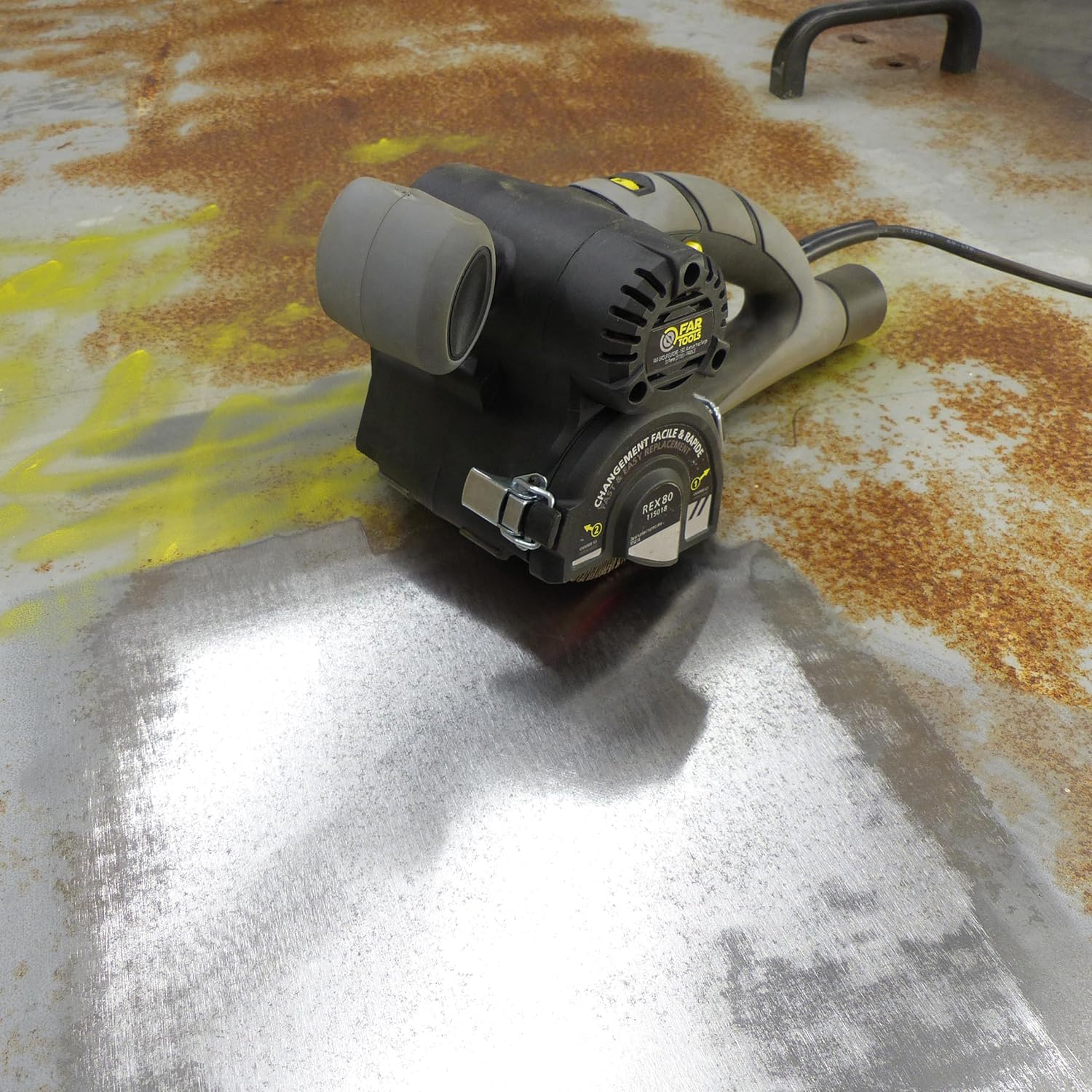
Image 4: The Fartools REX 80 in action, effectively removing rust and grime from a metal surface. This demonstrates the tool's capability for surface preparation.

Image 5: A user operating the Fartools REX 80 with both hands on a wooden picnic table, showcasing the ergonomic design and two-handed grip for stability and control during renovation tasks.
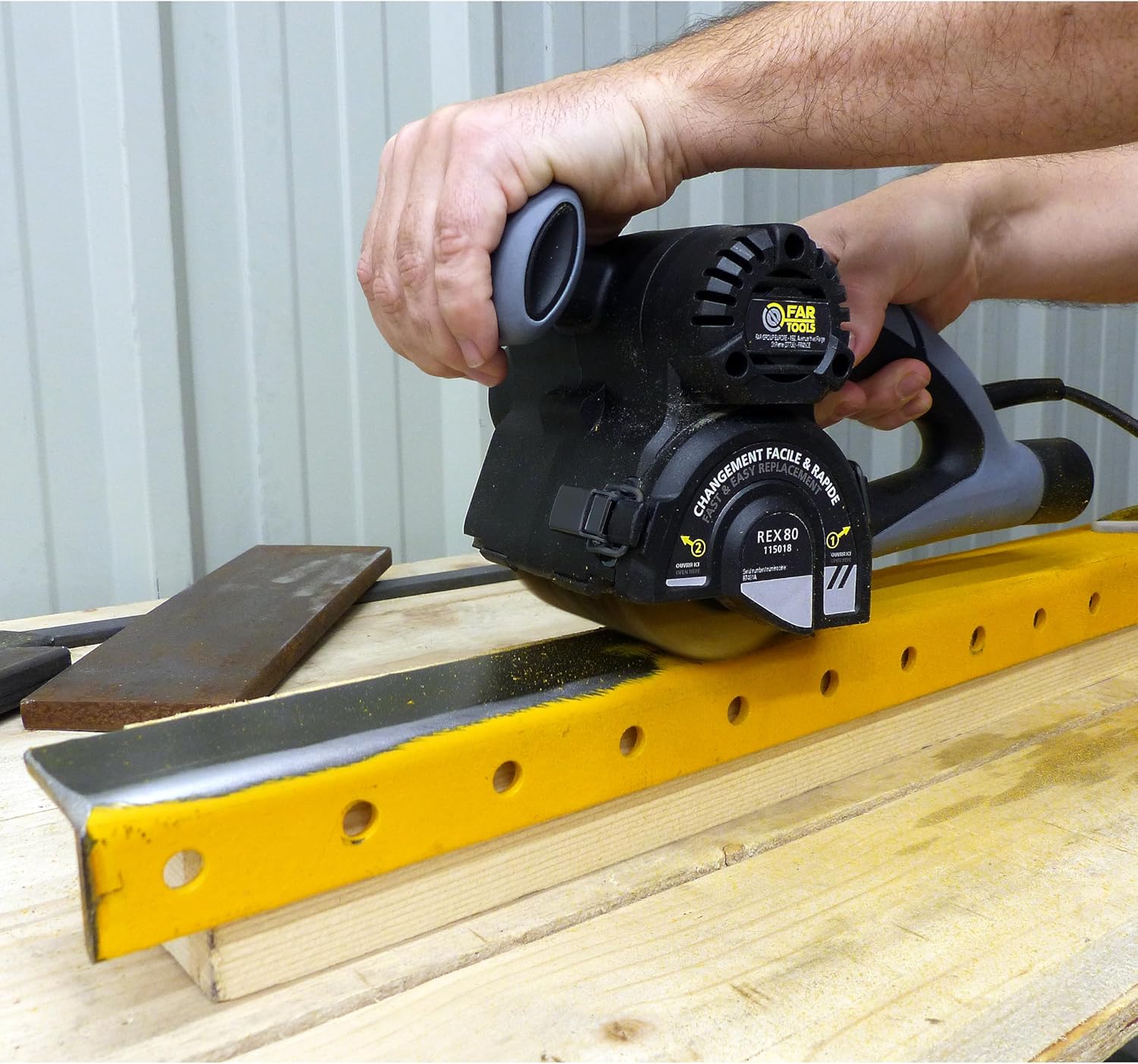
Image 6: A user operating the Fartools REX 80 with one hand on a metal beam, demonstrating the tool's lightweight and compact design allowing for single-handed use in certain applications.
- Finishing: Once the desired finish is achieved, release the ON/OFF switch to stop the tool.
Maintenance
Regular maintenance ensures the longevity and optimal performance of your Fartools REX 80.
- Cleaning: After each use, disconnect the tool from the power supply. Clean the tool housing with a soft, damp cloth. Remove any dust or debris from the ventilation slots and brush area.
- Brush Inspection: Regularly inspect the brush for wear and tear. Replace worn brushes promptly to maintain effective performance and prevent damage to the tool or workpiece.
- Storage: Store the tool in a dry, secure location, out of reach of children.
- Power Cord: Inspect the power cord for any damage before each use. Do not use the tool if the cord is damaged.
Troubleshooting
| Problem | Possible Cause | Solution |
|---|---|---|
| Tool does not start | No power supply; Faulty switch; Damaged power cord | Check power connection; Ensure switch is fully engaged; Inspect power cord for damage and replace if necessary. |
| Reduced performance | Worn brush; Incorrect speed setting; Excessive pressure | Replace brush; Adjust speed to suit material; Reduce pressure. |
| Excessive vibration | Improperly installed brush; Damaged brush; Internal issue | Reinstall brush correctly; Replace damaged brush; If problem persists, contact customer support. |
| Dust extraction ineffective | Vacuum hose not properly connected; Dust port clogged; Vacuum cleaner full | Ensure secure connection; Clear dust port; Empty vacuum cleaner. |
Specifications
- Model: REX 80
- Manufacturer: Fartools
- Power: 420 Watts
- Voltage: 230 Volts
- No-load Speed: 1000 - 3200 RPM (revolutions per minute)
- Brush Diameter: Ø80mm
- Brush Width: 100mm
- Weight: 2.7 Kilograms
- Included Components: 1x Fartools REX 80 Renovator, 1x Abrasive Lamella Brush (Ø80mm, 100mm width, Grain 80), 1x Vacuum Adapter (Ø32/35/42mm)
- Country of Origin: China
Warranty and Support
Fartools products are manufactured to high-quality standards. In the unlikely event of a defect, please refer to your purchase receipt for warranty details.
- Spare Parts Availability: Spare parts for the Fartools REX 80 are available for 2 years from the date of purchase.
- For technical assistance or to inquire about spare parts, please contact your local Fartools dealer or visit the official Fartools website.


