
1. Introduction
This manual provides essential information for the proper use and care of your ProCase Smart Case for iPad Pro 12.9. Please read these instructions thoroughly to ensure optimal performance and longevity of your product.

Image 1.1: ProCase Smart Case (Black) on iPad Pro 12.9.
2. Compatibility
The ProCase Smart Case is designed for the following iPad Pro 12.9 inch models:
- iPad Pro 12.9" 2022 6th Generation (Models: A2436/A2764/A2437/A2766)
- iPad Pro 12.9" 2021 5th Generation (Models: A2378/A2461/A2379/A2462)
- iPad Pro 12.9" 2020 4th Generation (Models: A2229/A2069/A2232/A2233)
- iPad Pro 12.9" 2018 3rd Generation (Models: A1876/A2014/A1895/A1983)
To verify your iPad model number, check the back of your device for the "Axxxx" identifier.
3. Features
Your ProCase Smart Case offers several features designed to enhance your iPad experience:
- Slim and Lightweight Design: The hard back shell adds minimal bulk while providing protection.
- Translucent Frosted Back: Allows visibility of the Apple logo and protects against fingerprints and scratches.
- Apple Pencil Support: Supports 2nd Gen Apple Pencil's magnetic attachment and wireless charging.
- Auto Sleep/Wake: Automatically wakes or puts your iPad to sleep when the cover is opened or closed.
- Magnetic Closure: Secures the case cover.
- Precise Cutouts: Provides full access to all ports, buttons, speakers, and cameras.
- Dual Standing Positions: Foldable cover creates sturdy stands for viewing and typing angles.
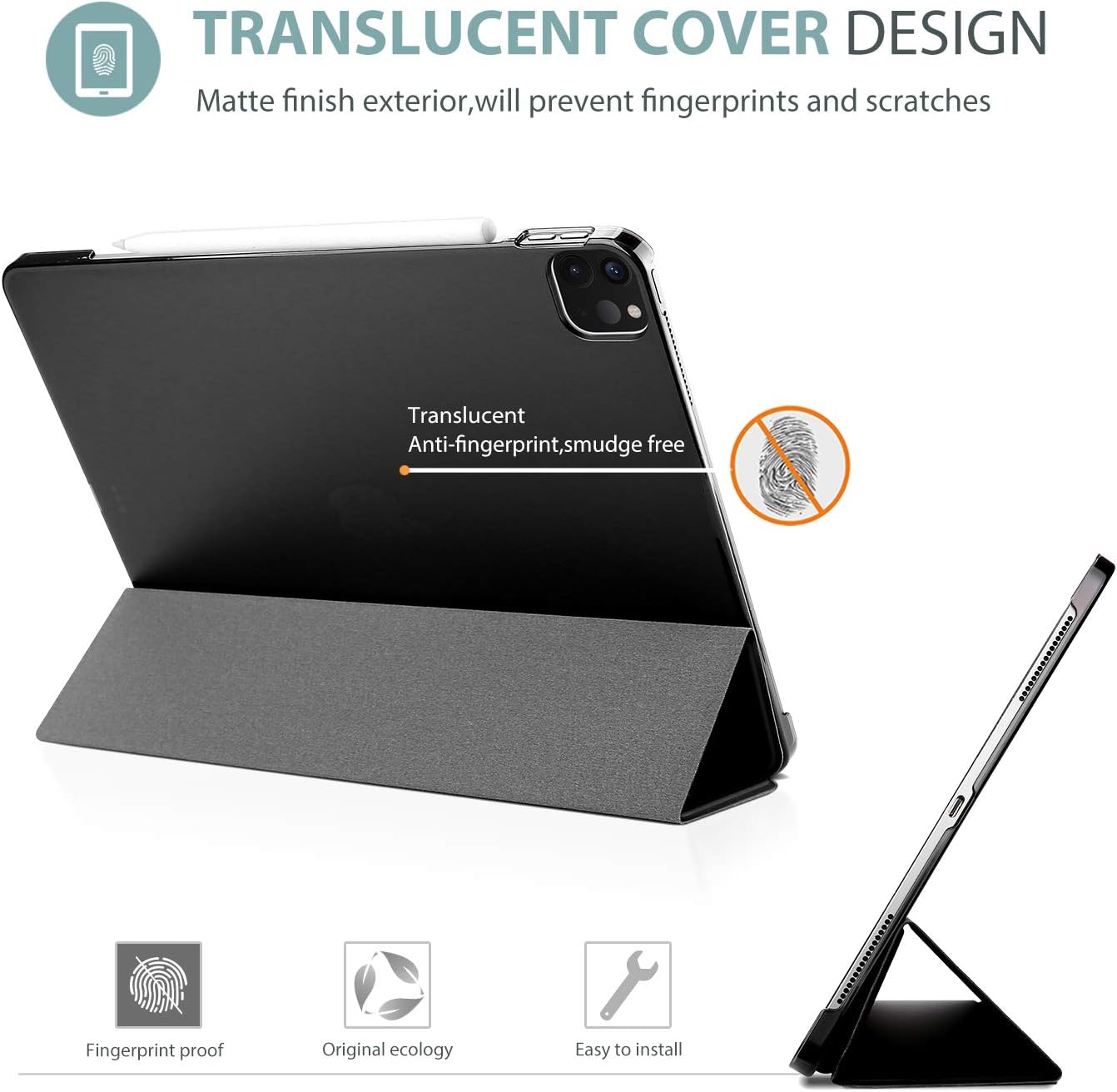
Image 3.1: Translucent frosted back cover design.

Image 3.2: Apple Pencil 2nd Gen magnetic attachment and wireless charging support.

Image 3.3: Ultra slim and lightweight design.
4. Setup and Installation
- Insert iPad: Gently align your iPad Pro 12.9 with the case, ensuring the camera cutout and ports match. Press firmly around the edges until the iPad snaps securely into the hard back shell.
- Check Fit: Confirm that all corners and edges of your iPad are fully protected by the case.
- Magnetic Cover: The front cover will magnetically attach to the iPad's screen.
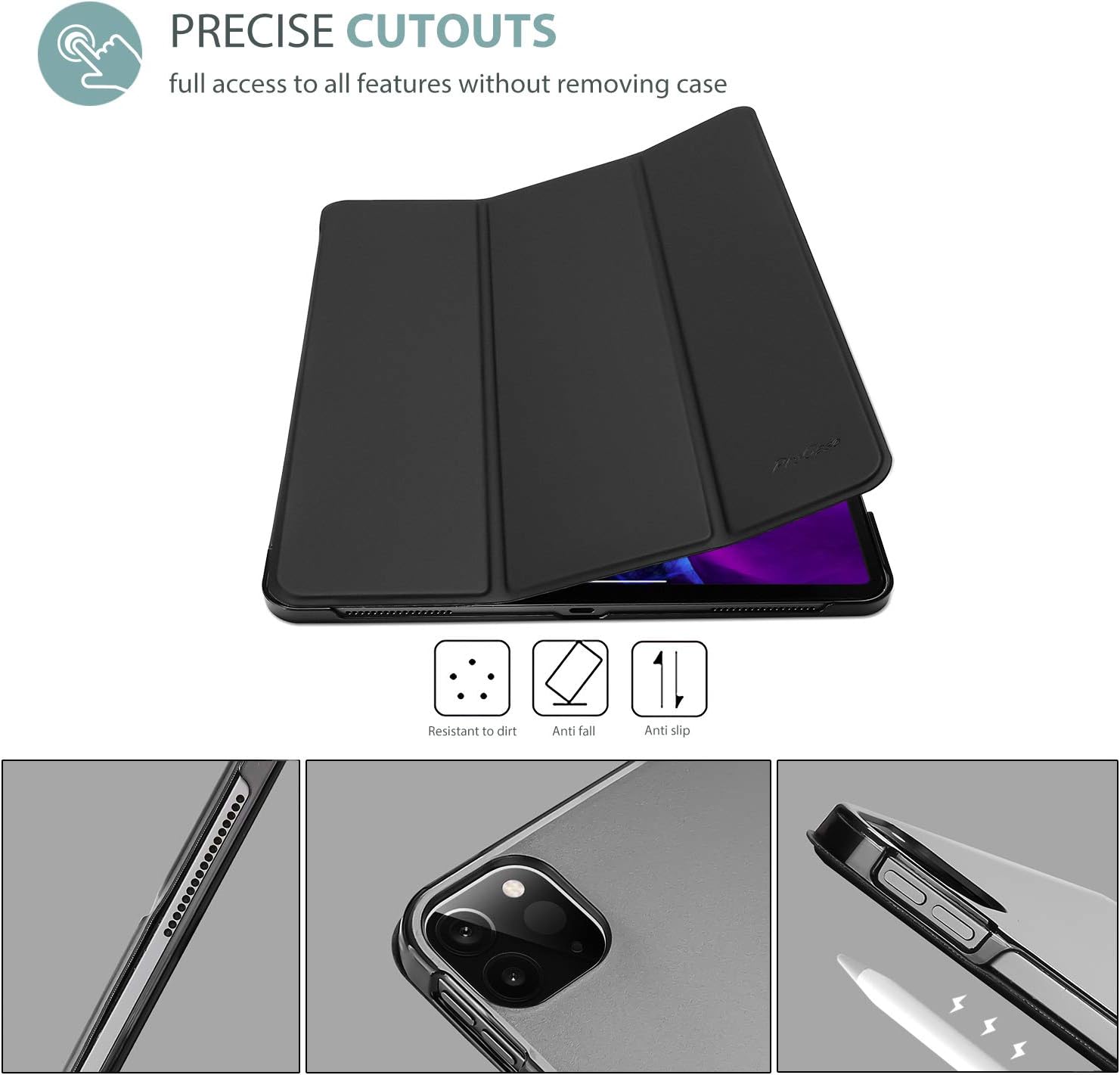
Image 4.1: Precise cutouts for full access to features.
5. Operating Instructions
5.1. Auto Sleep/Wake Function
The smart cover automatically activates the iPad's sleep/wake function. Opening the cover will wake your iPad, and closing it will put your iPad to sleep, helping to conserve battery life.

Image 5.1: Auto Sleep/Wake feature.
5.2. Using the Trifold Stand
The foldable front cover can be configured into two different stand positions:
- Viewing Angle (65°): Ideal for watching videos, browsing, or video calls. Fold the cover into a triangular stand with the iPad upright.
- Typing Angle (30°): Suitable for typing or drawing with the Apple Pencil. Fold the cover into a lower, more reclined triangular stand.
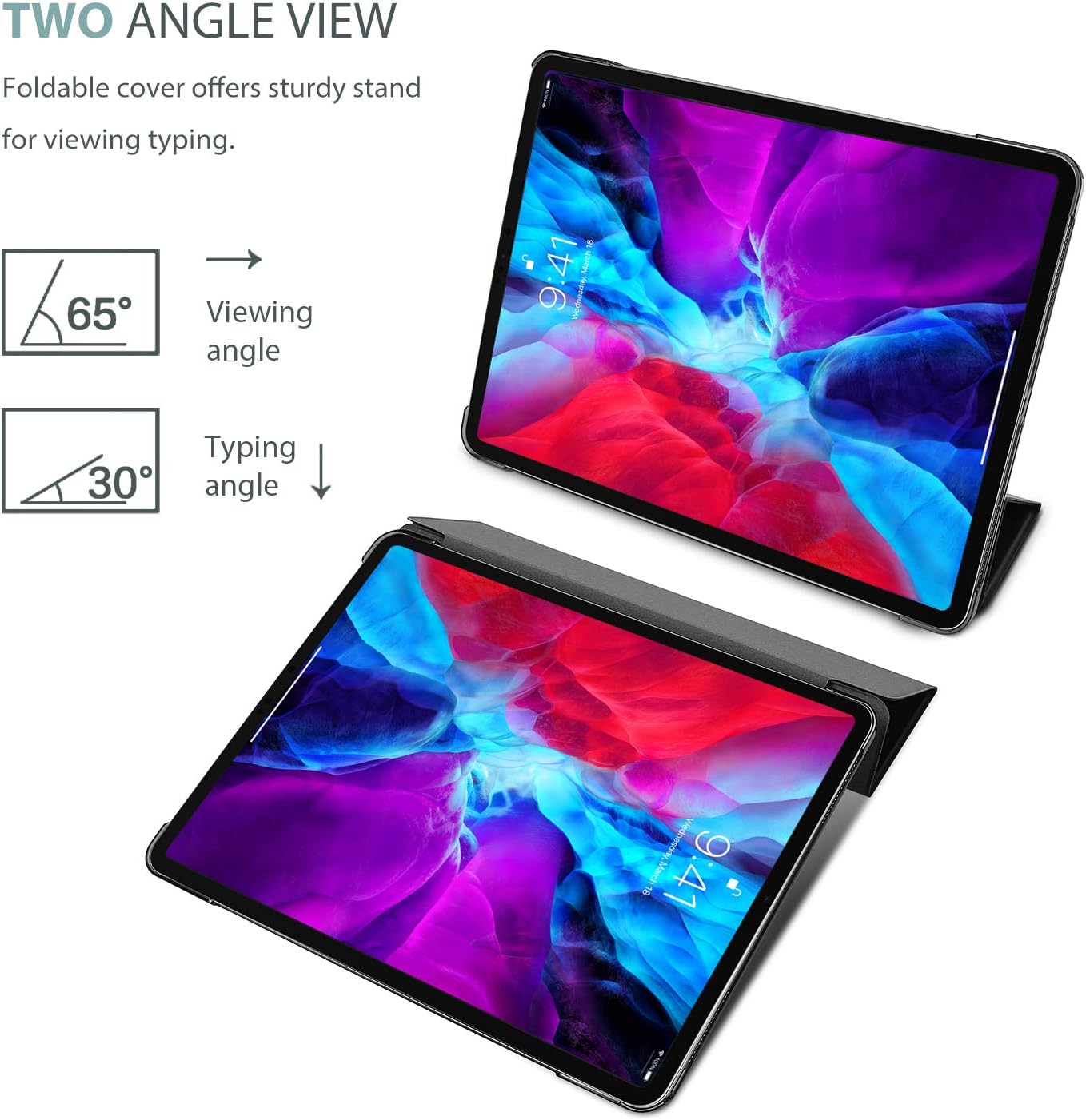
Image 5.2: Dual standing positions for viewing and typing.
5.3. Apple Pencil 2nd Gen Charging
The case design allows for the magnetic attachment and wireless charging of the 2nd Generation Apple Pencil directly to the side of your iPad.

Image 5.3: Magnetic closing clasp and Apple Pencil charging area.
6. Maintenance
- Cleaning: Wipe the exterior with a soft, damp cloth. For the translucent back, use a microfiber cloth to remove fingerprints and smudges. Avoid harsh chemicals.
- Storage: Store the case in a clean, dry environment when not in use.
- Avoid Extreme Conditions: Do not expose the case to extreme temperatures or direct sunlight for prolonged periods.
7. Troubleshooting
- iPad not waking/sleeping automatically: Ensure your iPad is fully seated in the case and the magnetic cover is properly aligned with the screen. Check iPad settings for Smart Cover functionality.
- Apple Pencil not charging: Verify the Apple Pencil is correctly aligned on the magnetic strip on the side of the iPad. Ensure the iPad's Bluetooth is enabled.
- Case feels loose: Re-seat the iPad firmly into the case, ensuring all edges are snapped in. If the issue persists, verify case compatibility with your specific iPad model.
8. Specifications
| Attribute | Detail |
|---|---|
| Brand | ProCase |
| Model Number | PC-08362189 |
| Color | Black |
| Compatible Devices | iPad Pro 12.9 Inch (6th, 5th, 4th, 3rd Generation) |
| Form Factor | Case |
| Shell Type | Hard |
| Material | Polycarbonate |
| Item Weight | 5 Ounces |
| Item Dimensions | 11.04 x 8.46 x 0.23 inches |
| Additional Features | Dual Standing Positions, Foldable, Magnetic Closure, Translucent Frosted Back, Ultra Slim |
9. Official Product Videos
9.1. ProCase Smart Case Overview
Video 9.1: This video provides a visual overview of the ProCase Smart Case, highlighting its anti-scratch properties, translucent hard back, auto sleep/wake function, precise cutouts, Apple Pencil attachment and charging support, and convenient trifold stand with viewing and typing angles. It also showcases various color options.
9.2. iPad Pro 12.9 Case Review and Features
Video 9.2: This video demonstrates the ProCase Smart Case, focusing on its design, the functionality of the smart cover, and how it protects the iPad. It shows the case being opened and closed, activating the iPad's screen, and highlights the overall fit and finish.
9.3. ProCase iPad Pro 12.9 Case Functionality
Video 9.3: This video provides a detailed look at the ProCase Smart Case for iPad Pro 12.9 (2020 model), showcasing its installation, auto sleep/wake feature, and the versatility of its trifold stand for different viewing and typing positions.
10. Warranty and Support
This ProCase product is covered by a Manufacturer Warranty. For specific details regarding warranty coverage, claims, or product support, please refer to the official ProCase website or contact their customer service directly.