
4M 403422
4M KidzRobotix Money Bank Robot Instruction Manual (Model 403422)
Brand: 4M
Product Overview
The 4M KidzRobotix Money Bank Robot is a DIY kit designed to engage children aged 8 and up in building their own interactive piggy bank. This kit combines mechanical and electrical principles with the concept of saving money, fostering creativity and practical skills.
Safety Information
Warning: Not suitable for children under 3 years due to small parts. Adult supervision is required during assembly and use.
What's in the Box
Your KidzRobotix Money Bank Robot kit includes all the necessary components for assembly:
- Rear body
- Front body
- Lid
- Eye holder
- Links x 2
- Coin arm
- Coin drawer
- Battery compartment cover
- Motor compartment cover
- Motor
- Wires x 2
- Eyes x 2
- Terminal caps x 9
- Screws x 7

Image: All components of the Money Bank Robot kit, including plastic body parts, motor, wires, screws, and decorative eyes, are displayed.
Setup and Assembly
Follow the included detailed instructions to assemble your Money Bank Robot. The process involves connecting mechanical and electrical components to create a functional coin-gobbling robot.
- Begin by identifying all parts listed in the "What's in the Box" section.
- Assemble the main body of the robot using the front and rear body pieces and screws.
- Install the motor and connect the wires according to the circuit diagram provided in the manual. Ensure all terminal caps are securely fastened.
- Attach the coin arm, coin drawer, and lid.
- Secure the battery compartment cover and motor compartment cover.
- Finally, attach the eye holder and decorative eyes to complete your robot.
Note: 1 AA battery is required for operation and is not included in the kit.

Image: The assembled Money Bank Robot is shown alongside its packaging and various unassembled parts, illustrating the DIY nature of the kit.
Operating Instructions
Once assembled and powered with an AA battery, your Money Bank Robot is ready to start saving!
- Insert a coin into the designated slot on the robot's coin arm.
- The robot will activate, "gobbling" the coin into its internal storage.
- To retrieve saved coins, access the coin drawer located at the bottom of the robot.

Image: A child is shown placing a coin into the robot's coin slot, demonstrating the interactive saving feature.
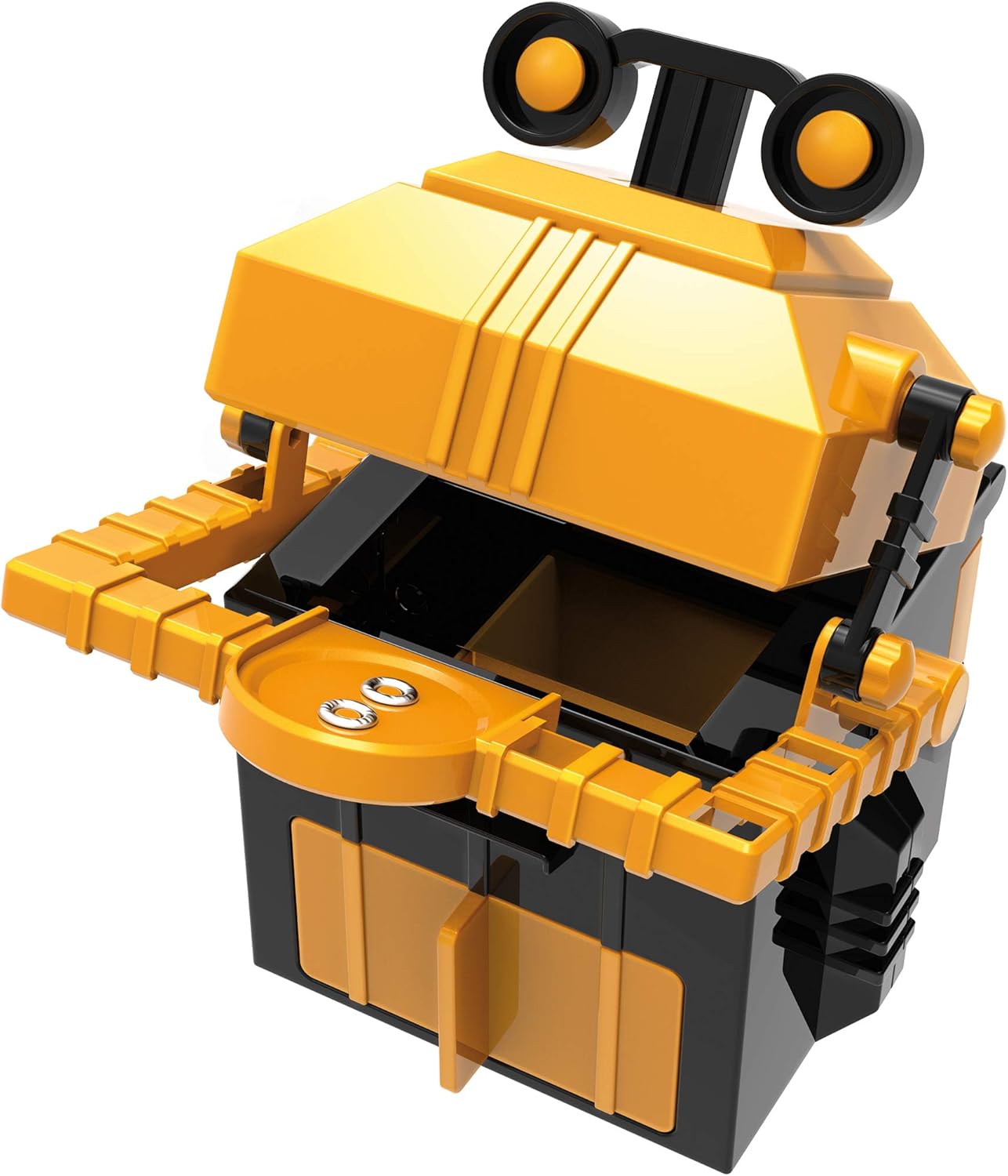
Image: A detailed view of the robot's coin mechanism, highlighting where coins are inserted and how the arm operates.
Video: An official product video demonstrating the KidzRobotix Money Bank Robot in action, showing how coins are deposited and retrieved.
Educational Benefits
This kit is designed to inspire STEM learning and financial responsibility:
- STEM Learning: Introduces basic mechanical principles and electrical concepts through hands-on assembly.
- Problem-Solving: Enhances problem-solving skills as children troubleshoot during construction.
- Creativity: Encourages kids to personalize their robot and explore innovative ideas.
- Financial Responsibility: Transforms saving money into an exciting activity, teaching the value of saving.

Image: Two children are engaged with the robot, illustrating the educational and interactive aspects of the toy.
Maintenance
To ensure the longevity of your Money Bank Robot:
- Keep the robot clean by wiping it with a dry cloth.
- Avoid exposing the robot to water or excessive moisture.
- Replace the AA battery when the robot's movements become sluggish or stop functioning.
- Periodically check screws and connections to ensure they remain secure.
Troubleshooting
| Problem | Possible Cause | Solution |
|---|---|---|
| Robot does not move or "gobble" coins. | Battery is dead or incorrectly installed. Wires are loose. | Check battery orientation and replace if necessary. Ensure all wire connections are secure. |
| Coins get stuck. | Obstruction in the coin path or mechanism. | Carefully inspect the coin slot and internal mechanism for any foreign objects. |
| Robot makes unusual noises. | Loose parts or internal friction. | Check all screws and connections. Ensure no parts are rubbing against each other. |
Specifications
- Model Number: 403422
- Product Dimensions: 9.45 x 6.5 x 2.36 inches
- Item Weight: 8 ounces
- Manufacturer Recommended Age: 8 - 8 years
- Batteries: 1 AA battery (not included)
- Release Date: March 7, 2020
- Language: English
- Manufacturer: 4M

Image: The Money Bank Robot is shown with its approximate dimensions, highlighting its compact size.
Warranty and Support
For warranty information or technical support, please contact 4M customer service directly. Refer to the product packaging for contact details or visit the official 4M website.