
VSYSTO P6FL
VSYSTO Motorcycle Dash Cam User Manual
Model: P6FL
1. Introduction
Thank you for purchasing the VSYSTO Motorcycle Dash Cam. This device is designed to provide reliable front and rear recording for your motorcycle, ensuring clear video evidence and enhancing your riding safety. It features 1080P Full HD recording, HDR technology for improved image quality in varying light conditions, super night vision, and convenient Wi-Fi connectivity for smartphone control. Please read this manual thoroughly before installation and operation to ensure proper use and optimal performance.
2. Package Contents
Please verify that all items listed below are included in your package:
- Main Unit x 1
- Front Camera x 1 (with mounting screws/adhesive seals)
- Rear Camera x 1 (with mounting screws/adhesive seals)
- Wired Remote Control x 1
- Power Cable x 1
- Camera Extension Cables x 2
- Main Unit Mount x 1
- USB Test Cable x 1
- Cable Ties x 8
- Instruction Manual x 1

Image: All components of the VSYSTO Motorcycle Dash Cam package.
3. Product Overview
The VSYSTO Motorcycle Dash Cam system consists of a compact main recording unit, two waterproof cameras (front and rear), and a wired remote control for easy operation. The main unit is designed to be discreetly installed, often under the seat, while the cameras capture a wide 130° field of view.

Image: Overview of the VSYSTO Motorcycle Dash Cam system components.
4. Installation Guide
4.1 Wiring Diagram
Follow the wiring diagram carefully to connect the main unit, cameras, remote control, and power cable to your motorcycle's electrical system. Ensure all connections are secure and waterproofed where necessary.

Image: Detailed wiring diagram for the dash cam system.
4.2 Mounting the Components
Mount the main unit in a secure, dry location, typically under the seat. Position the front and rear cameras to capture optimal views, ensuring they are firmly attached and their lenses are unobstructed. The wired remote can be mounted on the handlebars for easy access.

Image: Examples of component placement on a motorcycle.
Important Note: If you are unsure about the installation process, it is highly recommended to seek assistance from a professional motorcycle shop or a person with specialized knowledge. The warranty covers the product itself and does not cover any costs related to removal, repair, or other damages incurred during installation or use.
5. Operating Instructions
5.1 Automatic Recording (Engine Linkage)
The dash cam is designed to automatically start recording when your motorcycle's engine is turned ON and stop recording when the engine is turned OFF. This ensures continuous coverage without manual intervention.

Image: Visual representation of automatic recording and safety features.
5.2 Loop Recording
The device supports loop recording, which means when the TF card capacity is full, it will automatically overwrite the oldest files in sequence. This ensures that recording continues without interruption.
5.3 Impact Detection (G-Sensor) & Emergency Recording
Equipped with a built-in G-sensor, the dash cam automatically triggers emergency recording when it detects vibrations or impacts. These emergency files are saved to a separate folder and will not be overwritten, protecting crucial evidence.
5.4 Manual Lock Function
In recording mode, you can press the button on the wired remote control to manually lock the current video segment. This saves the footage as an emergency file, preventing it from being overwritten. This is useful for capturing interesting events or immediate incidents.

Image: Manual lock button on the wired remote control.
5.5 Wi-Fi Function & Dedicated App
The VSYSTO dash cam offers a dedicated app for Android and iOS devices, available for free. Connect your smartphone to the dash cam via Wi-Fi to download, review, share, or delete recorded files. You can also adjust dash cam settings directly from the app. This feature allows you to easily share your riding experiences with family and friends via social media.
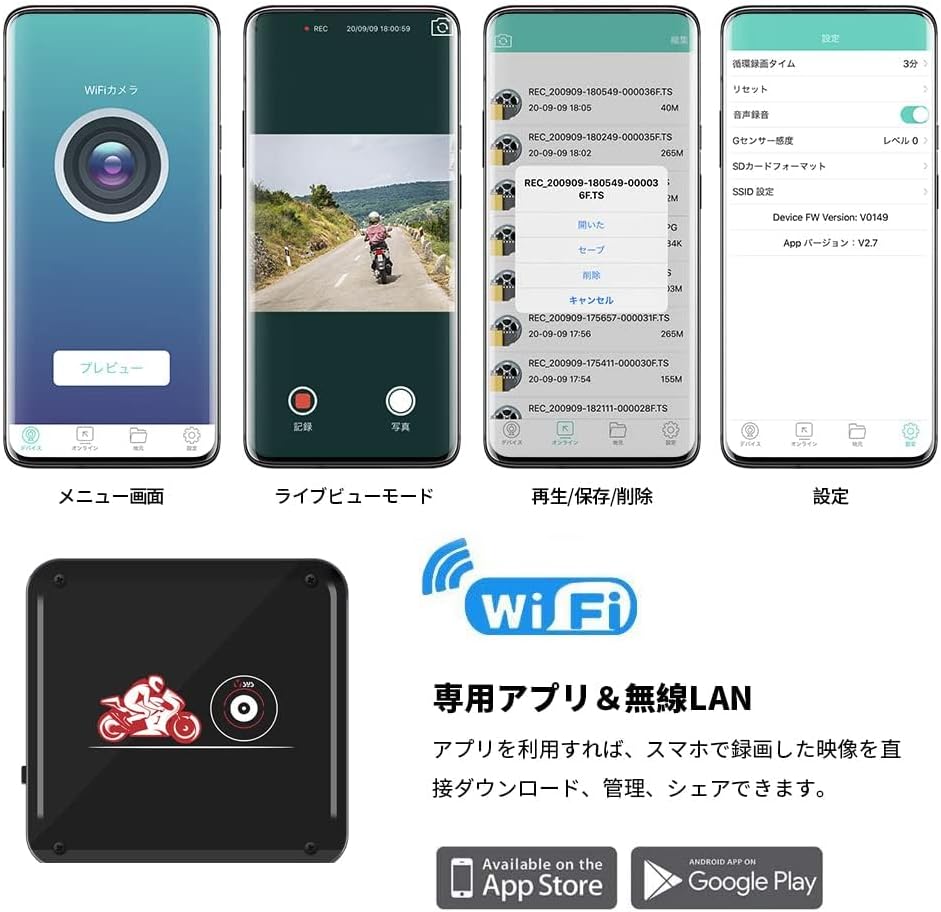
Image: VSYSTO smartphone app interface.
6. Advanced Features
6.1 1080P Full HD Recording & HDR
The dash cam provides 1080P Full HD video and photo capture with a 130° wide-angle lens. Advanced AHD technology effectively reduces color noise in high-frequency bands, improving image fidelity. HDR (High Dynamic Range) technology corrects brightness differences in scenes with strong backlighting, tunnel entrances, or at night, producing clear images.
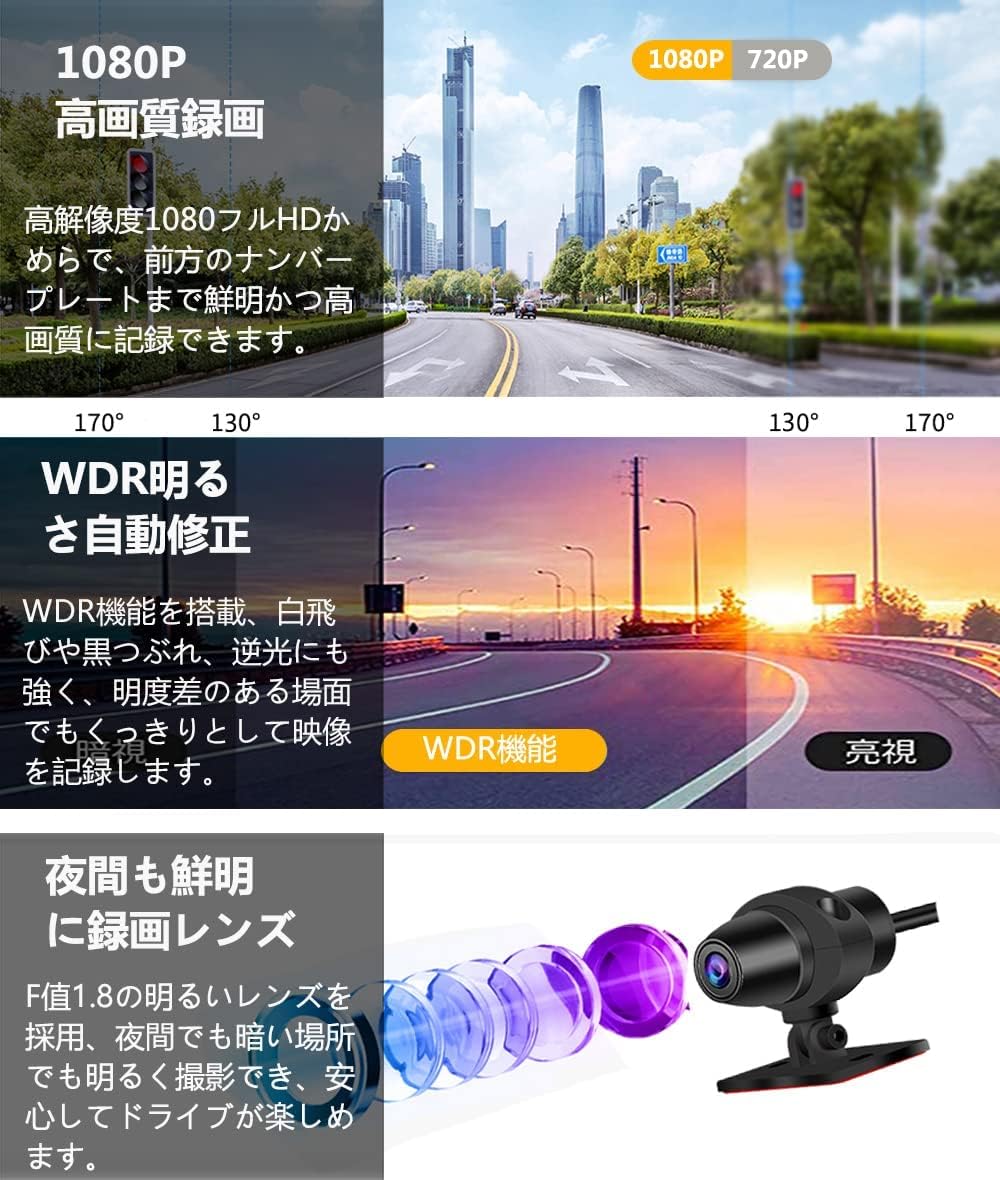
Image: Features of 1080P recording, WDR, and night vision.
6.2 Super Night Vision
Equipped with an F1.8 bright lens, the camera can capture clear footage even in dark environments, ensuring safe driving at night.

Image: Day and night recording examples.
7. Troubleshooting
Q1: The dash cam main unit or camera generates heat. Is this normal?
A1: Yes, this is normal. High-precision cameras and high-speed processing chips consume significant power. Due to the sealed waterproof design of the camera and main unit, a certain amount of heat will be generated.
Q2: Is it necessary to format the SD card?
A2: For safe and continuous use, please format the SD card periodically. If the SD card is used continuously without formatting, it may develop unrecordable areas (bad sectors). If bad sectors increase, recording time may shorten, or recording may become impossible, leading to various malfunctions.
Q3: After Wi-Fi connection, the smartphone app cannot be used normally (image not displayed). Is there a problem with the app?
A3: No, this is a problem with the mobile app settings. Please check the following: Ensure that 'Local Network' is turned ON for the 'WiFi Camera' app on your smartphone. If a pop-up appears asking whether to trust the device, please click 'Yes'.
8. Maintenance
To ensure the longevity and optimal performance of your VSYSTO Motorcycle Dash Cam, regular maintenance is recommended:
- Clean Lenses: Regularly wipe the camera lenses with a soft, clean cloth to ensure clear recordings. Avoid abrasive materials that could scratch the lens.
- Check Connections: Periodically inspect all cable connections to ensure they are secure and free from corrosion or damage.
- SD Card Management: As mentioned in troubleshooting, format the SD card regularly (e.g., once a month) to prevent data corruption and ensure smooth recording. Use a high-quality microSDHC/SDXC (16GB-128GB compatible) UHS-1/Class 10 recommended.
- Firmware Updates: Check the official VSYSTO website or app for any available firmware updates to improve performance and add new features.
9. Specifications
| Feature | Description |
|---|---|
| Model Name | P6FL |
| Manufacturer Reference | VSYSTOA6FL |
| Screen Size | 2 inches (Display-less version) |
| Compatible Devices | Smartphones |
| Color | Red |
| Battery Included | Yes (Super Capacitor) |
| Brand Name | VSYSTO |
| Manufacturer | V-SYS Technology |
| Special Features | 130° Wide Angle, Full Body Waterproof/Dustproof, Night Vision, Compact Design |
| Connectivity Technology | Wi-Fi |
| Display Type | LCD (Display-less version) |
| Mounting Type | Adhesive Mount |
| Product Dimensions | 68 x 68 x 22 cm; 860 g |
| Direction | Front and Rear |
| Compatible Vehicle Type | Utility Vehicle, ATV, Two-Wheeler, Snowmobile, Motorcycle, Car, Bicycle, Three-Wheeler |
| Video Capture Resolution | 1080p |
| Input Power | 5V/2A |
| SD Card Support | microSDHC, SDXC (16GB-128GB compatible) UHS-1/Class 10 recommended |
| Processor | Mstar (MTK) |
| File Format | MOV |
| Bitrate | Approx. 12000KBPS |
10. Warranty and Support
The VSYSTO Motorcycle Dash Cam comes with a one-year quality guarantee from the date of purchase. If you have any questions or encounter any issues, please do not hesitate to contact us. We are committed to providing excellent customer service.
Contact Methods:
- Official Email Address: support@vsysto.com
- Contact us through your Amazon order history.
We strive to respond quickly and provide smooth support.
Related Documents - P6FL
 |
VSYSTO Q6L Motorcycle Dash Cam User Manual Comprehensive user manual for the VSYSTO Q6L Motorcycle Dash Cam, detailing installation, operation, features like parking mode and Wi-Fi connectivity, and troubleshooting. |
 |
VSYSTO CS5 Pro Motorcycle Dash Cam User Manual Comprehensive user manual for the VSYSTO CS5 Pro Motorcycle Dash Cam, covering installation, features, operation, safety guidelines, and troubleshooting for motorcycle riders. |
 |
VSYSTO B6 Dash Cam User Manual and Installation Guide Comprehensive user manual and installation guide for the VSYSTO B6 Dash Cam, detailing setup, operation via mobile app, and troubleshooting for motorcycle use. |
 |
VSYSTO F9D Dash Cam User Manual - Installation, Operation, and Features Comprehensive user manual for the VSYSTO F9D Dash Cam, covering packing list, installation, operation, mobile app connectivity, wire controller functions, auxiliary display modes, and troubleshooting. Learn how to set up and use your motorcycle dash cam effectively. |
 |
ROVE R2-4K PRO Dash Cam User Manual: Features, Setup, and Support Comprehensive user manual for the ROVE R2-4K PRO Dash Cam. Learn about installation, features, settings, Wi-Fi connectivity, parking modes, troubleshooting, and warranty information for your vehicle's advanced driving recorder. |
 |
VSYSTO F9L Motorcycle Dash Cam User Manual User manual for the VSYSTO F9L motorcycle dash cam, detailing product accessories, appearance, installation, operation, video recording modes (normal, emergency, G-sensor), mobile app connectivity via WiFi, wired remote controller functions, video playback, settings menu, Bluetooth phone and music features, auxiliary display modes, and important notes. |
Ask a question about this manual
Ask about setup, troubleshooting, compatibility, parts, safety, or missing instructions. Manuals+ will review the question and use this page’s manual context to help answer it.