
RENPHO ES-WBE28
RENPHO Wi-Fi Smart Body Weight Scale User Manual
Model: ES-WBE28 | Brand: RENPHO
Introduction
Welcome to the user manual for your RENPHO Wi-Fi Smart Body Weight Scale. This advanced digital bathroom scale is designed to help you track your health and fitness progress with precision and ease. Featuring both Wi-Fi and Bluetooth connectivity, it provides instant measurements and synchronizes data seamlessly with the Renpho Health app, allowing you to monitor 13 essential body composition metrics.
The scale automatically identifies users and supports multiple profiles, making it ideal for family use. Its ITO coating technology ensures high accuracy, and the data can be integrated with popular fitness applications like Apple Health, Samsung Health, and MyFitnessPal.
Safety Information
- Do not use if you are pregnant, have a pacemaker, or other internal medical device.
- Do not use on wet or slippery surfaces. Ensure the scale is placed on a hard, flat surface for accurate readings.
- Keep the scale dry and clean. Avoid exposure to extreme temperatures or humidity.
- Do not jump on the scale or use it for purposes other than body weight measurement.
- Keep out of reach of children.
- Dispose of batteries according to local regulations.
Package Contents
- RENPHO Wi-Fi Smart Body Weight Scale (Model: ES-WBE28)
- 3 x AAA Batteries (pre-installed or included separately)
- User Manual
Setup Guide
1. Install Batteries
Open the battery compartment on the back of the scale and insert the 3 AAA batteries, ensuring correct polarity. Close the compartment securely.
2. Download the Renpho Health App
Search for "Renpho Health" in the Apple App Store or Google Play Store and download the application. Create an account or log in if you already have one.
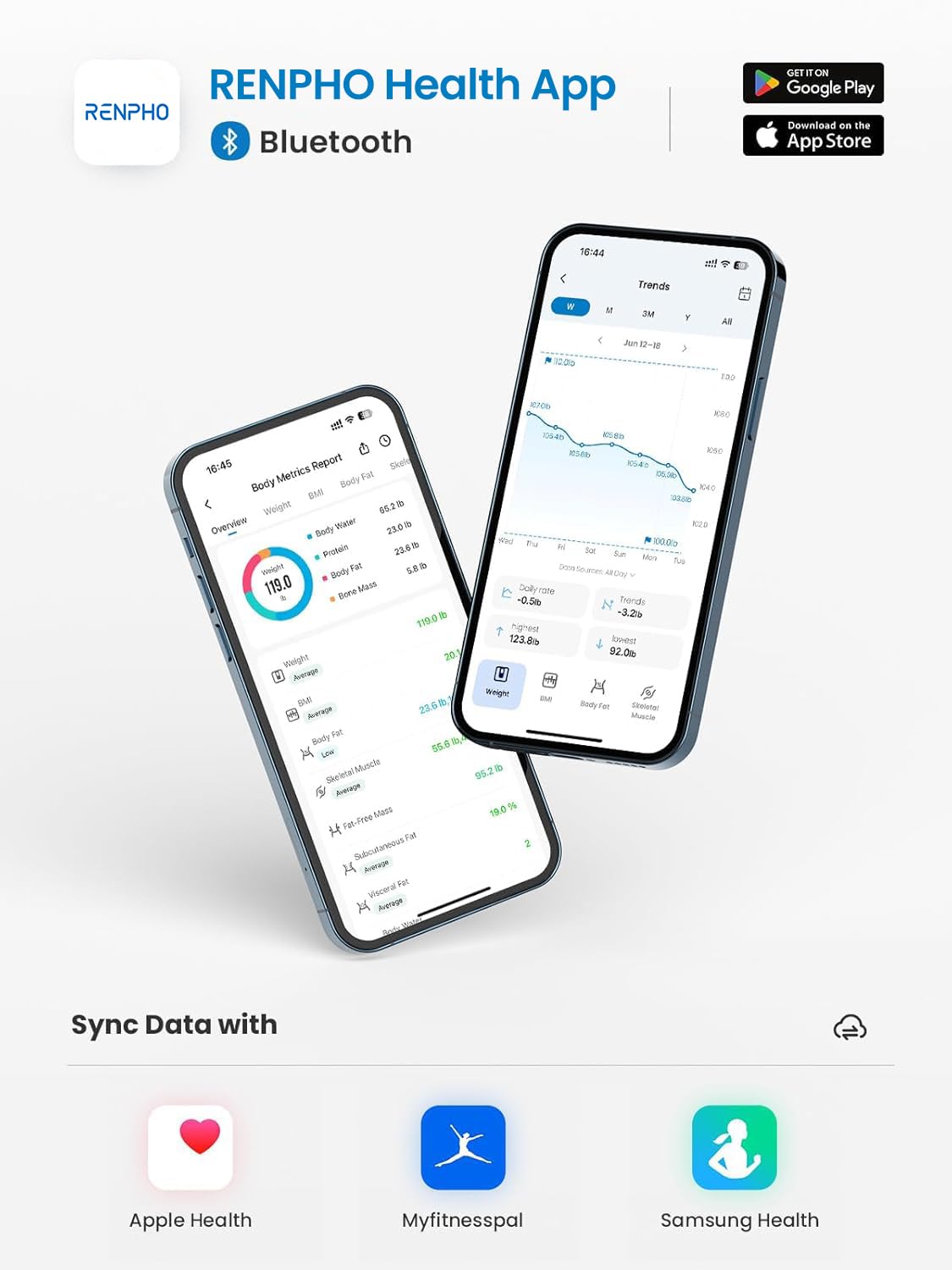
Figure 1: Renpho Health App Interface and Compatibility.
3. Connect to Wi-Fi and Bluetooth
Ensure your phone's Bluetooth is enabled. Open the Renpho Health app and follow the on-screen instructions to pair your scale. The scale supports both 2.4GHz Wi-Fi (5G Wi-Fi is not supported) and Bluetooth for seamless data synchronization.

Figure 2: Bluetooth & Wi-Fi Dual Connection Setup.
Wi-Fi connectivity allows measurements to be transmitted to the app even when your phone is not nearby, ensuring a complete record of your progress without needing to open the app every time. If Wi-Fi is unavailable, you can still connect via Bluetooth.
4. User Profile Setup
The Renpho Health app allows you to create and manage multiple user profiles (up to 8). The scale can automatically recognize different users based on their weight patterns. This feature enables easy tracking for the entire family.
Operating Instructions
1. Taking a Measurement
Place the scale on a hard, flat surface. Step onto the scale barefoot and stand still. The display will show your weight, BMI, and body fat percentage. Your data will automatically sync to the Renpho Health app via Wi-Fi or Bluetooth.

Figure 3: Scale Display and App Synchronization.

Figure 4: ITO Coating Technology for Accurate Readings.
2. Understanding Your Metrics
The Renpho Health app tracks 13 essential body composition metrics, including:
- Weight
- BMI (Body Mass Index)
- Body Fat Percentage
- Body Water
- Skeletal Muscle
- Fat-Free Mass
- Muscle Mass
- Bone Mass
- Protein
- BMR (Basal Metabolic Rate)
- Subcutaneous Fat
- Visceral Fat
- Metabolic Age

Figure 5: Overview of 13 Body Composition Metrics.
You can view your progress daily, weekly, or monthly through graphs and charts within the app.

Figure 6: Visualizing Your Progress in the App.
3. Baby & Pet Holding Mode
This mode allows you to accurately weigh infants or pets. First, weigh yourself. Once your weight is stable, pick up your baby or pet and step back on the scale. The system will automatically calculate the baby's or pet's weight by subtracting your initial weight.
Maintenance
- Cleaning: Wipe the scale surface with a damp cloth and mild detergent. Do not use abrasive cleaners or immerse the scale in water.
- Battery Replacement: When the battery indicator appears on the display or in the app, replace all 3 AAA batteries with new ones.
- Storage: Store the scale in a cool, dry place away from direct sunlight and extreme temperatures.
Troubleshooting
| Problem | Solution |
|---|---|
| Scale does not turn on. | Check if batteries are installed correctly and are not depleted. Replace if necessary. |
| Inaccurate readings. | Ensure the scale is on a hard, flat surface. Avoid carpets. Step on the scale barefoot and stand still. Calibrate the scale by stepping on it briefly, stepping off, and then stepping back on. |
| Cannot connect to Wi-Fi/Bluetooth. | Ensure your phone's Bluetooth is on. Check that your Wi-Fi network is 2.4GHz (5G is not supported). Restart the scale and your phone. Re-pair the device in the Renpho Health app. |
| Data not syncing to app. | Ensure the app is open or running in the background. Check Wi-Fi/Bluetooth connection. Make sure the scale is within range of your Wi-Fi router or phone. |
Specifications
- Model: ES-WBE28
- Product Dimensions: 11.1 x 11.1 x 1 inches (28.19 x 28.19 x 2.54 cm)
- Weight: 2.76 Pounds (1.25 kg)
- Power Source: 3 x AAA Batteries (included)
- Connectivity: Wi-Fi (2.4GHz only), Bluetooth
- Display Type: LED
- Weight Capacity: 0.4 - 400 lbs (0.2 - 180 kg)
- Measurement Increments: 0.2 lb / 0.05 kg
- Metrics Tracked: 13 Body Composition Metrics
Warranty and Support
RENPHO products typically come with a standard manufacturer's warranty. Please refer to the warranty card included in your package or visit the official RENPHO website for detailed warranty terms and conditions.
For technical support, troubleshooting assistance, or any inquiries regarding your RENPHO Wi-Fi Smart Body Weight Scale, please contact RENPHO Customer Service:
- Website: www.renpho.com
- Email: support@renpho.com
- Phone: (Refer to RENPHO website for regional contact numbers)
Please have your model number (ES-WBE28) and purchase information ready when contacting support.