
1. Introduction
This manual provides comprehensive instructions for the operation and maintenance of your WiMiUS P20 Native 1080P Projector. Designed for versatile entertainment and presentation, the P20 offers a bright, clear image with advanced features for an optimal viewing experience.
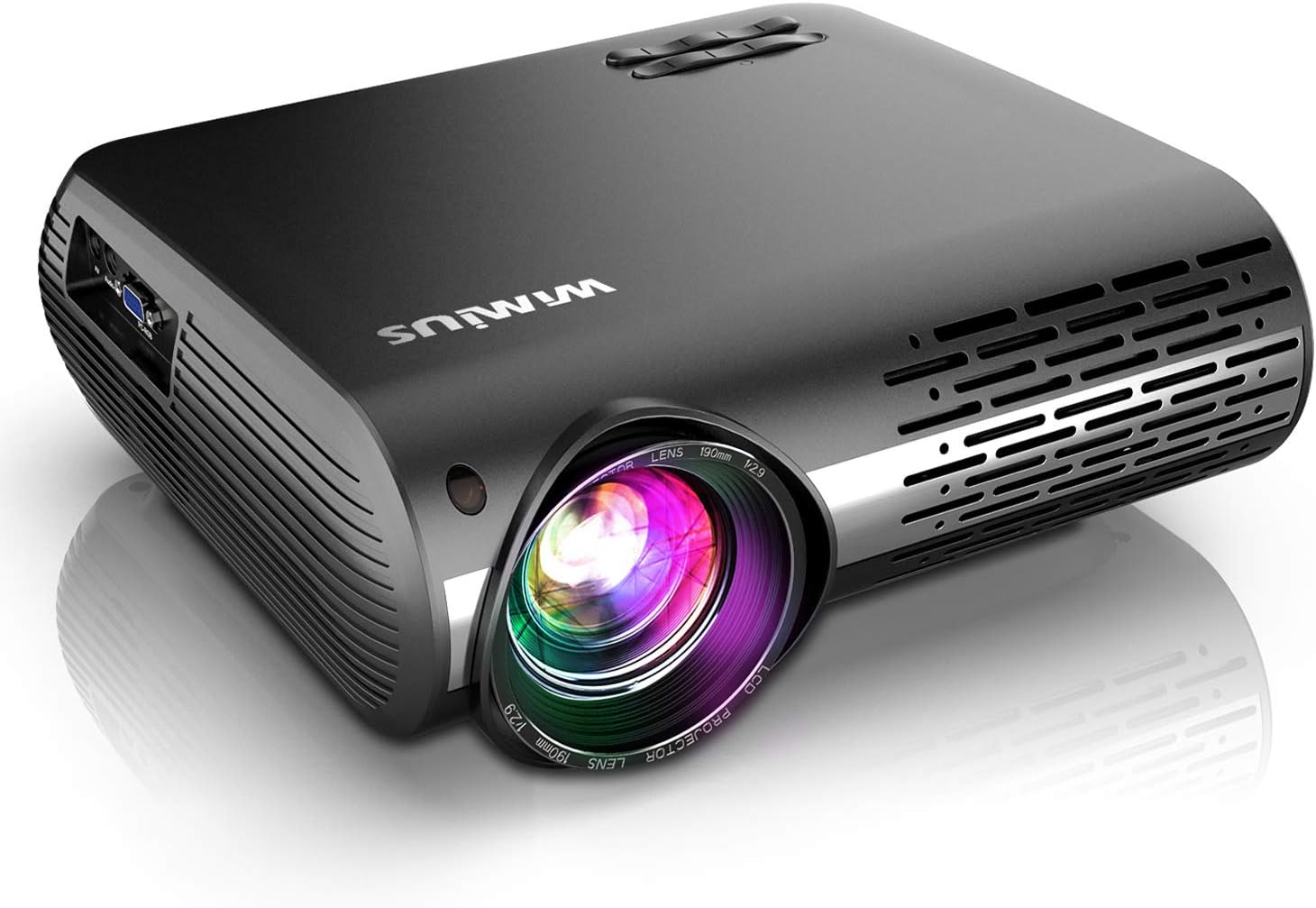
Figure 1: WiMiUS P20 Projector, a sleek black device with a prominent lens on the front and ventilation grilles on the sides.
2. What's in the Box
Upon opening the package, please verify that all the following items are included:
- WiMiUS P20 Projector
- Remote Control
- Power Cable
- AV Cable
- HDMI Cable
- User Manual

Figure 2: The WiMiUS P20 projector and its included accessories: remote control, power cable, AV cable, HDMI cable, and user manual.
3. Product Overview
3.1. Physical Features
- Elegant Design: The projector features a simple and metallic appearance.
- Optical Coating Technology: Equipped with a large lens featuring three optical films for higher transmittance, reduced scratches, and clearer pictures.
- Longer LED Lamp Life: The advanced LED lamp is designed for over 150,000 hours of use.
- Powerful Heat Dissipation: A built-in cooling system efficiently emits inner heat, contributing to the projector's longevity.

Figure 3: Visual representation of the P20's design, optical lens layers, long-life LED lamp, and efficient heat dissipation system.
3.2. Ports and Connections
The WiMiUS P20 projector offers multiple connectivity options for various devices:
- 2 x USB Inputs
- 2 x HDMI Inputs
- 1 x AV Input
- 1 x Audio Out
- 1 x PC-RGB (VGA) Input

Figure 4: Detailed view of the projector's rear panel showing USB, HDMI, AV, Audio Out, and PC-RGB (VGA) ports.
4. Setup Guide
4.1. Placement
Place the projector on a stable, flat surface. Ensure there is adequate ventilation around the unit to prevent overheating. For optimal viewing, position the projector directly in front of your screen or wall.
4.2. Power Connection
- Connect the power cable to the projector's power input.
- Plug the other end of the power cable into a power outlet.
- Press the power button on the projector or remote control to turn on the device.
4.3. Connecting External Devices
The P20 supports various external devices. Use the appropriate cable (HDMI, AV, VGA, USB) to connect your device to the projector. For smartphones, an external WiFi display dongle is required.

Figure 5: Examples of projector usage, including home movie setup, backyard cinema, small meeting presentation, and photo viewing.
5. Operating Instructions
5.1. Focus Adjustment
Rotate the focus ring on the projector lens until the projected image is clear and sharp.
5.2. Keystone Correction
The P20 features electronic vertical and horizontal ±50° keystone correction. This allows for flexible placement and ensures a perfectly rectangular image even if the projector is not directly centered with the screen. Use the remote control to adjust the keystone settings.

Figure 6: Diagram illustrating the ±50° keystone correction capability, showing how the projector can adjust the image from various angles.
5.3. Zoom Function
Utilize the 100%-50% zoom-out function to adjust the image size without physically moving the projector. This can be done conveniently via the remote control.
5.4. Input Source Selection
Use the "Source" button on the remote control or the projector's control panel to select the desired input source (HDMI1, HDMI2, AV, VGA, USB).
6. Image and Audio Features
6.1. Brightness and Resolution
The P20 projector boasts a native 1920x1080P resolution, supporting 4K content, and a high contrast ratio of 10000:1. Its brightness is improved by 20% compared to similar models, delivering clear and detailed images. The super-color display technology produces rich and realistic colors.

Figure 7: Comparison image showing the clarity of Native 1080P from WiMiUS versus other 1080P projectors, highlighting superior detail.

Figure 8: Visual comparison demonstrating the enhanced brightness (High Lumens vs. 7500 Lumens) and contrast (10000:1 vs. 8000:1) of the WiMiUS 1080P Native projector.
6.2. Audio Performance
Equipped with dual 10W Hi-Fi stereo speakers, the P20 delivers wide treble, precise midrange, and powerful bass. An advanced heat dissipation system reduces fan noise by 50% compared to other native 1080P projectors, ensuring a quieter viewing experience.
7. Maintenance
To ensure the longevity and optimal performance of your projector, follow these maintenance guidelines:
- Cleaning the Lens: Use a soft, lint-free cloth specifically designed for optical lenses. Do not use abrasive cleaners or cloths.
- Cleaning the Exterior: Wipe the projector's exterior with a soft, dry cloth. Avoid using liquid cleaners directly on the surface.
- Ventilation: Ensure the ventilation openings are clear of dust and obstructions. Regularly clean the air vents to maintain proper airflow and prevent overheating.
- Storage: When not in use for extended periods, store the projector in a cool, dry place, away from direct sunlight and extreme temperatures.
8. Troubleshooting
If you encounter issues with your WiMiUS P20 projector, refer to the following common troubleshooting tips:
| Problem | Possible Cause | Solution |
|---|---|---|
| No image projected | Power not connected; Incorrect input source; Lens cap on | Check power connection; Select correct input source; Remove lens cap |
| Image is blurry | Out of focus; Incorrect keystone setting | Adjust focus ring; Adjust keystone correction |
| No sound | Volume too low; Muted; External audio device not connected properly | Increase volume; Unmute; Check audio cable connections |
| Remote control not working | Batteries dead/incorrectly inserted; Obstruction between remote and projector | Replace batteries; Ensure clear line of sight to IR receiver |
For further assistance, please contact WiMiUS professional support.
9. Specifications
| Feature | Detail |
|---|---|
| Model Number | P20 |
| Display Resolution | Native 1920 x 1080P (supports 4K) |
| Contrast Ratio | 10000:1 |
| Keystone Correction | Electronic Vertical and Horizontal ±50° |
| Zoom Function | 100%-50% |
| Speakers | Dual 10W Hi-Fi Stereo Speakers |
| Connectivity Technology | VGA, USB, HDMI, AV, DVD (via external devices) |
| Product Dimensions | 8.66 x 3.94 x 12.2 inches |
| Item Weight | 5.5 pounds |
| Recommended Uses | Home Cinema |
10. Official Product Video
Watch the official WiMiUS P20 Native 1080P Projector video for a visual overview of its features and capabilities.
Video 1: Official product video showcasing the WiMiUS P20 projector's design, features, and performance, including its 1080P resolution, keystone correction, and connectivity options.
11. Warranty and Support
WiMiUS has over 10 years of experience in the projector field. We offer a 3-year warranty, which includes a half-year free return policy. For any questions or professional support, please contact us. All issues will receive a professional response within 24 hours during business days.
For support, please visit the WiMiUS Store or contact customer service.


