
1. Introduction
This manual provides essential information for the safe and proper installation, operation, and maintenance of your Samsung 2020 Studio Stand. Please read these instructions thoroughly before assembly and retain them for future reference.
The Samsung Studio Stand is designed to complement your living space with its unique easel-style design, offering both functionality and aesthetic appeal. It is engineered for stability and ease of integration with compatible Samsung TV models.
2. Compatibility
- Only compatible with 2020 Samsung TV Models 43-65" The Frame.
- Also compatible with 2020 Samsung 49"-65" UHD/QLED/8K TVs.
- Not compatible with 2019 TVs or earlier models.
3. Package Contents
Verify that all components are present and undamaged before proceeding with assembly. If any parts are missing or damaged, contact Samsung customer support.
- Studio Stand Legs (Aluminum, Black)
- TV Mounting Brackets
- Assembly Hardware (screws, washers, spacers)
- Instruction Manual
4. Assembly and Installation
Please ensure you have adequate space and, if necessary, assistance for lifting the TV during installation. Refer to your TV's manual for specific mounting instructions if needed.
Step 1: Assemble the Stand Base
- Carefully unpack all components and lay them out on a soft, clean surface to prevent scratches.
- Attach the three stand legs to the central hub. Ensure all connections are secure using the provided screws and tools.
- Tighten all screws firmly but do not overtighten.
Step 2: Attach Mounting Brackets to TV
- Place your TV face down on a soft, flat surface.
- Identify the VESA mounting holes on the back of your TV.
- Select the appropriate screws, washers, and spacers from the provided hardware kit that match your TV's VESA pattern.
- Attach the TV mounting brackets to the back of your TV. Ensure they are securely fastened and aligned correctly.
Step 3: Mount TV to Studio Stand
- With assistance, carefully lift the TV and align the brackets on the TV with the mounting points on the Studio Stand.
- Secure the TV to the stand using the locking mechanisms on the brackets. Ensure the TV is stable and level.
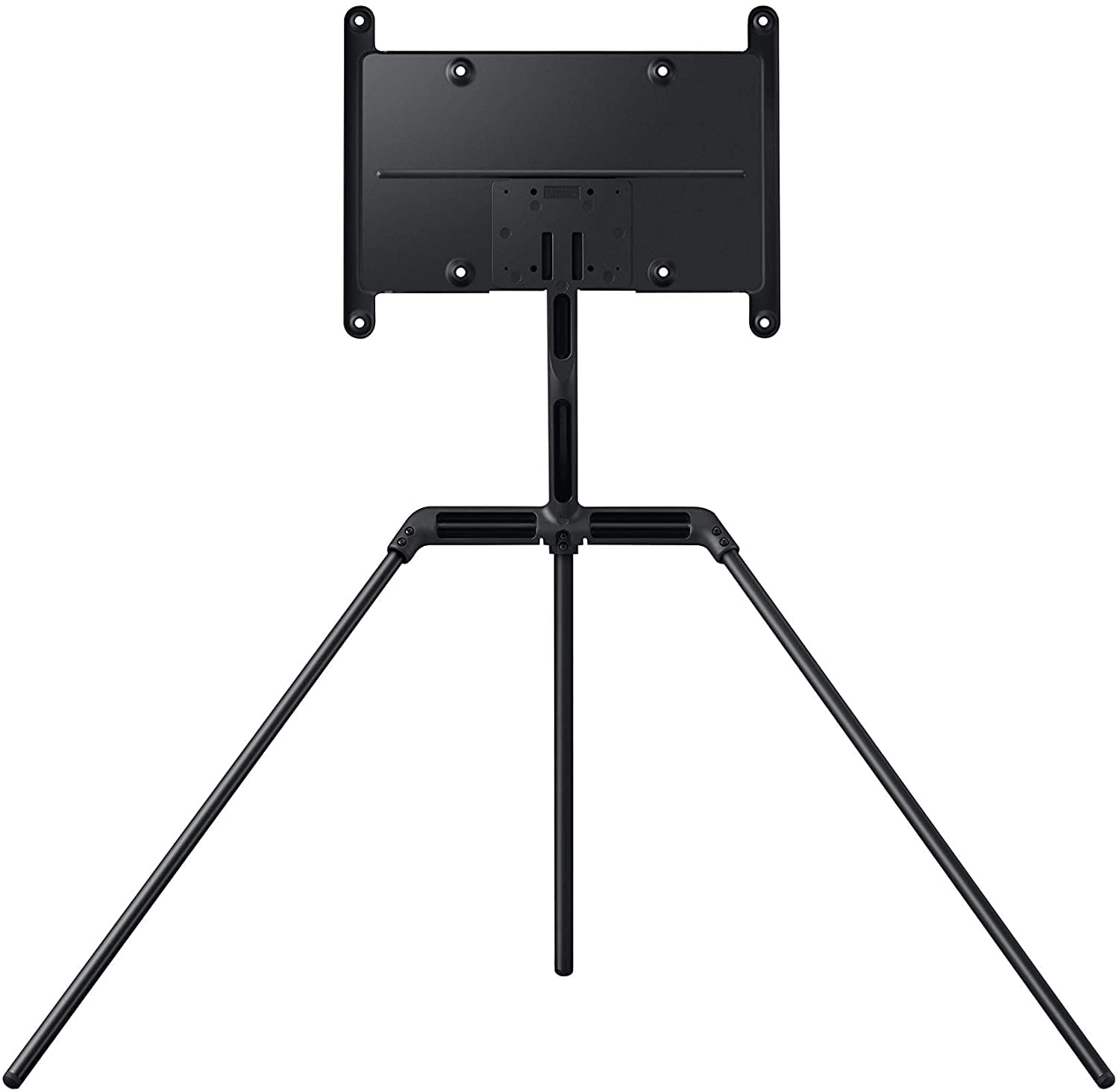
Image: Samsung 2020 Studio Stand with a compatible TV mounted, showcasing its elegant easel design.
5. Usage and Adjustments
The Studio Stand allows for flexible placement and viewing angles.
- Placement: Position the stand on a flat, stable surface. Avoid placing it in high-traffic areas where it could be easily bumped.
- Swivel: The TV can be gently swiveled left or right to achieve optimal viewing angles. Do not force the swivel beyond its natural range of motion.
- Cable Management: Utilize the integrated cable management features within the stand's design to neatly route and conceal power and HDMI cables, maintaining a clean aesthetic.
6. Care and Maintenance
To ensure the longevity and appearance of your Studio Stand, follow these care guidelines:
- Clean the stand with a soft, dry cloth. Avoid abrasive cleaners or solvents that may damage the finish.
- Regularly check all screws and connections to ensure they remain tight and secure.
- Avoid exposing the stand to excessive moisture or direct sunlight for prolonged periods.
7. Important Safety Information
To prevent serious injury or property damage, always adhere to the following safety precautions:
- Do not exceed the maximum weight capacity of the stand.
- Ensure the stand is placed on a level and stable surface.
- Keep children and pets away from the stand during assembly and operation.
- If your TV is large or heavy, always seek assistance when moving or adjusting the TV on the stand.
- Consider using anti-tip safety straps (not included) to secure the TV and stand to a wall, especially in households with children.
8. Specifications
| Model Number | VG-SEST11K/ZA |
| Product Dimensions (WxHxD) | 39.36 x 26.6 x 40.61 inches |
| Item Weight | 12.1 pounds |
| Material | Aluminum |
| Color | Black |
| Mounting Type | Floor Mount |
| Movement Type | Tilt |
| Compatible TV Sizes | 43-65" The Frame, 49"-65" UHD/QLED/8K (2020 Models) |
9. Warranty and Support
For warranty information, technical support, or to purchase replacement parts, please visit the official Samsung website or contact Samsung customer service directly. Keep your purchase receipt for warranty claims.
Samsung Customer Service: www.samsung.com/us/support/


