1. Introduction and Safety Information
Thank you for choosing the Mastela Techno Green Infant Chair. This manual provides essential information for the safe assembly, operation, and maintenance of your infant chair. Please read all instructions carefully before use and retain this manual for future reference.
Important Safety Warnings
- WARNING: Never leave the child unattended.
- WARNING: Do not use this product once your child can sit up unaided or weighs more than 18 kg.
- WARNING: This product is not intended for prolonged periods of sleep.
- WARNING: Always use the restraint system.
- WARNING: Do not move or lift the product with the child inside.
- WARNING: Do not use the product if any components are broken or missing.
- Ensure all assembly steps are completed correctly before placing a child in the chair.
- Keep small parts away from children during assembly.
- Only use accessories and replacement parts approved by Mastela.
- Keep the product away from open flames and other strong heat sources.
2. Package Contents
Verify that all components are present before beginning assembly:
- Infant Chair Frame and Base
- Seat Unit with Fabric Lining and Cushion
- Mosquito Net with Mobile and 2 Toys
- Remote Control
- USB Power Cable (Power adapter not included)
- Instruction Manual
3. Setup Instructions
Follow these steps to assemble your Mastela Techno Green Infant Chair:
- Assemble the Base: Connect the two curved base pieces to the central power unit. Ensure they click securely into place. The anti-slip feet should be facing downwards.
- Attach the Seat Frame: Insert the seat frame into the designated slot on the central power unit. Ensure it is firmly seated and locked.
- Install the Seat Fabric: Drape the fabric seat lining over the seat frame, ensuring all edges are properly aligned and secured. Attach the cushion.
- Attach the Mosquito Net and Mobile: Secure the mosquito net canopy to the top of the seat unit. The mobile with two toys should be attached to the canopy. This component is removable or can be reclined.
- Power Connection: Insert 4 AA batteries (not included) into the battery compartment located on the underside of the central power unit, or connect the provided USB cable to the chair and a 6V 1A power adapter (not included) for electrical power. The chair is bivolt.

Image: Side view of the assembled Mastela Techno Green Infant Chair, illustrating the frame and seat structure.
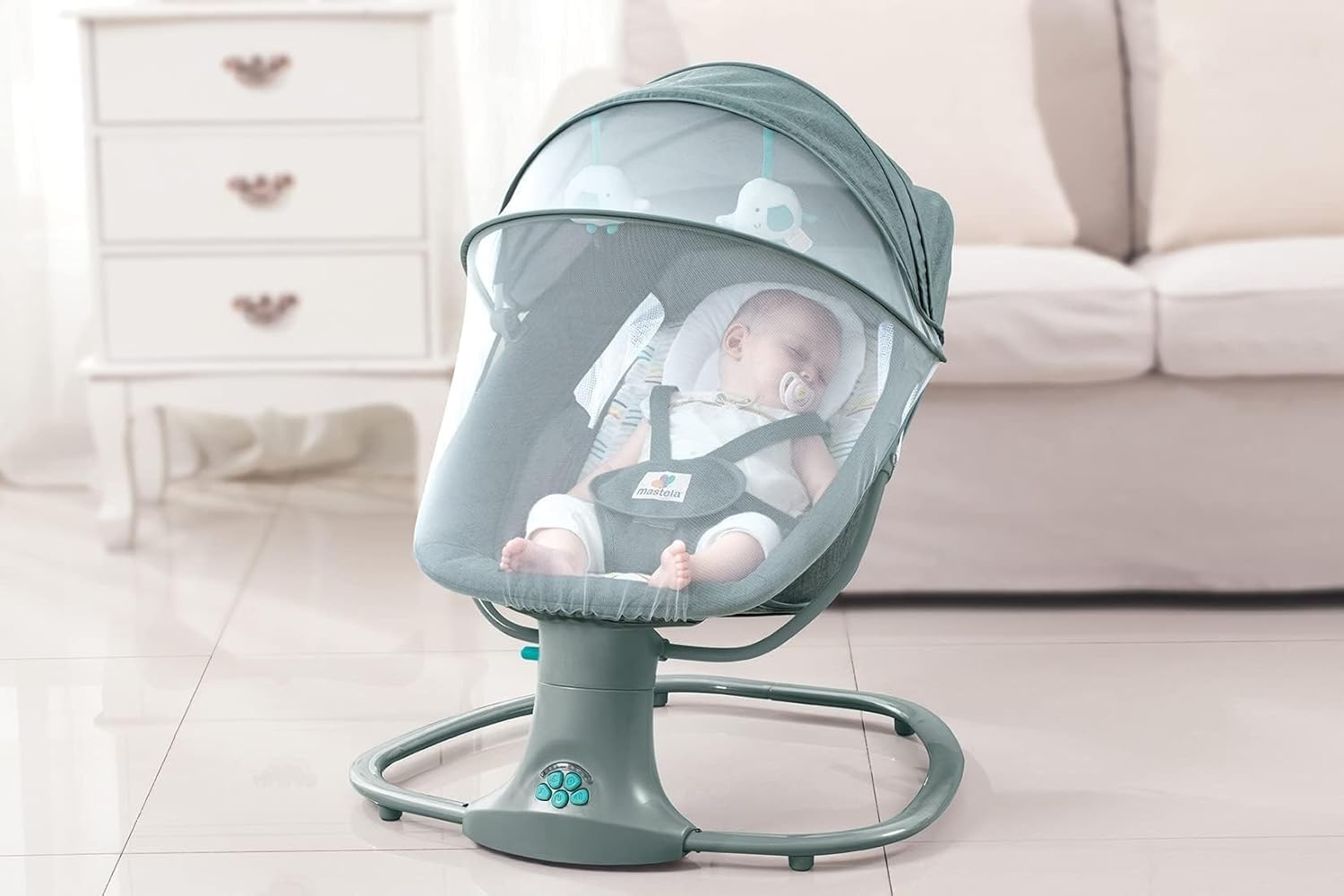
Image: An infant resting comfortably in the chair with the mosquito net and mobile canopy in place.
4. Operating Instructions
Familiarize yourself with the control panel and remote control for optimal use.
Control Panel and Remote Control
The main control panel is located on the chair's base. A remote control is also included for convenient operation of all functions.
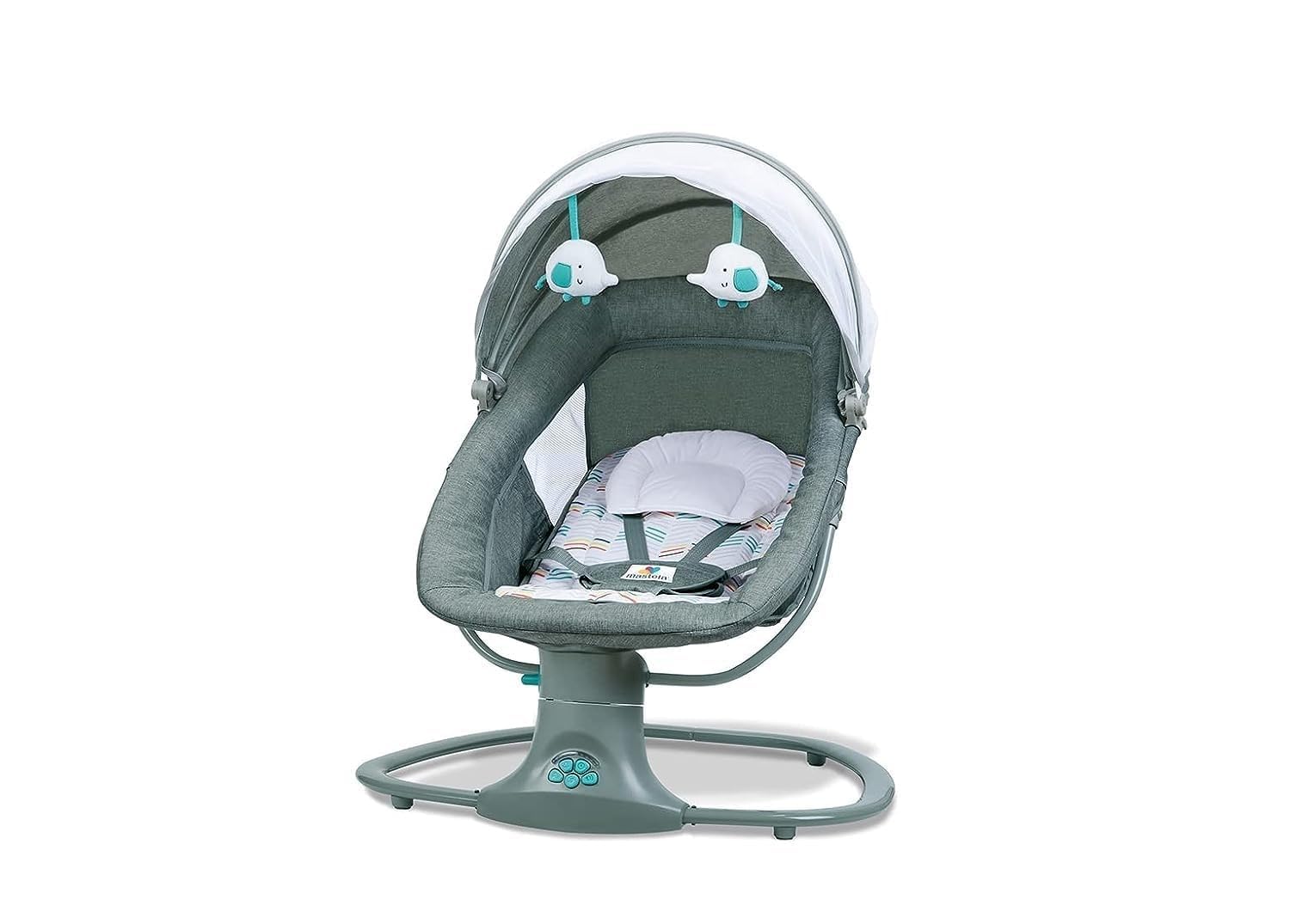
Image: Detailed view of the control panel buttons on the chair's base, used to manage swing, music, and timer functions.
Powering On/Off
- Press the power button on the control panel or remote control to turn the chair on or off.
Automatic Swing Function
- The chair features an automatic lateral swing motion.
- Use the swing speed buttons on the control panel or remote to select one of 5 available speeds.
- To stop the swing, press the swing button until the indicator light turns off, or use the remote.
- A locking device is available to keep the chair in a fixed position when the swing function is not desired.

Image: The infant chair in motion, illustrating the gentle automatic swinging feature.
Music and Audio Connection
- The chair includes 15 pre-programmed melodies. Use the music button on the control panel or remote to cycle through them.
- Adjust the volume using the volume control buttons.
- Bluetooth Connection: Activate Bluetooth on your device and pair it with the chair to play custom music.
- USB Connection: Connect a USB device to the chair's USB port to play audio files.
Timer Settings
- Press the timer button to set the automatic shut-off for 15, 30, or 45 minutes.
- The corresponding indicator light will illuminate to show the selected timer duration.
Recline Adjustment
- The recline angle can be adjusted between 140° and 155°.
- Adjust the recline by manipulating the strap located at the back of the chair. Ensure the child is not in the chair during adjustment.

Image: The infant chair in a reclined position, demonstrating its adjustable angle for comfort.
Safety Harness
- Always secure your child with the 5-point safety harness.
- Adjust the straps to ensure a snug but comfortable fit.
Video: An overview of the Mastela Techno Green Infant Chair's features and functions, including the automatic swing and music capabilities.
5. Maintenance and Care
Proper maintenance ensures the longevity and safety of your infant chair.
Cleaning Instructions
- The fabric lining and cushion are machine-washable. Remove them from the seat frame before washing. Follow care label instructions for washing.
- Wipe the frame and plastic components with a damp cloth and mild soap. Do not use abrasive cleaners.
- Ensure all parts are completely dry before reassembling or using the chair.
Storage
- When not in use, store the chair in a clean, dry place away from direct sunlight and extreme temperatures.
- If storing for an extended period, remove batteries to prevent leakage.
6. Troubleshooting Guide
Refer to this table for common issues and their solutions:
| Problem | Possible Cause | Solution |
|---|---|---|
| Chair does not turn on. | No power, batteries depleted, or USB cable not connected properly. | Check battery installation and charge. Ensure USB cable is securely connected to a 6V 1A adapter. |
| Swing function is not working. | Swing lock engaged, power issue, or obstruction. | Disengage the swing lock. Check power. Ensure no objects are obstructing the swing mechanism. |
| Music is not playing or volume is low. | Volume too low, incorrect audio source, or Bluetooth not paired. | Increase volume. Select correct audio source (built-in melodies, Bluetooth, or USB). Re-pair Bluetooth device. |
| Remote control is unresponsive. | Remote batteries depleted or line of sight blocked. | Replace remote control batteries. Ensure clear line of sight to the chair's sensor. |
7. Product Specifications
| Model Number | MS8105 |
| Maximum Recommended Weight | 18 kg |
| Recommended Age | 0 - 3 years |
| Materials | Rubber, Plastic, Polypropylene, Polyester (PP, TPR, POM, ABS, PVC) |
| Power Source | 4 AA batteries (not included) or USB cable (6V 1A adapter required, not included) |
| Voltage | Bivolt |
| Product Dimensions | 67 x 76 x 81 cm |
| Product Weight | 4.91 kg |
| Swing Speeds | 5 |
| Melodies | 15 built-in melodies |
| Timer Settings | 15, 30, 45 minutes |
| Recline Angles | 140° - 155° |
8. Warranty and Customer Support
Mastela products are manufactured to high-quality standards. For warranty information or customer support, please refer to the warranty card included with your purchase or contact your local retailer. Keep your proof of purchase for any warranty claims.
For further assistance, please visit the official Mastela website or contact their customer service department.