
Introduction
Welcome to your Sumicor 2D Bluetooth Wireless Ring Barcode Scanner. This manual provides detailed instructions for setting up, operating, and maintaining your device. Please read this manual thoroughly to ensure proper use and to maximize the performance and lifespan of your scanner.
Product Features
- Rotate 270° Wearable Ring Design: Allows the scanner to be worn on a finger, left or right, for increased comfort and efficiency. The scanner head can rotate for optimal scanning angles.
- Versatile 3-in-1 Transmission: Supports 2.4Ghz wireless, USB 2.0 wired, and Bluetooth connectivity. Wireless Bluetooth transmission distance is up to 50m/128ft, depending on environmental factors.
- Wide System Compatibility: Works with Windows XP/7.0/8.0/Win 10, Linux, iOS, Android, and Mac OS. Compatible with common software like QuickBooks, Word, and Excel.
- Powerful Decoding Ability: Reads a wide range of 1D barcodes (UPC-A, UPC-E, EAN-8, EAN-13, ISSN, ISBN, Code 128, GS1-128, ISBT 128, Code 39, Code 93, Code 11, Interleaved 2 of 5, Matrix 2 of 5, Industrial 2 of 5, Standard 2 of 5, Codabar, Plessey, MSI Plessey, RSS, China Post) and 2D barcodes (QR Code, PDF417, Micro PDF417, Micro QR, Data Matrix, Aztec). Capable of reading barcodes from screens.
- Rechargeable 360mAh Battery: Provides up to 3 hours of continuous scanning or 720 hours of standby time. Fully recharges in approximately 1.5 hours via the included USB charging cable.
- Built-in Memory: Features 2MB memory, capable of storing up to 100,000 13-digit product codes.

Image: The Sumicor 2D barcode scanner demonstrating its 270-degree rotation capability for flexible use.

Image: The scanner's advanced decoding ability, showing its capacity to read various types of 1D and 2D barcodes, even those that are damaged or on screens.
Setup
1. Charging the Scanner
Before first use, fully charge the scanner. Connect the included USB charging cable to the scanner's USB-C port and a standard USB power adapter or computer USB port. The charging indicator light will show the charging status. A full charge takes approximately 1.5 hours.
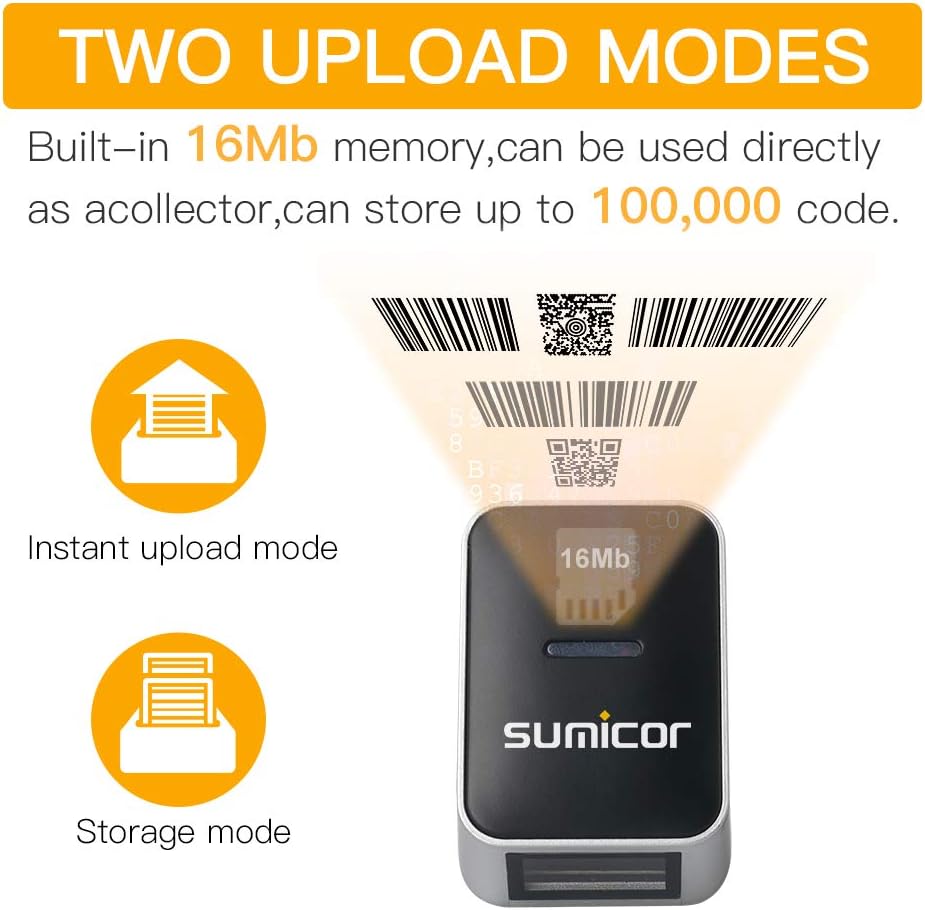
Image: Visual representation of the scanner's 360mAh battery capacity and charging specifications.
2. Wearing the Scanner
The Sumicor scanner is designed to be worn on your finger. Adjust the strap for a comfortable and secure fit on either your left or right hand. The scanner head can be rotated 270 degrees to achieve the best scanning angle for your task.

Image: A user wearing the Sumicor ring scanner, demonstrating its ergonomic and hands-free design.
3. Connecting the Scanner
The scanner offers three connection methods: Bluetooth, 2.4GHz Wireless, and USB Wired.
Bluetooth Connection
- Power on the scanner.
- Scan the specific Bluetooth pairing barcode from your physical instruction manual to put the scanner into Bluetooth pairing mode.
- On your host device (computer, laptop, smartphone, or tablet), go to Bluetooth settings and search for available devices.
- Select the Sumicor scanner from the list and complete the pairing process.
2.4GHz Wireless Connection
- Insert the 2.4GHz wireless dongle (often labeled 'nano BT') into an available USB port on your computer.
- Power on the scanner. The scanner should automatically connect to the dongle.
USB Wired Connection
Connect the scanner directly to your device using the provided USB cable. The scanner will operate in wired mode and charge simultaneously. This mode is plug-and-play and generally requires no additional setup.
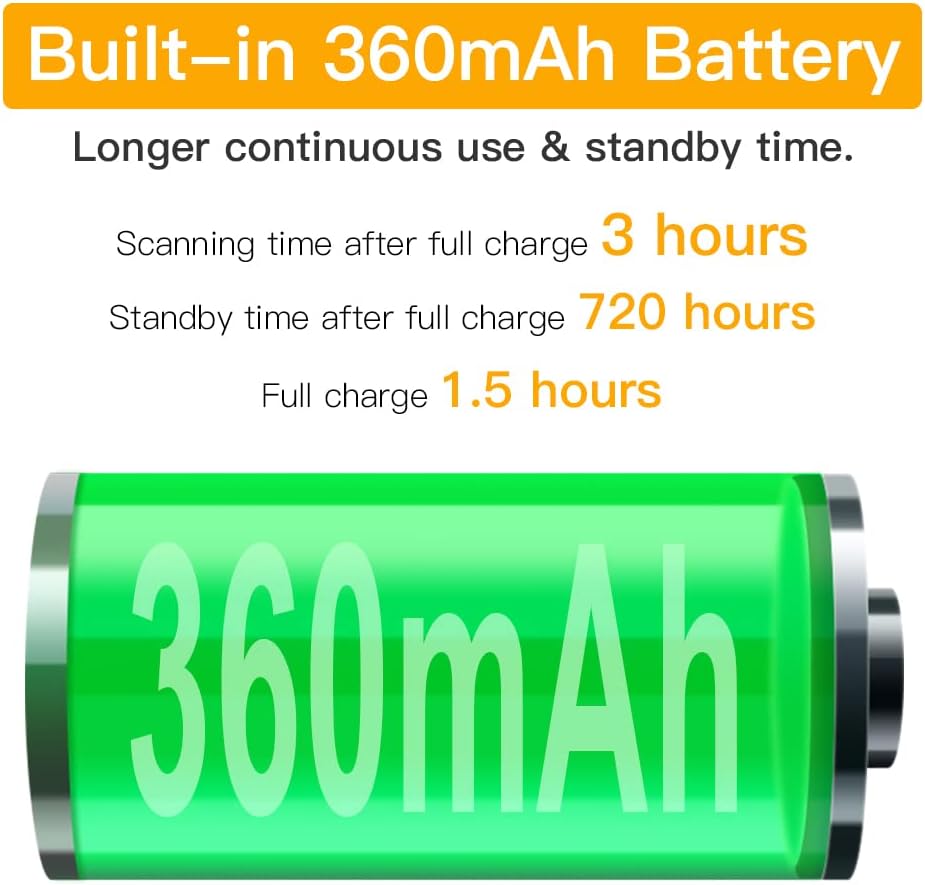
Image: Overview of the scanner's 2.4GHz wireless and Bluetooth connectivity options with various operating systems and devices.
Video: A demonstration of the Sumicor Bluetooth 4.0 Wireless 2D 1D Finger Wearable Barcode Scanner, showcasing its features and ease of use.
Operating Instructions
1. Scanning Barcodes
To scan a barcode, point the scanner's window at the barcode and press the trigger button. A successful scan will be indicated by an audible beep and/or vibration feedback. Ensure the barcode is within the scanner's optimal reading range and angle.
2. Data Upload Modes
The scanner supports two primary data upload modes:
- Instant Upload Mode: In this mode, all scanned data is immediately transmitted to the connected host device. This is ideal for real-time data entry.
- Storage Mode: When not connected or when instant upload is not desired, the scanner can store scanned data in its internal 2MB memory. This memory can hold up to 100,000 13-digit product codes. To upload stored data, connect the scanner to a host device and scan the 'Upload Data' barcode from your manual.

Image: Diagram explaining the instant upload and storage modes of the Sumicor scanner.
Maintenance
1. Battery Care
To maximize the lifespan of your scanner's rechargeable battery, avoid frequent deep discharges. It is recommended to recharge the scanner when the battery indicator shows low power. Store the scanner in a cool, dry place when not in use for extended periods.
2. Cleaning
Use a soft, dry, lint-free cloth to clean the exterior of the scanner. For stubborn dirt, a slightly damp cloth can be used, followed by a dry cloth. Do not use abrasive cleaners, solvents, or immerse the device in any liquids, as this can damage the internal components.
Troubleshooting
Scanner Not Connecting
- Ensure the scanner is fully charged and powered on.
- For Bluetooth connections, verify that the scanner is in pairing mode (by scanning the appropriate barcode from your manual) and that your host device's Bluetooth is enabled and searching.
- For 2.4GHz wireless, confirm the dongle is securely inserted into a USB port and recognized by your computer.
- Try connecting the scanner via the USB wired mode to confirm basic functionality and rule out wireless connection issues.
Barcodes Not Scanning
- Check if the barcode is clean, clear, and undamaged.
- Adjust the distance and angle between the scanner and the barcode. Ensure the scanner's beam covers the entire barcode.
- Verify that the scanner is configured to read the specific type of barcode (1D or 2D) you are attempting to scan. Refer to your manual for configuration barcodes.
- If in storage mode, ensure you have initiated the 'Upload Data' function to retrieve stored scans.
Specifications
| Feature | Detail |
|---|---|
| Brand | Sumicor |
| Model | B085DG7MQB |
| Connectivity Technology | Bluetooth, 2.4GHz Wireless, USB Wired |
| Compatible Devices | Desktop, Laptop, Smartphone, Tablet |
| Compatible Operating Systems | Windows XP/7.0/8.0/Win 10, Linux, iOS, Android, Mac OS |
| Power Source | Rechargeable Lithium Polymer Battery, USB Cable |
| Battery Capacity | 360mAh |
| Continuous Scanning Time | Up to 3 hours |
| Standby Time | Up to 720 hours |
| Charging Time | Approximately 1.5 hours |
| Internal Memory | 2MB (stores up to 100,000 13-digit codes) |
| Decoding Ability (1D) | UPC-A, UPC-E, EAN-8, EAN-13, ISSN, ISBN, Code 128, GS1-128, ISBT 128, Code 39, Code 93, Code 11, Interleaved 2 of 5, Matrix 2 of 5, Industrial 2 of 5, Standard 2 of 5, Codabar, Plessey, MSI Plessey, RSS, China Post |
| Decoding Ability (2D) | QR Code, PDF417, Micro PDF417, Micro QR, Data Matrix, Aztec |
| Operating Voltage | 5 Volts |
| Maximum Storage Temperature | 60 Degrees Celsius |
| Item Weight | 0.08 Pounds (approx. 36 grams) |
| UPC | 747045328750 |
Warranty and Support
Warranty Information
The Sumicor 2D Bluetooth Wireless Ring Barcode Scanner is covered by a 1-year warranty from the date of purchase. To initiate a warranty claim, please retain your proof of purchase and contact customer support. You may be required to provide photos of the product and your order number.
Customer Support
For technical assistance, troubleshooting, or any questions regarding your Sumicor barcode scanner, please contact Sumicor customer service. Refer to the contact information provided with your product packaging or visit the official Sumicor website for support details.