1. Introduction
Thank you for choosing the LIFAair LA502C Air Purifier. This device is designed to efficiently eliminate various airborne contaminants, including dust, pollen, PM2.5 particles, suspended matter, microbes, allergens, and gases, providing a cleaner and healthier indoor environment. Please read this manual thoroughly before operating the device to ensure proper use, maintenance, and safety.

Image: The LIFAair LA502C Air Purifier, a sleek cylindrical device in white, designed to blend seamlessly into modern home environments.
2. Important Safety Instructions
To reduce the risk of fire, electric shock, or injury, please observe the following safety precautions:
- Always unplug the air purifier before moving it, opening the grille, changing filters, or performing any cleaning.
- Do not operate the air purifier if the power cord or plug is damaged, or if the connection to the wall outlet is loose.
- Keep the power cord away from heated surfaces.
- Do not use the air purifier in bathrooms or other humid environments.
- Do not insert fingers or foreign objects into the air inlets or outlets.
- Ensure the air purifier is placed on a stable, level surface.
- This appliance is not intended for use by persons (including children) with reduced physical, sensory or mental capabilities, or lack of experience and knowledge, unless they have been given supervision or instruction concerning use of the appliance by a person responsible for their safety.
- Children should be supervised to ensure that they do not play with the appliance.
3. Package Contents
Upon unpacking, please verify that all items listed below are included:
- LIFAair LA502C Air Purifier Unit
- HEPA and Activated Carbon Filter Set (pre-installed or separate)
- Power Cord
- User Manual (this document)
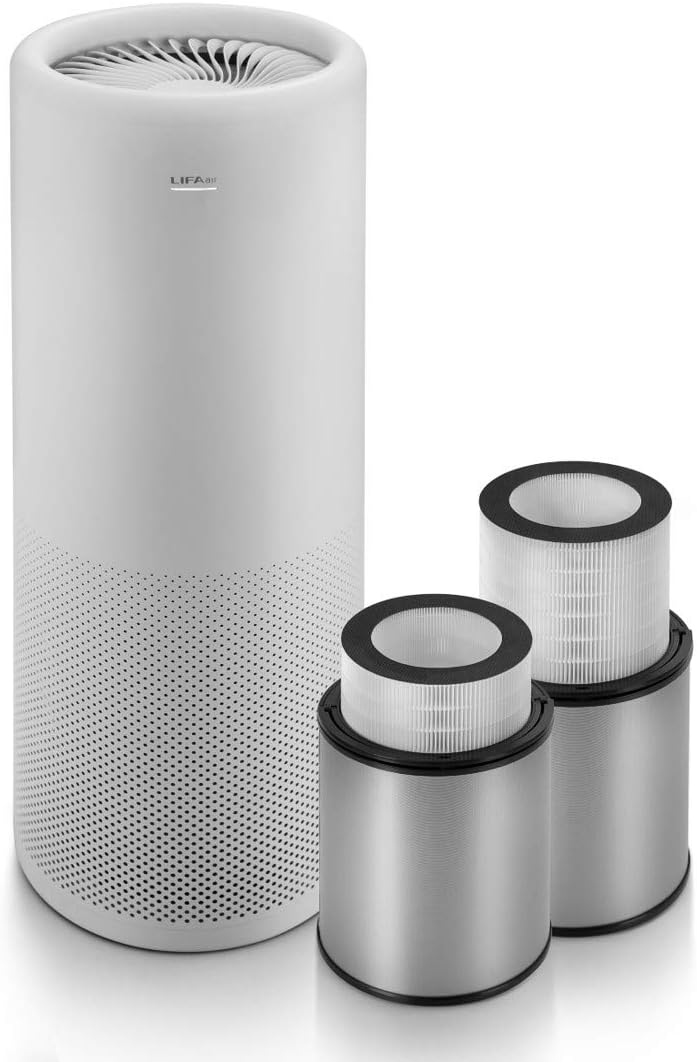
Image: The LIFAair LA502C Air Purifier shown alongside its two cylindrical HEPA and activated carbon filter units, highlighting the main components included in the package.
4. Setup
- Unpack the Unit: Carefully remove the air purifier and all packaging materials from the box.
- Remove Filter Packaging: If the filters are pre-installed, open the filter compartment (usually at the bottom or by twisting the top/bottom section) and remove any plastic packaging from the HEPA and activated carbon filters. Reinsert the filters correctly.

Image: A hand demonstrating the removal of a filter from the top of the LIFAair LA502C Air Purifier, illustrating the filter access point.
- Placement: Place the air purifier on a firm, level surface. Ensure there is at least 20 cm (8 inches) of clear space around the air inlets and outlets for optimal air circulation. Avoid placing it directly against walls or furniture.

Image: The LIFAair LA502C Air Purifier positioned discreetly next to a dark leather sofa, demonstrating suitable placement within a living space.
- Connect Power: Plug the power cord into the air purifier and then into a standard electrical outlet.
5. Operating Instructions
5.1 Power On/Off
- To turn on the air purifier, touch the power button or designated area on the top panel. The unit will typically start in automatic mode.
- To turn off, touch and hold the power button or designated area until the unit powers down.

Image: A hand gently touching the top surface of the LIFAair LA502C Air Purifier, indicating the location of the touch-sensitive control panel.
5.2 Mode Selection
The LA502C typically offers several operating modes:
- Auto Mode: The purifier automatically adjusts fan speed based on detected air quality.
- Manual Mode: Allows you to manually select fan speed levels (e.g., Low, Medium, High).
- Sleep Mode: Operates at the lowest fan speed for quiet operation, often dimming indicator lights.
Refer to the specific icons or indicators on the control panel for mode selection.

Image: A close-up top view of the LIFAair LA502C Air Purifier, showing the intricate design of its fan blades and the central control area.
5.3 Smart Control (App)
The LIFAair LA502C can be controlled via a dedicated smartphone application.
- Download the "LIFAair" app from your device's app store (iOS App Store or Google Play Store).
- Follow the in-app instructions to pair your air purifier with your smartphone.
- Through the app, you can monitor air quality, change modes, adjust fan speed, set timers, and receive filter replacement reminders.
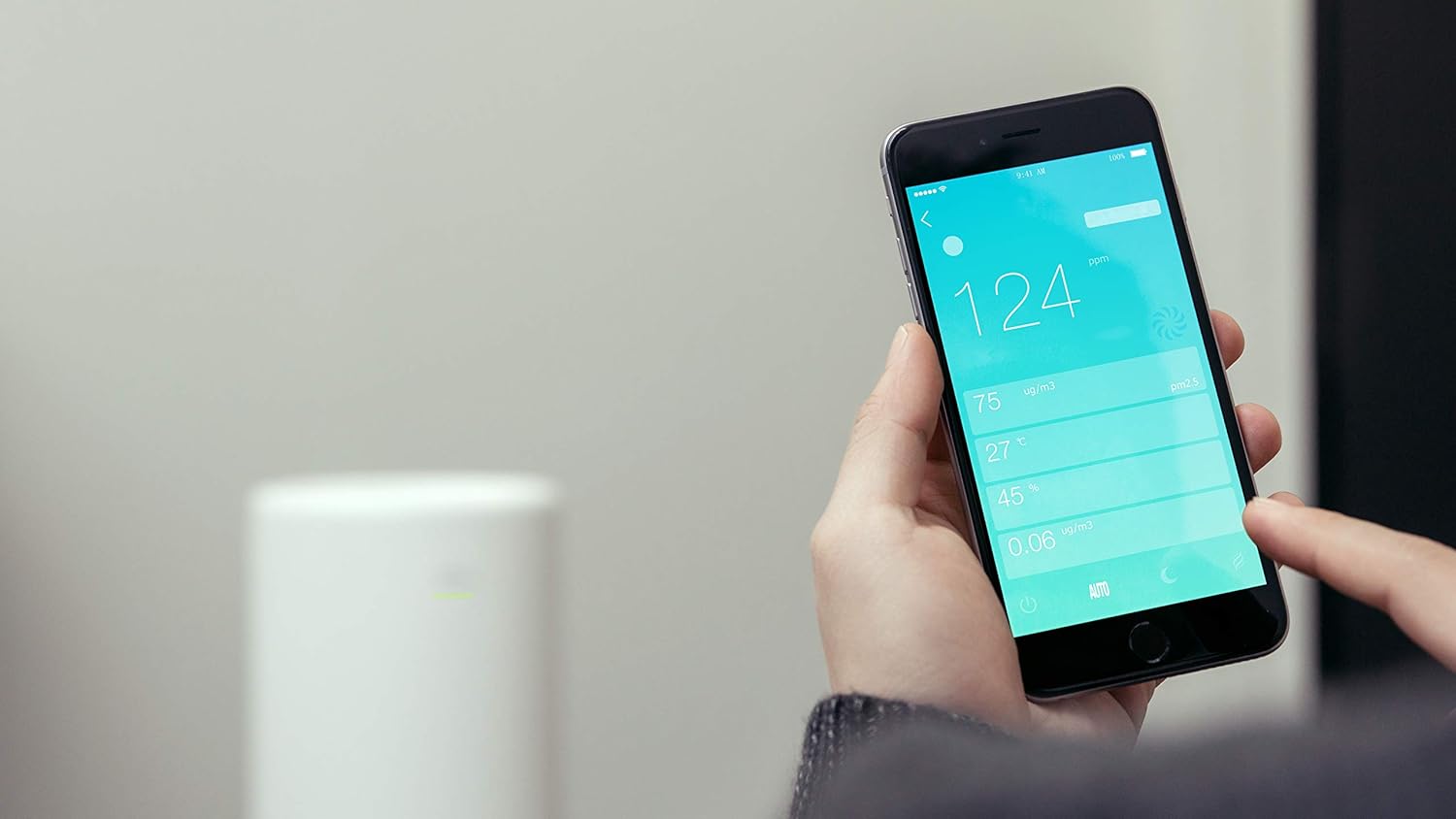
Image: A hand holding a smartphone displaying the LIFAair mobile application interface, showing real-time air quality data and control options for the air purifier.
6. Maintenance
6.1 Filter Replacement
The HEPA and activated carbon filters have a limited lifespan and need to be replaced periodically to maintain optimal performance. The filter life depends on usage and air quality. The unit or app will typically indicate when a filter change is needed.
- Power Off and Unplug: Always turn off and unplug the air purifier before attempting to replace filters.
- Access Filters: Depending on the model, you may need to twist the top or bottom section, or open a designated compartment to access the filters.
- Remove Old Filters: Carefully remove the used filters. Dispose of them according to local regulations.
- Install New Filters: Insert the new HEPA and activated carbon filters, ensuring they are correctly oriented and seated.
Image: A hand demonstrating the insertion of a new filter into the LIFAair LA502C Air Purifier, showing the correct way to place the filter unit.
- Close Compartment: Securely close the filter compartment.
- Reset Filter Life: After replacing filters, you may need to reset the filter life indicator on the unit or through the app. Refer to the app or unit's display for instructions.
6.2 Cleaning the Unit
- Wipe the exterior of the air purifier with a soft, dry cloth.
- Do not use abrasive cleaners, waxes, or solvents.
- Periodically vacuum the air inlets and outlets to remove dust accumulation.
- Do not wash the filters.
7. Troubleshooting
| Problem | Possible Cause | Solution |
|---|---|---|
| Unit does not turn on |
|
|
| Weak airflow / Poor purification |
|
|
| Unusual noise |
|
|
8. Specifications
| Feature | Detail |
|---|---|
| Brand | LIFAair |
| Model Number | LA502C |
| Product Dimensions | 30 x 30 x 80 cm |
| Item Weight | 15 Kilograms |
| Filter Type | HEPA, Activated Carbon |
| Controller Type | Button Control |
| Batteries Required | No |
9. Warranty and Support
LIFAair products are manufactured to the highest quality standards. For information regarding warranty coverage, please refer to the warranty card included with your purchase or visit the official LIFAair website.
For technical support, troubleshooting assistance, or to purchase replacement filters, please contact LIFAair customer service through their official channels.