
1. Introduction
This manual provides essential instructions for the safe and efficient use of your Marg 9V AC/DC Power Adapter. This adapter is designed to provide reliable power to compatible devices, including the Kettler Mondeo ST Elliptical Cross Trainer and Apollo Exercise Bike. Please read this manual thoroughly before use and retain it for future reference.
2. Safety Instructions
- Indoor Use Only: This adapter is intended for indoor use in dry locations. Do not expose it to rain, moisture, or extreme temperatures.
- Voltage Compatibility: Ensure the input voltage of your device matches the output voltage of this adapter (9V DC). Using an incompatible adapter can damage your device.
- Proper Connection: Always connect the adapter to the device first, then plug it into a wall outlet. When disconnecting, unplug from the wall outlet first.
- Avoid Overloading: Do not overload power outlets or extension cords.
- Cable Care: Do not place heavy objects on the power cord or allow it to be pinched or sharply bent. Inspect the cord regularly for damage.
- Discontinue Use: If the adapter or cord becomes damaged, discontinue use immediately and seek a replacement. Do not attempt to repair it yourself.
- Keep Away from Children: Store the adapter out of reach of children.
3. Product Overview
The Marg 9V AC/DC Power Adapter provides a stable 9-volt direct current output for your electronic devices. It features a compact design for portability and a standard barrel connector for wide compatibility.
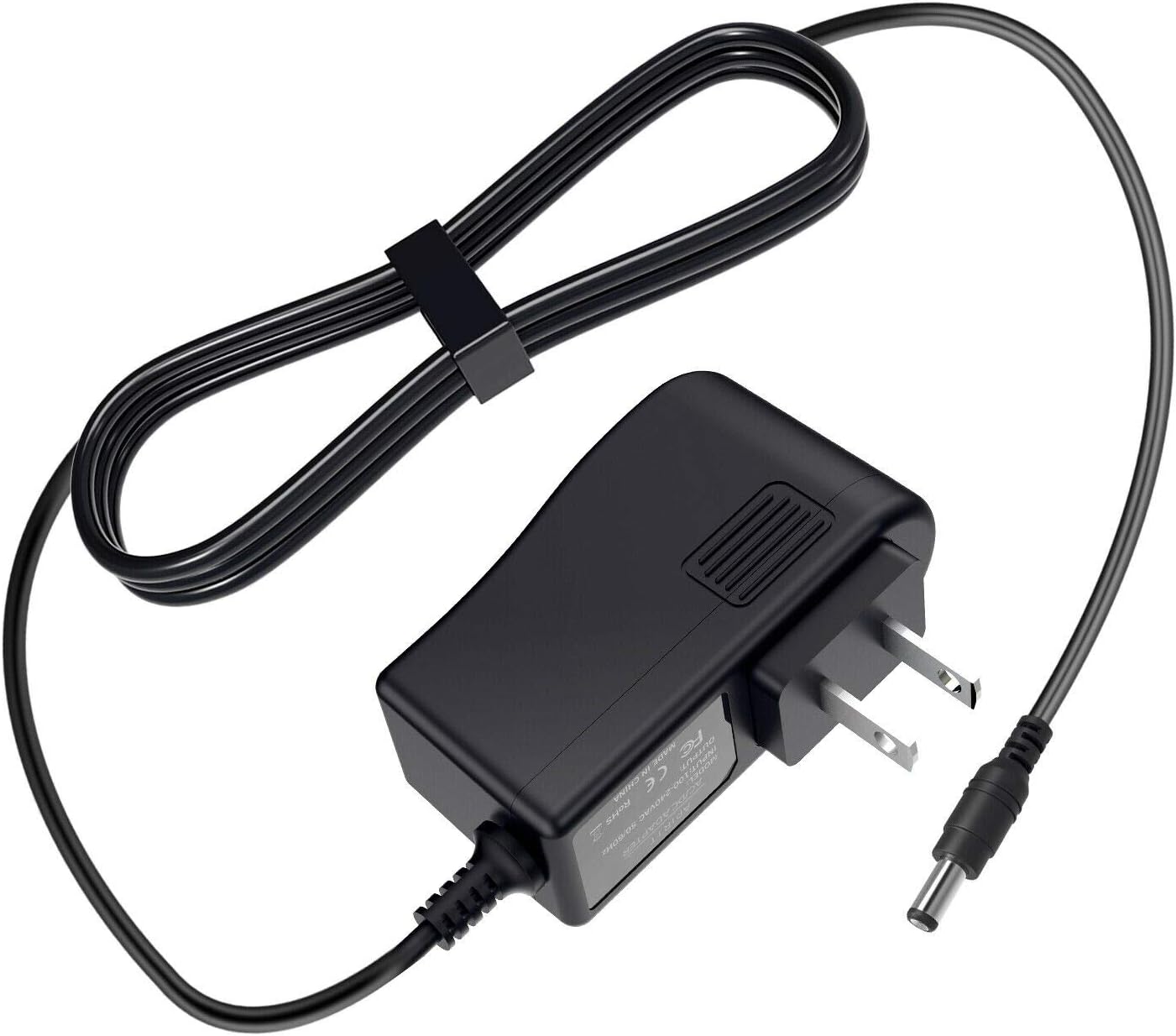
Figure 1: The Marg 9V AC/DC Power Adapter, showing the main unit, power prongs, and output cable with barrel connector.
4. Setup
- Verify Compatibility: Confirm that your device requires a 9V DC power input and has a compatible barrel connector.
- Connect to Device: Insert the barrel connector of the adapter cable firmly into the power input port of your Kettler Mondeo ST Elliptical Cross Trainer, Apollo Exercise Bike, or other compatible device.
- Connect to Power Outlet: Plug the adapter's prongs into a standard wall power outlet (100-240V AC, 50/60Hz). Ensure the outlet is easily accessible.

Figure 2: The Marg 9V AC/DC Power Adapter connected to a power strip, ready for use.
5. Operating Instructions
Once properly connected, the Marg 9V AC/DC Power Adapter will begin supplying power to your device. The adapter is designed for efficient and reliable performance, providing stable power delivery.
- Power On: If your device has a power switch, turn it on after connecting the adapter.
- Charging Indication: Some devices may have an indicator light to show they are receiving power or charging. Refer to your device's manual for specific indications.
- Disconnection: To disconnect, first turn off your device (if applicable), then unplug the adapter from the wall outlet, and finally disconnect the barrel connector from your device.
6. Maintenance
- Cleaning: Disconnect the adapter from all power sources before cleaning. Use a soft, dry cloth to wipe the exterior. Do not use liquid cleaners or solvents.
- Storage: When not in use, store the adapter in a cool, dry place, away from direct sunlight and moisture.
- Cable Management: To prevent tangling and damage, use the reusable hook and loop fastener provided with the cable to neatly secure it when storing or transporting the adapter.

Figure 3: The adapter cable secured with its reusable hook and loop fastener for tidy storage.
7. Troubleshooting
If you experience issues with your Marg 9V AC/DC Power Adapter, please refer to the following common solutions:
- No Power to Device:
- Ensure the adapter is securely plugged into both the wall outlet and your device.
- Check if the wall outlet is functional by plugging in another device.
- Inspect the adapter cable and connector for any visible damage.
- Device Not Charging/Operating Correctly:
- Verify that your device's power requirements (voltage and polarity) match the adapter's specifications.
- Ensure the device's power input port is clean and free of debris.
- Adapter Feels Hot:
- It is normal for power adapters to feel slightly warm during operation. However, if it becomes excessively hot, unplug it immediately and discontinue use.
- Ensure the adapter is in a well-ventilated area and not covered.
If these steps do not resolve the issue, please contact Marg customer support for further assistance.
8. Specifications
| Feature | Specification |
|---|---|
| Brand | Marg |
| Input Voltage | 9 Volts AC (Standard Wall Outlet) |
| Output Voltage | 9 Volts DC |
| Connector Type | Barrel Connector |
| Manufacturer | Marg |
| First Available | February 29, 2020 |
9. Warranty and Support
For warranty information or technical support, please refer to the product packaging or contact Marg customer service directly. Keep your purchase receipt as proof of purchase.


