
1. Introduction
Welcome to the user manual for the Elation Fuze Profile RGBMA LED Framing Fixture. This comprehensive guide provides essential information for the safe and efficient operation, setup, maintenance, and troubleshooting of your new lighting fixture. The Fuze Profile is an advanced automated LED framing fixture designed for precision lighting applications, from theater to television. It features a 92 CRI engine with a 5-color homogenized LED array (Red, Green, Blue, Mint, and Amber sources), delivering accurate color reproduction and over 9,000 lumens of output. Key features include virtual color temperature adjustment, Magenta/Green adjustment, color gel emulation, a rotating gobo wheel, two color wheels, and an iris, all within a quiet, compact, and lightweight design.

Figure 1: The Elation Fuze Profile RGBMA LED Framing Fixture, showcasing its sleek black design and powerful light output. This image displays the overall structure of the fixture, including the head, yoke, and base with the control panel.
2. Safety Information
Always read and understand all safety instructions before installing, operating, or servicing the Elation Fuze Profile fixture. Failure to comply with these instructions may result in serious injury or damage to the fixture.
- Electrical Safety: Ensure the fixture is connected to a grounded power source with the correct voltage and frequency as specified in the technical specifications. Disconnect power before any service or maintenance.
- Thermal Safety: The fixture can become hot during operation. Allow sufficient cooling time before handling. Maintain adequate ventilation around the fixture.
- Mounting: Always secure the fixture using appropriate rigging hardware and safety cables. Ensure the mounting surface can support the fixture's weight (approximately 67 pounds).
- Eye Safety: Do not look directly into the light source when the fixture is operating, as it can cause eye damage.
- General Precautions: Do not operate the fixture if any part is damaged. Keep away from flammable materials. This fixture is for professional use only.
3. Setup
3.1 Unpacking
Carefully remove the fixture from its packaging. Inspect for any signs of damage during transit. Retain the original packaging for future transport or storage.
3.2 Physical Installation
The Fuze Profile can be mounted in various orientations (floor, truss, wall) using appropriate clamps and safety cables. Ensure all mounting points are secure and capable of supporting the fixture's weight.
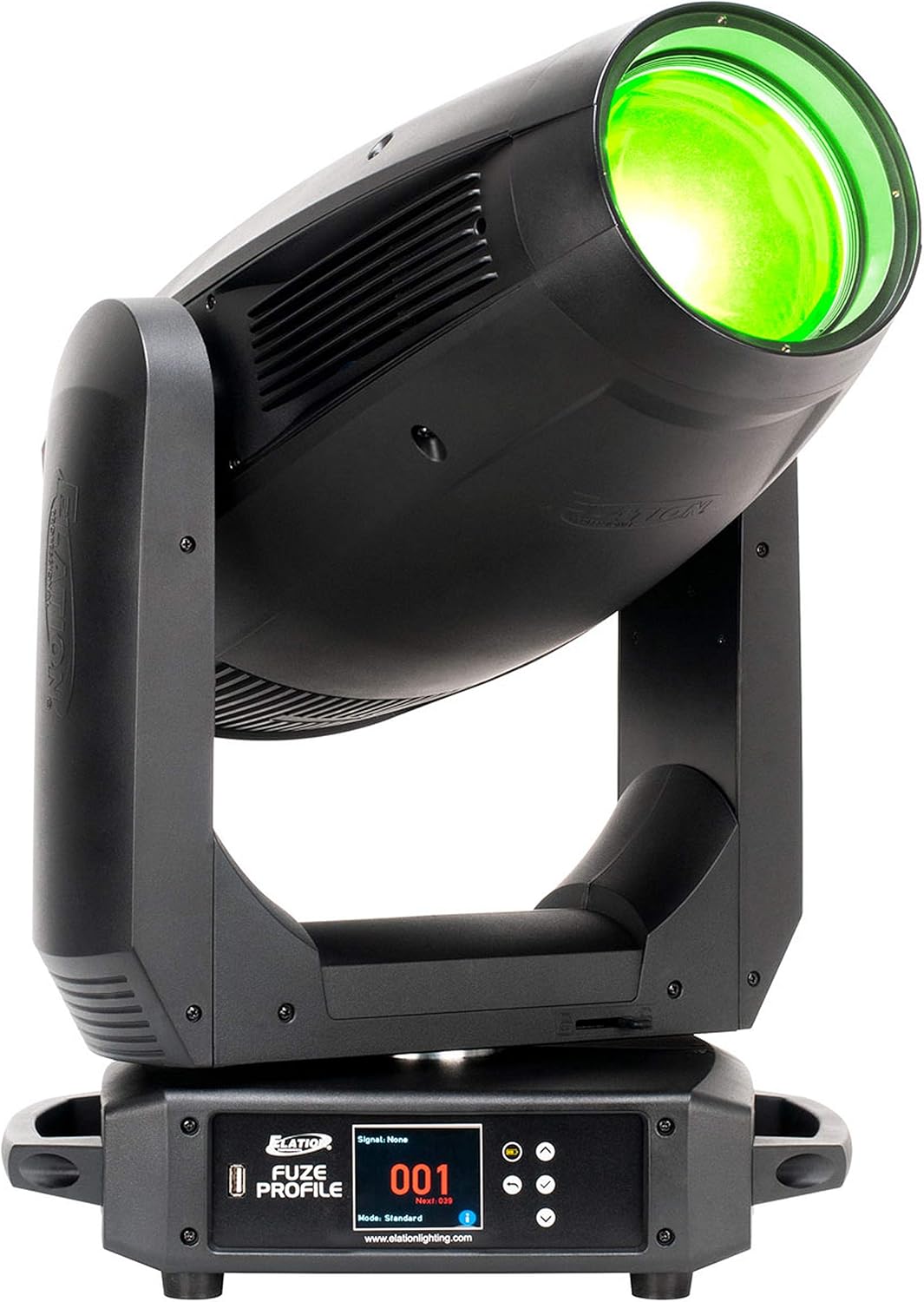
Figure 2: Close-up view of the Elation Fuze Profile's base, showing the control panel display and navigation buttons. This panel is used for addressing, mode selection, and accessing various fixture settings.
3.3 Electrical Connection
Connect the fixture to a suitable power outlet using the provided power cable. Verify that the voltage matches the fixture's requirements. For DMX control, connect DMX cables from your controller to the fixture's DMX IN, and then daisy-chain to other fixtures via DMX OUT.
3.4 Initial Power-Up
Once physically installed and electrically connected, power on the fixture. The control panel display will illuminate, and the fixture will perform an initial self-test.
4. Operating the Fixture
4.1 Control Panel Overview
The control panel on the base of the fixture provides access to all settings and functions. It typically includes a display screen and navigation buttons (Menu, Up, Down, Enter).
4.2 Basic Operation
- DMX Addressing: Use the control panel to set the DMX start address for the fixture. Refer to the DMX chart in the specifications section for channel assignments.
- Mode Selection: Select the desired operating mode (e.g., DMX mode, Standalone mode) via the control panel.
- Manual Control: In standalone mode, you can manually adjust basic parameters like intensity and color directly from the control panel.
4.3 Advanced Features
The Fuze Profile offers a range of advanced features for precise lighting control:
- RGBMA LED Engine: Utilize the Red, Green, Blue, Mint, and Amber LEDs for a vast spectrum of colors and high CRI output.
- Framing Shutters: Precisely shape the light beam with the integrated framing shutter system.
- Rotating Gobos: Project dynamic patterns using the rotating gobo wheel.
- Color Wheels: Access pre-mixed colors and correction filters via the two color wheels.
- Iris: Adjust the beam size with the motorized iris.

Figure 3: The Elation Fuze Profile fixture demonstrating its green light output. This illustrates the fixture's capability to produce vibrant and accurate colors from its RGBMA LED engine.

Figure 4: The Elation Fuze Profile fixture demonstrating its purple light output. This highlights the fixture's versatility in color mixing and its ability to achieve a wide range of hues.
5. Maintenance
Regular maintenance ensures the longevity and optimal performance of your Fuze Profile fixture. Always disconnect power before performing any maintenance.
5.1 Cleaning
- Exterior: Clean the exterior casing with a soft, lint-free cloth. Do not use abrasive cleaners or solvents.
- Optics: Gently clean lenses and reflectors with a soft cloth and a specialized optical cleaning solution. Avoid scratching optical surfaces.
- Fans and Vents: Periodically clean dust and debris from cooling fans and ventilation openings to ensure proper airflow.
5.2 Storage
When not in use for extended periods, store the fixture in its original packaging or a suitable flight case in a dry, dust-free environment.
6. Troubleshooting
This section provides solutions to common issues you might encounter. If the problem persists, contact Elation customer support.
| Problem | Possible Cause | Solution |
|---|---|---|
| Fixture does not power on. | No power supply; faulty cable; internal fuse blown. | Check power connection; test cable; consult qualified technician for fuse replacement. |
| No DMX control. | Incorrect DMX address; faulty DMX cable; DMX terminator missing. | Verify DMX address; check/replace DMX cables; ensure DMX terminator is used on the last fixture. |
| Fixture overheating. | Blocked ventilation; excessive ambient temperature. | Clear vents; ensure adequate airflow; operate within specified temperature range. |
| Motors not responding. | Fixture in error state; mechanical obstruction. | Restart fixture; check for obstructions; if problem persists, contact support. |
7. Specifications
| Feature | Detail |
|---|---|
| Brand | ELATION |
| Model Number | Fuze Profile |
| Light Source Type | Light Emitting Diode (RGBMA) |
| Item Weight | 67 Pounds |
| Color | Frost |
| Shape | Prism |
| Manufacturer | Elation |
| UPC | 810008260265 |
| First Available | February 27, 2020 |
8. Warranty and Support
The Elation Fuze Profile fixture comes with a manufacturer's warranty. Please refer to the official Elation website or your purchase documentation for specific warranty terms and conditions.
For technical support, service, or parts, please contact Elation Professional customer service. You can find contact information on the official Elation website: www.elationlighting.com.