
Introduction
This manual provides detailed instructions for the setup, operation, and maintenance of your ALIEN PRO L21 Active Audio System. The L21 system is designed for high-quality audio reproduction, featuring a 12-inch subwoofer and a satellite speaker, delivering 750W RMS power. It includes Bluetooth connectivity for wireless audio streaming and MP3 playback capabilities. Please read this manual thoroughly before using the product to ensure proper function and longevity.
Safety Information
- Power Supply: Ensure the power supply voltage matches the requirements specified on the unit. Use only the provided power cable.
- Ventilation: Do not block ventilation openings. Maintain adequate space around the unit for proper airflow to prevent overheating.
- Moisture: Keep the unit away from water, rain, and excessive humidity. Do not operate with wet hands.
- Placement: Place the unit on a stable, level surface. Avoid placing it near heat sources or in direct sunlight.
- Cleaning: Disconnect from power before cleaning. Use a dry, soft cloth. Do not use liquid cleaners or aerosols.
- Servicing: Do not attempt to service this product yourself. Refer all servicing to qualified service personnel.
Package Contents
Verify that all items are present in the package:
- 1 x ALIEN PRO L21 Subwoofer (12-inch)
- 1 x Satellite Speaker (with 6 drivers of 2.5-inch)
- 1 x Speaker Pole/Stand for Satellite Speaker
- 1 x Power Cable
- 1 x User Manual (this document)

Image: Overview of the ALIEN PRO L21 Active Audio System, showing the subwoofer, satellite speaker, and connecting pole.
Product Overview
The ALIEN PRO L21 system consists of a powerful subwoofer and a column-array satellite speaker, designed for easy transport and setup. The subwoofer enclosure includes a compartment for storing the satellite and stand.
Subwoofer Front Panel
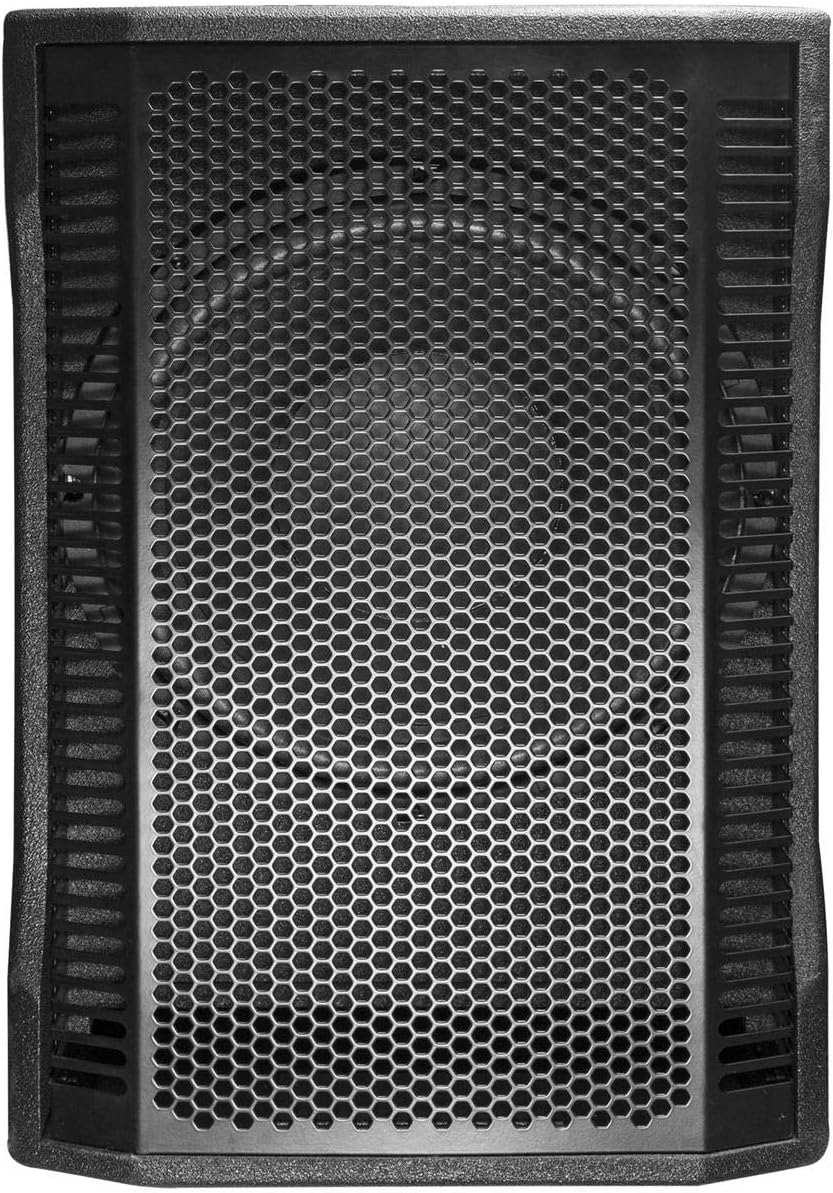
Image: Front view of the 12-inch subwoofer, featuring a protective metal grille.
The front of the subwoofer features a robust metal grille protecting the 12-inch speaker driver.
Satellite Speaker

Image: Side view of the satellite speaker, showing its slim profile and speaker array.
The satellite speaker houses six 2.5-inch drivers, providing clear mid-range and high-frequency audio. It connects to the subwoofer via a speaker pole.
Rear Control Panel

Image: Detailed view of the rear control panel on the subwoofer, showing various inputs, outputs, and controls.
The rear panel of the subwoofer contains all the primary controls and connection ports:
- Power Switch: Turns the unit on/off.
- Power Input: For connecting the AC power cable.
- Input Channels (MIC/LINE 1 & 2): Two combo XLR/1/4" Jack inputs for microphones or line-level sources.
- Gain Controls: Individual gain knobs for Input 1 and Input 2.
- Master Volume: Adjusts the overall output volume of the system.
- Subwoofer Volume: Adjusts the volume level of the subwoofer independently.
- XLR Output: For linking to another active speaker or audio system.
- Speakon Output: For connecting the satellite speaker.
- MP3/Bluetooth Controls: Buttons for mode selection, play/pause, track skip, and USB/SD card slot for MP3 playback.
- Equalizer: Built-in equalizer for tone adjustments.
Setup
- Unpacking: Carefully remove all components from the packaging.
- Positioning: Place the subwoofer on a stable, flat surface. Ensure there is adequate space around the unit for ventilation.
- Satellite Assembly: Insert the speaker pole into the designated socket on top of the subwoofer. Secure it firmly.
- Mounting Satellite Speaker: Mount the satellite speaker onto the top of the speaker pole. Ensure it is securely seated.
- Connecting Satellite Speaker: Connect the satellite speaker to the subwoofer using a Speakon cable (typically included or purchased separately). Connect one end to the Speakon output on the subwoofer's rear panel and the other end to the Speakon input on the satellite speaker.
- Power Connection: Connect the power cable to the power input on the rear panel of the subwoofer, then plug the other end into a suitable AC power outlet.
- Initial Power On: Before turning on the unit, ensure all volume controls are set to their minimum position. Then, switch on the power using the power switch on the rear panel.

Image: The ALIEN PRO L21 system fully assembled, showing the satellite speaker mounted on the pole above the subwoofer.
Operating Instructions
Power On/Off
To power on the system, ensure all volume controls are at minimum, then flip the power switch on the rear panel to the 'ON' position. To power off, reverse this process.
Bluetooth Connectivity
- Press the 'MODE' button on the rear panel until "Bluetooth" or "BT" is displayed.
- On your smartphone or Bluetooth-enabled device, search for available Bluetooth devices.
- Select "ALIEN PRO L21" (or similar name) from the list to pair.
- Once paired, you can stream audio wirelessly from your device to the L21 system.
MP3 Playback (USB/SD)
- Insert a USB drive or SD card containing MP3 audio files into the respective slot on the rear panel.
- Press the 'MODE' button to select USB or SD card playback.
- Use the playback controls (Play/Pause, Next/Previous Track) to manage your music.
Using XLR and 1/4" Jack Inputs
The L21 system features two combo inputs (XLR/1/4" Jack) for connecting microphones or line-level devices such as mixers, instruments, or other audio players.
- Connect your microphone or audio source to either Input 1 or Input 2.
- Adjust the corresponding 'GAIN' knob for the input channel to an appropriate level.
- Use the 'MASTER VOLUME' and 'SUBWOOFER VOLUME' controls to balance the overall sound.
True Wireless Stereo (TWS) Function
The TWS function allows you to connect two ALIEN PRO L21 systems wirelessly for a stereo sound experience.
- Ensure both L21 units are powered on and in Bluetooth mode.
- On one unit (this will be the master), press and hold the TWS button (if available, or a combination of buttons as per specific model instructions).
- The units will attempt to pair with each other. Once connected, one unit will act as the left channel and the other as the right channel.
- Connect your Bluetooth device to the master unit.
Note: Specific TWS pairing instructions may vary. Refer to the detailed product documentation for precise button combinations if not clearly marked on the rear panel.
Equalizer Adjustment
Use the built-in equalizer controls on the rear panel to fine-tune the audio output to your preference or room acoustics.
Maintenance
- Cleaning: Regularly wipe the exterior surfaces with a soft, dry cloth. Do not use abrasive cleaners, waxes, or solvents.
- Storage: When not in use for extended periods, store the system in a cool, dry place, preferably in its original packaging or a protective case. The subwoofer has a compartment for storing the satellite and stand for convenience.
- Cable Care: Inspect all cables periodically for damage. Replace any frayed or damaged cables immediately.
- Ventilation: Ensure ventilation grilles remain clear of dust and debris.
Troubleshooting
If you encounter issues with your ALIEN PRO L21 system, refer to the following common solutions:
- No Power:
- Check if the power cable is securely connected to both the unit and the power outlet.
- Verify that the power outlet is functional.
- Ensure the power switch on the rear panel is in the 'ON' position.
- No Sound Output:
- Check all volume controls (Master, Subwoofer, Input Gains) are not set to minimum.
- Ensure the satellite speaker is correctly connected to the subwoofer via the Speakon cable.
- Verify the audio source is playing and its volume is up.
- If using Bluetooth, ensure the device is properly paired and connected.
- If using XLR/1/4" inputs, check cable connections and source output.
- Bluetooth Pairing Issues:
- Ensure the L21 system is in Bluetooth mode.
- Disable and re-enable Bluetooth on your source device.
- Move your source device closer to the L21 system.
- Try unpairing and re-pairing the device.
- Ensure no other devices are currently connected to the L21 system.
- Distorted Sound:
- Reduce the input gain of the source or the master volume.
- Check if the audio source itself is distorted.
- Ensure cables are not damaged or improperly connected.
If the problem persists after trying these steps, contact customer support.
Specifications
| Model Name | L21 |
| Brand | ALIEN PRO |
| Power Output | 750W RMS |
| Subwoofer Size | 12 inches |
| Satellite Speaker | 1 with 6 drivers of 2.5 inches |
| Connectivity | Bluetooth, XLR, 1/4" Jack, USB, SD Card |
| Inputs | 2 x Combo XLR/1/4" Jack |
| Outputs | XLR Output, Speakon Output (for satellite) |
| Special Features | Bluetooth, MP3 Playback, TWS (True Wireless Stereo) Technology, Built-in Equalizer |
| Control Method | Tactile (buttons/knobs) |
| Power Source | Electric Cable |
| Dimensions (Package) | 60 x 56 x 42 cm |
| Weight (Package) | 30 kg |
Warranty and Support
ALIEN PRO products are manufactured to high-quality standards. For warranty information and customer support, please refer to the warranty card included with your purchase or visit the official ALIEN PRO website. Keep your proof of purchase for any warranty claims.
For technical assistance or service inquiries, please contact ALIEN PRO customer service through their official channels.