
XML Battery XML-1212-NL
XML Battery Ni-CD Battery Replacement User Manual
Model: XML-1212-NL
Introduction
This manual provides essential information for the proper use, installation, and maintenance of the XML Battery 1.2V 1200mAh Ni-CD Battery Replacement. This battery is designed for use in emergency and exit light fixtures, serving as a direct replacement for various models including ELB-1210N, KR1200AUL, ELB-1201N, and others. Please read this manual thoroughly before installation and operation to ensure safety and optimal performance.
Safety Information
Always observe the following safety precautions:
- Do not short-circuit the battery terminals.
- Do not expose the battery to extreme temperatures (above 60°C / 140°F or below -20°C / -4°F).
- Do not disassemble, puncture, or modify the battery.
- Keep batteries out of reach of children.
- If battery fluid comes into contact with skin or eyes, flush immediately with water and seek medical attention.
- Dispose of batteries properly according to local regulations. Ni-CD batteries must be recycled.
Product Overview
The XML Battery 1.2V 1200mAh Ni-CD Battery is a reliable power source for emergency lighting systems. It is a rechargeable nickel-cadmium battery designed for longevity and consistent performance in critical applications.

Image: A pack of five XML Battery 1.2V 1200mAh Ni-CD replacement batteries, showing their cylindrical shape and black and yellow labeling.

Image: A detailed close-up of a single XML Battery, highlighting the 1.2V 1200mAh rating, Ni-CD chemistry, and part number XML-1212-NL.
Specifications
| Feature | Detail |
|---|---|
| Battery Type | Rechargeable Nickel-Cadmium (Ni-CD) |
| Voltage | 1.2 Volts |
| Capacity | 1200 mAh |
| Part Number | XML-1212-NL |
| Dimensions | Approximately 3 x 2 x 1 inches (Product Dimensions) |
| Weight | Approximately 4 ounces (per 5-pack) |
| Compatible Models | KR1200AUL, NUN100045AF, SANKR1200AUL, ELB-1201N, ELB1201N, ELB1210N, ELB-1210N, 16440, ASC0086, ASC0087, P-120AS, P120AS, P-120AS/A22, P120AS/A22, PRS1201 Rite, KR-1100AEL, KR1100AEL, KR-1500AUL, KR1500AUL, LES ELN, LRES ELN, KR-1200AUL |
Setup and Installation
Follow these steps to replace the battery in your emergency or exit light fixture:
- Power Disconnection: Before beginning, ensure the emergency or exit light fixture is completely disconnected from its main power supply. This is crucial for safety.
- Locate Battery Compartment: Identify and open the battery compartment of your fixture. This may involve removing screws or clips.
- Remove Old Battery: Carefully disconnect the old battery from its connector. Note the polarity (+/-) before removal.
- Insert New Battery: Connect the new XML Battery 1.2V 1200mAh Ni-CD battery, ensuring correct polarity. The connector should snap securely into place.
- Secure Battery: Place the new battery securely within the compartment. Ensure no wires are pinched.
- Close Compartment: Close and secure the battery compartment cover.
- Restore Power: Reconnect the fixture to its main power supply. The battery will begin charging.
- Initial Charge: Allow the battery to charge for at least 24 hours before its first discharge test to ensure full capacity.
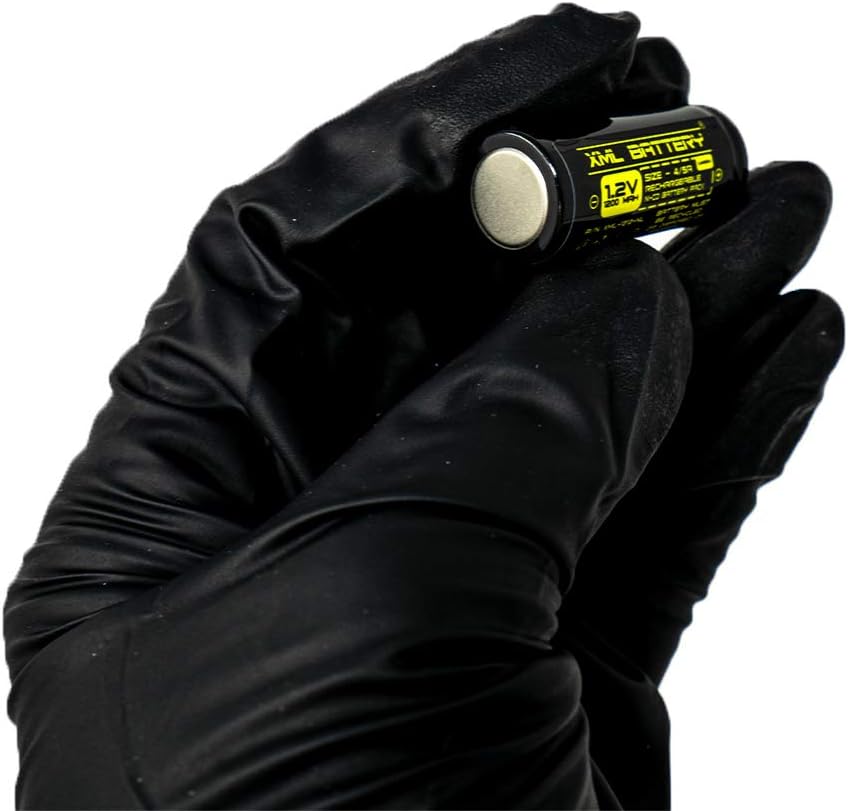
Image: A gloved hand demonstrating the handling of a single XML Battery, illustrating its compact size for installation.
Operating Instructions
Once installed and fully charged, the XML Battery operates automatically within the emergency or exit light fixture.
- Automatic Operation: The battery will automatically provide power to the light fixture during a power outage.
- Recharging: When main power is restored, the battery will automatically begin recharging.
- Indicator Lights: Refer to your specific emergency light fixture's manual for information on its battery status indicator lights (e.g., charge indicator, fault indicator).
Maintenance
Proper maintenance ensures the longevity and reliability of your Ni-CD battery:
- Regular Testing: Perform monthly 30-second discharge tests on your emergency light fixture to ensure the battery is functioning. Annually, perform a full 90-minute discharge test.
- Cleaning: Keep the battery and its compartment clean and free of dust or debris. Use a dry cloth for cleaning.
- Temperature: Ensure the operating environment temperature is within the recommended range for Ni-CD batteries to prevent degradation.
- Replacement: Ni-CD batteries typically have a lifespan of 3-5 years. Replace the battery if it fails to hold a charge or does not provide adequate illumination during discharge tests.
Troubleshooting
| Problem | Possible Cause | Solution |
|---|---|---|
| Light does not illuminate during power outage. | Battery not charged; Battery faulty; Incorrect installation. | Ensure main power is connected for 24 hours for initial charge. Check battery connections for correct polarity. Replace battery if it does not hold a charge after proper charging. |
| Light illuminates but dims quickly. | Battery not fully charged; Battery nearing end of life. | Allow more charging time. Perform a full discharge test; if performance is poor, replace the battery. |
| Battery indicator light on fixture shows fault. | Battery connection issue; Battery fault; Fixture fault. | Check battery connections. Test with a known good battery if possible. Consult the emergency light fixture's manual for specific fault codes. |
Disposal and Recycling
Ni-CD batteries contain cadmium, a heavy metal that requires special disposal. Do not dispose of these batteries in regular household waste.
- Recycle: Always recycle Ni-CD batteries at designated collection points. Many electronics stores, recycling centers, and hazardous waste facilities accept them.
- Local Regulations: Check with your local municipality or waste management authority for specific recycling guidelines in your area.
- Do Not Incinerate: Never incinerate batteries, as this can release toxic substances.
Warranty and Support
Specific warranty information for this product is not provided in the available data. For warranty claims or technical support, please contact XML Battery directly through their official website or customer service channels. Keep your purchase receipt as proof of purchase.
For more information, visit: www.xmlbattery.com
Ask a question about this manual
Ask about setup, troubleshooting, compatibility, parts, safety, or missing instructions. Manuals+ will review the question and use this page’s manual context to help answer it.