
Stream Electronics DEH-P2000 / DEH-P2000R
User Manual: 16 Pin Auto Stereo Wiring Harness Plug
For PIONEER DEH-P2000 / DEH-P2000R
Brand: Stream Electronics | Model: DEH-P2000 / DEH-P2000R
1. Introduction
This manual provides essential information for the proper installation and use of the Stream Electronics 16 Pin Auto Stereo Wiring Harness Plug. This harness is specifically designed as a replacement for PIONEER DEH-P2000 and DEH-P2000R car stereo models, facilitating a seamless connection to your vehicle's electrical system.
Please read this manual thoroughly before installation to ensure safe and correct operation.
2. Important Safety Information
- Professional Installation Recommended: Wiring car audio systems can be complex. If you are unsure about any step, it is highly recommended to seek assistance from a qualified professional installer.
- Disconnect Power: Always disconnect the vehicle's battery negative terminal before beginning any electrical work to prevent short circuits and electrical shock.
- Verify Wiring Diagrams: Always cross-reference the wiring colors and functions of this harness with your specific PIONEER stereo's wiring diagram and your vehicle's wiring diagram. Discrepancies can cause damage to the stereo or vehicle.
- Insulate Connections: Ensure all wire connections are properly insulated using electrical tape, heat shrink tubing, or crimp connectors to prevent short circuits.
- Secure Wiring: Route and secure all wiring to prevent pinching, chafing, or interference with vehicle moving parts.
3. Package Contents
Your package should contain the following item:
- 1 x 16 Pin Auto Stereo Wiring Harness Plug for PIONEER DEH-P2000 / DEH-P2000R
4. Installation Guide
This wiring harness is designed to simplify the connection of your PIONEER DEH-P2000 or DEH-P2000R stereo to your vehicle's existing wiring. The harness features color-coded wires that correspond to standard car audio wiring conventions.
4.1. Pre-Installation Steps
- Gather Tools: Ensure you have necessary tools such as wire strippers, crimpers, electrical tape, and a multimeter.
- Access Stereo Opening: Carefully remove your vehicle's existing stereo or blanking plate to access the wiring cavity.
- Identify Vehicle Wiring: Consult your vehicle's service manual or a reliable vehicle wiring diagram to identify the functions of each wire in your vehicle's stereo harness (e.g., constant power, ignition power, ground, speaker wires).
- Review Stereo Wiring Diagram: Obtain the wiring diagram for your PIONEER DEH-P2000 or DEH-P2000R stereo. This is crucial for matching the harness wires correctly.
4.2. Wiring Connections
Match the wires from the Stream Electronics harness to your vehicle's wiring and your PIONEER stereo's wiring diagram. Common wire functions are listed below, but always verify with your specific diagrams:
| Wire Color (Harness) | Common Function | Notes |
|---|---|---|
| Yellow | Constant 12V (Battery) | Provides constant power for memory retention. |
| Red | Switched 12V (Ignition/Accessory) | Powers the stereo when the ignition is on. |
| Black | Ground | Connects to vehicle chassis ground. |
| Blue | Power Antenna / Amplifier Remote Turn-On | Activates power antenna or external amplifier. |
| Orange/White | Illumination / Dimmer | Connects to vehicle's illumination circuit. |
| White / White with Black Stripe | Front Left Speaker (+ / -) | Connect to front left speaker wires. |
| Gray / Gray with Black Stripe | Front Right Speaker (+ / -) | Connect to front right speaker wires. |
| Green / Green with Black Stripe | Rear Left Speaker (+ / -) | Connect to rear left speaker wires. |
| Purple / Purple with Black Stripe | Rear Right Speaker (+ / -) | Connect to rear right speaker wires. |
Once all wires are correctly matched and securely connected, plug the 16-pin connector into the back of your PIONEER DEH-P2000 or DEH-P2000R stereo.
4.3. Visual Reference

Figure 1: Full view of the 16 Pin Auto Stereo Wiring Harness Plug, showing the connector and various colored wires extending from it.
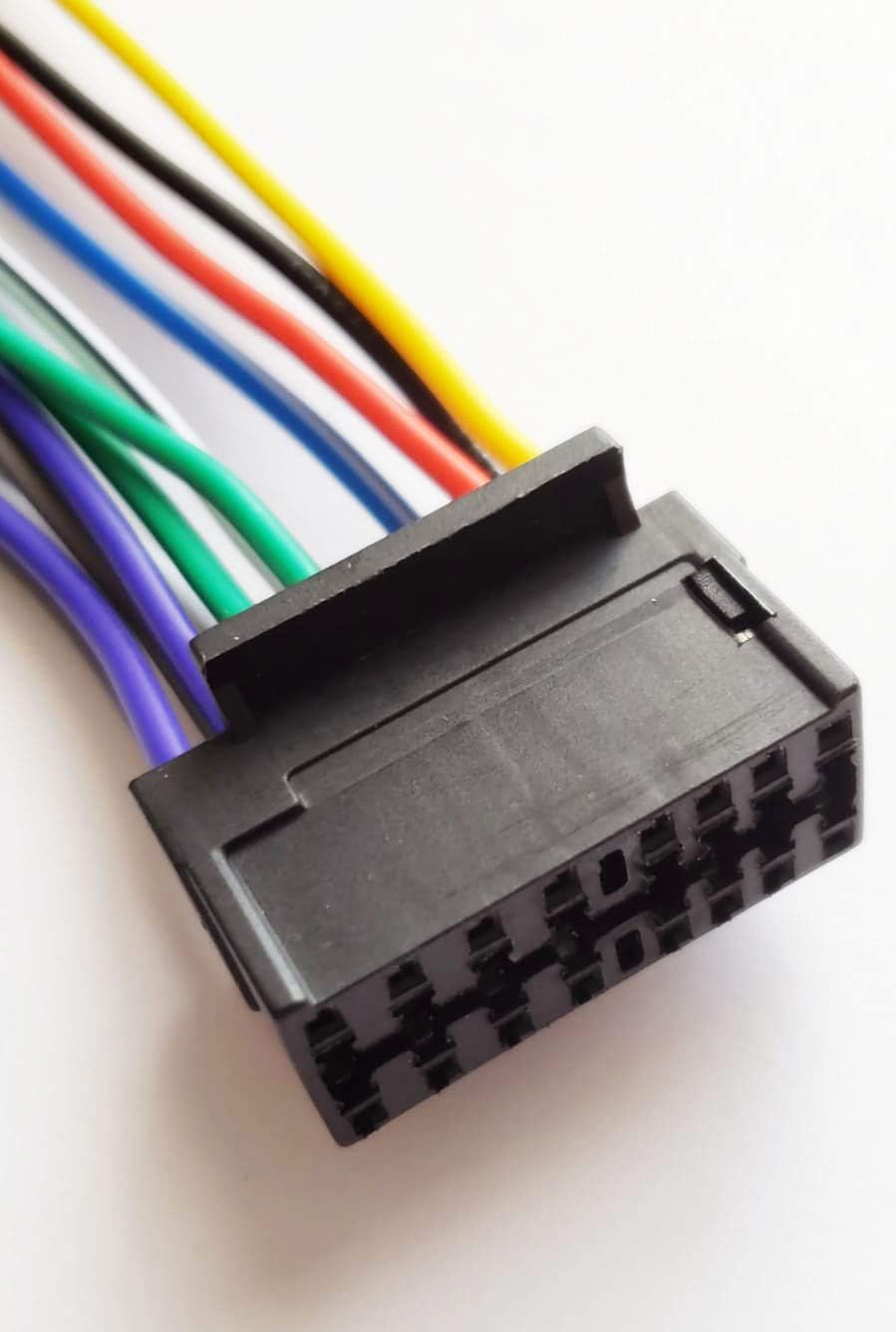
Figure 2: Close-up view of the 16-pin connector face, highlighting the individual pin slots and the robust construction.
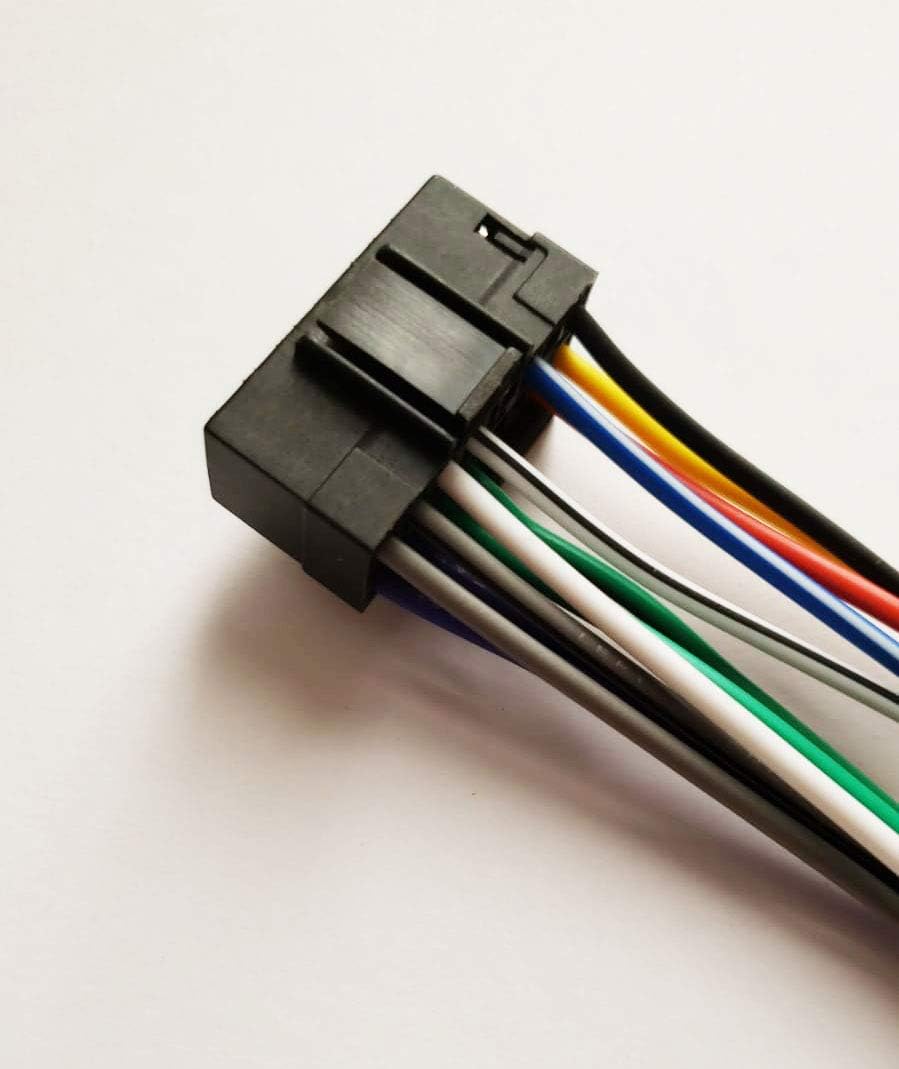
Figure 3: Side view of the 16-pin connector, showing how the wires are securely integrated into the plug housing.
5. Operation
Once the Stream Electronics 16 Pin Auto Stereo Wiring Harness Plug is correctly installed and connected to your PIONEER DEH-P2000 or DEH-P2000R stereo, it functions as the primary electrical interface between the stereo and your vehicle. The harness ensures that power, ground, and audio signals are properly transmitted, allowing your stereo to operate as intended.
No direct user operation is required for the harness itself after installation; its function is to enable the operation of the connected stereo unit.
6. Care and Maintenance
The 16 Pin Auto Stereo Wiring Harness Plug is designed for durability and requires minimal maintenance. To ensure its longevity and reliable performance:
- Secure Connections: Periodically check that all wire connections remain secure and free from corrosion. Loose connections can lead to intermittent power or audio issues.
- Avoid Physical Stress: Ensure the harness is not pinched, stretched, or exposed to excessive heat or sharp edges within the vehicle's dashboard cavity.
- Keep Dry: While designed for automotive environments, avoid exposing the harness directly to water or excessive moisture.
7. Troubleshooting
If you encounter issues after installing the wiring harness, consider the following common troubleshooting steps:
| Problem | Possible Cause | Solution |
|---|---|---|
| Stereo has no power. | Incorrect or loose power/ground connections (Yellow, Red, Black wires). Blown fuse in vehicle or stereo. | Verify all power and ground connections are secure and correctly wired. Check vehicle and stereo fuses. |
| No sound from speakers. | Incorrect or loose speaker wire connections. Stereo settings (e.g., mute, fader/balance). | Ensure all speaker wires (White, Gray, Green, Purple and their striped counterparts) are correctly connected and not shorted. Check stereo audio settings. |
| Stereo loses memory settings. | Constant 12V (Yellow wire) not connected or losing power. | Verify the Yellow wire is connected to a constant 12V source and maintains power when the ignition is off. |
| Stereo does not turn off with ignition. | Switched 12V (Red wire) connected to constant power. | Ensure the Red wire is connected to a switched 12V source that turns off with the ignition. |
If problems persist after troubleshooting, consult a professional car audio installer.
8. Product Specifications
- Product Type: Auto Stereo Wiring Harness Plug
- Number of Pins: 16
- Compatibility: PIONEER DEH-P2000, PIONEER DEH-P2000R
- Brand: Stream Electronics
- ASIN: B08532ZXKT
- Date First Available: February 24, 2015
9. Warranty and Support
This Stream Electronics product comes with a 60-day warranty from the date of purchase, covering manufacturing defects. Please retain your proof of purchase for warranty claims.
For technical support or warranty inquiries, please contact Stream Electronics customer service through the retailer where the product was purchased or refer to the contact information provided with your purchase receipt.
Ask a question about this manual
Ask about setup, troubleshooting, compatibility, parts, safety, or missing instructions. Manuals+ will review the question and use this page’s manual context to help answer it.