
1. Product Overview
The BANDAI Hobby Pokémon Eevee Model Kit is an easy-to-assemble plastic model featuring the Pokémon Eevee. This kit utilizes color-molded parts and a snap-fit assembly method, eliminating the need for tools, glue, or paint. The assembled Eevee model includes an interchangeable face plate for different expressions and articulated legs and tail for posing.
- Detailed Representation: Features a detailed and accurate representation of Eevee.
- Easy Assembly: Designed for snap-fit assembly, requiring no glue or specialized tools.
- Premium Materials: Crafted from high-grade molded plastic for durability.
- Interactive Features: Includes an interchangeable face plate and articulated legs and tail for dynamic posing.
2. Safety Information
WARNING: Product contains small parts considered to be a choking hazard. Not suitable for children under 3 years of age. Adult supervision is recommended during assembly for younger users.
3. Package Contents
Verify that all components are present before beginning assembly.
- Bandai Hobby - Pokémon - Eevee Pokémon Model Kit (unassembled parts on sprues)
4. Assembly Instructions
This model kit uses a snap-fit system. Carefully detach parts from the sprues and assemble them according to the numbered instructions provided in the kit. No glue is required.
Step 1: Prepare Components
Carefully remove all parts from their sprues. Use a hobby nipper or a sharp craft knife for clean cuts, if available. Smooth any rough edges with a hobby file or sandpaper if necessary. Organize parts by number to facilitate assembly.

Image: Illustration of hands preparing and assembling model kit components. This step involves carefully detaching parts from the plastic frames (sprues) and preparing them for connection.
Step 2: Assemble Body Sections
Begin by connecting the main body components. Ensure that all connection points align correctly and snap firmly into place. Refer to the detailed diagrams in your kit's instruction booklet for specific part placement.

Image: The Eevee model kit with its neutral face plate installed, showcasing the completed main body assembly.
Step 3: Attach Articulated Parts
Attach the legs, ears, and tail to the main body. These parts are designed with articulation points, allowing for various poses. Ensure they are securely attached but can still move freely.

Image: The Eevee model kit from a rear perspective, demonstrating the articulation of its tail and legs.
Step 4: Customize Face Plate
The Eevee model kit includes an interchangeable face plate. Gently remove the default face plate and snap the desired expression into place. This allows for customization of Eevee's appearance.
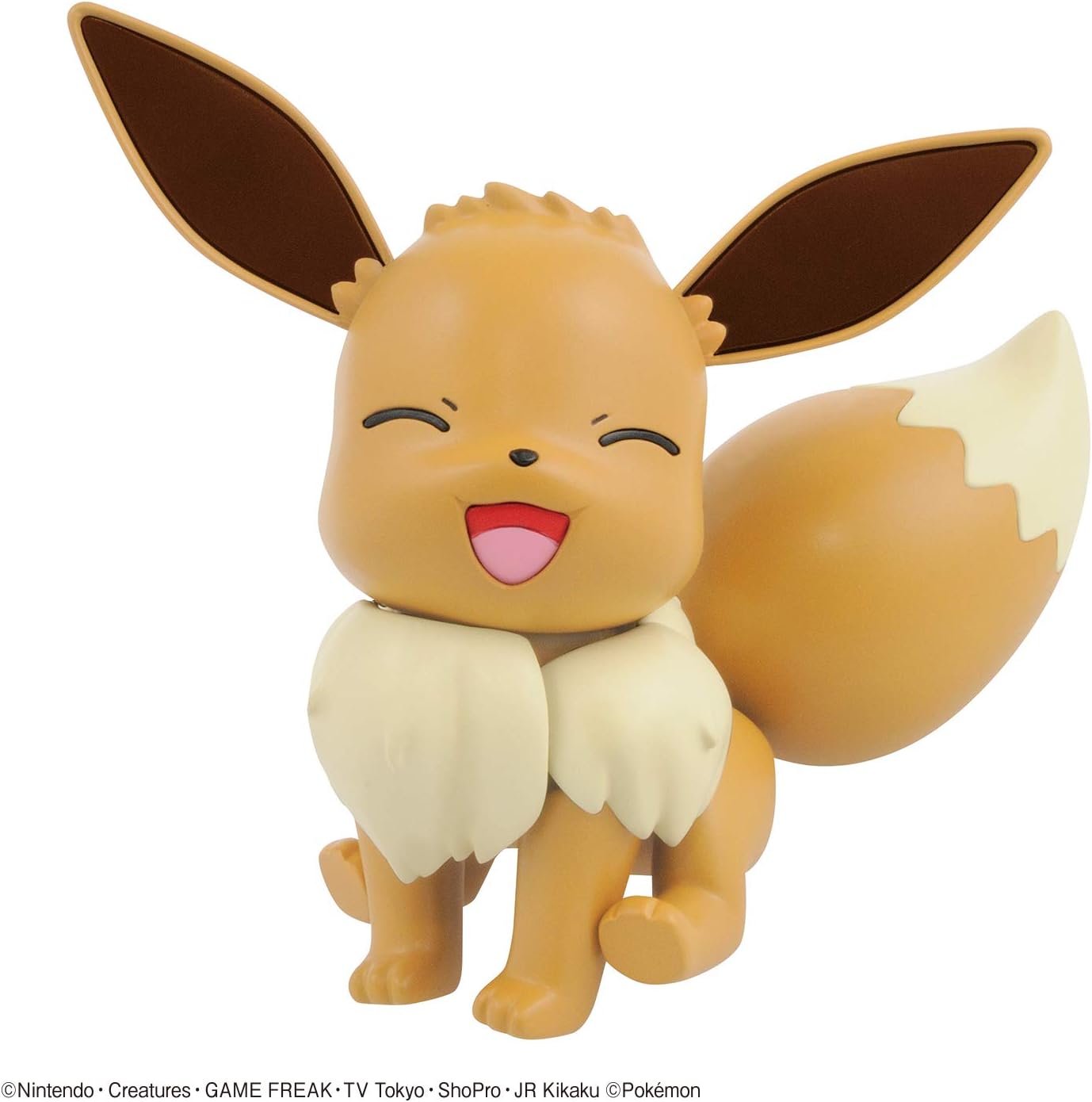
Image: The Eevee model kit with its smiling face plate installed, showing a cheerful expression.
5. Operation and Posing
Once assembled, your Eevee model can be posed in various ways:
- Interchangeable Face Plate: To change Eevee's expression, gently pry off the current face plate and snap the alternative one into position.
- Articulated Legs: Carefully adjust Eevee's legs at the joints to create different standing or sitting poses. Avoid excessive force to prevent damage.
- Articulated Tail: The tail can be moved to enhance Eevee's pose and expressiveness.
6. Care and Maintenance
To ensure the longevity and appearance of your Eevee model kit, follow these care guidelines:
- Cleaning: Dust the model regularly with a soft, dry brush or a microfiber cloth. For stubborn dirt, lightly dampen a cloth with water and gently wipe the surface, then dry immediately. Avoid harsh chemicals or abrasive cleaners.
- Storage: Store the model in a cool, dry place away from direct sunlight and extreme temperatures, which can cause discoloration or warping of plastic parts.
- Handling: Handle the model by its main body whenever possible. Avoid gripping small or delicate parts tightly to prevent breakage.
- Disassembly: If you need to disassemble parts, do so carefully and gently to avoid stressing the plastic connections.
7. Troubleshooting
If you encounter any issues during assembly or with the finished model, consider the following:
- Parts Not Fitting: Ensure you are using the correct parts for each step as indicated in the instruction manual. Check for any excess plastic (flash) on the connection points and carefully trim if present.
- Loose Joints: If a joint feels too loose, you may apply a very small amount of clear nail polish or a thin layer of hobby cement to the peg and let it dry completely before reassembling. This can create a tighter fit.
- Missing Parts: Double-check the sprues and packaging. If a part is genuinely missing, refer to the customer support section for assistance.
8. Specifications
| Brand | BANDAI |
| Model Name | Pokémon - Eevee, Pokémon Model Kit |
| Model Number | 2487423 |
| Item Dimensions (L x W x H) | 3.5 x 1.5 x 4 inches |
| Item Weight | 0.1 Kilograms |
| Material Type | Plastic |
| Number of Pieces | 1 (kit contains multiple parts to form one Eevee figure) |
| Age Range (Description) | 8+ |
| Additional Features | Interchangeable face plates, Articulated legs and tail, No tools, glue, or paint required |
9. Warranty Information
This product is covered by a manufacturer's warranty. Specific warranty terms and conditions are typically provided within the product packaging or can be obtained by contacting BANDAI Hobby directly. Please retain your proof of purchase for any warranty claims.
10. Customer Support
For further assistance, inquiries about parts, or technical support, please contact BANDAI Hobby customer service. You can typically find contact information on the official BANDAI website or within the product packaging.
Online Resources: Visit the official BANDAI Hobby website for FAQs, additional product information, and support contact details.