
1. Introduction
This manual provides instructions for the HENDUN Extra Remote Control (Model: kser), designed as a replacement or additional remote for compatible HENDUN wireless anti-theft alarm systems. This remote control is compatible with HENDUN wireless door alarms (ASINs: B078B7LBSG, B07J449TKB) and bicycle alarms (ASIN: B07KPKLBCR). It is essential to ensure your existing alarm system is the V4 version for proper compatibility and pairing.
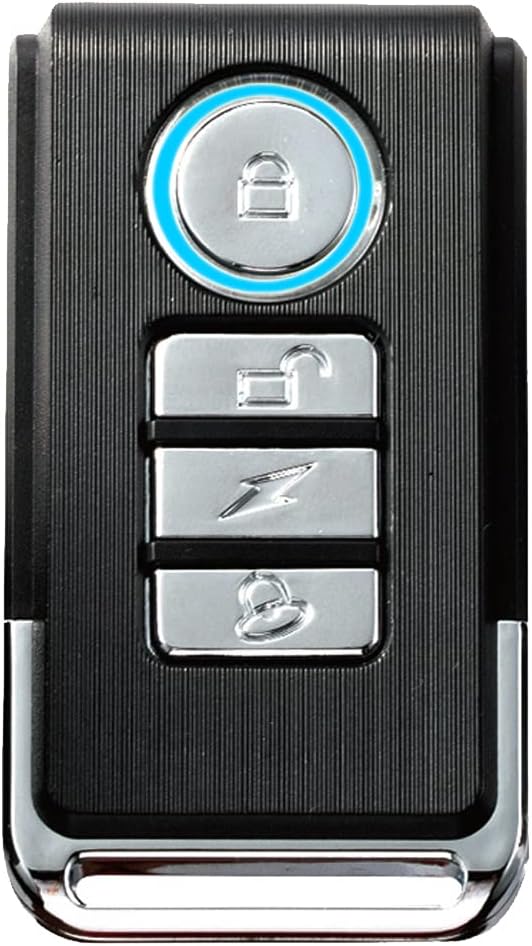
Figure 1: HENDUN Extra Remote Control
2. Product Overview
2.1 Key Features
- Compatibility: Designed for HENDUN wireless door alarms (ASINs: B078B7LBSG, B07J449TKB) and bicycle alarms (ASIN: B07KPKLBCR).
- Easy Programming: Simple process to pair with compatible alarm units.
- Wireless Range: Up to 49 feet (approximately 14.9 meters) wireless range for indoor and outdoor use.
- Power Source: Includes one 12V/27A battery.
- Compact Design: Dimensions of approximately 2.48 x 1.18 x 0.59 inches.
2.2 Remote Control Buttons
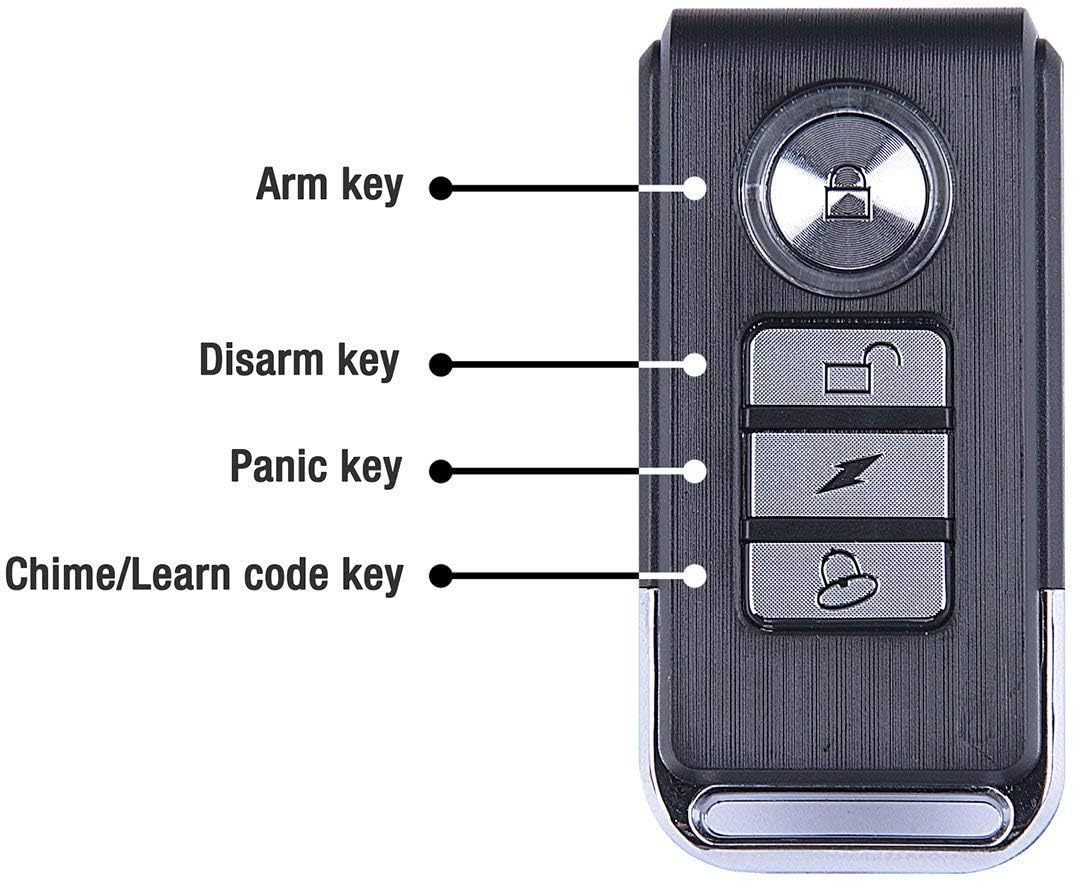
Figure 2: Remote Control Button Layout
- Arm Key (Locked Padlock Icon): Activates the alarm system.
- Disarm Key (Unlocked Padlock Icon): Deactivates the alarm system.
- Panic Key (Lightning Bolt Icon): Triggers an immediate alarm sound.
- Chime/Learn Code Key (Bell Icon): Used for chime function and for initiating the pairing process.
3. Setup and Pairing
Before pairing, ensure your HENDUN alarm unit is a V4 version. There should be a mark on the right side of the alarm indicating this version.
3.1 Pairing Instructions
- Ensure your alarm unit is powered on and within range of the remote.
- On an already paired remote (or the main alarm unit if it has a learn button), press and hold the Chime/Learn Code Key (Bell Icon) for approximately 10 seconds until the alarm unit sounds "Bi Bi" to indicate it is in learning mode.
- Immediately release the Chime/Learn Code Key.
- On the new extra remote, press either the Disarm Key (Unlocked Padlock Icon) or the Arm Key (Locked Padlock Icon).
- The alarm unit will sound "Bi Bi" again, confirming that the new remote has been successfully paired.
A single alarm unit can be paired with up to 8 remote controls. Conversely, one remote control can be paired with up to 50 alarm units.

Figure 3: Pairing Capabilities

Figure 4: Remote Control with HENDUN Door/Window Alarm
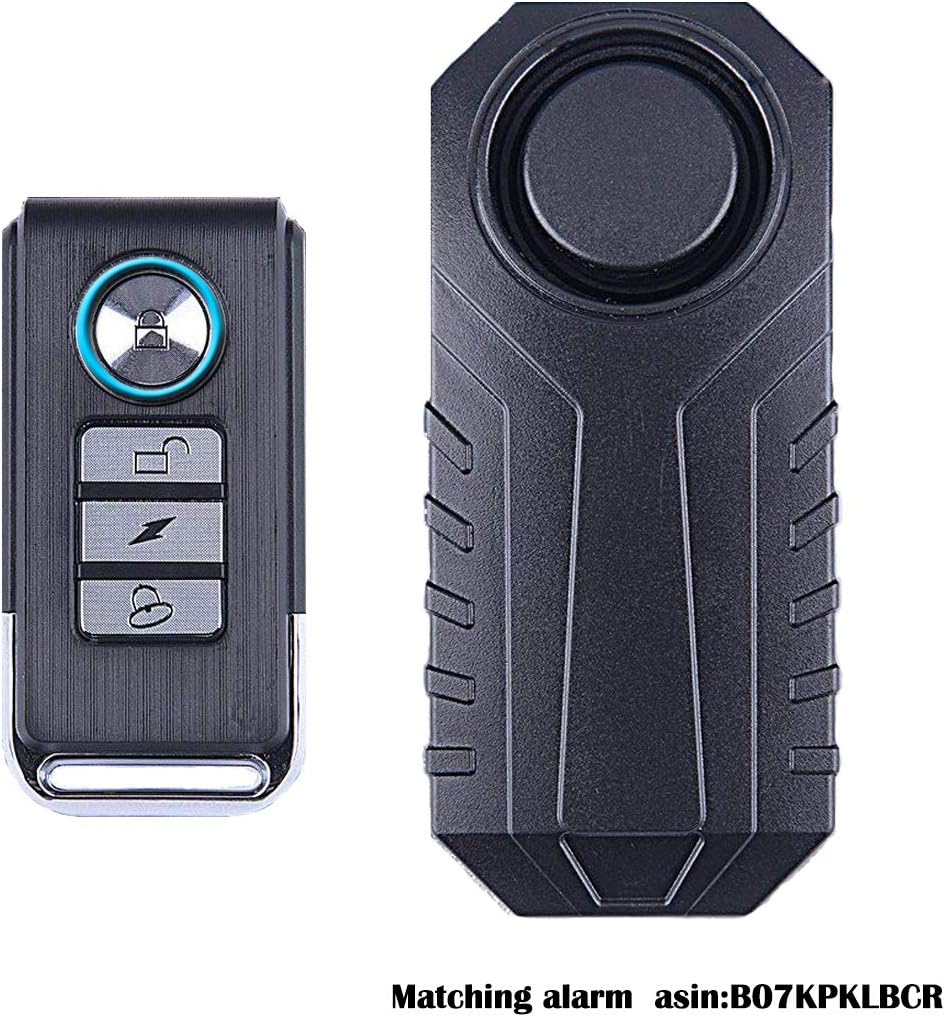
Figure 5: Remote Control with HENDUN Bike Alarm

Figure 6: Remote Control in use with a HENDUN Door Alarm
4. Operation
Once paired, the remote control allows for convenient management of your HENDUN alarm system.
- Arm: Press the Arm Key (Locked Padlock Icon) to arm the alarm system. The alarm unit will typically emit a confirmation sound.
- Disarm: Press the Disarm Key (Unlocked Padlock Icon) to disarm the alarm system. The alarm unit will typically emit a confirmation sound.
- Panic: Press the Panic Key (Lightning Bolt Icon) to immediately trigger the alarm sound, regardless of the arming status.
- Chime: Press the Chime/Learn Code Key (Bell Icon) for a short duration to activate the chime function on the alarm unit (if supported).
Video 1: Demonstration of HENDUN Remote Control with a Bike Alarm. This video shows the remote control being used to arm and disarm a bike alarm, demonstrating its functionality in a real-world scenario.
5. Maintenance
5.1 Battery Replacement
The remote control is powered by one 12V/27A battery. When the remote's range decreases significantly or it stops responding, it may be time to replace the battery.
- Locate the battery compartment on the remote control. This is typically on the back or side, secured by a small screw or a snap-on cover.
- Carefully open the compartment.
- Remove the old 12V/27A battery.
- Insert a new 12V/27A battery, ensuring correct polarity (+ and -).
- Close the battery compartment securely.
Note: Dispose of old batteries responsibly according to local regulations.
6. Troubleshooting
| Problem | Possible Cause | Solution |
|---|---|---|
| Remote does not control the alarm. | Not paired correctly, out of range, or low battery. |
|
| Short wireless range. | Low battery, environmental interference, or obstacles. |
|
| Buttons are overly sensitive. | Design characteristic. | Avoid placing the remote in pockets or bags where buttons might be accidentally pressed. Consider a protective case if available. |
7. Specifications
| Model Number | kser |
| Dimensions (L x W x H) | 2.48 x 1.18 x 0.59 inches (6.3 x 3.0 x 1.5 cm) |
| Weight | 0.634 ounces (18 grams) |
| Battery Type | 1 x 12V/27A (included) |
| Wireless Range | Up to 49 feet (14.9 meters) |
| Manufacturer | Changzhou Hengdun Electronic Technology Co Ltd |
8. Warranty and Support
This HENDUN Extra Remote Control is designed to work with specific HENDUN alarm systems. For any issues related to the remote control or its compatibility with your alarm system, please refer to the support information provided with your main HENDUN alarm unit or contact HENDUN customer service directly.
As this is an accessory, specific warranty details may be covered under the main alarm system's warranty. Please retain your purchase receipt for any warranty claims.
For further assistance, you may visit the official HENDUN store or contact their support channels.