
Baja Designs 290001
Baja Designs LP4 Pro LED Light Pod Instruction Manual
Model: 290001
1. Introduction
This manual provides comprehensive instructions for the installation, operation, and maintenance of your Baja Designs LP4 Pro LED Light Pod. Please read this manual thoroughly before installation and use to ensure proper function and safety.
The Baja Designs LP4 Pro LED Light Pod is designed for auxiliary lighting applications in various off-road vehicles, including Jeeps, 4x4s, trucks, UTVs, and ATVs. It features a spot lens for focused illumination and a clear lens for optimal light output.
2. Key Features
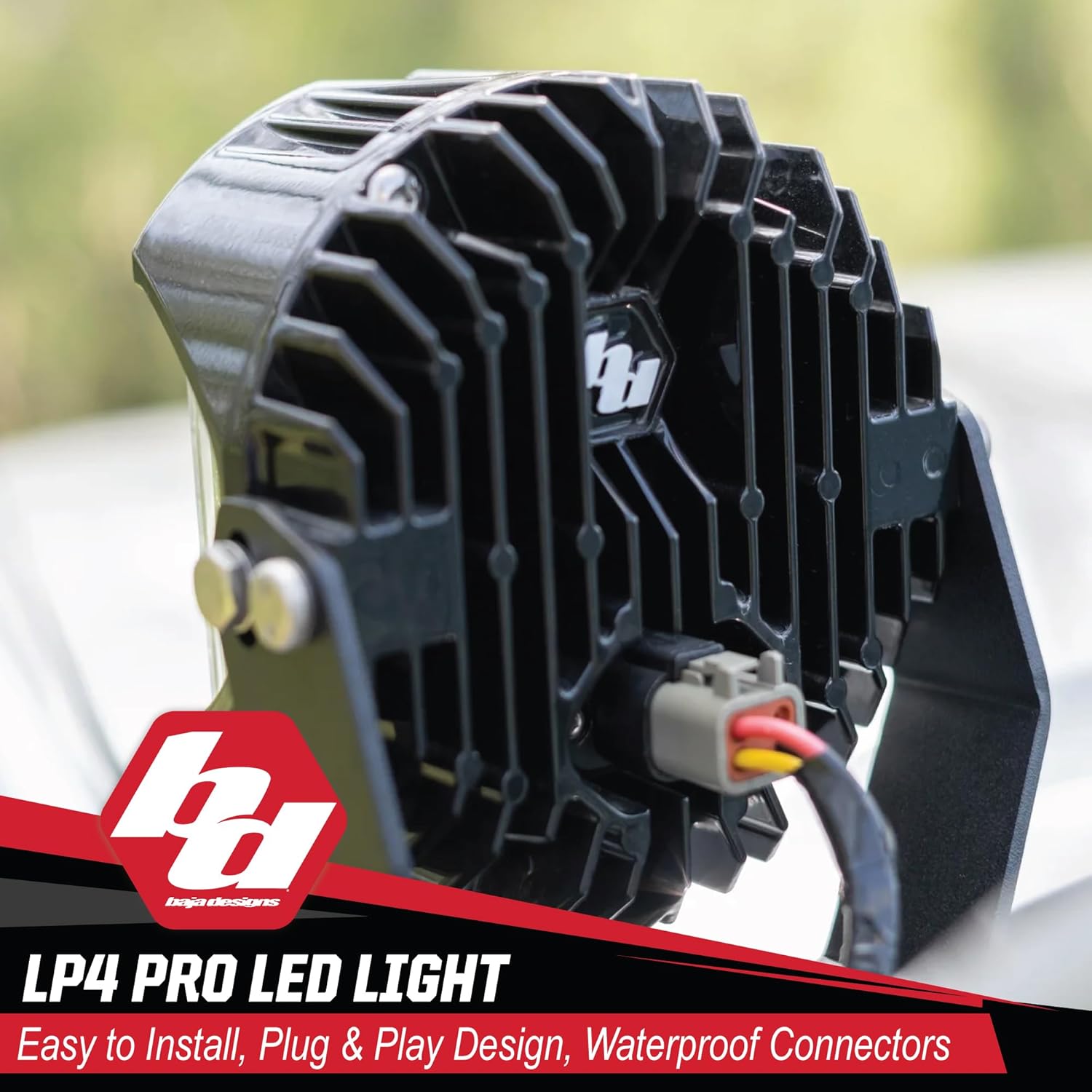
- Built for Off-Road: Designed with MoistureBlock technology, ensuring the light is waterproof, submersible, and IP69K rated. CopperDrive technology efficiently powers each LED to 100% while providing vibration dampening.
- Enhanced Viewing: Emits a 5000K color temperature, which reduces driver fatigue and improves terrain recognition.
- ClearView Optics: Custom-designed optical lenses by Baja Designs' expert racing engineers for optimal lighting performance.
- uService Lens and Optics: Allows for easy replacement or swapping of lenses in minutes due to a specially designed O-ring.
- Durable Construction: Made from plastic material, designed for rugged use.
3. Product Specifications
| Attribute | Detail |
|---|---|
| Brand | Baja Designs |
| Model Name | LP4 Pro LED Light Pod |
| Model Number | 290001 |
| Color | Amber Backlight w/ Clear Lens; Spot Beam |
| Wattage | 60 watts |
| Lens Color | Clear |
| Lens Material | Polycarbonate |
| Item Dimensions (LxWxH) | 12 x 10 x 8 inches |
| Item Weight | 20 Pounds |
| Special Features | Waterproof, Submersible, IK10 Impact Resistant, Dustproof, IP69K Rated |
| Assembly Required | Yes |
| UPC | 819314029375 |
4. Package Contents
The LP4 Pro LED Light Pod package typically includes:
- (1) LP4 LED Light with Lens
- (1) Swivel Mounting Bracket
- Installation Hardware
A recommended wiring harness (BD-640175) is sold separately.

5. Installation Guide
5.1. Safety Precautions
- Always disconnect the vehicle's battery before beginning any electrical installation.
- Ensure all wiring is properly insulated and secured to prevent shorts and damage.
- Wear appropriate personal protective equipment (PPE) such as safety glasses and gloves.
- Consult a professional if you are unsure about any part of the installation process.
5.2. Mounting the Light Pod
- Identify a suitable mounting location on your vehicle. Common locations include bumpers, roof racks, or A-pillars.
- Use the provided swivel mounting bracket and hardware to securely attach the light pod. Ensure the mounting surface is strong enough to support the light's weight and withstand vibrations.
- Adjust the angle of the light pod to achieve the desired beam direction.


5.3. Wiring Instructions
- Connect the light pod to a suitable wiring harness (sold separately, e.g., BD-640175).
- Ensure all electrical connections are secure and protected from environmental elements.
- Route the wiring safely away from moving parts, hot surfaces, and sharp edges.
- Connect the harness to the vehicle's power source, typically through a relay and fuse, following the harness manufacturer's instructions.
6. Operating the Light Pod
The LP4 Pro LED Light Pod is designed for auxiliary lighting. It should be operated in conjunction with your vehicle's existing lighting system, primarily for off-road use or in situations requiring enhanced visibility.
- Activate the light pod using the switch connected to your wiring harness.
- The 5000K daylight color temperature provides natural color recognition and reduces eye strain during extended use.
- The amber backlight feature can be used for accent lighting or in conditions where a less intense light is preferred.

7. Maintenance and Care
- Regularly inspect the light pod and mounting hardware for any signs of damage or loosening. Tighten fasteners as needed.
- Clean the lens periodically with a soft cloth and mild soap and water to maintain optimal light output. Avoid abrasive cleaners.
- The uService design allows for easy lens and optics replacement. If a lens is damaged or a different beam pattern is desired, refer to the Baja Designs website or contact customer support for replacement parts and instructions.

8. Troubleshooting
| Problem | Possible Cause | Solution |
|---|---|---|
| Light does not turn on. | No power, loose connection, blown fuse, faulty switch. | Check power supply, inspect all wiring connections, replace fuse, test switch functionality. |
| Light flickers or is dim. | Insufficient power, loose connection, damaged wiring. | Verify proper voltage, tighten connections, inspect wiring for damage. |
| Excessive vibration. | Loose mounting hardware. | Tighten all mounting bolts and nuts. Ensure proper installation. |
If you encounter issues not listed here or require further assistance, please contact Baja Designs customer support.
9. Warranty and Support
Baja Designs offers a Limited Lifetime Protection on this product. This warranty covers defects in materials and workmanship. For detailed warranty terms and conditions, please refer to the official Baja Designs website or contact their customer support team.
Customer Support: For technical assistance, warranty claims, or replacement parts, please contact Baja Designs directly. Their San Diego, CA based customer support team is available to assist you.
You can visit the official Baja Designs store for more information: Baja Designs Store
10. Official Product Videos
The following video provides an overview of Baja Designs' commitment to quality and performance:
Related documents290001

Ask a question about this manual
Ask about setup, troubleshooting, compatibility, parts, safety, or missing instructions. Manuals+ will review the question and use this page’s manual context to help answer it.