
Introduction
The SkycropHD 4K@60Hz 3-Port HDMI Switch Audio Extractor Converter is designed to expand your HDMI input options and extract audio signals for external sound systems. This device allows you to connect up to three HDMI source devices to a single HDMI display while simultaneously outputting audio through RCA stereo or Optical SPDIF. It supports advanced video features such as 4K@60Hz resolution, HDCP 2.2, HDR10, and Dolby Vision, along with audio formats like Dolby Atmos. The integrated Audio Return Channel (ARC) functionality further enhances its versatility.
Product Features
- 3 HDMI Inputs to 1 HDMI Output: Connect multiple source devices to a single display.
- 4K@60Hz Resolution Support: Delivers high-quality video up to 3840x2160 at 60Hz.
- Advanced Video Technologies: Compatible with HDCP 2.2, HDR10, and Dolby Vision for enhanced picture quality.
- Audio Extraction: Extracts audio from the HDMI signal to Optical SPDIF and RCA (L/R) stereo outputs.
- Audio Return Channel (ARC): Allows audio from your TV to be sent back to the switch and then to your sound system via the optical output.
- High Bandwidth: Supports 18Gbps data transfer for optimal performance.
- Multiple Audio Formats: Supports Dolby Digital, DTS, LPCM 7.1, and Dolby Atmos.
- Flexible Switching Modes: Supports automatic switching, manual button switching, and IR remote control switching.
- Durable Construction: Features a solid metal shell for longevity and efficient heat dissipation.
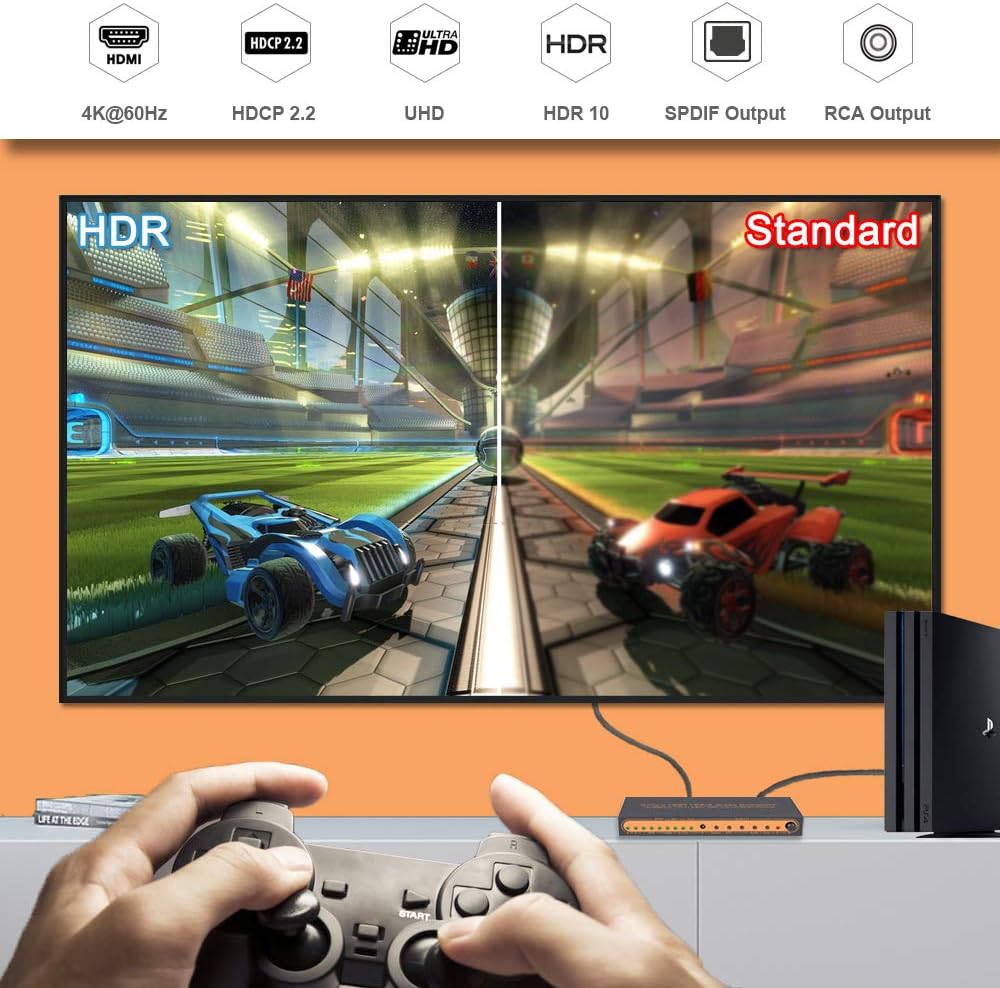
Image: Comparison of HDR and Standard video quality, demonstrating the enhanced visual experience with HDR10 support. The image also shows the device connected to a PlayStation 4 Pro, highlighting its gaming compatibility.

Image: Illustration of the audio output capabilities, including Dolby Audio, DTS, 7.1 LPCM, and RCA audio out. A PlayStation 4 is shown connected to the switch, which then outputs to a TV and an external speaker system.

Image: Close-up view of the SkycropHD HDMI switch, emphasizing its solid metal shell. Icons indicate features such as anti-fingerprints, anti-creep, anti-interference, and quick heat dissipation, contributing to excellent longevity.
Package Contents
Please check the package contents upon opening. If any items are missing or damaged, contact customer support.
- 1 x SkycropHD 4K@60Hz 3-Port HDMI Switch Audio Extractor Converter
- 1 x 5V Power Adapter
- 1 x IR Remote Control
- 1 x User Manual
Product Diagram

Image: Detailed diagram of the SkycropHD HDMI switch, illustrating its input and output ports. Input devices such as Fire TV, Roku, Blu-ray player, Apple TV, Xbox, and PS4 are shown connecting to HDMI IN1, IN2, IN3. Output devices like TV, projector, monitor, amplifier, and speakers are shown connected to the HDMI OUT, SPDIF, and R/L RCA ports.
Front Panel
- Input Indicator Lights: LEDs for HDMI IN1, IN2, IN3 to show active input.
- Switch Button: Manually cycles through HDMI inputs.
- ARC Button: Activates or deactivates the Audio Return Channel function.
- Auto Switch Button: Toggles automatic input switching.
Rear Panel
- DC 5V: Power input port.
- HDMI IN1/IN2/IN3: HDMI input ports for source devices.
- HDMI OUT: HDMI output port for connecting to a display.
- SPDIF: Optical digital audio output port.
- R/L: RCA stereo analog audio output ports.
Setup Instructions
Follow these steps to connect your SkycropHD HDMI Switch Audio Extractor Converter:
- Connect HDMI Source Devices: Use HDMI cables to connect your source devices (e.g., Blu-ray player, gaming console, PC, streaming box) to the HDMI IN1, IN2, and IN3 ports on the switch.
- Connect HDMI Display: Connect an HDMI cable from the HDMI OUT port on the switch to the HDMI input port on your TV, monitor, or projector.
- Connect Audio Output (Optional):
- For digital audio, connect an optical cable from the SPDIF port on the switch to the optical input on your soundbar, AV receiver, or amplifier.
- For analog stereo audio, connect RCA (L/R) cables from the R/L ports on the switch to the corresponding analog audio inputs on your amplifier or stereo system.
- Connect Power: Plug the provided 5V power adapter into the DC 5V port on the switch, then plug the adapter into a power outlet. The power indicator light will illuminate.
- Power On Devices: Power on your HDMI source devices, the display, and any connected audio systems.
Operating Instructions
Switching HDMI Inputs

Image: Diagram illustrating the three available switching modes: 1) Automatic switching when a device is turned on, 2) Manual switching by pressing a button on the device, and 3) Manual switching using the IR remote control.
The SkycropHD HDMI switch offers three methods for switching between connected HDMI sources:
- Automatic Switching: When the "Auto Switch" function is enabled (indicated by an LED), the switch will automatically detect and switch to the most recently activated HDMI source. If multiple sources are active, it may prioritize the last one turned on. To enable/disable, press the "Auto Switch" button on the device.
- Manual Button Switching: Press the "Switch" button on the front panel of the device to cycle through the HDMI inputs (IN1 → IN2 → IN3 → IN1).
- IR Remote Control Switching: Use the provided IR remote control to directly select the desired HDMI input (e.g., press '1' for HDMI IN1, '2' for HDMI IN2, '3' for HDMI IN3). Ensure there is a clear line of sight between the remote and the IR receiver on the switch.
Audio Return Channel (ARC) Function
The ARC function allows audio from your TV's built-in tuner or smart apps to be sent back to the HDMI switch via the HDMI cable and then outputted through the SPDIF port to your sound system. This eliminates the need for a separate audio cable from your TV to your sound system.
- Activation: Press the "ARC" button on the device or remote control to enable or disable ARC. An indicator light will show its status.
- TV Settings: Ensure your TV's HDMI ARC port is used and that ARC is enabled in your TV's audio settings.
- Audio Output: When ARC is active, audio from the TV will be outputted via the SPDIF port. The RCA (L/R) output may not carry ARC audio.
Maintenance
To ensure the longevity and optimal performance of your SkycropHD HDMI Switch Audio Extractor Converter, follow these maintenance guidelines:
- Cleaning: Use a soft, dry cloth to clean the device. Avoid using liquid cleaners or abrasive materials.
- Ventilation: Ensure the device is placed in a well-ventilated area to prevent overheating. Do not block ventilation openings.
- Power: Disconnect the power adapter when the device is not in use for extended periods.
- Environment: Keep the device away from moisture, extreme temperatures, and direct sunlight.
Troubleshooting
If you encounter issues with your HDMI switch, refer to the following troubleshooting steps:
- No Video Output:
- Ensure all HDMI cables are securely connected and not damaged.
- Verify the power adapter is connected and the device is powered on.
- Check if the correct HDMI input is selected on the switch and your display.
- Try connecting the HDMI source directly to the display to rule out cable or source issues.
- Restart the HDMI switch by unplugging and re-plugging the power adapter.
- No Audio Output:
- Confirm audio cables (Optical/RCA) are correctly connected to your sound system.
- Check the volume level on your sound system and ensure it's set to the correct input.
- Verify the audio settings on your source device (e.g., Blu-ray player, gaming console) are configured for the desired output format (e.g., PCM, Bitstream).
- If using ARC, ensure it is enabled on both the switch and your TV, and that your TV's audio output is set to external speakers/ARC.
- Some audio formats (e.g., certain Dolby Digital or DTS streams) may not be supported by all sound systems via optical/RCA. Try setting the source device's audio output to PCM stereo if you experience issues.
- Automatic Switching Issues:
- Ensure the "Auto Switch" function is enabled on the device.
- If the switch 'remembers' a previous input or struggles to switch, try turning off all source devices except the one you wish to use, or manually select the input.
- Power cycle the switch if automatic switching becomes unresponsive.
- Remote Control Not Working:
- Check the battery in the remote control and replace if necessary.
- Ensure there are no obstructions between the remote and the IR receiver on the switch.
- Point the remote directly at the IR receiver.
Specifications
| Connector Type | HDMI, RCA |
| Brand | SkycropHD |
| Compatible Devices | Blu-Ray Player, Gaming Console, Monitor, Personal Computer, Television |
| Cable Type | HDMI, RCA |
| Number of Ports | 3 HDMI Inputs, 1 HDMI Output, 1 Optical SPDIF Output, 1 RCA (L/R) Output |
| Manufacturer | ASK Technology Co., Ltd. |
| UPC | 688397979828 |
| ASIN | B084M4LSR3 |
| Max Resolution | 4K@60Hz |
| HDCP Support | HDCP 2.2 |
| HDR Support | HDR10, Dolby Vision |
| Bandwidth | 18Gbps |
| Audio Formats | Dolby Digital, DTS, LPCM 7.1, Dolby Atmos (via HDMI pass-through) |
| ARC Support | Yes |
Warranty and Support
SkycropHD products are designed for reliability and performance. For warranty information or technical support, please refer to the contact details provided with your purchase or visit the official SkycropHD website. Keep your purchase receipt for warranty claims.