
CTA Digital PAD-PARAWM
Locking Tablet Wall Mount Instruction Manual
Model: PAD-PARAWM
Product Overview
The CTA Digital Locking Tablet Wall Mount (Model: PAD-PARAWM) is a versatile and secure enclosure designed for various tablet models. It offers a 2-in-1 design, allowing for both countertop and wall mounting, making it suitable for commercial environments such as retail, healthcare, hospitality, and events. Its robust construction and anti-theft features ensure the safety of your device while providing convenient access for users.
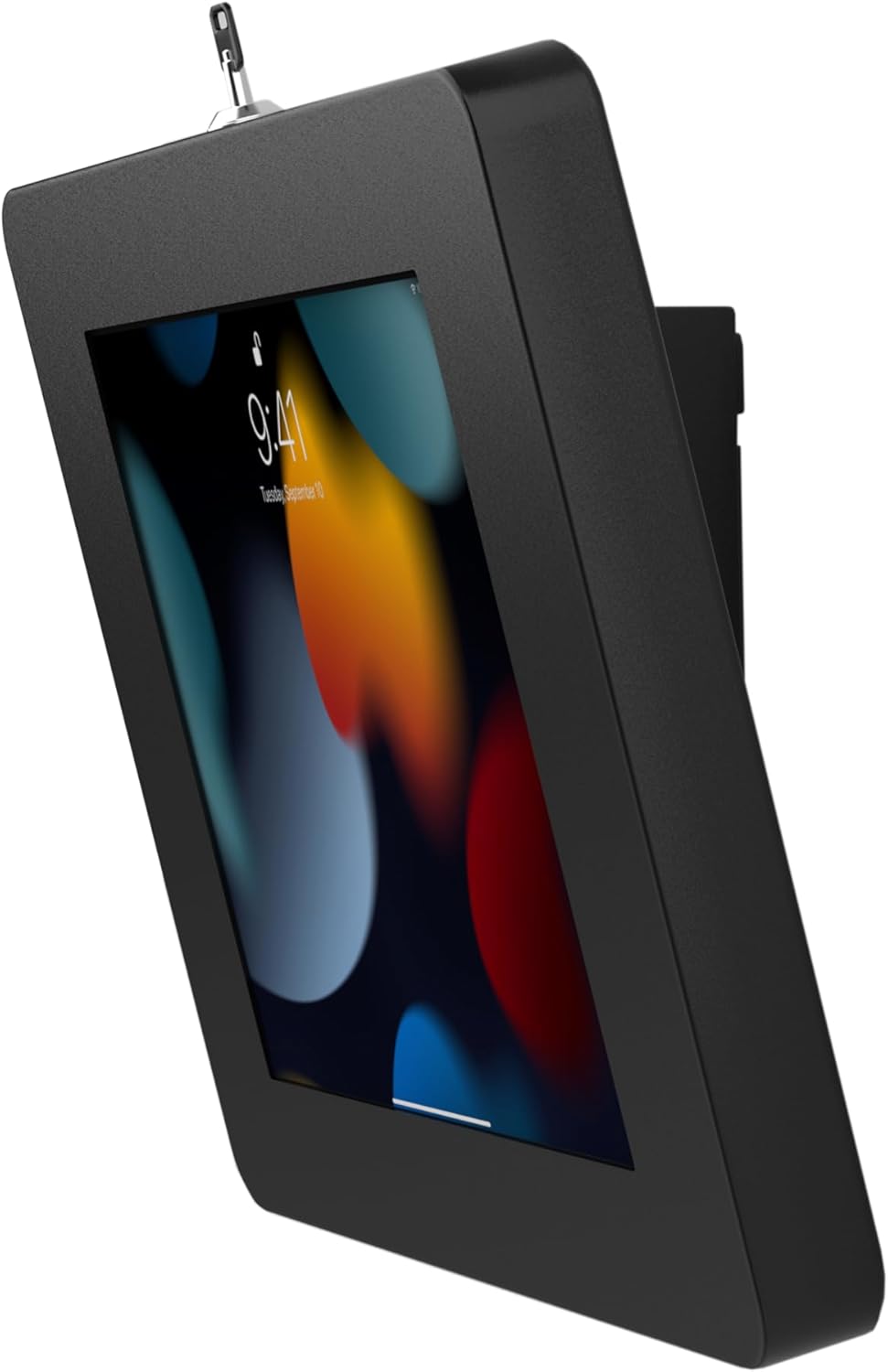
Image: The Locking Tablet Wall Mount securely holding a tablet, showcasing its sleek design and key lock at the top.
Key Features:
- Heavy-duty locking enclosure for enhanced security.
- Versatile 2-in-1 design for countertop or wall mounting.
- Full access to camera and home button for uninterrupted functionality.
- Comfortable tilting angle for optimal kiosk interaction.
- Designed for installations over a wall plug, allowing for discreet cable management.
- Compatible with a wide range of tablets including iPad 11 (A16), iPad Air 11" M2 (2024), iPad Pro 11" M4 (2024), iPad 10.2" 7th/8th/9th Gen, iPad Gen 5-6, iPad Air Gen 1-4, Galaxy Tab A 10.1", iPad Pro 10.5", iPad Pro 9.7", Lenovo Tab 4, Galaxy Tab A/S2/S3 9.7", Galaxy Tab A/3/4 10.1", Surface Go, Surface Go 3, and Galaxy Tab S5E.

Image: An illustrative diagram showcasing the mount's dual functionality (countertop and wall) and its key features, including security, cable management, and rotation capabilities.
What's in the Box
Please verify that all components are present before beginning installation:
- (1) Tablet Mount Enclosure
- (2) Enclosure Keys
- (1) Cable Lock
- (2) Cable Lock Keys
- (1) Set of Hardware (screws, anchors, etc. for mounting)
Setup and Installation
1. Choosing Your Mounting Option:
The PAD-PARAWM offers two primary mounting configurations: countertop or wall mount. Select the option that best suits your needs.

Image: The mount displayed as a freestanding countertop unit and securely attached to a wall, illustrating its dual-purpose design.
2. Installing the Tablet:
- Unlock the enclosure using one of the provided enclosure keys. The keyhole is typically located at the top of the enclosure.
- Open the enclosure.
- Carefully place your tablet inside the enclosure. Ensure it is centered and aligned correctly.
- Utilize the provided foam inserts to secure the tablet snugly within the enclosure and prevent movement.
- Close the enclosure and lock it with the key. Remove the key and store it in a safe place.

Image: A detailed view of the enclosure's key lock, demonstrating how to open it for tablet insertion.

Image: The interior of the enclosure with foam inserts, illustrating how they cushion and hold the tablet in place.
3. Mounting the Enclosure:
For Wall Mounting:
- Choose a suitable location on the wall, preferably near a power outlet if the tablet requires continuous charging.
- Use the mounting holes on the back of the enclosure as a template to mark drilling points on the wall. The mount is VESA compliant (75mm x 75mm and 100mm x 100mm).
- Drill pilot holes and insert wall anchors if necessary (for drywall).
- Secure the enclosure to the wall using the provided screws.

Image: The rear of the mount, highlighting the standard VESA mounting patterns for easy wall attachment.
For Countertop Use:
- Place the enclosure on a flat, stable surface.
- For added security, you can anchor the mount to the countertop using the provided hardware, or utilize the Kensington Security Slot with the included cable lock.
4. Attaching the Anti-Theft Cable Lock:
For enhanced security, especially in public environments, attach the anti-theft cable lock:
- Locate the Kensington Security Slot on the enclosure (typically on the back or side).
- Insert the cable lock head into the slot and turn the key to secure it.
- Wrap the cable around a sturdy, immovable object (e.g., a table leg, a wall anchor).
- Lock the cable using the cable lock keys.

Image: The anti-theft cable lock connected to the mount's security slot, demonstrating an additional layer of protection against theft.
Operating Instructions
1. Adjusting Viewing Angle:
The mount features a comfortable tilting angle for optimal interaction. Gently adjust the enclosure to your desired viewing angle.
2. Rotating Display (Portrait/Landscape):
The enclosure allows for 360-degree rotation, enabling you to switch between portrait and landscape orientations as needed.

Image: The mount demonstrating its ability to rotate the tablet 360 degrees, allowing for both portrait and landscape viewing modes.
3. Accessing Tablet Features:
The enclosure is designed to provide full access to the tablet's camera and home button, ensuring all functionalities remain accessible while the device is secured.

Image: The tablet mount in a practical setting, used on a countertop to facilitate customer interaction, demonstrating its ease of use in a commercial environment.
Maintenance
To ensure the longevity and optimal performance of your Locking Tablet Wall Mount, follow these simple maintenance guidelines:
- Cleaning: Wipe the exterior surfaces of the mount with a soft, damp cloth. Avoid using abrasive cleaners or solvents, as they may damage the finish.
- Inspection: Periodically check all screws and mounting hardware to ensure they remain tight and secure. Re-tighten if necessary.
- Key Care: Keep the enclosure and cable lock keys in a safe, accessible location. Avoid forcing keys if they feel stuck.
Troubleshooting
- Tablet does not fit inside the enclosure:
- Ensure your tablet model is listed in the compatibility section. Verify that any thick cases or accessories are removed from the tablet before attempting to insert it into the enclosure. Adjust foam inserts as needed.
- Enclosure does not lock:
- Ensure the tablet is properly seated and the enclosure is fully closed. Check for any obstructions preventing the latch from engaging. Try using the spare key.
- Mount feels unstable after installation:
- For wall mounts, ensure appropriate wall anchors were used for your wall type and that all screws are securely tightened. For countertop use, ensure the surface is flat and stable, and consider anchoring the mount or using the cable lock for added stability.
Specifications
| Attribute | Detail |
|---|---|
| Model Number | PAD-PARAWM |
| Product Dimensions | 9.13 x 12.17 x 4.89 inches |
| Item Weight | 5.7 pounds |
| Brand | CTA Digital |
| Color | Black |
| Form Factor | Stand Alone |
| Manufacturer | CTA Digital |
| Country of Origin | China |
| First Available Date | February 6, 2020 |
| Compatible Devices | iPad 11 (A16), iPad Air 11" M2 (2024), iPad Pro 11" M4 (2024), iPad 10.2" 7th/8th/9th Gen, iPad Gen 5-6, iPad Air Gen 1-4, Galaxy Tab A 10.1", iPad Pro 10.5", iPad Pro 9.7", Lenovo Tab 4, Galaxy Tab A/S2/S3 9.7", Galaxy Tab A/3/4 10.1", Surface Go, Surface Go 3, Galaxy Tab S5E |
Warranty and Support
For information regarding product warranty, returns, or technical support, please refer to the official CTA Digital website or contact their customer service directly. Keep your purchase receipt as proof of purchase for any warranty claims.
Additional protection plans may be available for purchase through authorized retailers.