
1. Safety Information
WARNING: Not suitable for children under 14 years. This product is not a toy. Adult supervision is recommended for users under 18 years of age.
Please retain the packaging as it contains important information. Product images may differ from the actual product. Carson reserves the right to make improvements and modifications at any time.
Always operate the vehicle in a safe environment, away from people, pets, and obstacles. Avoid operating near public roads or in crowded areas.
2. Package Contents
The Carson Bad Buster 2.0 4WD X10 2.4G 100% RTR package includes:
- 1:10 Bad Buster 2.0 Ready-to-Run Model
- 2.4 GHz Remote Control System
- Li-ion Power Drive Battery
- Turbo Charger
- 4 x Transmitter Batteries
- Instruction Manual
3. Product Features
The Bad Buster 2.0 is engineered for high performance on all off-road terrains. Key features include:
- 4WD System: Ensures excellent traction and control on various surfaces.
- High-Grip Micro-Pin Tires: Designed for superior off-road performance.
- Independent Suspension: Provides stability and handling over uneven terrain.
- Adjustable Oil Pressure Shock Absorbers: Allows for fine-tuning of suspension damping.
- Powerful Electric Motor: Capable of reaching speeds up to 35 km/h.
- Li-ion Power Battery: Offers extended run times and quick recharging with the turbo charger.
- 2.4 GHz Interference-Free Remote Control: Ensures reliable communication between the transmitter and the vehicle.

Figure 3.1: Front-side view of the Carson Bad Buster 2.0 RC car, showcasing its robust design and off-road tires.

Figure 3.2: Chassis view of the Bad Buster 2.0, illustrating the internal layout of the motor, battery, and suspension system.
4. Setup
4.1. Battery Charging
The included Li-ion Power Drive Battery must be fully charged before first use. Use only the provided Turbo Charger for charging.
- Connect the Turbo Charger to a suitable USB power source.
- Connect the Li-ion Power Drive Battery to the Turbo Charger.
- Allow the battery to charge completely. The charger will indicate when charging is complete (refer to charger's LED indicator for status).
- Once charged, disconnect the battery from the charger.

Figure 4.1: The included USB Turbo Charger for the Li-ion battery.

Figure 4.2: The Li-ion Power Battery Pack (1700 mAh) for the Bad Buster 2.0.
4.2. Battery Installation (Vehicle)
After charging, install the Li-ion battery into the vehicle's battery compartment. Ensure the battery is securely fastened to prevent movement during operation.
4.3. Transmitter Battery Installation
Install the 4 included transmitter batteries into the remote control unit. Observe correct polarity (+/-) as indicated in the battery compartment.
4.4. Pairing the Remote Control
The 2.4 GHz remote control system is typically pre-paired. If re-pairing is necessary, refer to the specific instructions provided with your remote control unit. Generally, this involves turning on the transmitter first, then the vehicle, and following any binding sequence.
5. Operating Instructions
Once the batteries are installed and charged, and the remote control is paired, you are ready to operate your Bad Buster 2.0.
5.1. Starting the Vehicle
- Place the vehicle on a flat surface.
- Turn on the remote control transmitter.
- Turn on the vehicle's power switch.
- The vehicle and transmitter should establish a connection.
5.2. Driving
Use the steering wheel on the transmitter to control direction (left/right) and the trigger to control speed (forward/reverse). The 4WD system and high-grip tires provide excellent traction for off-road driving.

Figure 5.1: The Bad Buster 2.0 in action on a gravel surface, demonstrating its off-road capability.
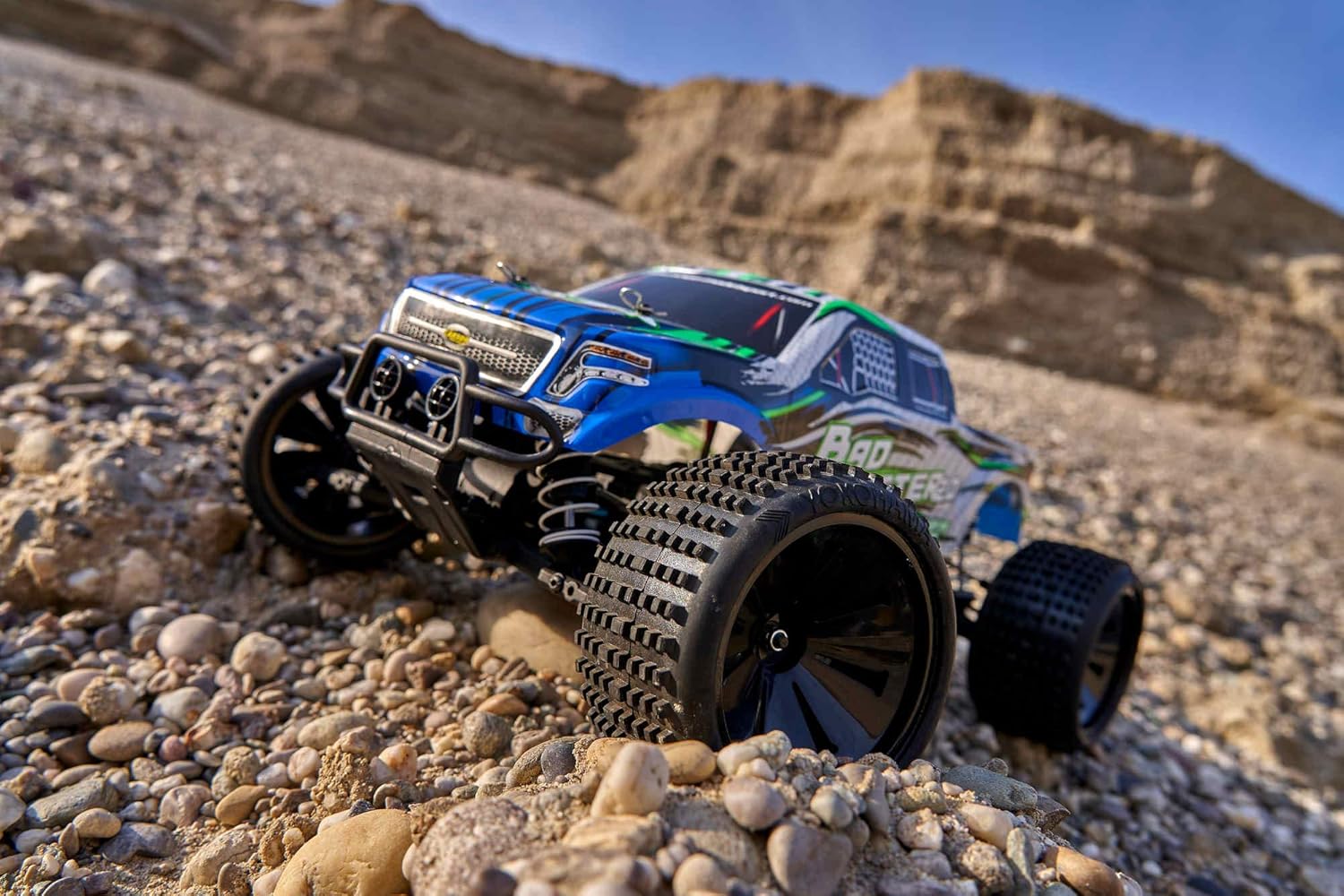
Figure 5.2: The Bad Buster 2.0 navigating a rocky incline, highlighting its robust suspension.
5.3. Adjustable Oil Pressure Shock Absorbers
The vehicle features adjustable oil pressure shock absorbers. These can be tuned to optimize performance for different terrains and driving styles. Consult advanced RC guides or Carson support for detailed adjustment procedures.
5.4. Ending Operation
When finished driving, turn off the vehicle's power switch first, then turn off the remote control transmitter. Always disconnect the Li-ion battery from the vehicle after use to prevent over-discharge.
6. Maintenance
6.1. General Care
- Keep the vehicle clean from dirt, dust, and moisture. Use a soft brush or cloth to remove debris.
- Regularly inspect all moving parts, including wheels, suspension components, and steering linkages, for wear or damage.
- Ensure all screws and fasteners are tight. Do not overtighten.
6.2. Battery Care
- Always disconnect the Li-ion battery from the vehicle after use.
- Store batteries in a cool, dry place, away from direct sunlight and extreme temperatures.
- Do not overcharge or over-discharge Li-ion batteries. Follow charging instructions carefully.
7. Troubleshooting
If you encounter issues with your Bad Buster 2.0, consider the following common troubleshooting steps:
- Vehicle not responding: Check if both the vehicle and transmitter are powered on. Ensure batteries are fully charged and correctly installed. Re-pair the remote control if necessary.
- Reduced performance: A low battery charge can affect speed and responsiveness. Recharge the Li-ion battery. Inspect for any obstructions in the drivetrain or damaged components.
- Steering issues: Check for damage to steering linkages or servo. Ensure the trim settings on the transmitter are correctly adjusted.
For persistent issues, please contact Carson customer support.
8. Specifications
| Specification | Value |
|---|---|
| Model Number | 500402129 |
| Scale | 1:10 |
| Drive Type | 4WD |
| Radio System | 2.4 GHz |
| Top Speed | Up to 35 km/h (21.75 mph) |
| Length | 410 mm (41 cm) |
| Width | 320 mm (32 cm) |
| Height | 175 mm (17.5 cm) |
| Wheelbase | 275 mm |
| Weight | 1933 g (3.32 kg with packaging) |
| Run Time | Approx. 10 minutes |
| Battery Type | Li-ion Power Battery |
| Material | Plastic |
| Recommended Age | 14 - 99 years |
9. Warranty Information
Carson products are manufactured to high quality standards. For specific warranty terms and conditions, please refer to the warranty card included with your product or visit the official Carson website. Keep your proof of purchase for any warranty claims.
10. Support
For technical assistance, spare parts, or further inquiries, please contact Carson customer support. Contact details can typically be found on the product packaging or the official Carson website.
Online Resources: Visit the official Carson website for FAQs, additional product information, and support resources.