
IKOHS NETBOT S15
IKOHS NETBOT S15 Robot Vacuum Cleaner User Manual
Model: NETBOT S15
1. Introduction
Welcome to the world of smart home cleaning with the IKOHS NETBOT S15 Robot Vacuum Cleaner. This advanced device is designed to provide efficient and comprehensive cleaning for various floor types, including pet hair, carpets, and hard floors. With its Wi-Fi connectivity, powerful suction, and multiple cleaning modes, the NETBOT S15 offers a convenient and automated cleaning experience. This manual provides essential information for setup, operation, maintenance, and troubleshooting to ensure optimal performance and longevity of your robot vacuum cleaner.
2. Important Safety Information
Please read all safety instructions carefully before using this appliance. Failure to follow these instructions may result in electric shock, fire, or serious injury.
- This appliance is for indoor household use only.
- Do not use the robot vacuum in wet environments or on wet surfaces.
- Keep the robot vacuum away from open flames or heating devices.
- Do not allow children to operate the robot vacuum. Supervise children and pets when the appliance is in use.
- Ensure the charging base is placed against a wall on a level surface, free from obstacles.
- Do not use the robot vacuum to pick up large objects, sharp objects, or liquids.
- Regularly clean the brushes and filters to maintain optimal performance.
- Unplug the charging base during long periods of non-use.
- Only use the original power adapter and charging base provided with the appliance.
3. Package Contents
Verify that all items are included in your package:
- IKOHS NETBOT S15 Robot Vacuum Cleaner
- Charging Base
- Power Adapter
- Remote Control
- Magnetic Strip (for delimiting restricted areas)
- Dustbin (600 ml capacity)
- Water Tank (400 ml capacity)
- HEPA Filter
- Side Brushes (set)
- Cleaning Brush Tool
- User Manual
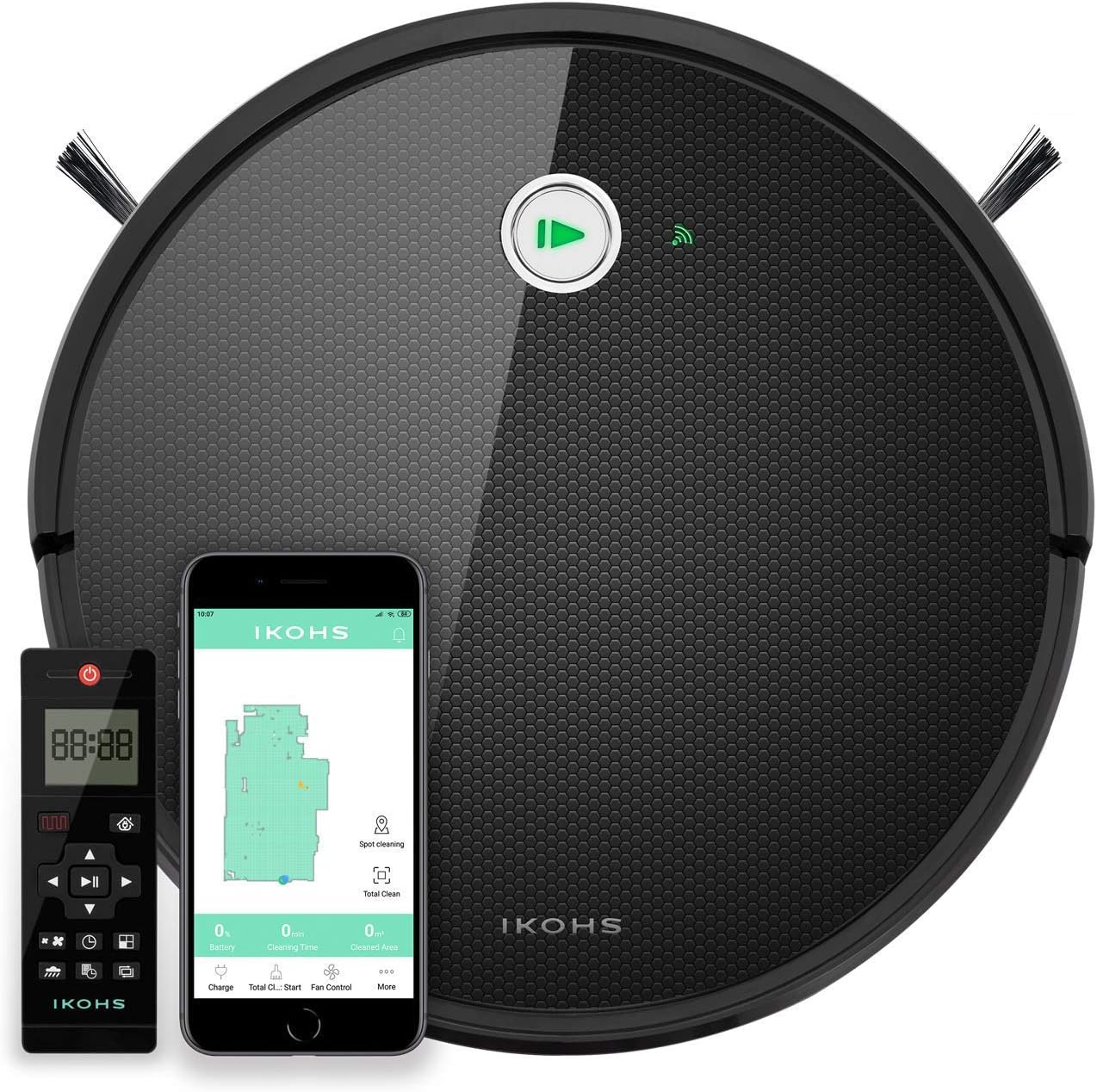
Image: The IKOHS NETBOT S15 robot vacuum cleaner, its remote control, and a smartphone displaying the companion app interface.
4. Product Overview
Top View
- Main Power Button / Indicator Light
- Dustbin Release Button
- Wi-Fi Indicator
Bottom View
- Side Brushes
- Main Brush
- Driving Wheels
- Charging Contacts
- Fall Sensors (3)
- Anti-Collision Sensors (11)
- Universal Wheel

Image: The underside of the robot vacuum, illustrating the main brush, side brushes, and the removable mop pad assembly.
Dustbin and Water Tank
- The robot features two large capacity tanks: a 600 ml dustbin for dry debris and a 400 ml water tank for mopping.

Image: The dustbin and water tank components of the robot vacuum, shown open to reveal their internal structure.
Remote Control
- The included remote control allows for easy operation and mode selection.

Image: The remote control unit for the robot vacuum, displaying its various buttons and screen.
5. Setup
5.1 Charging the Robot
- Place the charging base against a wall in an open, uncluttered area. Ensure there is at least 1 meter of clear space on both sides and 2 meters in front of the base.
- Connect the power adapter to the charging base and plug it into a wall outlet.
- Place the robot vacuum onto the charging base, ensuring the charging contacts align. The indicator light on the robot will illuminate to show it is charging.
- Allow the robot to fully charge before its first use (approximately 4-5 hours). A full charge provides up to 120 minutes of autonomy.
5.2 Connecting to the App (CREATE APP)
The NETBOT S15 can be controlled via the CREATE APP, compatible with Android and iOS devices.
- Download the "CREATE APP" from Google Play Store (for Android) or Apple App Store (for iOS).
- Register an account and log in.
- Follow the in-app instructions to add your NETBOT S15 device. This typically involves connecting the robot to your home Wi-Fi network.
- Once connected, you can program cleaning schedules, select cleaning modes, and monitor the robot's status from your smartphone.
Video: An official product video demonstrating the features and operation of the IKOHS NETBOT S15 robot vacuum cleaner, including its smart cleaning capabilities, various cleaning modes, app control, and obstacle avoidance.
6. Operating the Robot Vacuum
6.1 Cleaning Modes
The NETBOT S15 offers multiple cleaning modes to suit different needs:
- Automatic Cleaning: The robot intelligently navigates and cleans the entire floor area.
- Edge Cleaning: The robot cleans along walls and furniture edges.
- Room Mode: Ideal for cleaning a specific room or confined area.
- Spot Cleaning: Concentrates cleaning on a small, heavily soiled area.
- Scheduled Cleaning: Set specific times for the robot to clean automatically via the app.
- Manual Mode: Control the robot's movement directly using the remote control or app.

Image: A visual diagram explaining the different cleaning modes available for the robot vacuum, including automatic, edge, room, spot, schedule, and return to home.
6.2 Suction Power
The NETBOT S15 features a maximum suction power of 1500 Pa, allowing it to effectively pick up dust, debris, and pet hair from various surfaces. You can adjust the suction power via the app or remote control based on your cleaning needs.

Image: The robot vacuum actively cleaning scattered lentils on a hard floor, demonstrating its suction capability.

Image: A side view of the robot vacuum as it cleans lentils, highlighting its low profile and cleaning mechanism.

Image: The robot vacuum cleaning white powder on a hard floor, showcasing its ability to handle fine particles.

Image: A close-up view of the robot vacuum in action, effectively removing white powder from the floor surface.
6.3 Mopping Function
To use the mopping function, fill the 400 ml water tank with clean water. Attach the mop pad to the water tank and insert it into the robot. The robot will then sweep, vacuum, mop, and scrub simultaneously.
Image: A visual diagram explaining the different cleaning modes available for the robot vacuum, including automatic, edge, room, spot, schedule, and return to home.
6.4 Obstacle Avoidance and Fall Prevention
The NETBOT S15 is equipped with 11 anti-collision sensors and 3 fall sensors to prevent it from bumping into furniture or falling down stairs. It can also overcome obstacles up to 2 cm in height, such as door sills or thin carpets.
6.5 Restricted Areas
Use the included magnetic strip to define areas where the robot should not enter. Place the strip on the floor to create a virtual barrier.
7. Maintenance
Regular maintenance is crucial for the optimal performance and longevity of your robot vacuum.
7.1 Cleaning the Dustbin and Filter
- Press the dustbin release button and remove the dustbin from the robot.
- Open the dustbin and empty its contents into a trash bin.
- Remove the HEPA filter and primary filter. Tap them gently to remove dust. You can rinse the primary filter and dustbin with water, but ensure they are completely dry before reassembling. The HEPA filter should not be washed.
- Reinstall the filters and close the dustbin. Insert the dustbin back into the robot until it clicks into place.
7.2 Cleaning the Main Brush and Side Brushes
- Turn the robot over.
- Remove the main brush cover and lift out the main brush. Use the cleaning tool to remove hair and debris tangled around the brush.
- Gently pull the side brushes to remove them. Clean any hair or debris from the brushes and their posts.
- Reattach the main brush and side brushes.
7.3 Cleaning Sensors and Charging Contacts
- Wipe the fall sensors, anti-collision sensors, and charging contacts on both the robot and the charging base with a clean, dry cloth.
8. Troubleshooting
If you encounter issues with your NETBOT S15, refer to the following common problems and solutions:
| Problem | Possible Cause | Solution |
|---|---|---|
| Robot does not turn on. | Low battery; Power switch off. | Charge the robot; Ensure the main power switch is ON. |
| Robot cannot charge. | Charging contacts are dirty; Charging base not powered. | Clean charging contacts; Ensure charging base is plugged in and powered. |
| Suction power is weak. | Dustbin full; Filter clogged; Main brush tangled. | Empty dustbin; Clean/replace filter; Clean main brush. |
| Robot gets stuck frequently. | Too many obstacles; Fall sensors dirty. | Clear obstacles; Clean fall sensors. |
| Cannot connect to Wi-Fi/App. | Incorrect Wi-Fi password; Router issues; Robot too far from router. | Verify password; Restart router; Move robot closer to router. Note: The app may not support 5GHz Wi-Fi signals. |
9. Specifications
| Feature | Detail |
|---|---|
| Brand | IKOHS |
| Model | NETBOT S15 |
| Color | Black |
| Max Suction Power | 1500 Pa |
| Battery Type | LG Li-ion |
| Battery Capacity | 2600 mAh |
| Autonomy | Up to 120 minutes |
| Dustbin Capacity | 600 ml |
| Water Tank Capacity | 400 ml |
| Cleaning Modes | Automatic, Edge, Room, Spot, Scheduled, Manual |
| Sensors | 11 Anti-collision, 3 Fall |
| Obstacle Climbing Ability | Up to 2 cm |
| Filter Type | HEPA |
| Connectivity | Wi-Fi, App (CREATE APP), Remote Control, Alexa, Google Home |
| Item Weight | 6 kg |
| Package Dimensions | 55.7 x 40.1 x 16.6 cm |
10. Warranty and Support
IKOHS products are manufactured to the highest quality standards. For detailed warranty information, please refer to the warranty card included in your product packaging or visit the official IKOHS website.
For technical support, troubleshooting assistance, or spare parts, please contact IKOHS customer service through their official channels.
Related Documents - NETBOT S15
 |
IKOHS NETBOT S15 Robotický vysavač - Uživatelská příručka Kompletní uživatelská příručka pro robotický vysavač IKOHS NETBOT S15, včetně pokynů pro instalaci aplikace, připojení k WiFi a základní ovládání. |
 |
IKOHS NETBOT S15 Vacuum Cleaner Robot User Manual Comprehensive user manual for the IKOHS NETBOT S15 vacuum cleaner robot, detailing setup, app integration, features, and maintenance. Learn how to connect to Wi-Fi, use the app for control, and understand the various cleaning modes. |
 |
CREATE UPWIND SAIL Ceiling Fan User Manual This user manual provides comprehensive instructions for the installation and operation of the CREATE UPWIND SAIL ceiling fan by IKOHS. It includes safety precautions, parts list, installation steps, and troubleshooting tips. |
 |
IKOHS CREATE WINDWOOD Ceiling Fan User Manual Comprehensive user manual for the IKOHS CREATE WINDWOOD ceiling fan, detailing installation, safety precautions, operation, and troubleshooting for optimal performance. |
 |
CREATE Electric Pizza Oven User Manual - IKOHS User manual for the CREATE Electric Pizza Oven by IKOHS, providing instructions for use, safety guidelines, cleaning, and troubleshooting. |
 |
CREATE WARM TOWEL CRYSTAL Electric Towel Rack User Manual User manual for the IKOHS CREATE WARM TOWEL CRYSTAL electric towel rack, providing installation, operation, and safety instructions. |
Ask a question about this manual
Ask about setup, troubleshooting, compatibility, parts, safety, or missing instructions. Manuals+ will review the question and use this page’s manual context to help answer it.