
Introduction
Thank you for choosing the HONOR Magic Watch 2. This smartwatch is designed to enhance your daily life with advanced fitness tracking, communication features, and a long-lasting battery. It features a vibrant 1.39-inch AMOLED display, a durable metal and plastic body, and a range of sensors to monitor your health and activities. This manual provides essential information for setting up, operating, maintaining, and troubleshooting your device.
Setup
1. Unboxing and Initial Charge
Upon unboxing, ensure all standard components are present. It is recommended to fully charge your HONOR Magic Watch 2 before first use. The watch is equipped with a 455 mAh battery, providing up to 14 days of typical usage on a single charge.

Image: Front view of the HONOR Magic Watch 2, showcasing its round AMOLED display and black strap.
2. Pairing with Your Smartphone
- Download the official HONOR Health or Huawei Health app from your smartphone's app store (compatible with iOS and Android devices).
- Open the app and follow the on-screen instructions to create an account or log in.
- Ensure Bluetooth is enabled on your smartphone.
- In the app, navigate to 'Devices' and select 'Add device'. Choose your HONOR Magic Watch 2 from the list of available devices.
- Confirm the pairing request on both your watch and smartphone.
3. Initial Configuration
After successful pairing, the app will guide you through initial settings such as personal information, notification preferences, and watch face selection.
Operating Your Smartwatch
1. Basic Navigation
- Touchscreen: Swipe up, down, left, or right to navigate through menus and notifications. Tap to select items.
- Buttons: The watch features push buttons for various functions, typically a power/home button and a function button. Refer to the on-screen prompts for specific button actions.
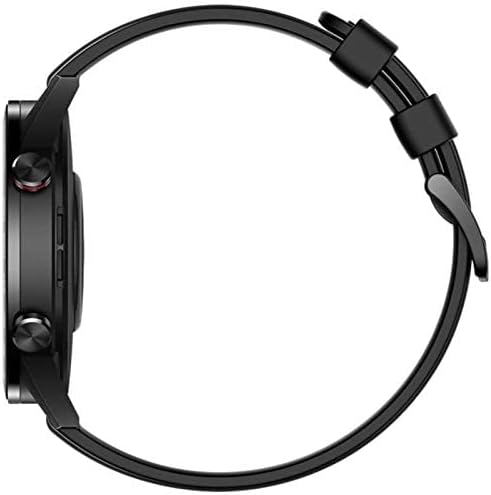
Image: Side view of the HONOR Magic Watch 2, showing the two physical buttons on the right side of the watch case.
2. Communication Features
- Bluetooth Calls: Make and receive calls directly from your watch when connected to your smartphone via Bluetooth. The watch includes a microphone for hands-free communication.
- Notifications: Receive alerts for incoming calls, text messages, and app notifications directly on your watch display.
3. Fitness and Health Tracking
The HONOR Magic Watch 2 offers comprehensive tracking capabilities:
- 15 Fitness Modes: Track various sports activities including climbing, running, walking, long-distance walking, and cycling.
- Heart Rate Monitor: An optical heart rate sensor continuously monitors your heart rate.
- SpO2 Monitor: Measures blood oxygen saturation levels.
- Sleep Tracking: Monitors your sleep patterns and provides insights for improvement.
- Stress Monitoring: Helps you manage stress levels throughout the day.
- GPS: Integrated GPS provides accurate route tracking for outdoor activities.
- Distance Tracker: Records distances covered during your workouts.
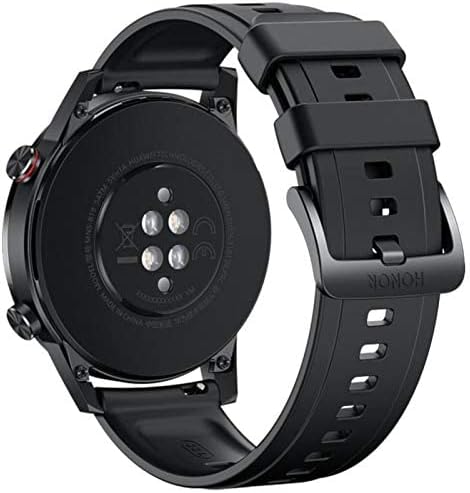
Image: Back view of the HONOR Magic Watch 2, showing the heart rate sensors and charging contacts.
4. Music Playback
Store and play music directly from your watch (4GB storage capacity) or control music playback on your connected smartphone.
Maintenance
1. Cleaning Your Watch
- Wipe the watch screen and body with a soft, lint-free cloth.
- For stubborn stains, dampen the cloth slightly with water. Avoid using harsh chemicals or abrasive materials.
- Clean the charging contacts regularly to ensure proper charging.
2. Water Resistance
The HONOR Magic Watch 2 is water-resistant up to 50 meters. This means it can be used for shallow-water activities like swimming in a pool or ocean. It is not suitable for diving, waterskiing, or other activities involving high-velocity water or submersion below shallow depth.
- Rinse the watch with fresh water after exposure to saltwater or chlorinated water.
- Do not press buttons underwater.
- Ensure the watch is dry before charging to prevent damage to the charging contacts.
3. Battery Care
- Avoid exposing the watch to extreme temperatures, which can degrade battery life.
- For long-term storage, charge the watch to approximately 50% and store it in a cool, dry place.
Troubleshooting
Common Issues and Solutions
| Issue | Possible Solution |
|---|---|
| Watch not turning on | Ensure the watch is fully charged. Connect it to the charger for at least 30 minutes. |
| Unable to pair with smartphone | Check if Bluetooth is enabled on both devices. Restart both the watch and smartphone. Ensure the app is updated to the latest version. |
| Inaccurate heart rate/activity data | Ensure the watch is worn snugly on your wrist, not too tight or too loose. Clean the sensor on the back of the watch. |
| Short battery life | Reduce screen brightness, disable always-on display, limit background app refresh, and turn off unnecessary notifications. |
| Watch not charging | Ensure the charging cable and adapter are working correctly. Clean the charging contacts on both the watch and the charger. |
If you encounter issues not listed here, try restarting your watch and smartphone. For persistent problems, refer to the support section.
Specifications
| Feature | Detail |
|---|---|
| Model Name | Magic Watch 2 |
| Model Number | Minos-B19S |
| Display Size | 1.39 inches |
| Display Type | AMOLED |
| Resolution | 454 x 454 pixels |
| Max Screen Brightness | 600 nits |
| Operating System | Android Wear (Compatible with iOS and Android) |
| Storage Capacity | 4 GB |
| Battery Capacity | 455 mAh |
| Battery Life | Up to 336 hours (14 days) |
| Connectivity | Bluetooth |
| GPS | Yes (Global Positioning System) |
| Water Resistance | 50 meters |
| Item Dimensions | 46 x 46 x 11 mm |
| Case Material | Metal |
| Band Material | Silicone (standard), Stainless Steel (variant dependent) |
| Sensors | Accelerometer, Optical Heart Rate Sensor |
| Human Interface Input | Buttons, Microphone |
| Special Features | Phone calls, Notifications, SMS, Music Player, Calendar Mode |
Warranty Information
This product comes with a manufacturer's warranty of 18 months from the date of purchase. For service or further details, you may contact the manufacturer or its authorized service agent. Alternatively, you may contact Amazon for assistance.
Support
For additional support, frequently asked questions, or to download the latest version of the user manual, please visit the official HONOR support website. You can also find troubleshooting tips and community forums online.
- Online Resources: Visit the HONOR official website for product support.
- Customer Service: Contact HONOR customer service for direct assistance.


