
1. Introduction
Thank you for choosing the Skechers SR5132 Digital Black Dial Men's Watch. This manual provides detailed instructions to help you understand and operate your new timepiece effectively. Please read this manual thoroughly before using the watch to ensure proper function and longevity. Keep this manual for future reference.
For optimal performance, ensure the watch is handled with care and maintained according to the guidelines provided herein.
2. Product Overview
The Skechers SR5132 Hosford digital watch combines modern style with practical functionality. It features a durable plastic case and a black stainless steel band, complemented by a negative digital display. Key functions include an alarm, chime, 1/1100 chronograph stopwatch, and backlight.
2.1 Key Features
- Case Size: 40mm; Band Size: 24mm
- LCD movement with digital display
- Mineral crystal face for durability
- Black plated polycarbonate case and black dial
- Black plated alloy bracelet with 2 pusher foldover clasp closure
- Interchangeable with Skechers 24mm watch straps
- Water Resistance: 165 feet (50 meters) - suitable for short periods of exposure to water (e.g., washing hands, showering/bathing). Not suitable for recreational swimming, diving, or snorkeling.
- Functions: Alarm, Chime, 1/1100 Chronograph Stopwatch, Backlight
2.2 Watch Components
Familiarize yourself with the main components of your watch:
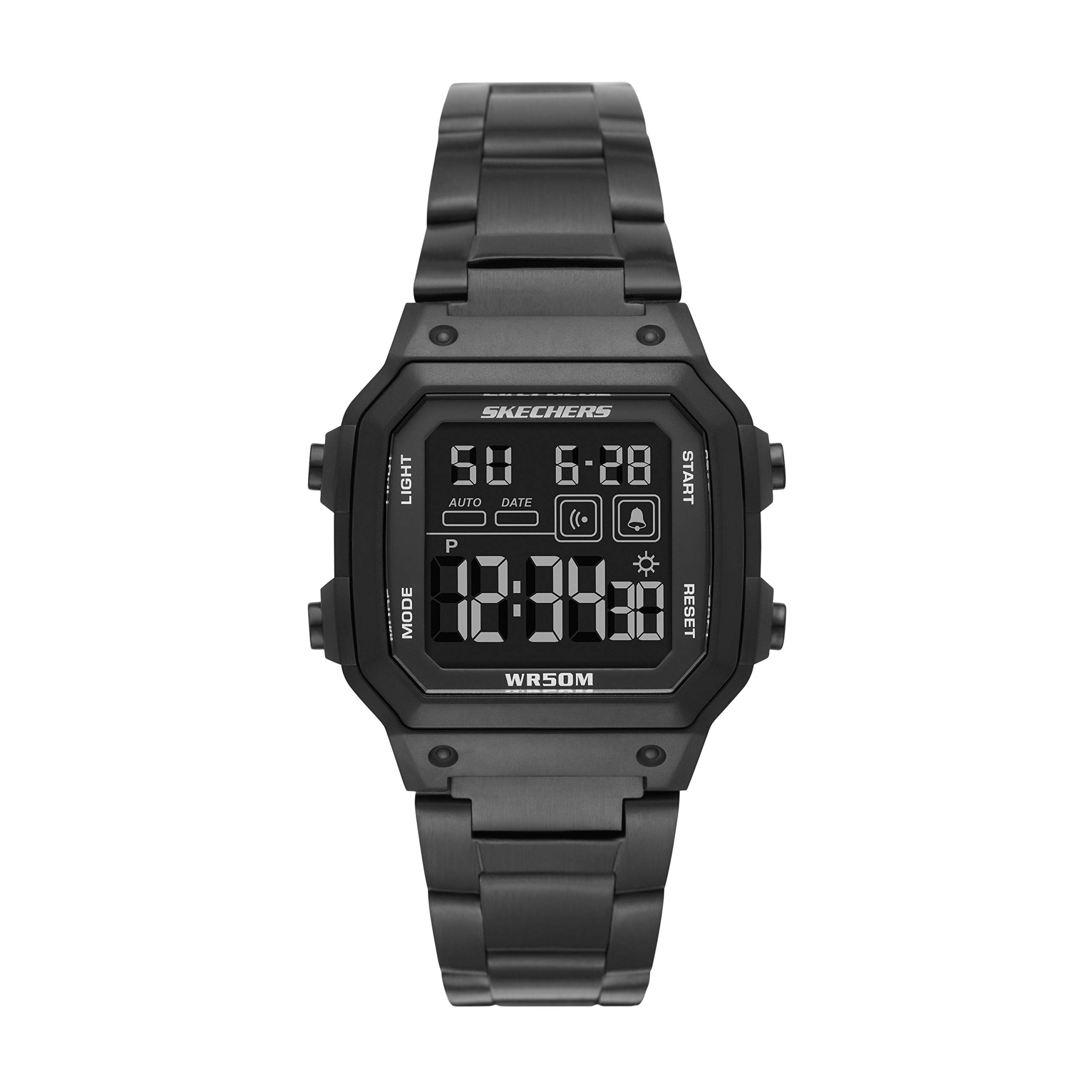
Figure 1: Front view of the Skechers SR5132 Digital Watch, showcasing the black dial and case.
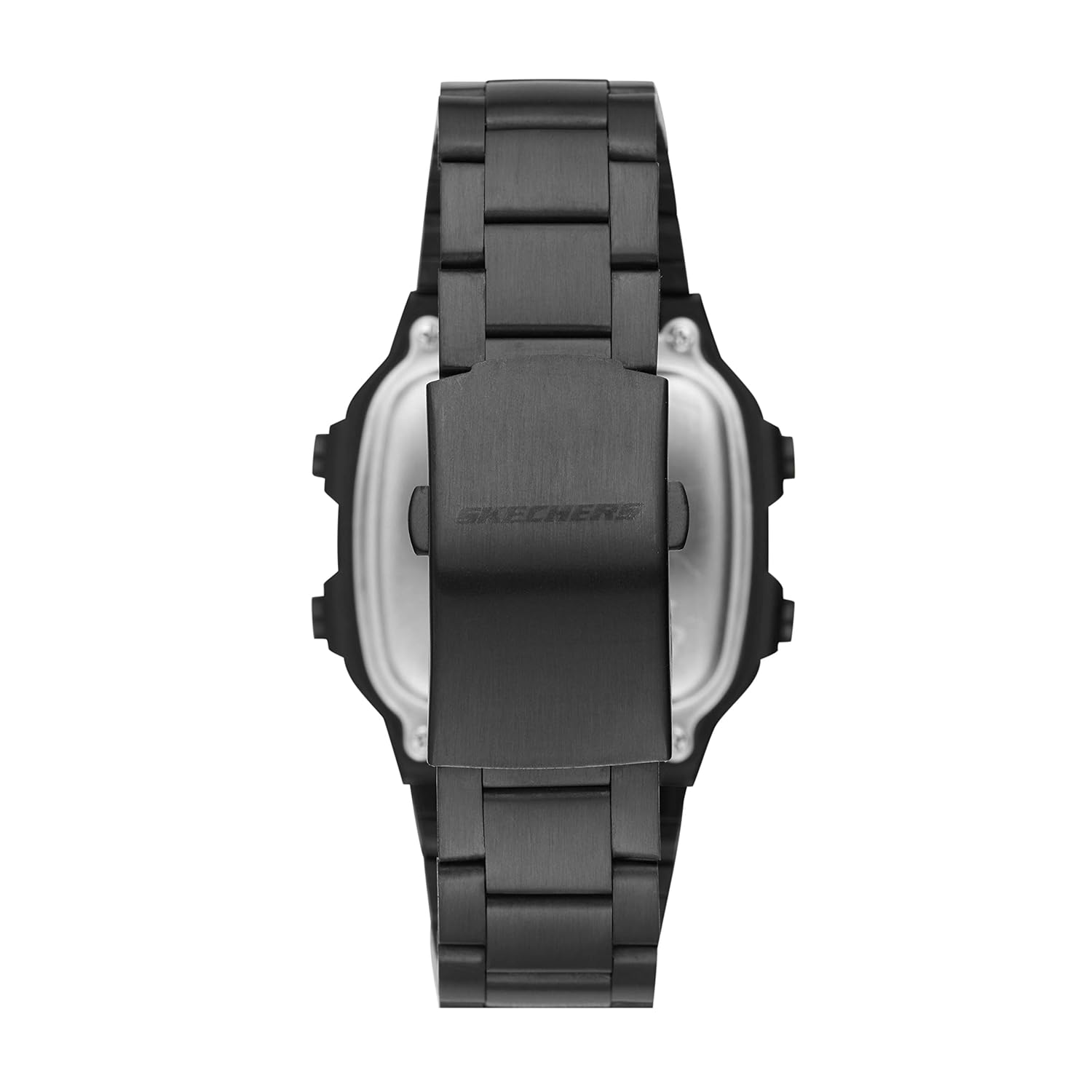
Figure 2: Side view of the Skechers SR5132 Digital Watch, highlighting the control buttons on the right side of the case. These buttons are used for setting and operating various functions.

Figure 3: Rear view of the Skechers SR5132 Digital Watch, showing the stainless steel band and the double locking foldover clasp.

Figure 4: The Skechers watch packaging box.
3. Setup
3.1 Initial Power-On and Battery
Your Skechers SR5132 watch comes with one product-specific battery included and pre-installed. The watch should be operational upon removal from its packaging. If the display is blank, gently press any button to activate it. If it remains unresponsive, refer to the Troubleshooting section.
3.2 Setting Time and Date
The watch features multiple buttons, typically labeled A, B, C, D (refer to Figure 2 for button locations). The exact procedure for setting time and date may vary slightly, but generally follows these steps:
- Press the MODE button (often 'B' or 'C') repeatedly until the time setting mode is displayed (usually indicated by flashing digits).
- Use the ADJUST or SET button (often 'A' or 'D') to select the digit you wish to change (e.g., hours, minutes, year, month, day).
- Use the START/STOP or UP/DOWN button (often 'D' or 'A') to increase or decrease the selected value.
- Repeat steps 2 and 3 until all desired time and date settings are correct.
- Press the MODE button again to exit the setting mode and return to the normal time display.
3.3 Adjusting the Watch Band
The black plated alloy bracelet features a 2-pusher foldover clasp closure. To adjust the band length, it may be necessary to remove or add links. This process typically requires specialized tools and is best performed by a professional jeweler or watch repair service to avoid damage to the band or clasp. The band is interchangeable with other Skechers 24mm watch straps.
4. Operating the Watch
4.1 Basic Time Display
In normal mode, the watch displays the current time (hours, minutes, seconds) and often the day of the week and date. Pressing the MODE button cycles through different display modes.
4.2 Using the Alarm
- Press the MODE button until the alarm setting mode is displayed (often indicated by 'AL' or an alarm icon).
- Use the ADJUST button to select the hour or minute digits.
- Use the START/STOP button to set the desired alarm time.
- Press a dedicated ALARM ON/OFF button or the ADJUST button to toggle the alarm on or off. An alarm icon will appear on the display when activated.
- Press the MODE button to exit.
4.3 Activating the Chime
The chime function, also known as the hourly time signal, can be activated or deactivated. Typically, this is done in the alarm setting mode or a dedicated chime setting mode. Look for an icon resembling a bell or a 'CHIME' indicator on the display. Use the ADJUST or START/STOP button to toggle it on or off.
4.4 Operating the Chronograph Stopwatch
Your watch features a 1/1100 chronograph stopwatch for measuring elapsed time.
- Press the MODE button until the stopwatch mode is displayed (often indicated by 'STW' or 'CHRONO').
- Press the START/STOP button to begin timing.
- Press the START/STOP button again to pause timing.
- To resume, press START/STOP again.
- To reset the stopwatch to zero, press the RESET button (often 'A' or 'D') while the stopwatch is paused.
- Press the MODE button to exit the stopwatch mode.
4.5 Using the Backlight
To illuminate the display in low-light conditions, press the LIGHT button (often 'A' or 'D'). The backlight will typically stay on for a few seconds before automatically turning off.
4.6 Water Resistance Guidelines
The Skechers SR5132 watch is water resistant to 50 meters (165 feet). This means it is suitable for:
- Washing hands
- Showering or bathing
It is not suitable for:
- Recreational swimming
- Diving
- Snorkeling
Important: Do not operate any buttons while the watch is wet or submerged, as this can compromise the water resistance seal.
5. Maintenance
5.1 Cleaning Your Watch
To maintain the appearance of your watch:
- Wipe the case and band regularly with a soft, dry cloth.
- For stubborn dirt, use a slightly damp cloth and mild soap, then wipe dry immediately.
- Avoid using harsh chemicals, solvents, or abrasive cleaners, as these can damage the watch's finish.
5.2 Battery Care
The watch uses a product-specific battery. When the display becomes dim or the watch stops functioning, it may be time to replace the battery. Battery replacement should ideally be performed by a qualified watch technician to ensure the water resistance seal is properly re-established.
5.3 Water Resistance Care
To preserve the water resistance of your watch:
- Avoid exposing the watch to extreme temperature changes (e.g., hot showers followed by cold water).
- Ensure the crown (if applicable) and all buttons are fully pushed in before any contact with water.
- Have the water resistance seals checked periodically by a professional, especially after battery replacement.
6. Troubleshooting
If you encounter any issues with your Skechers SR5132 watch, please refer to the following common problems and solutions:
| Problem | Possible Cause | Solution |
|---|---|---|
| Display is blank or dim. | Low or depleted battery. | Replace the battery. Contact customer support or a professional watch technician. |
| Buttons are unresponsive. | Watch may be in a locked mode or internal malfunction. | Try pressing all buttons firmly. If unresponsive, contact customer support. |
| Time is incorrect. | Time not set correctly or battery low. | Refer to Section 3.2 to reset the time. If the issue persists, consider battery replacement. |
| Water inside the watch or fogging. | Water resistance compromised. | Immediately stop using the watch and take it to a professional watch repair service. Do not attempt to dry it yourself. |
If the problem persists after attempting these solutions, please contact Skechers customer support for further assistance.
7. Specifications
| Feature | Detail |
|---|---|
| Model Number | SR5132 |
| Case Diameter | 40 Millimetres |
| Case Thickness | 13 Millimetres |
| Band Width | 24 Millimetres |
| Band Length | 24 Millimetres |
| Band Material Type | Metal (Alloy) |
| Band Colour | Black |
| Dial Colour | Black |
| Display Type | Digital |
| Movement Type | Quartz |
| Crystal Material | Mineral Glass |
| Water Resistance Depth | 50 Metres (165 Feet) |
| Clasp Type | Double Locking Foldover Clasp |
| Special Features | Alarm, Chronograph, Water Resistant |
| Item Weight | 210 Grams |
| Batteries | 1 Product Specific battery (included) |
8. Warranty Information
Your Skechers SR5132 Digital Black Dial Men's Watch comes with a 2-Year Manufacturer's Limited Warranty. This warranty covers manufacturing defects under normal use. It does not cover damage resulting from improper handling, accidents, unauthorized repairs, or normal wear and tear.
Please retain your proof of purchase for warranty claims. For detailed terms and conditions, refer to the warranty card included with your product or contact Skechers customer support.
9. Customer Support
For any questions, technical assistance, or warranty claims regarding your Skechers SR5132 watch, please contact the manufacturer or authorized service center.
- Manufacturer: Fossil India Pvt Ltd, Skechers
- Importer/Packer: Fossil India Pvt. Ltd. Khata Khatoni No-147/150 Min, Khasra No-190/3 &188,191, Village-Tipra, Barotiwala, Tehsil Baddi, District Solan (H.P) - 174103
- Manufacturer Contact Information: Fossil India Pvt Ltd
Please have your model number (SR5132) and proof of purchase ready when contacting support.