Product Overview
The AstroAI Digital Multimeter DM130B is a versatile and essential tool for accurately measuring various electrical parameters. It is designed for both professional and DIY use, offering reliable readings and enhanced safety features.

This multimeter accurately measures AC/DC Voltage, AC/DC Current, Resistance, Continuity, Capacitance, and includes functions for testing Diodes and various battery voltages (1.5V, 9V, 12V). Its non-contact voltage (NCV) function enhances safety by minimizing exposure to live wires, and practical features like data hold, a large backlit LCD screen, kickstand, and low battery indicator improve usability.
Package Contents
Before beginning, please verify that all items are present in the package:
- AstroAI Digital Multimeter DM130B
- Test Leads (Red and Black)
- Alligator Clips
- AAA Batteries (3 required)
- User Manual (this document)

Setup
Battery Installation: Locate the battery compartment on the back of the multimeter. Open the compartment and insert three AAA batteries, ensuring correct polarity. Close the compartment securely.
Connecting Test Leads: Insert the red test lead into the "VΩmA" input jack and the black test lead into the "COM" input jack. For current measurements up to 10A, use the "10A" input jack for the red lead.
Operating Instructions
General Operation
Turn the rotary switch to the desired measurement function. The large backlit LCD screen provides clear readings, even in dim light. The multimeter features an auto power-off function to conserve battery life when not in use.
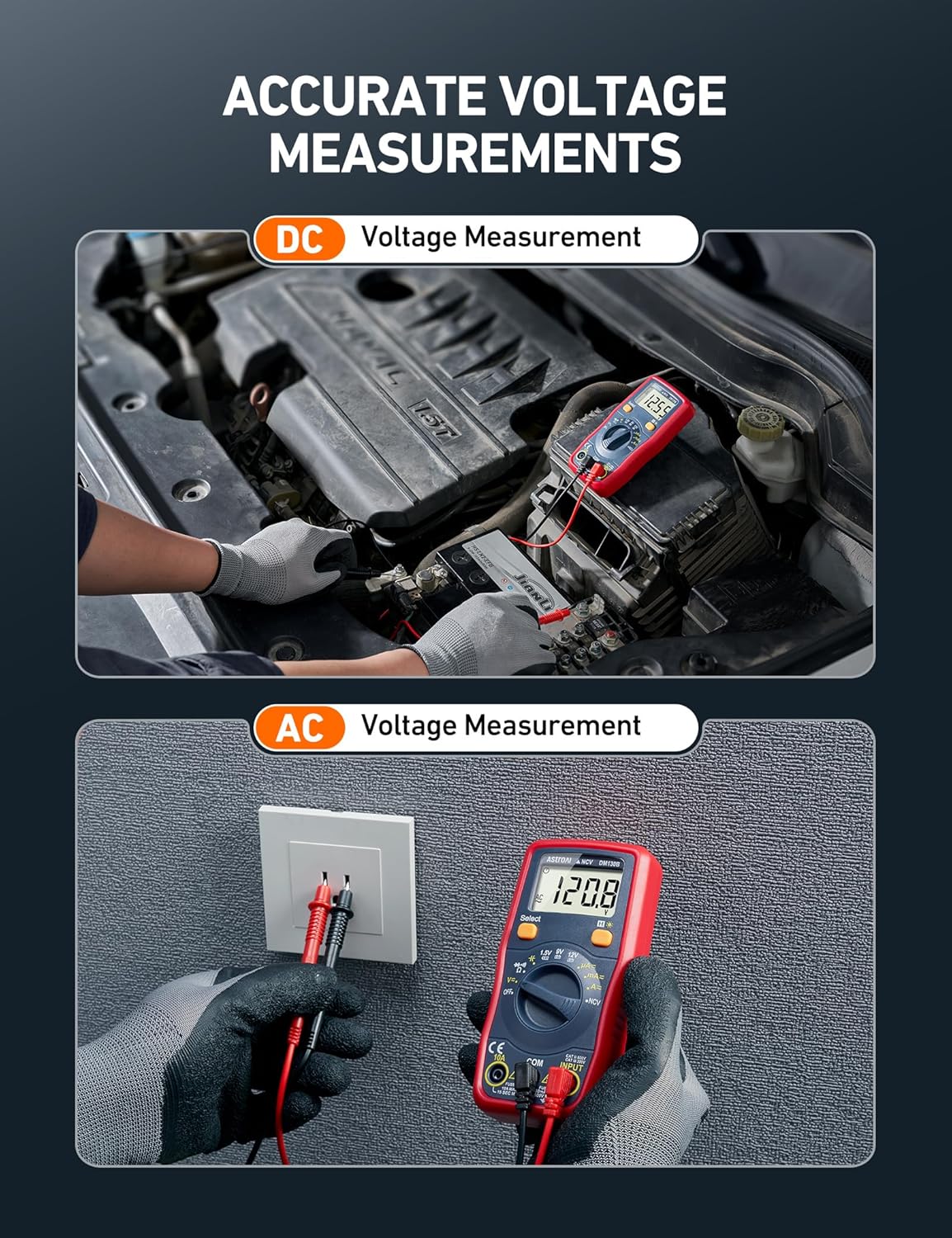
Voltage Measurement (AC/DC)
To measure voltage, set the rotary switch to the 'V~' (AC Voltage) or 'V=' (DC Voltage) position. Connect the test leads in parallel to the circuit or component being measured. The display will show the voltage reading.

Current Measurement (AC/DC)
For current measurements, set the rotary switch to the 'A~' (AC Current) or 'A=' (DC Current) position. Ensure the red test lead is connected to the appropriate current input jack (e.g., 10A for higher currents). Connect the multimeter in series with the circuit to measure current flow.

Resistance Measurement
To measure resistance, turn the rotary switch to the 'Ω' position. Connect the test leads across the component. The display will show the resistance value in Ohms (Ω).
Continuity Test
Set the rotary switch to the continuity symbol (speaker icon). Touch the test leads to the points you want to check for continuity. If there is a continuous path (low resistance), the multimeter will emit an audible beep.

Battery Voltage Test (1.5V, 9V, 12V)
The multimeter includes dedicated settings for testing common battery voltages. Select the appropriate battery voltage (1.5V, 9V, or 12V) on the rotary switch and connect the test leads to the battery terminals. The display will show the battery's voltage level.


Non-Contact Voltage (NCV) Function
The NCV function allows for detection of AC voltage without direct contact. Set the rotary switch to 'NCV'. Hold the top of the multimeter near a live wire or outlet. If AC voltage is detected, the multimeter will beep and the NCV indicator will light up, providing a safer way to identify live circuits.

Additional Practical Features
- Data Hold: Press the 'HOLD' button to freeze the current reading on the display. Press again to release.
- Backlight: The large LCD screen features a backlight for easy reading in low-light conditions.
- Kickstand: A built-in kickstand allows for hands-free operation, propping the multimeter at an optimal viewing angle.
- Low Battery Indication: An icon on the display will indicate when the batteries are low and need replacement.
- Auto Power-Off: The device automatically shuts off after a period of inactivity to conserve battery life.


Official Product Video
For a visual guide on the AstroAI TRMS Digital Multimeter, please watch the official product video below:
Video: AstroAI TRMS Digital Multimeter. This video provides a comprehensive overview of the multimeter's features and operation.
Safety Information
Safety is paramount when working with electrical measurements. The AstroAI Digital Multimeter DM130B incorporates several safety features:
- Integrated Fuses: Equipped with two integrated fuses rated at F500mA/600V and F10A/600V. These fuses protect the multimeter effectively against overload.
- Anti-Burn Protection: Features anti-burn design with double ceramic fuse and thermistor protection circuit.
- Overload Protection: Provides overload protection on all ranges.
Always adhere to standard electrical safety practices. Do not attempt to measure voltages or currents exceeding the specified maximum ratings. Ensure the multimeter is set to the correct function before making any measurements.

Maintenance
Cleaning: Wipe the multimeter with a dry, clean cloth. Do not use abrasive cleaners or solvents.
Battery Replacement: When the low battery indicator appears on the display, replace the three AAA batteries promptly to ensure accurate readings and proper operation.
Fuse Replacement: If a fuse blows due to overload, replace it with a fuse of the same type and rating (F500mA/600V or F10A/600V). Refer to the user manual for detailed instructions on accessing and replacing fuses.
Storage: Store the multimeter in a cool, dry place away from direct sunlight and extreme temperatures. Remove batteries if storing for extended periods.
Troubleshooting
If you encounter issues with your AstroAI Digital Multimeter, consider the following common troubleshooting steps:
No Display or Faint Display: Check the batteries. Replace them if they are low or depleted. Ensure the battery compartment is securely closed.
Inaccurate Readings: Verify that the test leads are properly connected to the correct input jacks for the selected function. Ensure the rotary switch is set to the appropriate measurement range. Check for damaged test leads or probes.
No Continuity Beep: Confirm the multimeter is set to the continuity test function. Ensure the circuit or component being tested is not open.
No NCV Detection: Ensure the NCV function is selected. The NCV function requires the presence of sufficient AC voltage to detect. Test on a known live circuit to confirm functionality.
Multimeter Does Not Turn On: Check battery installation and ensure the rotary switch is moved from the 'OFF' position.
If problems persist after attempting these steps, please refer to the support section for further assistance.
Specifications
| Feature | Detail |
|---|---|
| Model Number | ASIDM130B |
| Product Dimensions | 6.3 x 4.53 x 1.57 inches |
| Item Weight | 9.17 ounces |
| Power Source | Battery Powered (3 AAA batteries required) |
| Manufacturer | AstroAI |
| Color | Red |
| Safety Fuses | F500mA/600V and F10A/600V |
| Functions | AC/DC Voltage, AC/DC Current, Resistance, Continuity, Capacitance, Diode Test, Battery Test (1.5V, 9V, 12V), NCV Function |
| Display | Large Backlight LCD Screen |
| Additional Features | Data Hold, Kickstand, Low Battery Indicator, Auto Power-Off |
Warranty and Support
Warranty: This AstroAI Digital Multimeter DM130B typically comes with a 30-day return/replacement policy. For specific warranty details and duration, please refer to your purchase documentation or contact AstroAI directly.
Support: For technical assistance, troubleshooting beyond this manual, or warranty claims, please contact AstroAI customer support. You can usually find contact information on the official AstroAI website or through your purchase platform.
For more information and product updates, visit the official AstroAI Store: AstroAI Store


