
Introduction
Thank you for choosing the DOUXURY Wireless RV Backup Camera System. This system is designed to enhance driving safety by providing clear, high-definition rear views for various large vehicles including RVs, trucks, 5th wheels, trailers, pickups, campers, and buses. With its advanced digital signal technology, IP69 waterproof camera, and DVR recording capabilities, this system offers reliable performance and ease of use.
Package Contents
Please verify that all items listed below are included in your package:
- Wireless Backup Camera (x1)
- 7 Inches HD Backup Monitor (x1)
- Detailed Manual Book (x1)
- Antenna (x4)
- Other Parts (mounting brackets, power cables, cigarette lighter charger)

Image: All components included in the product package.
Setup
Installation
The DOUXURY Wireless RV Backup Camera System is designed for easy installation with no wires required between the monitor and the camera. The camera can be powered by connecting to a 12-36V DC power source, such as a taillight, or directly via the included power adapter. The monitor can be powered via the cigarette lighter charger.

Image: Simplified wiring diagram for monitor and camera installation.
Pairing Additional Cameras
The system supports up to 4 cameras. To pair an additional camera, access the monitor's menu, navigate to the 'Pairing' option, and follow the on-screen instructions. The monitor will display a countdown while searching for new cameras. Once detected, the new camera will automatically pair with the system.

Image: Visual representation of the strong wireless signal range between the camera and monitor.
Operating Instructions
DVR Recording Function
The RV backup camera system supports a DVR recording function, allowing you to record video footage. The video data is loop recorded and stored on an SD card (maximum 128G support). This feature can be useful for security and incident documentation.

Image: Monitor screen showing the DVR recording feature.
4 Split Screen Monitor
The 7-inch LCD monitor features a 4-channel display, allowing you to view feeds from up to four cameras simultaneously. This is particularly useful for eliminating blind spots around your vehicle. Additional cameras can be purchased separately.
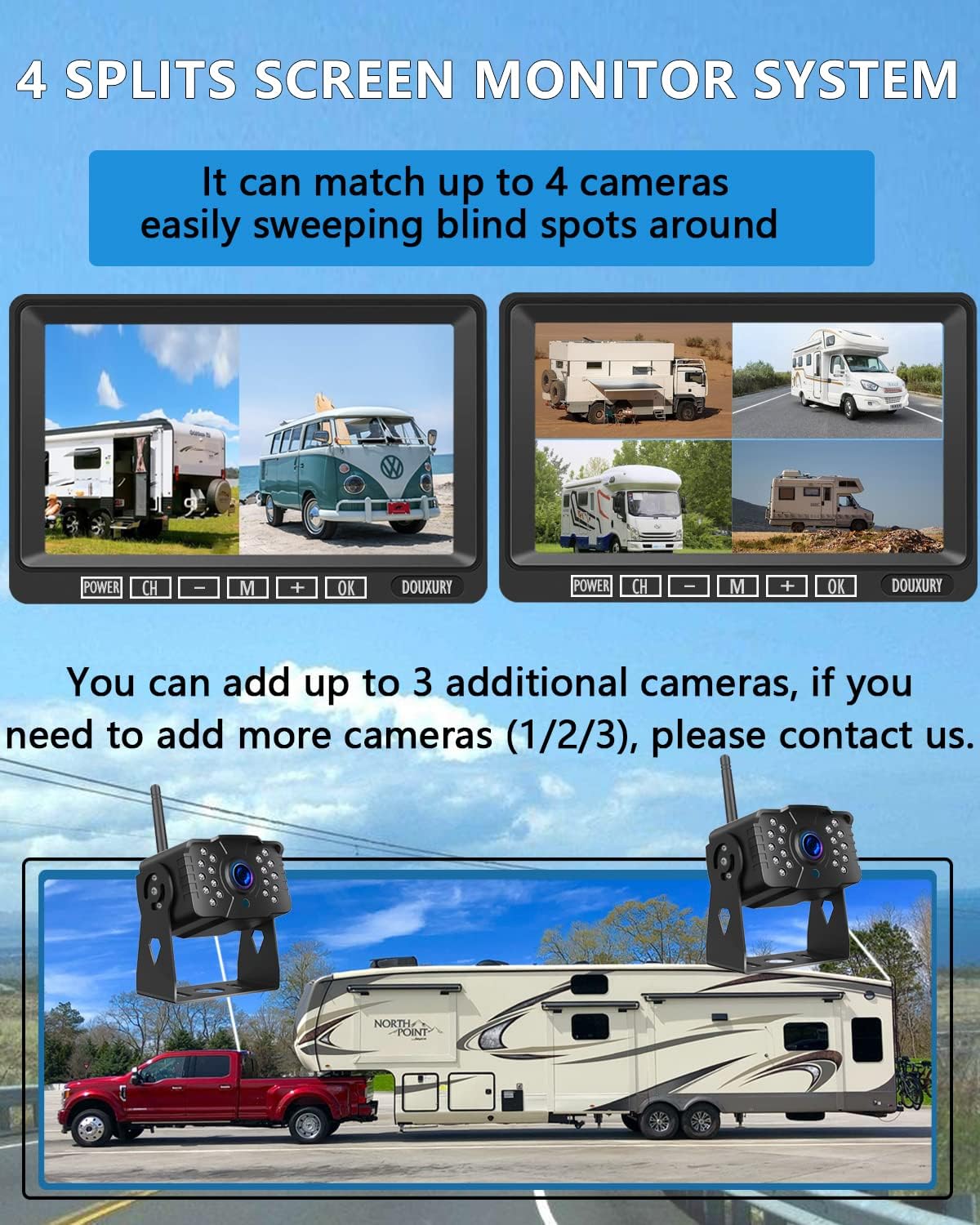
Image: Monitor displaying multiple camera views in a split-screen layout.
Parking Assist Line
The system includes a parking assist line feature to aid in safe maneuvering. This feature can be toggled ON or OFF through the monitor's settings menu, providing visual guides for parking and backing up.
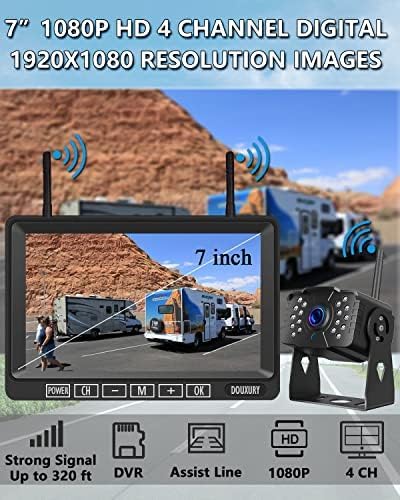
Image: Comparison of the monitor display with parking assist lines ON and OFF.
Key Features
1080P HD Video Quality
Equipped with a 1080p CCD image processing chip, the camera delivers high-definition images during the day and bright, clear images at night, ensuring 24-hour clear vision.

Image: Monitor displaying a clear 1080P HD image from the camera.
IP69 Waterproof and Temperature Resistance
The wireless backup camera features IP69 waterproof level with the latest sealing technology, protecting it from water and fog. It is also designed to withstand extreme temperatures ranging from -4°F to 149°F.

Image: Camera shown in a waterproof environment, demonstrating its IP69 rating.
170° Wide View Angle
The camera provides a 170° wide view angle, significantly expanding your field of vision behind the vehicle and reducing blind spots for safer driving and maneuvering.

Image: Visual representation of the camera's 170-degree wide viewing angle.
Specifications
| Feature | Detail |
|---|---|
| Brand | DOUXURY |
| Model Number | D-1T1 (The 2023 Latest Version) |
| Item Weight | 2 pounds |
| Product Dimensions | 15.35 x 7.48 x 2.36 inches (Package) / 11"L x 8"W x 3"H (Product) |
| Country of Origin | China |
| Voltage | 12 Volts |
| Screen Size | 7 Inches |
| Lux Rating | 0.1 Lux |
| Compatible Devices | RV, Semi, Box Truck, Trailer |
| Display Technology | LCD |
| Installation Type | Surface Mount |
| Video Capture Resolution | 1080p |
| Optical Sensor Technology | CCD |
| Special Features | Night Vision Function, IP69 Waterproof, Wide View Angle |
Maintenance
To ensure the longevity and optimal performance of your DOUXURY Wireless RV Backup Camera System, regular maintenance is recommended:
- Cleaning: Regularly clean the camera lens and monitor screen with a soft, damp cloth. Avoid abrasive cleaners that could scratch surfaces.
- Cable Inspection: Periodically check all power cables and connections for any signs of wear, fraying, or damage. Ensure connections are secure.
- Firmware Updates: Check the official DOUXURY website periodically for any available firmware updates for your system to ensure you have the latest features and bug fixes.
- SD Card Management: If using the DVR recording function, regularly check the SD card for storage capacity and format it periodically to maintain recording efficiency.
Troubleshooting
If you encounter any issues with your system, please refer to the following common problems and solutions:
- No Signal on Monitor:
- Ensure both the camera and monitor are powered on.
- Check that the antennas are securely attached to both the camera and monitor.
- Verify that the camera and monitor are within the effective wireless range (320ft in open area, 180ft in vehicles). Large metal objects or structures can interfere with the signal.
- Re-pair the camera with the monitor if the connection is lost (refer to 'Pairing Additional Cameras' in the Setup section).
- Flickering or Intermittent Signal:
- This may be due to signal interference. Try repositioning the antennas or moving the monitor slightly.
- Ensure no other strong wireless devices are operating too close to the system.
- Poor Image Quality:
- Clean the camera lens to remove any dirt, dust, or water spots.
- Ensure the monitor screen is clean and free from smudges.
- Check the monitor's brightness and contrast settings in the menu.
- DVR Recording Not Working:
- Ensure an SD card is properly inserted into the monitor.
- Check if the SD card has sufficient free space. Format the card if necessary (this will erase all data).
- Verify the recording function is enabled in the monitor's settings.
If you are unable to resolve an issue using these steps, please contact customer support.
Support
For any questions, technical assistance, or if you receive the package with some accessories missed or broken, please contact our customer support team:
Email: DouxuryUS@hotmail.com
Please provide your product model number (D-1T1) and a detailed description of your issue when contacting support for faster assistance.